


 Log In

Free gifts available with your purchase
Product information
dbx® 160 Compressor / Limiter
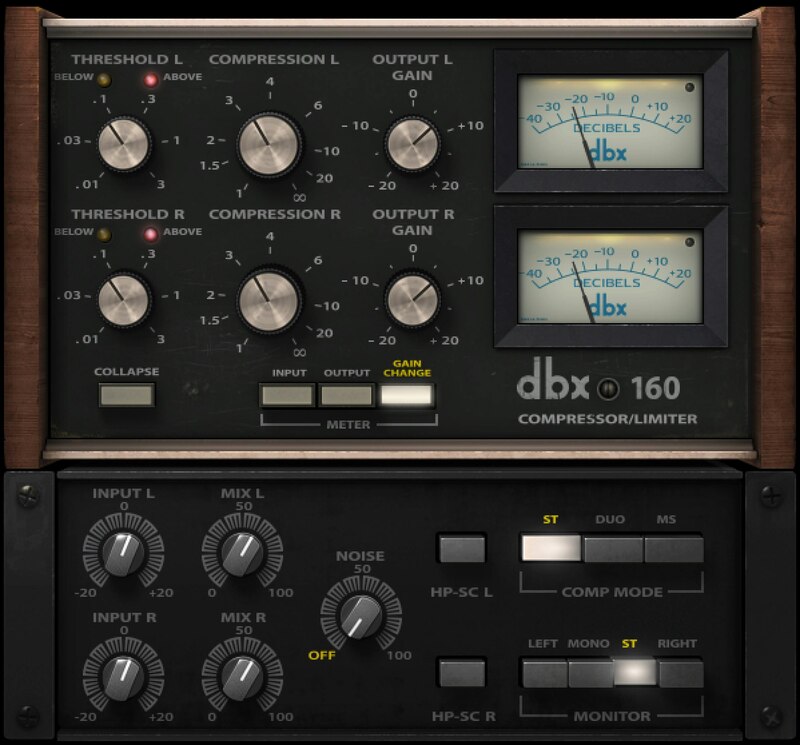
Iconic Punch for Drums. Fat Textures for Everything.
The dbx 160’s VCA-based compression was a clean break with previous designs. Its savagely fast attack and fresh transparency made it an instant hit, whether used conservatively to add fullness, or slammed for pumping. The dbx 160 became the sound of drums and bass compression.
Designed in close collaboration with dbx®, the dbx 160 models the original hardware’s sound with absolute accuracy, enhancing it with new features designed for the needs of modern studios.
Features
- Delivers the power and punch of classic 70s drum compression
- Fat, thick textures perfect for drums, bass, synth, acoustic guitar
- Adds aggression to everything from a drum bus to a rap vocal
- Straightforward controls dial in the right sounds quickly and easily
- Mix control added for quick parallel compression
- Sidechain hi-pass filter added for a full low end on kick and bass
- Linked stereo, dual mono, or mid-side operation
- Transparent sound with ultra-low distortion
System Requirements
Mac
- macOS Monterey 12, Ventura 13, Sonoma 14, Sequoia 15
- VST / AU / AAX
PC
- Windows 10+
- VST / AAX
Installation Instructions














