/ Compressor / CLA-76 Compressor / Limiter
Waves

CLA-76 Compressor / Limiter

5.0 (2 Reviews)
$29.99 $149.00

79% off until Dec 07

Waves CLA-76 Compressor / Limiter
Waves CLA-76 Compressor / Limiter gallery thumbnail
Buy Now
Product information

CLA-76 Compressor / Limiter
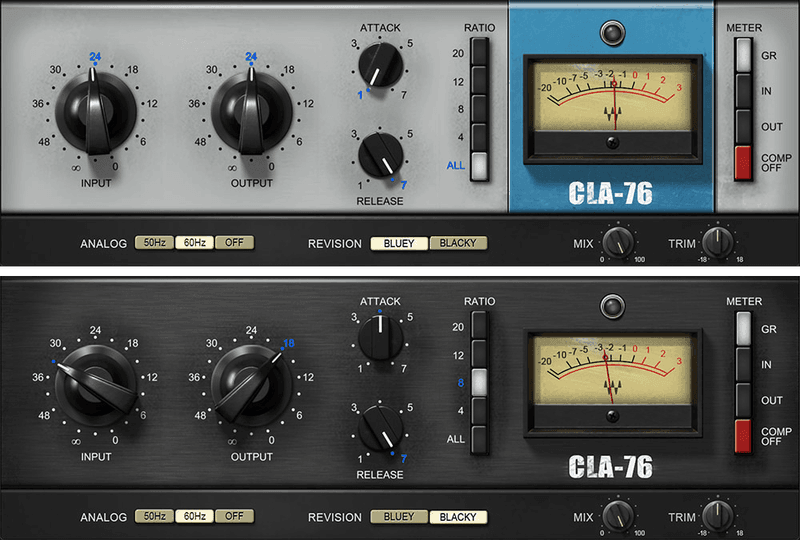
The Key to Hard-Hitting Dynamic Mixes

Unlike the smooth sound of optical control-based compressors, the CLA-76 models the ultra-fast response, and tube-like distortion, of FET control circuitry. This plugin models two CLA-76s, based on hand-picked hardware that represents the best of the many revisions that were produced.

Tight, aggressive, and with a big, bold character, the CLA-76 is a favorite of acclaimed mix engineer Chris Lord-Alge. We modeled his two most-prized hardware units, “Bluey” and “Blacky,” both perfectly maintained in his studio—so you can have their sound in your mixes.

Features

  • Attack and release times track drum dynamics perfectly
  • Exclusive ALL ratio mode delivers explosive compression sound
  • Modeled preamp distortion gives that extra-aggressive edge
  • Super-fast attack time keeps transients under control
  • “Blacky” and “Bluey” models let you choose the ideal tonal color
  • Leveling-amp design gives consistent control for vocals
  • Presets created by Grammy-winning mixer Chris Lord-Alge
  • Zero latency for both studio and live mixing
  • Mix control for easy parallel compression
  • Trim control for quick level adjustment

System Requirements

Mac

  • macOS Monterey 12, Ventura 13, Sonoma 14, Sequoia 15
  • VST / AU / AAX

PC

  • Windows 10+
  • VST / AAX
Installation Instructions

1. Head to https://www.waves.com/create-account

2. Enter your email and choose a password to create an account (if you already have a Waves account, choose Log in, enter your details and head to Step 5) > click 'Submit'

3. Open your email inbox > click the activation link in the email from Waves

4. Click 'Log in here' > Log in to your Waves account

5. Click 'Register New Products'

6. Enter the Serial Number found in your Plugin Boutique user account > click 'Submit'

7. Click download in your Plugin Boutique user account or head to https://www.waves.com/downloads/central > download the Waves Central app for your operating system

8. Install Waves Central > Open Waves Central

9. Click 'Log in' > enter your log in details

10. Click the 'Install Products' tab

11. Tick the blue dot on all products you wish to install or click the top dot to install all products > click 'Install & Activate'

12. Click 'OK'

13. Open your DAW > open the Waves plugin

Your Waves plugins are installed and ready to use, enjoy!

Plugin Boutique Rewards

Discover the most rewarding loyalty programme among all plugin retailers.

  • Free Loopmasters Samplepacks
  • Discounts on products and courses
  • Extra Virtual Cash claimed immediately at checkout
Find out more

Follow us:

X (Twitter) Facebook YouTube Instagram
Logo Logo

Plugin Boutique Limited, Part of the Beatport Group LLC.

Copyright © 2011-2025 Plugin Boutique. All rights reserved










