/ Compressor / H-Comp Hybrid Compressor
Waves

H-Comp Hybrid Compressor

4.5 (2 Reviews)
$29.99 $149.00

79% off until Dec 07

Waves H-Comp Hybrid Compressor
Waves H-Comp Hybrid Compressor gallery thumbnail
Buy Now
Product information

H-Comp Hybrid Compressor
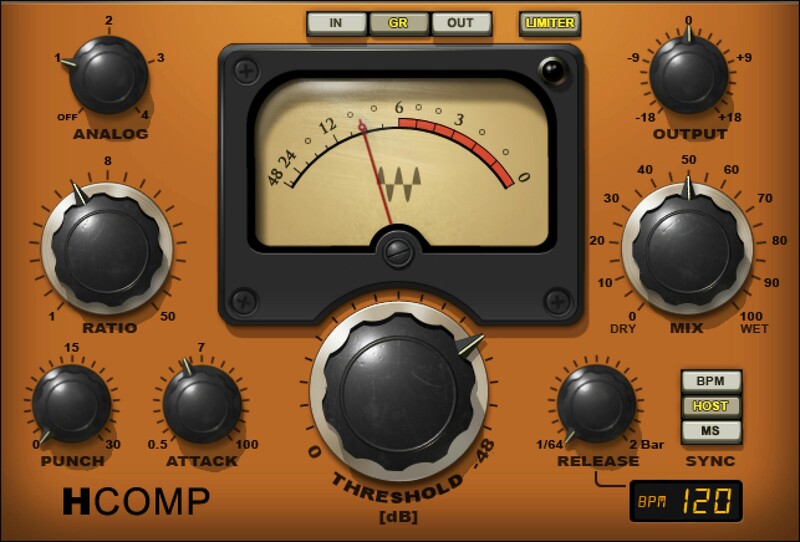
Digital Precision & Versatility. Analog-Modeled Sound.

H-Comp combines the performance and precision of modern compressors with the charming, and enduring, sound quality of tubes, transformers, and transistors. Even better, unlike the immutable nature of “character” compressors, you can choose from four distinct analog personalities.

Whether warming up today’s tracks with a vintage vibe, packing percussive power and punch into rhythm tracks and loops, or sweetening vocals with the nostalgic sheen of tubes, H-Comp delivers.

Features

  • Inspired by the SSL, API, and V-series models of classic gear
  • Variable Punch control improves on vintage devices’ fixed punch
  • 4 analog sound characters affect dry and processed sounds
  • Sync release time to the host tempo, BPM, or set manually
  • Peak limiter sets a ceiling to avoid overloading subsequent stages
  • Dry/wet mix control for parallel compression

System Requirements

Mac

  • macOS Monterey 12, Ventura 13, Sonoma 14, Sequoia 15
  • VST / AU / AAX

PC

  • Windows 10+
  • VST / AAX
Installation Instructions

1. Head to https://www.waves.com/create-account

2. Enter your email and choose a password to create an account (if you already have a Waves account, choose Log in, enter your details and head to Step 5) > click 'Submit'

3. Open your email inbox > click the activation link in the email from Waves

4. Click 'Log in here' > Log in to your Waves account

5. Click 'Register New Products'

6. Enter the Serial Number found in your Plugin Boutique user account > click 'Submit'

7. Click download in your Plugin Boutique user account or head to https://www.waves.com/downloads/central > download the Waves Central app for your operating system

8. Install Waves Central > Open Waves Central

9. Click 'Log in' > enter your log in details

10. Click the 'Install Products' tab

11. Tick the blue dot on all products you wish to install or click the top dot to install all products > click 'Install & Activate'

12. Click 'OK'

13. Open your DAW > open the Waves plugin

Your Waves plugins are installed and ready to use, enjoy!

Plugin Boutique Rewards

Discover the most rewarding loyalty programme among all plugin retailers.

  • Free Loopmasters Samplepacks
  • Discounts on products and courses
  • Extra Virtual Cash claimed immediately at checkout
Find out more

Follow us:

X (Twitter) Facebook YouTube Instagram
Logo Logo

Plugin Boutique Limited, Part of the Beatport Group LLC.

Copyright © 2011-2025 Plugin Boutique. All rights reserved










