


 Log In

Free gifts available with your purchase
IDX Intelligent Dynamics
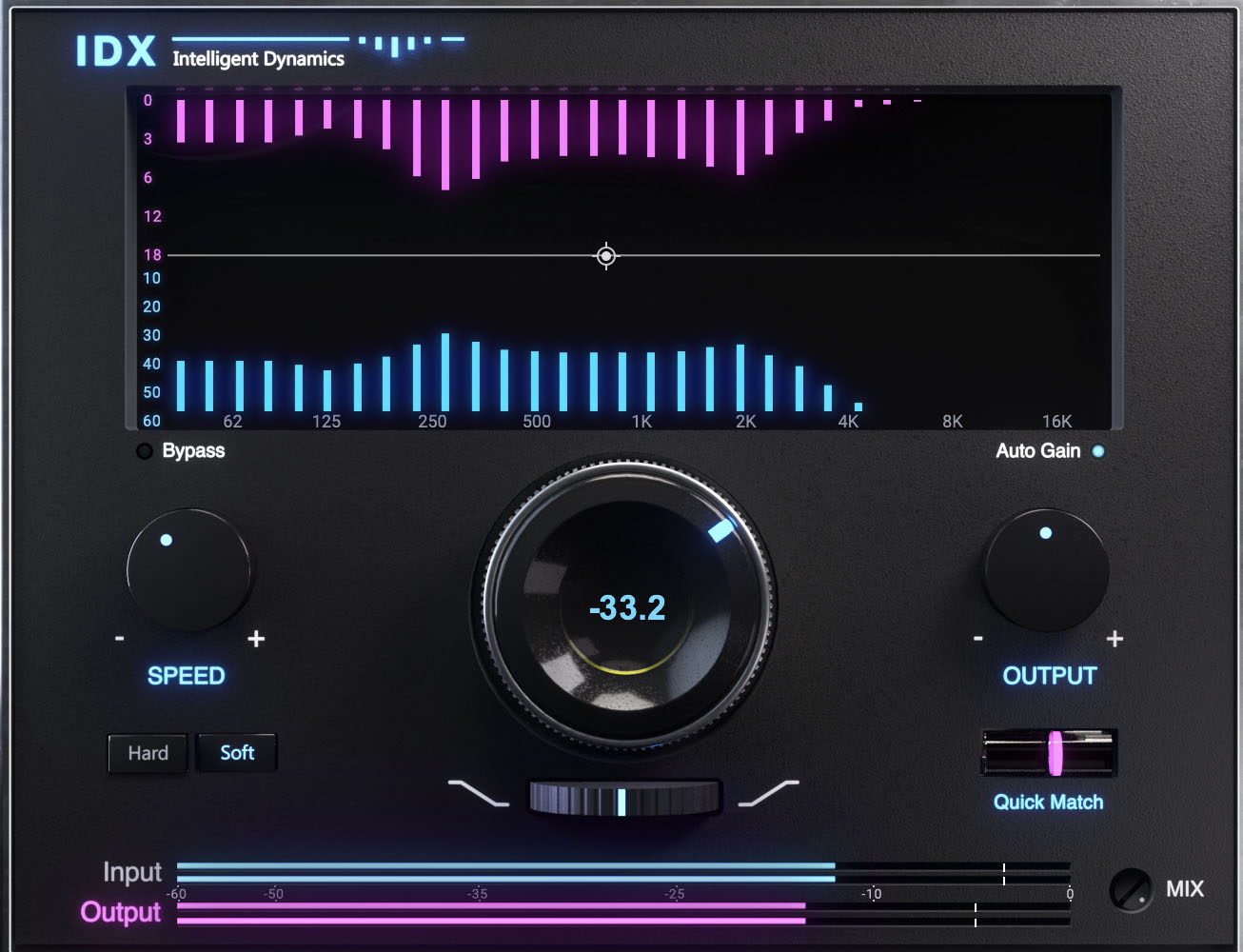
The Ultimate Tool for Energy, Punch, and Focus
IDX Intelligent Dynamics is a smart frequency-dependent compressor that optimizes your tracks' energy for greater punch and focus. Instantly vitalize your mix with just one main knob.
Struggling to get energy into your mix? Whether your sounds feel flat or lack that extra punch, IDX helps you find the best way to add energy. It intelligently optimizes the energy of your tracks, applying processing exactly where it’s needed, and giving you the impact and punch you’ve been missing.
Can't get your mix to 'lift out of the speakers'? Using multiple detectors across the frequency range, IDX shapes the envelope of your tracks, providing an “in your face” sound without sacrificing depth.
How IDX Works
The plugin’s smart algorithm automatically identifies the busiest areas of the frequency range—the ones that consume energy but don’t contribute to an instrument’s or a vocal’s tone. It then compresses them using 'progressive attenuation' (unlike a traditional compressor which uniformly reduces the signal RMS above a threshold). As a result, frequency ranges that define the track's key characteristics gain a relative advantage and stand out.
Tip: Insert IDX at the beginning of your plugin chain, on multiple tracks and even on your master bus, and it will give you a solid foundation on which to build the rest of your mix.
Features
- Instantly optimizes track energy for more punch and focus
- Brings elements forward in the mix and adds definition
- Gives you a solid foundation to build your mix upon
- Instantly revitalizes dull tracks
- Uses frequency-dependent progressive attenuation
- Automatically compresses the busiest areas of the frequency range
- Instantly balance input and output levels with Quick Match control
- Control response speed with Hard and Soft modes
- Adjust bright vs. dark tone with Tilt control
- Zero-latency version for live sound
System Requirements
Mac
- macOS Monterey 12, Ventura 13, Sonoma 14, Sequoia 15
- VST / AU / AAX
PC
- Windows 10+
- VST / AAX














