


 Log In

Free gifts available with your purchase
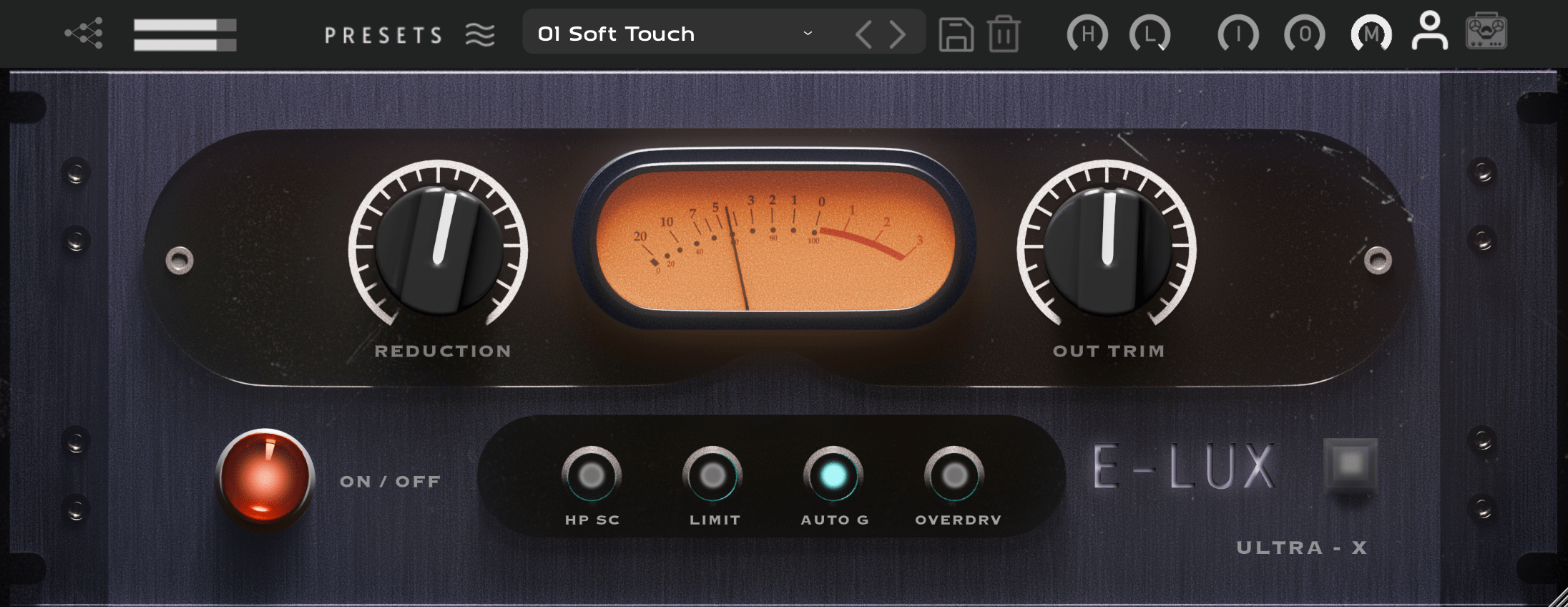
Luxury Electro Optical Compressor
Topology
Experience unparalleled sonic richness with E-LUX, a premium optical compressor meticulously designed to infuse your vocals and instruments with the ”expensive” sound of high-end tube equipment. Leveraging a proprietary NM2 neural modeling, E-LUX authentically captures the essence of classic tube-driven compression. Experience the lush harmonics and natural compression of esteemed optical compressors, renowned for their use of 5751 and 6922 dual triode vacuum tubes. Offers Compression (3:1) and Limit (10:1) modes with sidechain (80Hz High Pass) and also an “Overdrive” mode pushing the Iron Transformers!
What It Sounds Like: Smooth and transparent natural musical compression, settle your track in the mix.
What It’s Good On:
- Vocals: The “Expensive” Vocal Compression makes it sound Pro & Silky, retaining the “highs.”
- Drums: Good as a transparent burier of Drums, Solid Glue without the “pumping” artifacts.
- Bass: Controls peaks effortlessly, even out the soft and loud parts, smooth buttery bass!
- Acoustic Instruments: Easy One Knob compression (3:1) or limiting (10:1) for your instruments.
- Mix Bus: Transparent Cohesion also retains the Low End with the Sidechain (80Hz).
Features
- Luxury Optical Compression – Captures the rich, high-end tube sound.
- Neural Modeling Technology – Accurately replicates classic tube-driven compression.
- Compression & Limiting Modes – 3:1 for smooth control, 10:1 for firm limiting.
- Versatile Sound Shaping – Sidechain (80Hz HPF) & "Overdrive" mode for added character.
- Pro-Quality Vocals – Silky, polished compression that retains clarity and detail.
- Drum & Bass Glue – Transparent, punchy compression without unwanted pumping.
- Acoustic & Mix Bus Friendly – Cohesive, natural dynamics with preserved low end.
System Requirements
Mac
- macOS 10.14 or later (Intel / Native M1 supported) (64-bit only)
- VST3 / AU / AAX (64-bit host required)
- Intel i3 / AMD Ryzen or equivalent
- 2 GB RAM / 300 MB HD Required
- Screen resolution: 1024 × 768
Windows
- Windows 10 or later (64-bit only)
- VST3 / AAX (64-bit host required)
- Intell i3 / AMD Ryzen or equivalent
- 2 GB RAM / 300 MB HD
- Screen resolution: 1024 × 768













