


 Log In
.jpg)
Free gifts available with your purchase
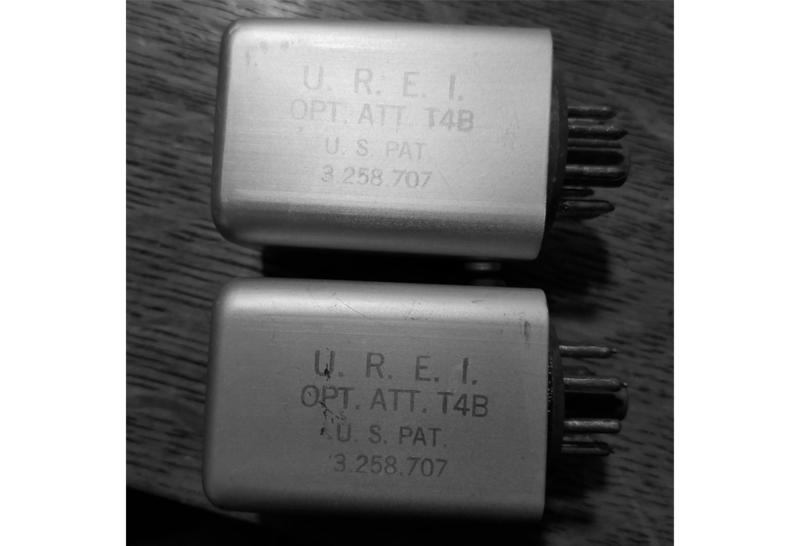
OptoRED is a transparent Optical Attenuator (compressor) based on the classic American unit used on countless hit records. This is part of the new Enhanced Classics series.
Compression is one of the most important tools in the arsenal of an Engineer, Music Producer & Artist alike. This is now a device that far surpasses its original intent which was to control the level of the sound automatically.
Today we use different types of compressors for inducing a Vibe & Feel to our instruments, percussion, drums, and voice. Digital and Analog Compressors have come a long way, but some classics are still preferred even today because they are now as much a part of a genre or musical style that they are now deemed as musical instruments in their own right.
Tone Empire are inspired by these classic devices yet yearn to bring extended functionality to today’s modern musicians, engineers & Producers working on advanced systems with a need for more flexibility and extended tones. Hence they have now started a new series of processors called Enhanced Classics.
The First of this series is the OptoRED compressor. As the name suggests, this is an optical compressor based on the famous American Classic Tube Optical Compressor, found on literally every hit record ever made. The idea was to start with a 1:1 emulation and then take things way beyond the original functionality.
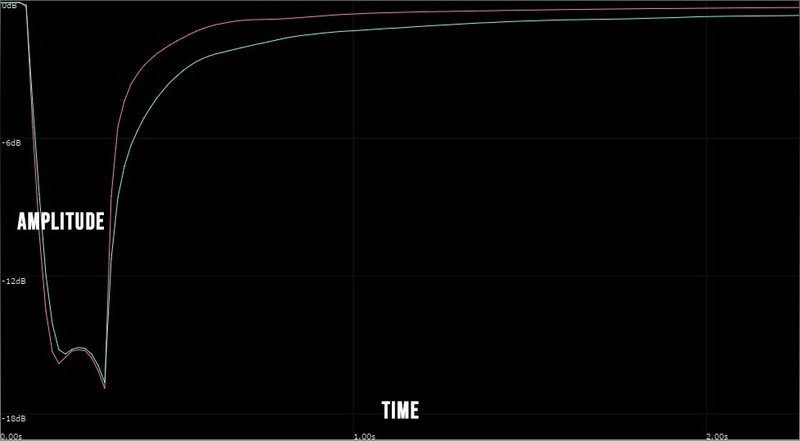
This optical compressor has a built-in side chain circuit, A Low pass filter, automatic gain, wet/dry mix, and other features. This allows it to go beyond the original intent of just being suitable for vocals and bass. OptoRED kills on Drums, Synths, Percussion, and both Electronic & Acoustic instruments.
The Lo-Cut Filter is designed to let the artist use this as a tracking compressor as well, getting rid of unwanted low frequencies at the time of tracking, yet get a low latency compressed signal perfect for tracking.
Unlike the original classic, OptoRED is super clean and does not impart any unwanted colouration.
Features
Compression Capabilities
- This knob works counter-clockwise and is the threshold control for the compressor.
- The range is set from +10dB to -30dB.
- Turning right adds more compression.
Comp | Limit Switch
- This switch will toggle the device between a smaller compression ratio and a very large compression ratio
- Choose between a Compressor Mode or Limiter Mode.
Lo Cut
- This is a 12 dB Low-cut shelving filter which goes from an 'off' setting to 100 hZ
- This has been implemented to help the user automatically filter out the very low frequencies when tracking vocals, bass and other instruments.
Wet / Dry Mix
- On the left most position, this knob only allows the processed compressed signal to pass through.
- This gives the user more tone shaping and parallel processing options needed in today’s workflow.
Sidechain On / Off Switch
- This turns on or turns off the sidechain circuit.
Gain, Freq & Control
- The compressor gets fed a filtered version of the incoming signal to trigger the side chain.
In Gain Control
- The In Knob controls the level of the input signal entering the Optored Processor with a range of -48db (silence) to +24 dB.
- This will affect the threshold of the processor.
Auto Switch On / Off
- This switch toggles between switching on or off the AutoGain circuit.
- The more you turn the threshold knob to the right, the more the gain added to the compressed signal.
Make-Up Gain
- This control handles the level of the processed signal after the AutoGain system and can be used to reduce or increase the levels of the processed signal.
- The range of this control is from -48dB to +24dB.
System Requirements
Mac
- macOS 10.13 or later (Intel / Native M1 supported) (64-bit only)
- VST3 / AU / AAX (64-bit host required)
- AMD Ryzen or equivalent
- 2 GB RAM / 300 MB HD Required
- Screen resolution: 1024×768
Windows
- Windows 10 or later (64-bit only)
- VST3 / AAX (64-bit host required)
- AMD Ryzen or equivalent
- 2 GB RAM / 300 MB HD
- Screen resolution: 1024×768
Important Note:
- This software is 64-bit compatible only and will not function on 32-bit systems.













