/ Compressor / TDR Molot GE
Tokyo Dawn Labs

TDR Molot GE

4.8 (421 Reviews)
$50.00
Tokyo Dawn Labs TDR Molot GE - User Interface 01
Introduction to Molotok and Molot GE gallery thumbnail
TDR Molot GE VST Plugin | EXTREME SETTINGS Demo | Crunch The Compressor gallery thumbnail
Tokyo Dawn Labs TDR Molot GE - User Interface 02
Tokyo Dawn Labs TDR Molot GE - User Interface 03
Tokyo Dawn Labs TDR Molot GE - User Interface 04
Buy Now
Product information

Russian for “Hammer”, Molot is the name of a popular dynamic compressor originally released in 2011 by Vladislav Goncharov. With a modernized concept, extended flexibility, and a generous dose of Rock ’n Roll, Molot GE proudly takes over the job of its predecessor.

Molot GE is a particularly characterful dynamic range compressor melding several classic compression mechanisms with sophisticated saturation, creative tone control, and a snappy peak limiter. Whether it be mellow levelling, tight dynamic control, or aggressively vibrant compression, Molot GE covers a remarkable wide range of compression colours. While Molot GE doesn’t emulate any “vintage” device, its sound and behaviour was definitely inspired by their most interesting musical peculiarities. This flexibility makes it suited for almost any source, be it drums asking for more crisp and impact, solidification and enrichment of vocals, or the enhancement of guitar and bass recordings of all types.

As with all TDR plugins, Molot GE employs state of the art audio processing technology keeping unwanted distortion under strict control. An intuitive and well-documented user interface offers quick access to all relevant parameters in a rewarding manner. Several helpers such as the equal loudness bypass and trimming, unlimited undo/redo, optional stepped controls, and many more features help the operator achieve consistent results within a short time.

Features

  • Musically intriguing compression flavours
  • Analogue style brick wall limiter
  • Sophisticated saturation section
  • Creative tone control section
  • Dual-stage timing section offering control over auto-release behaviour
  • Feedforward and feedback compression types
  • Crossover based adjustable stereo link
  • Detailed colouration features such as negative ratios, sidechain phase rotation, and bit-crushing
  • Different quality modes including zero-latency operation
  • M/S mode with dedicated width controls
  • Equal loudness workflow, with equal loudness bypass and equal loudness trim

System Requirements

Windows

  • Win XP SP2 or above
  • VST2, VST3 (32-bit / 64-bit)
  • AAX (64-bit only)

Mac

  • macOS 10.9 or above
  • VST2, VST3, AU, AAX (64-bit only)

Important Note: The Mac version of this software is 64-bit only and will not function on 32-bit systems.
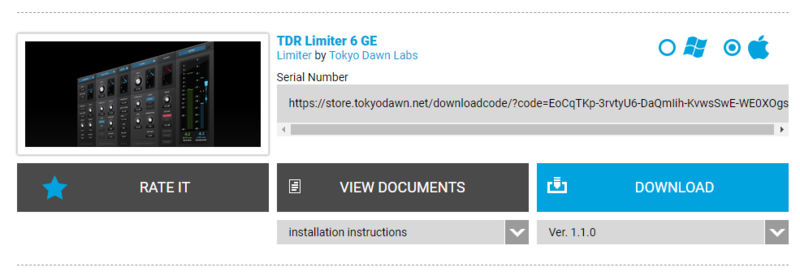
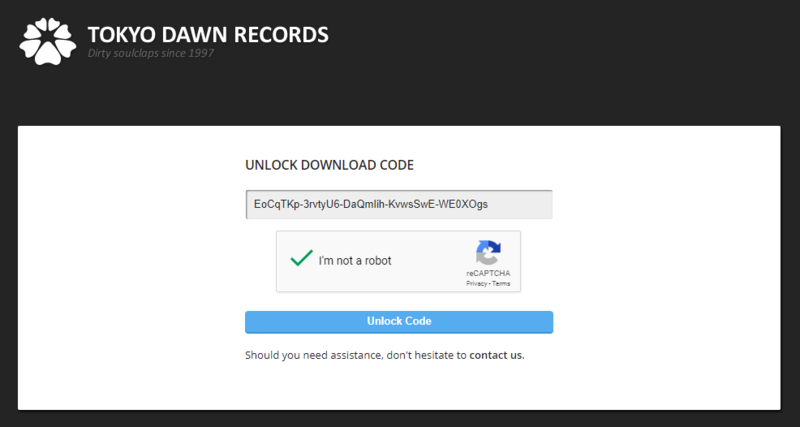
Installation Instructions

Note: TDR Limiter 6 GE is used as the example.

Mac

Registration

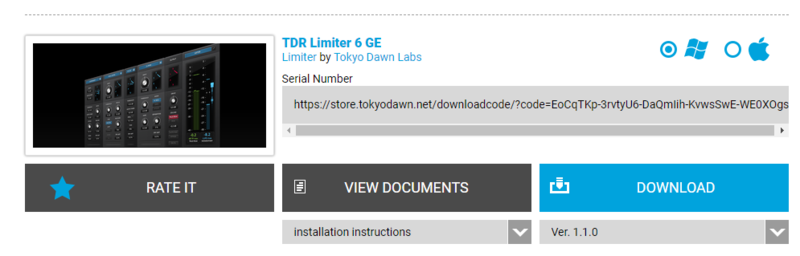
1. Go to your Plugin Boutique User Account > Copy and paste your serial number into your web browser search bar and press 'enter' on your keyboard.

2. Check the box that states 'I'm not a robot' > Click 'Unlock Code'.

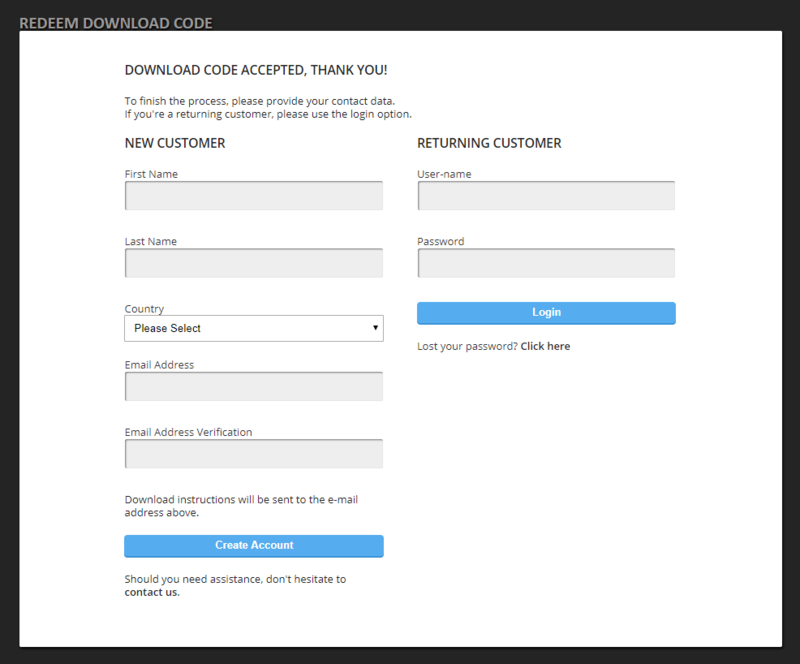
3. Enter your Name & email address and select your country from the drop-down menu > Click 'Create Account'.

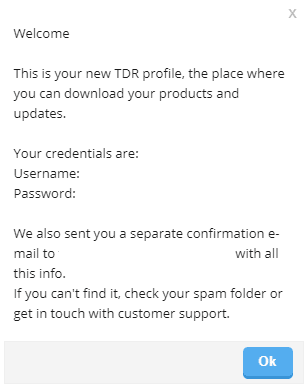
4. Click 'Ok'.

Installation

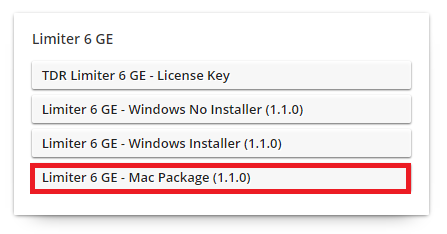
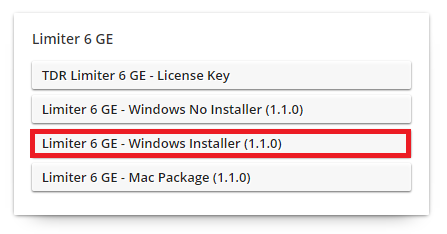
1. Click the Mac installer link to download the correct installer for your operating system.

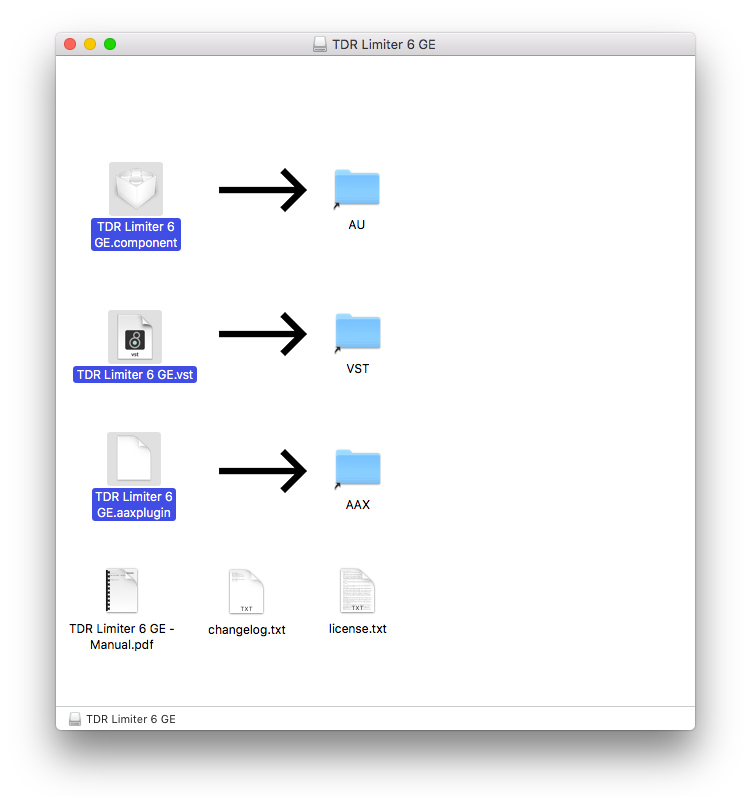
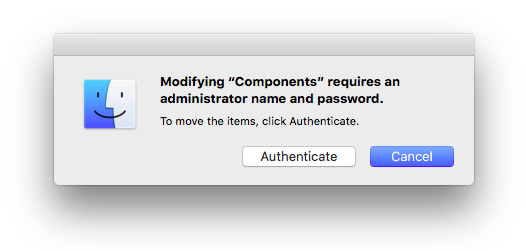
2. Open the .dmg file > Click and drag the Component, VST and AAX Plugin files into their respective folders.

3. Click 'Authenticate'.

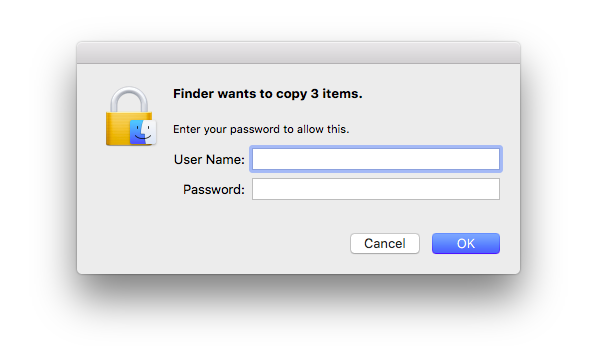
4. Enter your computer Username and Password > Click 'Ok'.

Online Activation

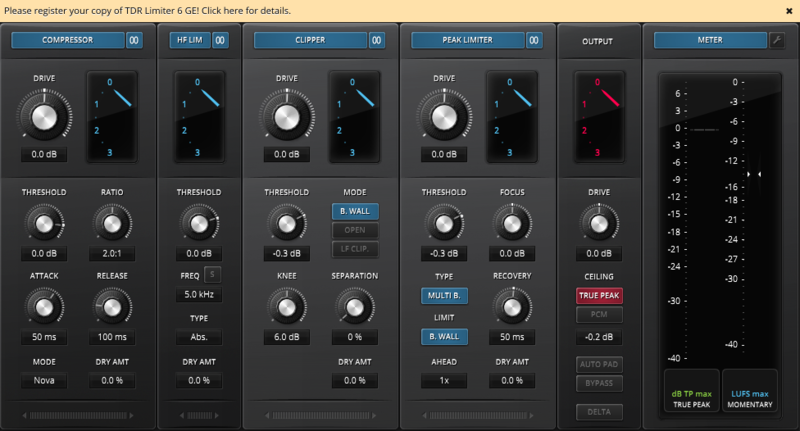
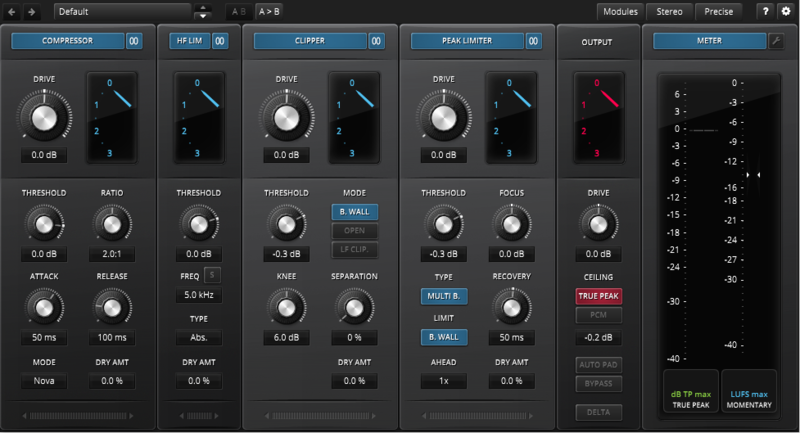
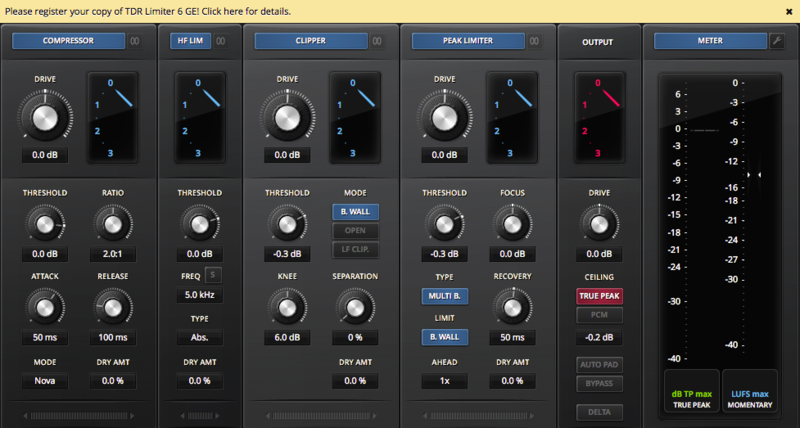
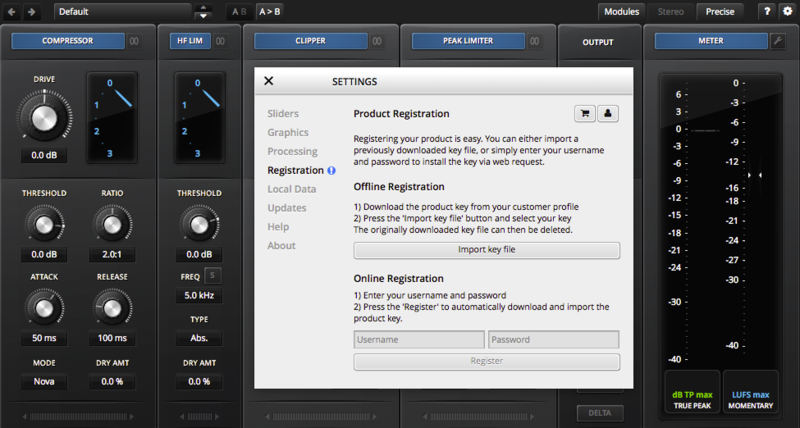
1. Open the installed software in your DAW > Click the dialogue box at the top of the plugin to open the activation menu.

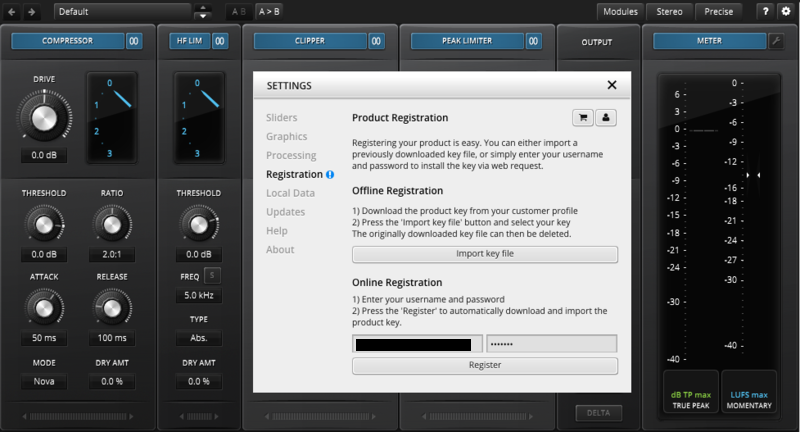
2. Enter your Tokyo Dawn Labs registered email address and password > Click 'Register'.

3. Click 'Ok'.

Your software is now activated and ready to use within your DAW.

Offline Activation

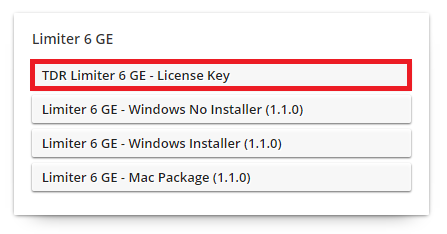
1. Go to your Tokyo Dawn Labs User Account > Download the License Key File for your software.

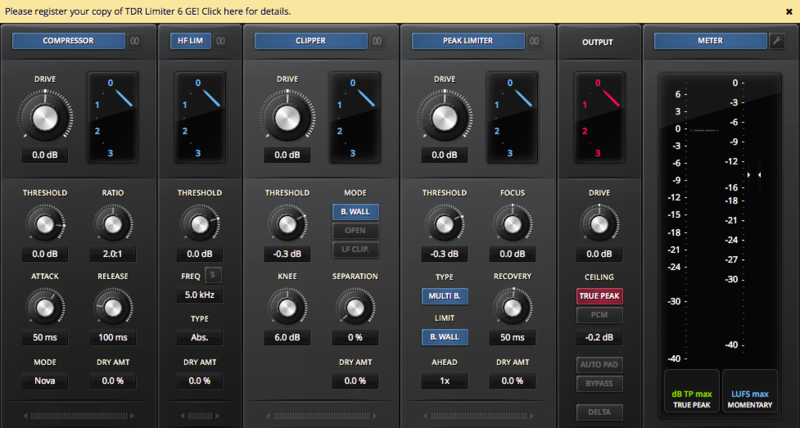
2. Open the installed software in your DAW > Click the dialogue box at the top of the plugin to open the activation menu.

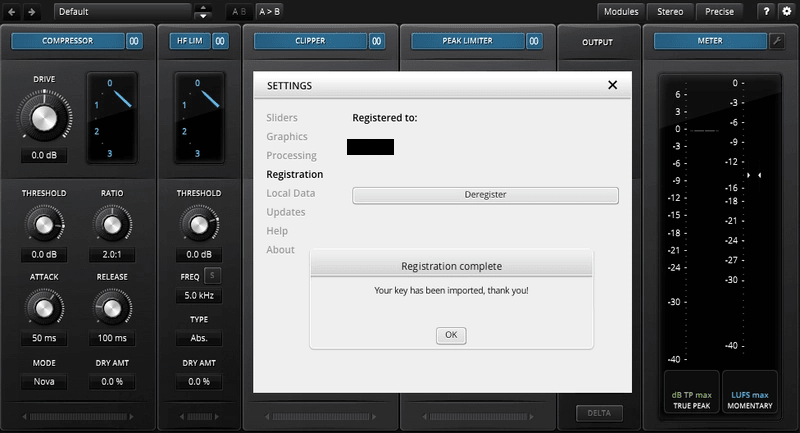
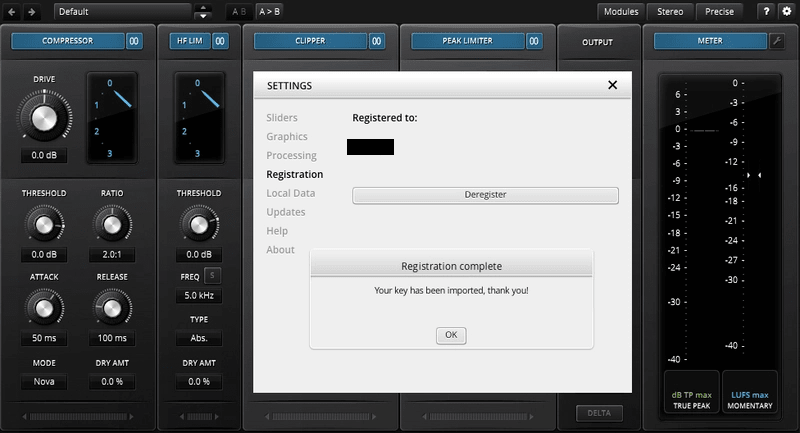
3. Click 'Import Key File'.

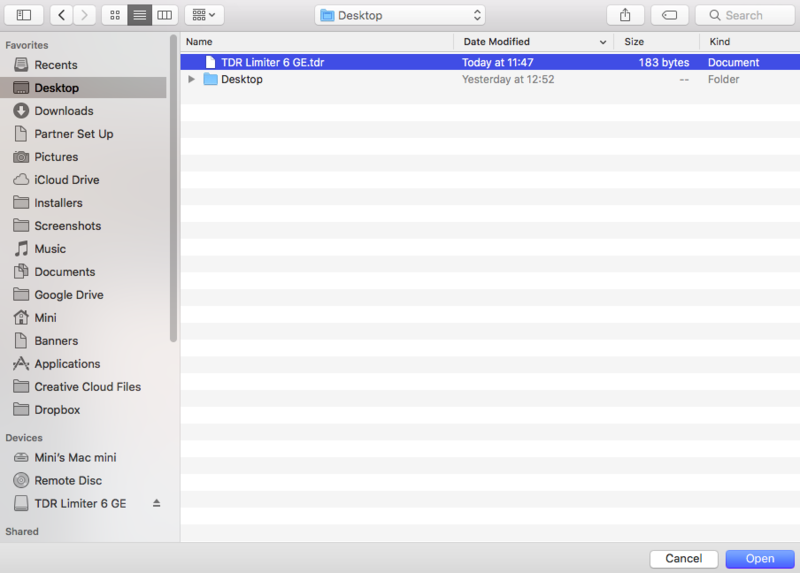
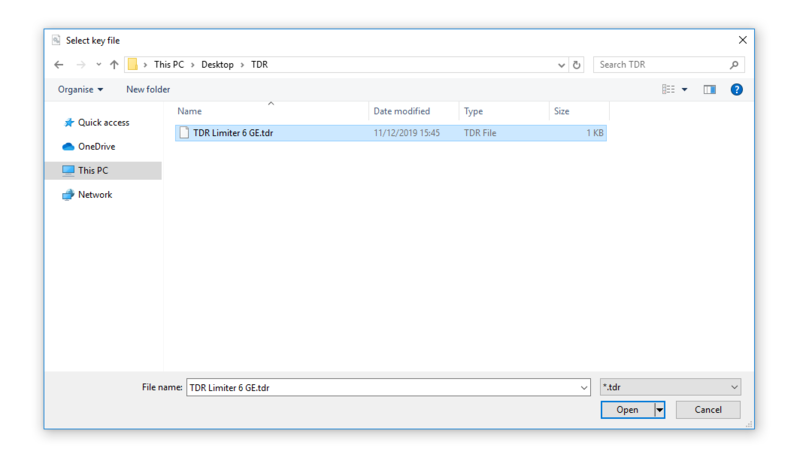
4. Select the License Key File > Click 'Open'.

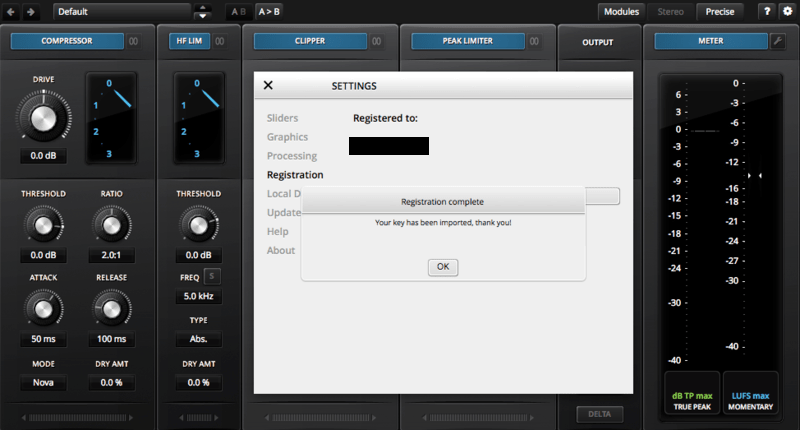
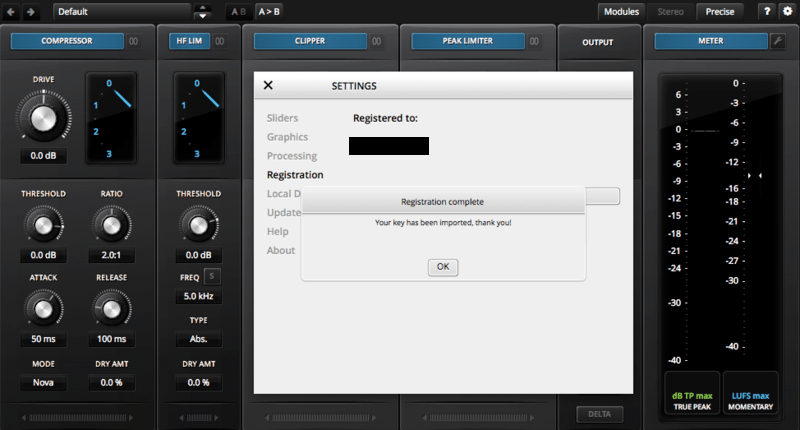
5. Click 'Ok'.

Your software is now activated and ready to use within your DAW.

Windows

Registration

1. Go to your Plugin Boutique User Account > Copy and paste your serial number into your web browser search bar and press 'enter' on your keyboard.

2. Check the box that states 'I'm not a robot' > Click 'Unlock Code'.

3. Enter your Name & email address and select your country from the drop-down menu > Click 'Create Account'.

4. Click 'Ok'.

Installation

1. Click the Windows installer link to download the correct installer for your operating system.

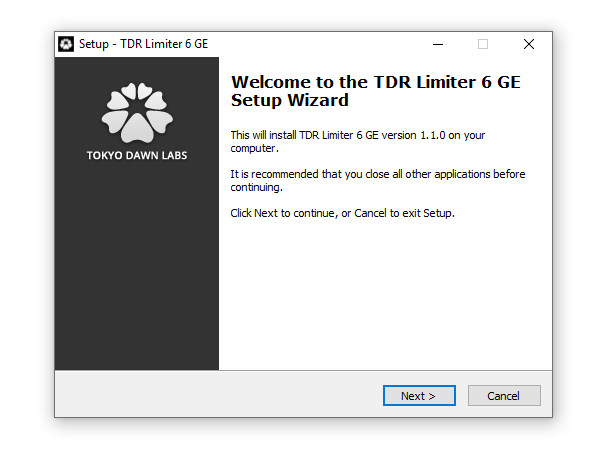
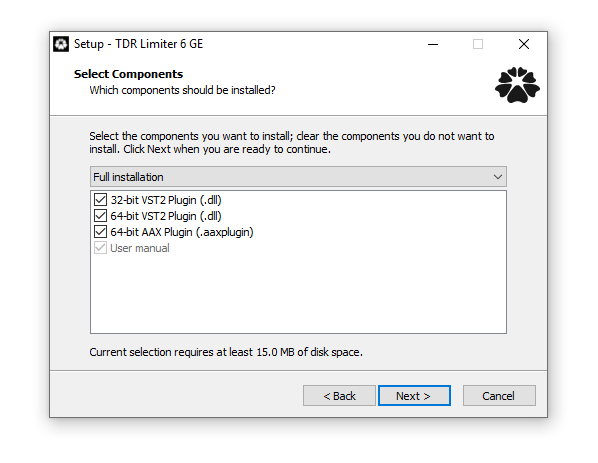
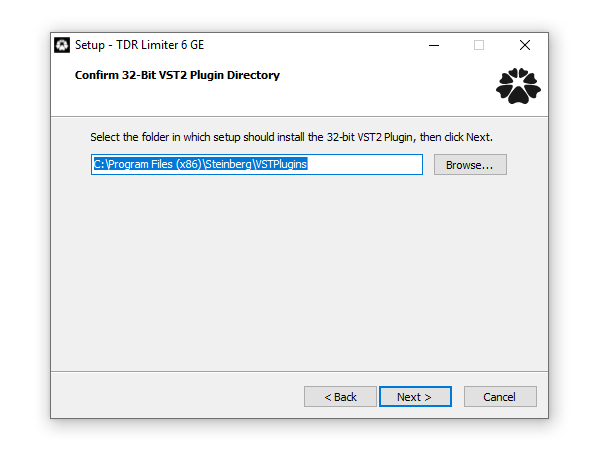
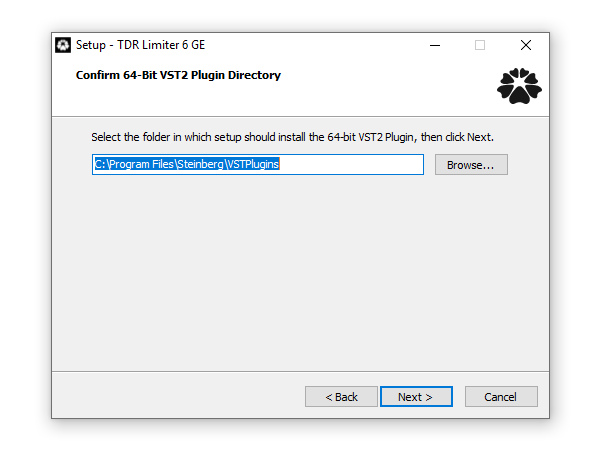
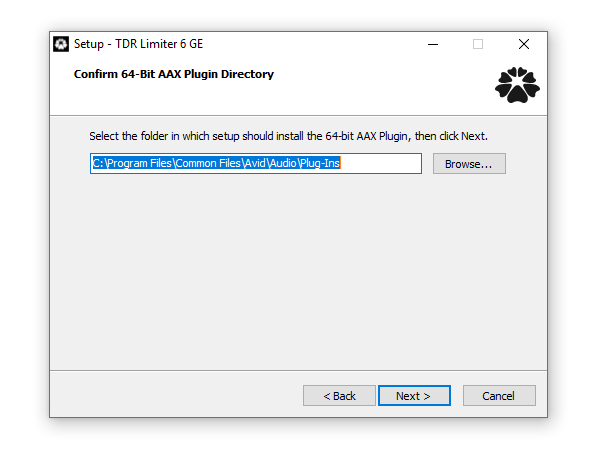
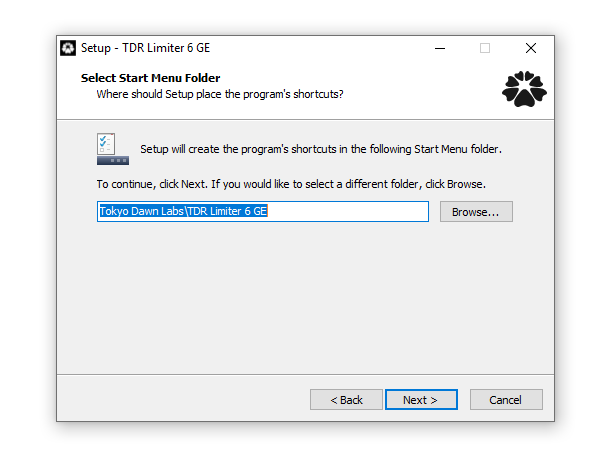
2. Double-click the .zip file to extract the contents and open the .exe file to begin the installation > Click 'Next'.

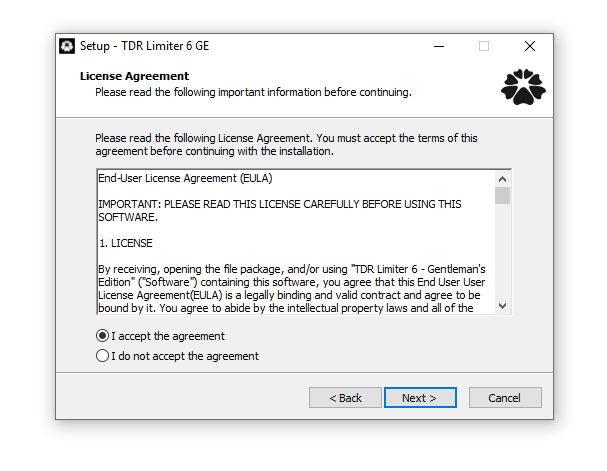
3. Select 'I accept the agreement' > Click 'Next'.

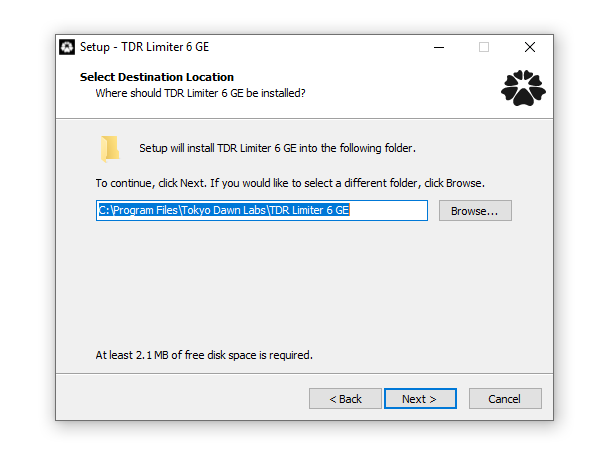
4. Click 'Next'.

5. Click 'Next'.

6. Click 'Next'.

7. Click 'Next'.

8. Click 'Next'.

9. Click 'Next'.

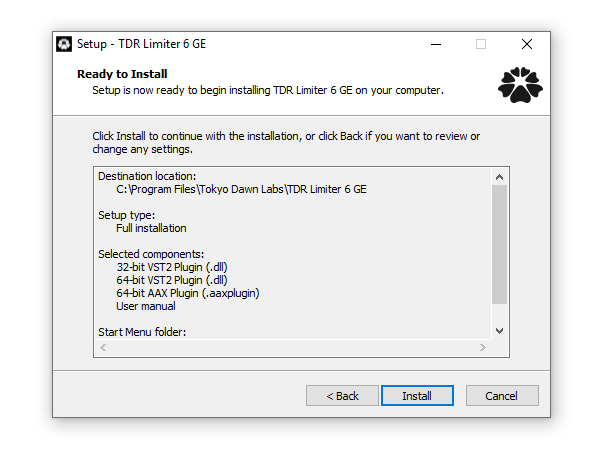
10. Click 'Install'.

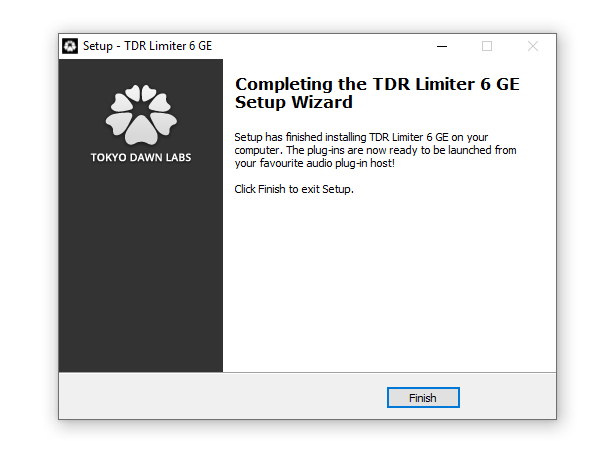
11. Click 'Finish'.

Online Activation

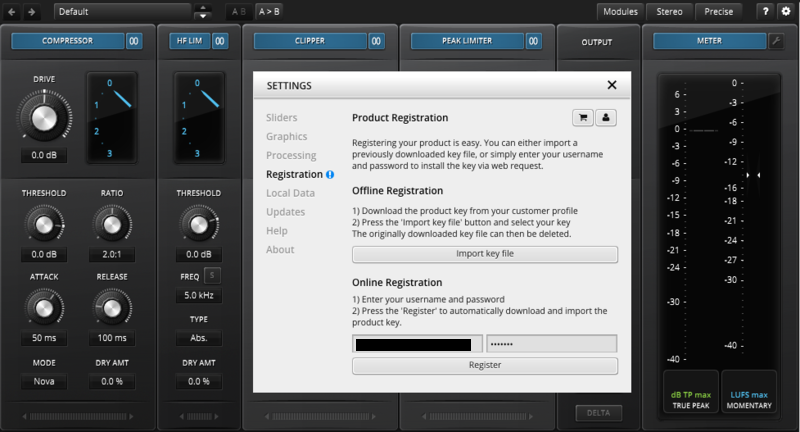
1. Open the installed software in your DAW > Click the dialogue box at the top of the plugin to open the activation menu.

2. Enter your Tokyo Dawn Labs registered email address and password > Click 'Register'.

3. Click 'Ok'.

Your software is now activated and ready to use within your DAW.

Offline Activation

1. Go to your Tokyo Dawn Labs User Account > Download the License Key File for your software.

2. Open the installed software in your DAW > Click the dialogue box at the top of the plugin to open the activation menu.

3. Click 'Import Key File'.

4. Select the License Key File > Click 'Open'.

5. Click 'Ok'.

Your software is now activated and ready to use within your DAW.

Bundle & Save

Tokyo Dawn Labs TDR Channel Strip Bundle (Exclusive)
$89.00

Plugin Boutique Rewards

Discover the most rewarding loyalty programme among all plugin retailers.

  • Free Loopmasters Samplepacks
  • Discounts on products and courses
  • Extra Virtual Cash claimed immediately at checkout
Find out more

Follow us:

X (Twitter) Facebook YouTube Instagram
Logo Logo

Plugin Boutique Limited, Part of the Beatport Group LLC.

Copyright © 2011-2025 Plugin Boutique. All rights reserved