


 Log In

Free gifts available with your purchase
Russian for “Hammer”, Molot is the name of a popular dynamic compressor originally released in 2011 by Vladislav Goncharov. With a modernized concept, extended flexibility, and a generous dose of Rock ’n Roll, Molot GE proudly takes over the job of its predecessor.
Molot GE is a particularly characterful dynamic range compressor melding several classic compression mechanisms with sophisticated saturation, creative tone control, and a snappy peak limiter. Whether it be mellow levelling, tight dynamic control, or aggressively vibrant compression, Molot GE covers a remarkable wide range of compression colours. While Molot GE doesn’t emulate any “vintage” device, its sound and behaviour was definitely inspired by their most interesting musical peculiarities. This flexibility makes it suited for almost any source, be it drums asking for more crisp and impact, solidification and enrichment of vocals, or the enhancement of guitar and bass recordings of all types.
As with all TDR plugins, Molot GE employs state of the art audio processing technology keeping unwanted distortion under strict control. An intuitive and well-documented user interface offers quick access to all relevant parameters in a rewarding manner. Several helpers such as the equal loudness bypass and trimming, unlimited undo/redo, optional stepped controls, and many more features help the operator achieve consistent results within a short time.
Features
- Musically intriguing compression flavours
- Analogue style brick wall limiter
- Sophisticated saturation section
- Creative tone control section
- Dual-stage timing section offering control over auto-release behaviour
- Feedforward and feedback compression types
- Crossover based adjustable stereo link
- Detailed colouration features such as negative ratios, sidechain phase rotation, and bit-crushing
- Different quality modes including zero-latency operation
- M/S mode with dedicated width controls
- Equal loudness workflow, with equal loudness bypass and equal loudness trim
System Requirements
Windows
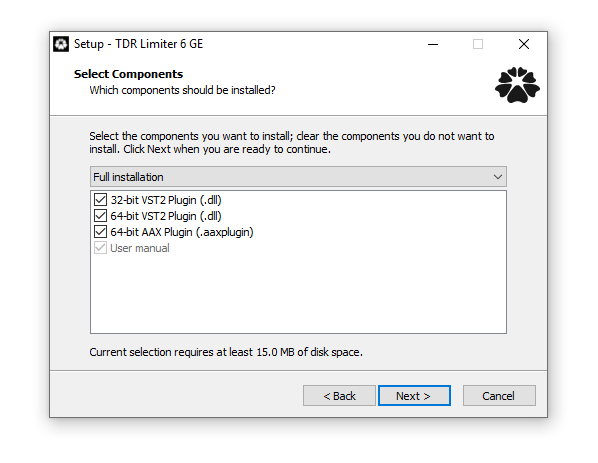
- Win XP SP2 or above
- VST2, VST3 (32-bit / 64-bit)
- AAX (64-bit only)
Mac
- macOS 10.9 or above
- VST2, VST3, AU, AAX (64-bit only)
Important Note: The Mac version of this software is 64-bit only and will not function on 32-bit systems.
Reviews Summary
While it aims to provide a helpful overview, it may not capture every perspective or detail. We encourage you to read individual reviews to make an informed decision.
Users overwhelmingly praise this TDR compressor as one of the best, most versatile software compressors available, noting its exceptional sound quality, punch, and ability to deliver both clean and saturated analog character. While several reviewers mention a steep learning curve and strongly recommend reading the manual, they agree the payoff is well worth the effort. It is celebrated as a low-CPU, high-value tool that quickly becomes a go-to choice across drums, buses, and full mixes.


