/ Limiter / L3 Multimaximizer
Waves

L3 Multimaximizer

$29.99 $149.00

79% off until Dec 07

Waves L3 Multimaximizer
Waves L3 Multimaximizer gallery thumbnail
Buy Now
Product information

L3 Multimaximizer

Master with More Precision Using Multiband Maximization

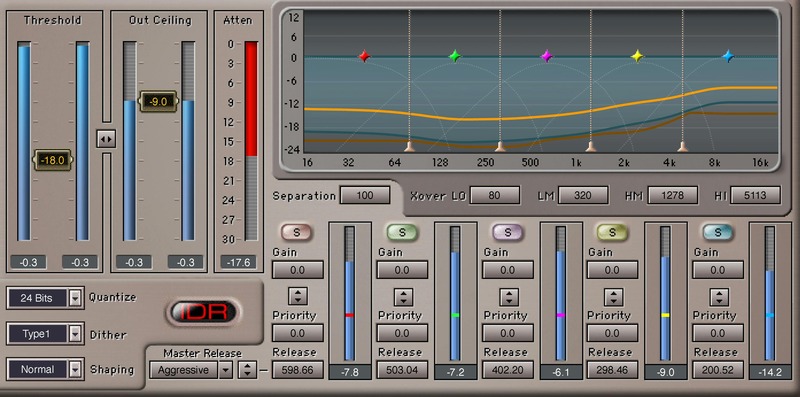
There’s a reason why the L3 Multimaximizer has been the choice of top mastering engineers for over a decade: It artfully merges five-band parametric equalization, linear-phase crossovers, transparent dynamics control, and bit-resolution conversion into an exemplary mastering chain.

Based on Waves’ proprietary Peak Limiting Mixer™ technology, this plugin’s deep level of control for dynamics and frequency response lets you take your master wherever you want it to go.

Features

  • Optimize dynamics independently in five frequency bands
  • Multiband peak limiting maximizes levels, while retaining musicality
  • Intelligent release options provide a fluid maximizing character
  • Linear-phase crossovers maintain artifact-free purity
  • Informative display gives insights into the maximizing process
  • Precise, flexible equalization adds another dimension to mastering
  • Variable crossover frequencies and release times
  • Advanced dithering, noise shaping, and bit-reduction processing

System Requirements

Mac

  • macOS Monterey 12, Ventura 13, Sonoma 14, Sequoia 15
  • VST / AU / AAX

PC

  • Windows 10+
  • VST / AAX
Installation Instructions

1. Head to https://www.waves.com/create-account

2. Enter your email and choose a password to create an account (if you already have a Waves account, choose Log in, enter your details and head to Step 5) > click 'Submit'

3. Open your email inbox > click the activation link in the email from Waves

4. Click 'Log in here' > Log in to your Waves account

5. Click 'Register New Products'

6. Enter the Serial Number found in your Plugin Boutique user account > click 'Submit'

7. Click download in your Plugin Boutique user account or head to https://www.waves.com/downloads/central > download the Waves Central app for your operating system

8. Install Waves Central > Open Waves Central

9. Click 'Log in' > enter your log in details

10. Click the 'Install Products' tab

11. Tick the blue dot on all products you wish to install or click the top dot to install all products > click 'Install & Activate'

12. Click 'OK'

13. Open your DAW > open the Waves plugin

Your Waves plugins are installed and ready to use, enjoy!

Plugin Boutique Rewards

Discover the most rewarding loyalty programme among all plugin retailers.

  • Free Loopmasters Samplepacks
  • Discounts on products and courses
  • Extra Virtual Cash claimed immediately at checkout
Find out more

Follow us:

X (Twitter) Facebook YouTube Instagram
Logo Logo

Plugin Boutique Limited, Part of the Beatport Group LLC.

Copyright © 2011-2025 Plugin Boutique. All rights reserved