


 Log In

Free gifts available with your purchase

Your music has so much to gain
A true peak limiter is an essential tool for every mastering or mixing engineer. Are you looking for a professional, feature-packed limiter that is loud and transparent at the same time, equipped with extensive loudness metering? Then FabFilter Pro-L 2 is your weapon of choice!
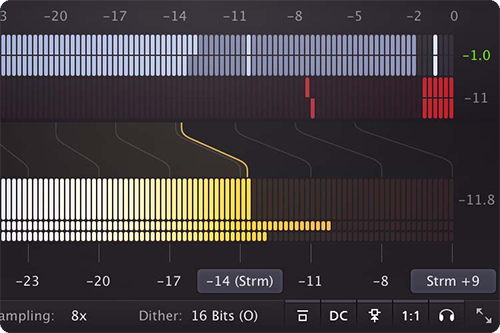
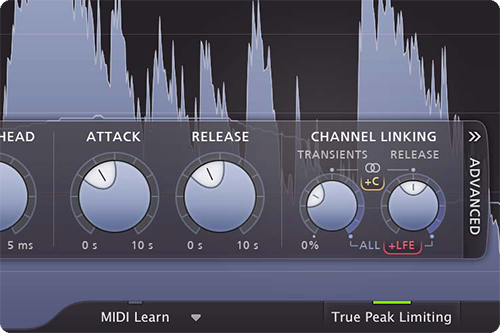
Top-class metering
FabFilter Pro-L 2 features precise true peak level meters and extensive loudness metering with support for the EBU R128, ITU-R BS.1770-4 and ATSC A/85 standards. Combined with its unique real-time level display, you have all the information you need to achieve the best possible results.
Professional feature set
With highly advanced algorithms, linear-phase oversampling, professional dithering and noise shaping and surround support (up to Dolby Atmos 7.1.2) and intelligent channel linking, FabFilter Pro-L 2 is the complete solution for every mixing and mastering job.
FabFilter goodies
Of course, you also get all the usual FabFilter goodies: perfectly tuned knobs, MIDI Learn, Smart Parameter Interpolation for smooth parameter transitions, an excellent help file with interactive help hints, SSE optimization, GPU-powered graphics acceleration and much more.
Features
- Great transparent sound combined with maximum loudness
- Eight different limiting algorithms, all with their own character and purpose
- True peak limiting
- Unique real-time level display with peak gain reduction labels and new innovative display modes
- Up to 32x linear-phase oversampling
- Highly accurate output and gain reduction metering including true peak metering
- Extensive loudness metering with support for the EBU R128, ITU-R BS.1770-4 and ATSC A/85 standards
- Surround support including Dolby Atmos 7.0.2 and 7.1.2 formats with flexible surround channel linking
- Optional DC offset filter
- External side chain triggering for stem mastering
- Unity Gain option to easily listen to the effect of the current limiting at unity gain level
- Audition Limiting option to listen to the difference between the input and output signal
- Adjustable meter scale, including K-System support
- Low CPU usage
- Separate channel linking for both the transient and release stages
- Advanced dithering with three different noise shaping algorithms
- GPU-powered graphics acceleration
- Double-click text entry of parameter values
- Adapts to stereo, mono and surround audio formats
- Adjustable look-ahead, attack and release settings
- Optional Compact interface layout
- Supports common Pro Tools hardware control surfaces
- MIDI Learn
- Undo/redo and A/B comparison
- Smart Parameter Interpolation
- Extensive help file with interactive help hints
Awards


MusicTech Magazine
Latest music tech news, reviews and tutorials publication from the experts
"Another Triumph for FabFilter: 10/10!"
Dana Nielsen
Grammy-nominated mixer, engineer and producer
"I fell in love with the Pro-L right away with its incredible sound and intuitive interface."
John Davis
Metropolis Mastering
"The FabFilter Pro-L Limiter sounds awesome - clean and very punchy."
Mac
- macOS 10.12 or higher (Intel or M1 Apple Silicon processor) (64-bit only)
- VST2, VST3, AU, AAX Native
Windows
- Windows 11, 10, 8, 7, or Vista (32 or 64-bit)
- VST2, VST3, AAX Native
Formats
All FabFilter plug-ins are available in VST, VST3, Audio Units, AAX Native and AudioSuite formats.
Reviews Summary
While it aims to provide a helpful overview, it may not capture every perspective or detail. We encourage you to read individual reviews to make an informed decision.
Customers overwhelmingly praise this plugin as an essential, top-tier limiter and mastering tool, highlighting its crisp, clean sound and exceptional performance.


