/ Limiter / BUTE Limiter 2
Signum Audio

BUTE Limiter 2

4.5 (520 Reviews)
$21.00 $69.00

69% off until Dec 07

Bute Limiter Stereo
Bute Limiter Stereo
Bute Limiter: Seriously Smooth, Ultra-Transparent Limiting gallery thumbnail
Buy Now
Product information

Smooth, Ultra-Transparent True Peak Brickwall Limiting with support for Multiple Workflows.

Note: This product is the Stereo version. The Surround Sound version of Bute Limiter is also available.

Ultra-Transparent Limiting

BUTE Limiter 2 delivers “high fidelity, ultra-transparent true peak brickwall limiting with a streamlined and sleek user interface”.
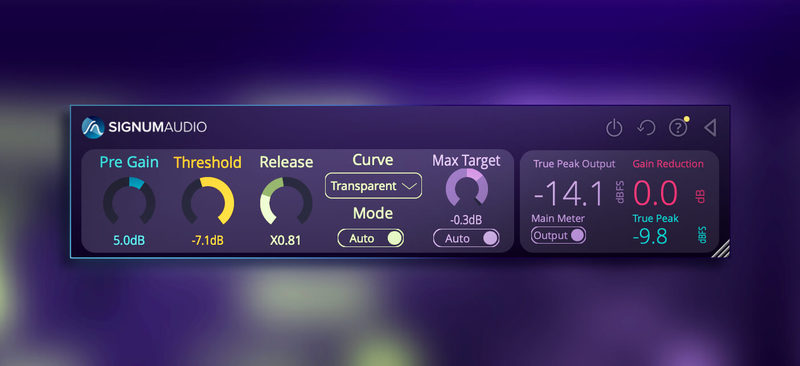
Comprehensive yet Flexible UI

Whether you’re looking for an in-depth analysis of your master or a compact readout - BUTE Limiter 2 can do it all.

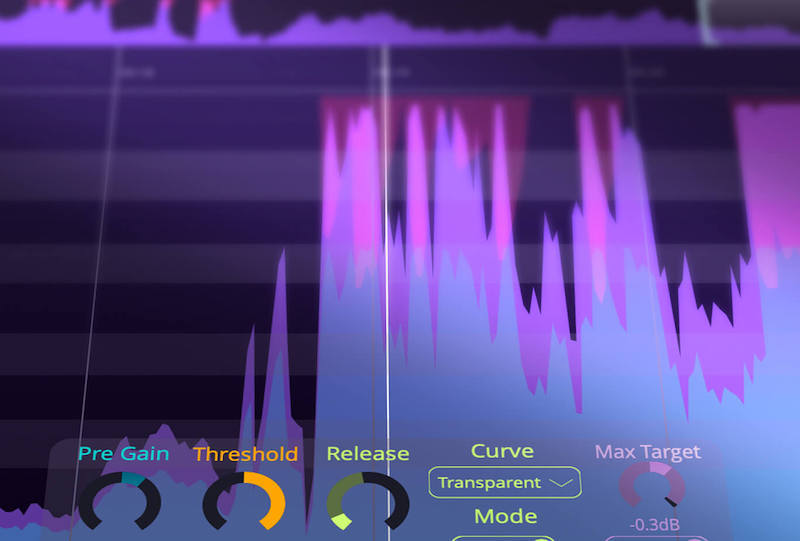
BUTE Limiter 2 Features a resizable ​history view​ which lets you interactively examine true peak, gain reduction, threshold and output readings - you can choose to see an overview of your whole master or zoom in to a particular part. If any true peak overshoots are introduced via the post gain functionality, BUTE Limiter 2 will flag them prominently in the history with warnings. The history also supports re-metering via automatic DAW sync and will get updated if you change your limiter settings so you can see how your new settings affect your audio.
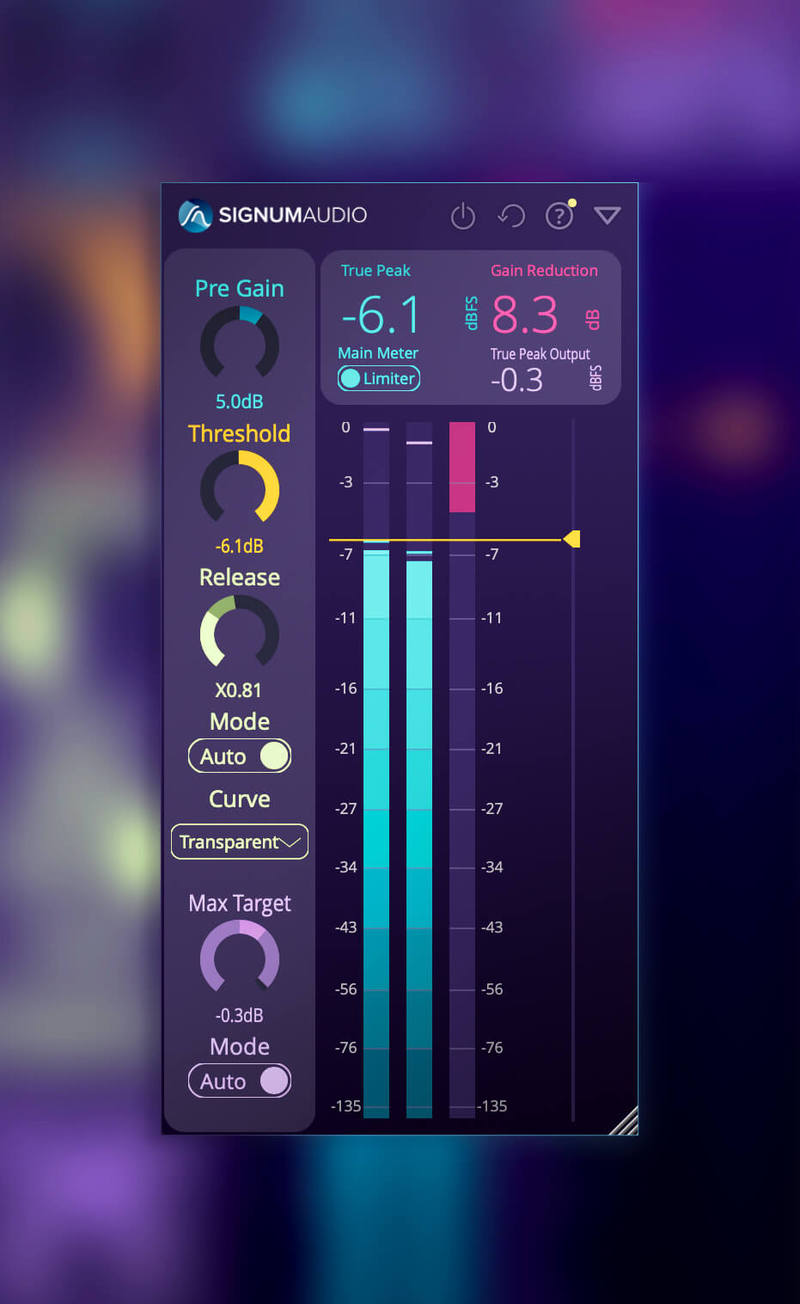
Support for Multiple Workflows

BUTE Limiter 2 includes a ​Pre Gain​ to push or reduce the incoming signal’s volume before Limiting as well as Post Gain​ that will be applied after limiting.

The plugin can be configured to highlight either the limiter output or the overall output, that is limiter output with applied Post Gain. So whether you like to push the limiter via Pre Gain like a maximiser, or limit your signal and then use Post Gain to make up for the change in volume - BUTE Limiter 2 provides you with a streamlined display for your workflow.
Features

  • Ultra transparent true peak limiting using Signum Audios novel overshoot proof brick wall limiting algorithm
  • Highest quality linear phase upsampling
  • Advanced adaptive auto release
  • 5 Different release curves
  • PreGain, Post-Gain and automatic Max Target functionality
  • Three different layouts: Resizable History View, Vertical Metering View and compact Horizontal Control View.
  • Automatic DAW sync and re-metering to reflect adjustments.
  • History for True Peak, True Peak Output, Threshold and Gain Reduction.
  • Warning system for Post-Gain overshoots
  • In-depth history analysis
  • Up to 10 channel Surround
  • Compatible with Mac (10.9 or higher), Windows (8.1 or higher) and 64-bit VST / AU / AAX
  • Included with the BUTE Loudness Suite

System Requirements

  • Windows 8.1 or higher 
  • macOS 10.9 or higher
  • Compatible with 64-bit VST / AU / AAX.
  • Available in 2 versions: Stereo or Surround. Surround adds additional multi-channel support for up to 10 channel Atmos.
  • Pro Tools 12.6 or higher (for the AAX version of the plugin)
Testimonials

Kenny Clark

"The limiter gives you smooth gain reduction while maintaining a very natural sound”

Moroishi Masaiki

“With the advent of Bute Limiter there is no distortion, it is transparent and can switch musical characters ... it is the first True Peak Limiter that can be used without loss of musicality. Highly recommend."

Product Reviews
Signum Audio Bute Loudness Suite Review at Music Radar

Scottish developer expands its loudness analyzer: Founded by two ex-Rockstar North audio developers, Signum Audio’s debut release was a True Peak metering plugin going by the name of Bute Loudness Analyser (£83). Bute Loudness Suite (VST/AU/AAX) is essentially the same thing with a True Pea...

Read More
Installation Instructions

Note: Bute Loudness Suite Stereo is used as the example.

Mac

Registration

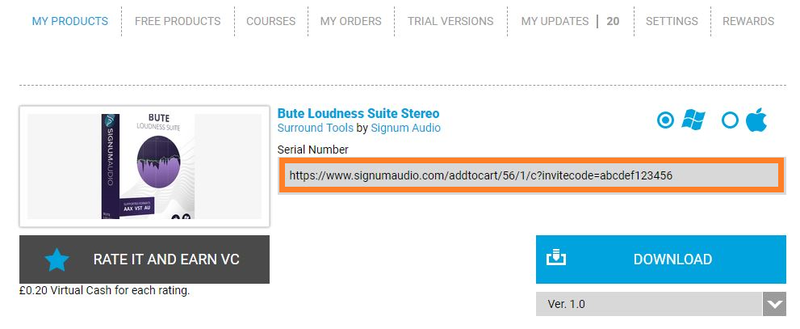
1. Go to your Plugin Boutique User Account and find the URL located in the box labelled 'Serial Number' > Copy and paste the URL into your web browser and press enter.

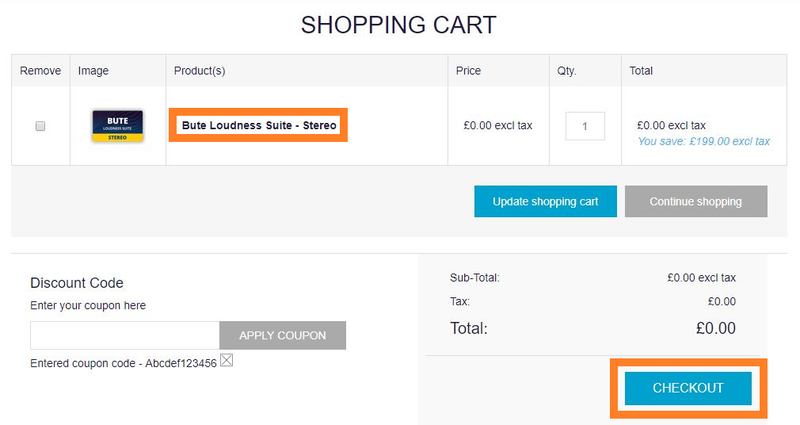
2. You will be redirected to a shopping cart on the Signum Audio website. Check the product is correct > Click 'Checkout'.

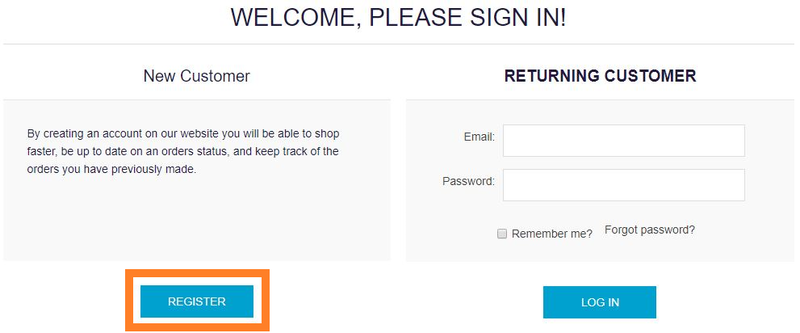
3. Click 'Register'.

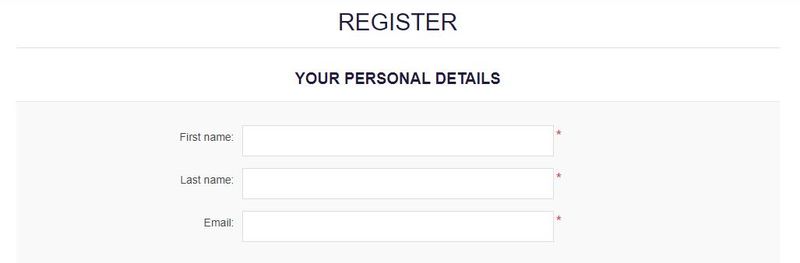
4. Enter your personal details by filling out all the fields with an asterisk (*) next to them > Click 'Register'.

Note: Be sure to scroll down the page and fill out all of the relevant fields.

5. Click 'Continue'.

6. You will then be redirected back to the same checkout page as step 2 of the registration process > Click 'Checkout'.

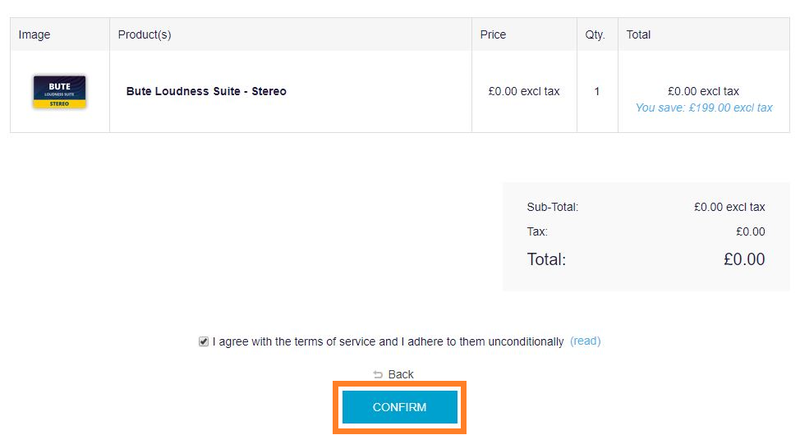
7. Click 'Confirm'.

8. Click 'Continue'.

Installation

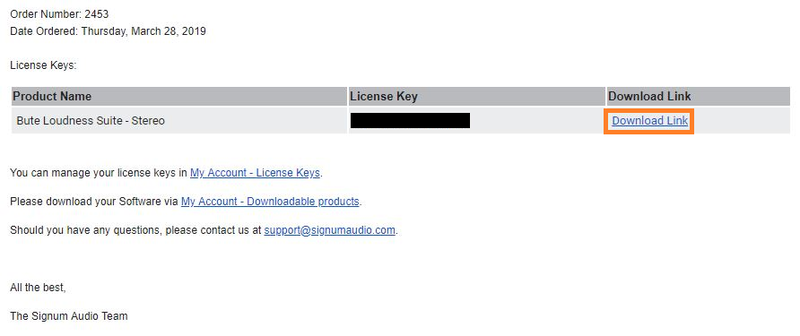
1. You will have received an email from Signum Audio containing your license key and product download link > Go to your email and click 'Download Link'.

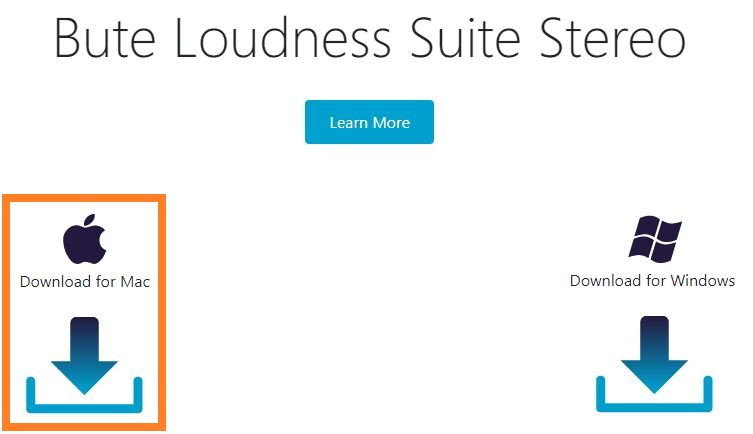
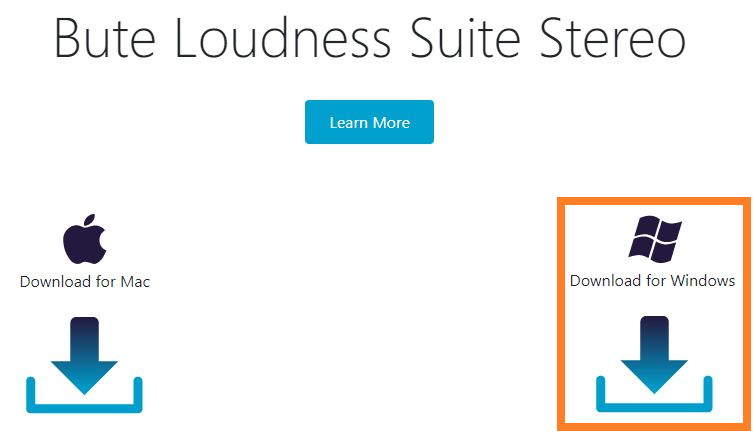
2. Click 'Download for Mac'.

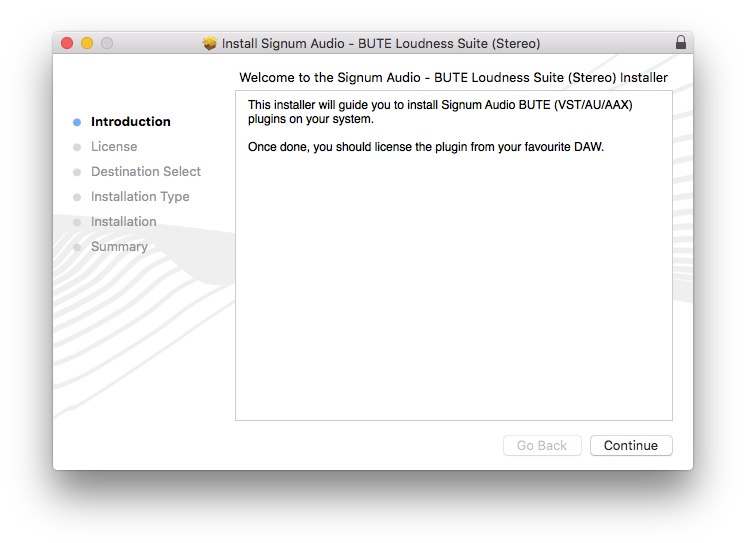
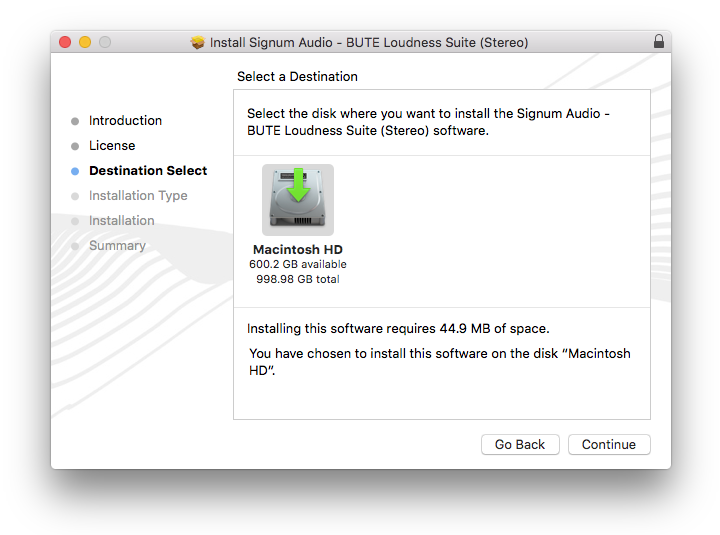
3. Go to your downloaded installer, double click the zip file to extract the contents and open the .pkg file to begin the installation > Click 'Continue'.

4. Click 'Continue'.

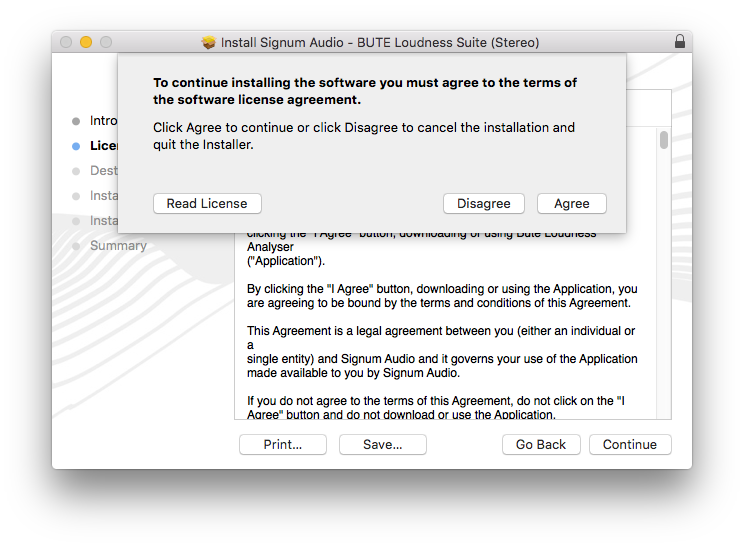
5. Click 'Agree'.

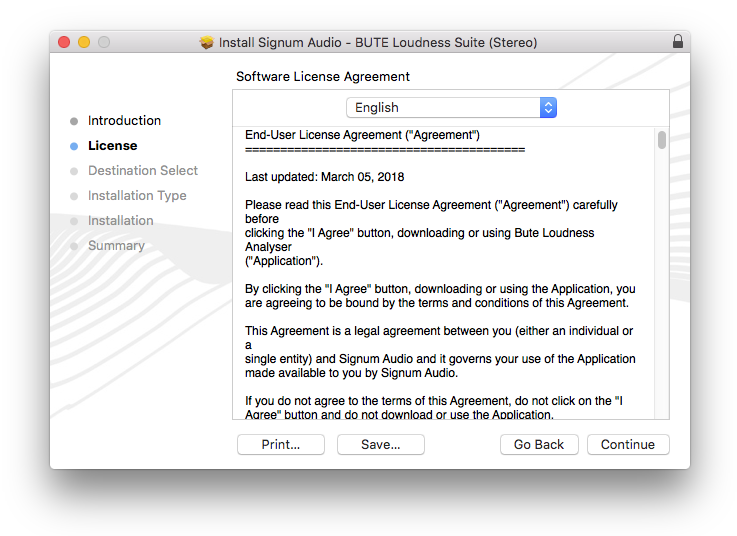
6. Click 'Continue'.

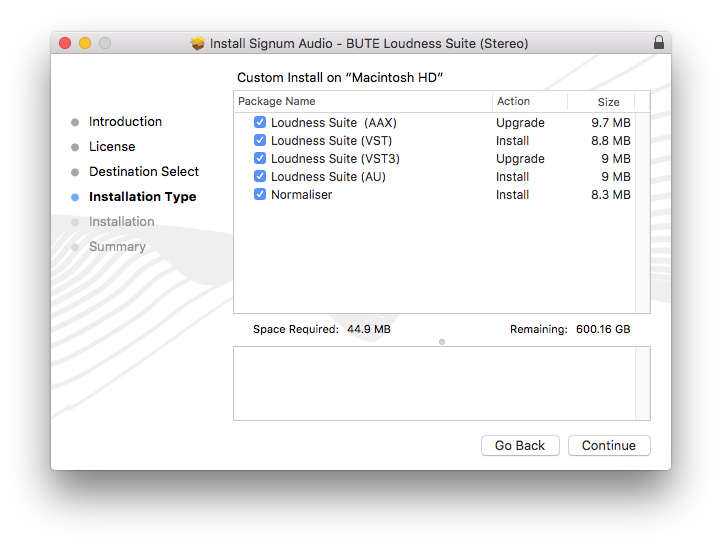
7. Click 'Continue'.

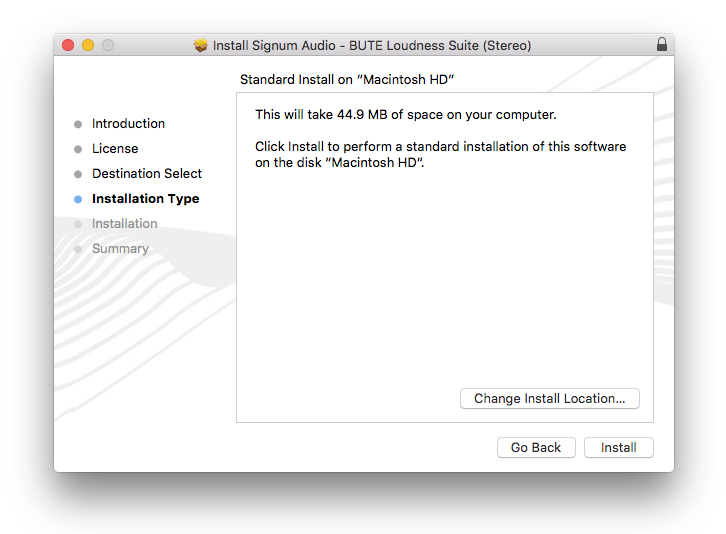
8. Click 'Install'.

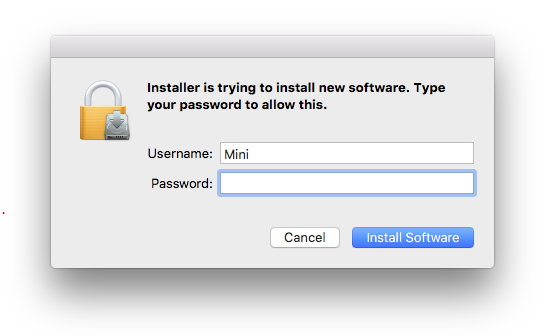
9. Enter your computer Username and Password > Click 'Install Software'.

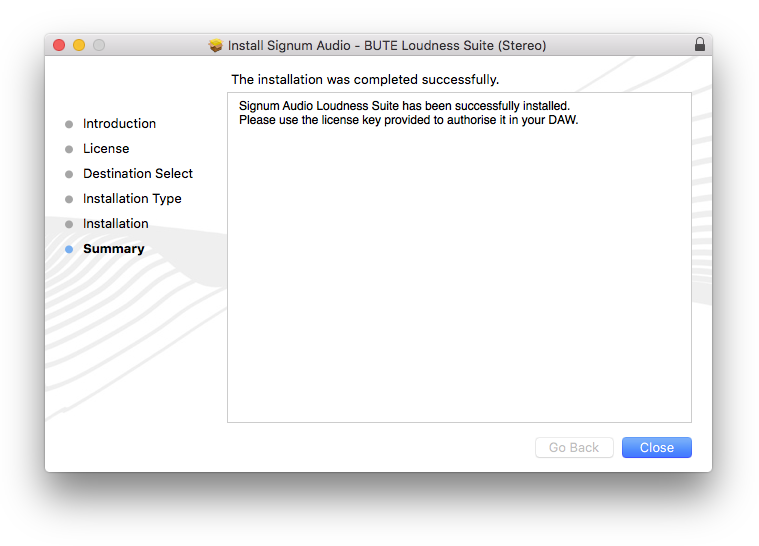
10. Click 'Close'.

Activation

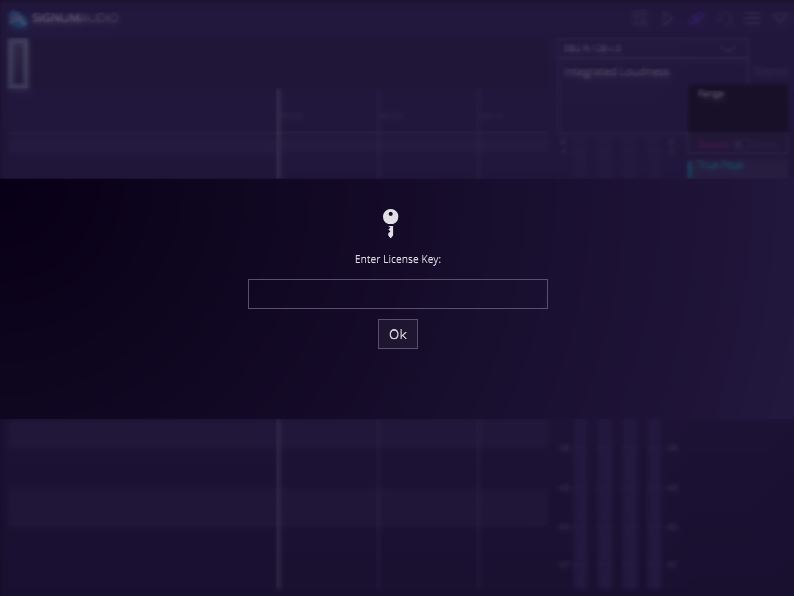
1. Open your newly installed plugin in your DAW > Enter your license key, found in your email from Signum Audio and click 'Ok'.

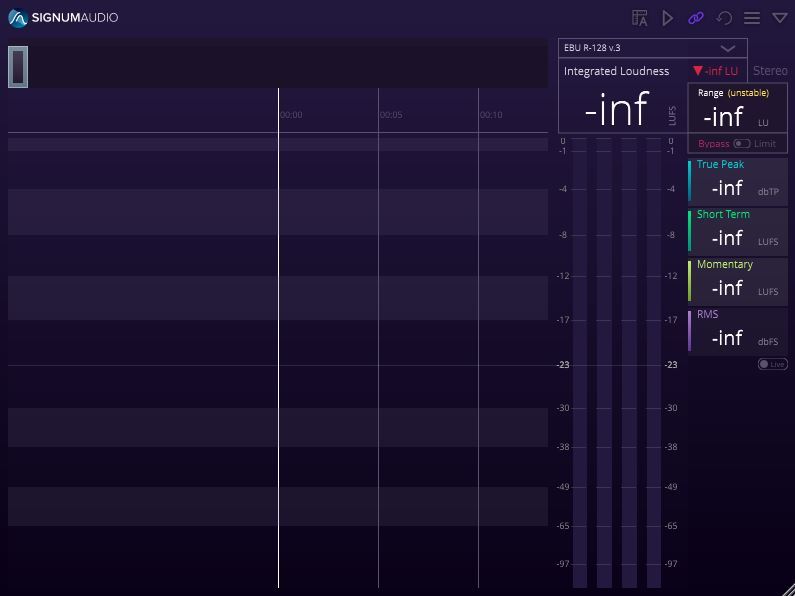
Your software is now activated and ready to use in your DAW.

Windows

Registration

1. Go to your Plugin Boutique User Account and find the URL located in the box labelled 'Serial Number' > Copy and paste the URL into your web browser and press enter'

2. You will be redirected to a shopping cart on the Signum Audio website. Check the product is correct > Click 'Checkout'.

3. Click 'Register'.

4. Enter your personal details by filling out all the fields with an asterisk (*) next to them > Click 'Register'.

Note: Be sure to scroll down the page and fill out all of the relevant fields.

5. Click 'Continue'.

6. You will then be redirected back to the same checkout page as step 2 of the registration process > Click 'Checkout'.

7. Click 'Confirm'.

8. Click 'Continue'.

Installation

1. You will have received an email from Signum Audio containing your license key and product download link > Go to your email and click 'Download Link'.

2. Click 'Download for Windows'.

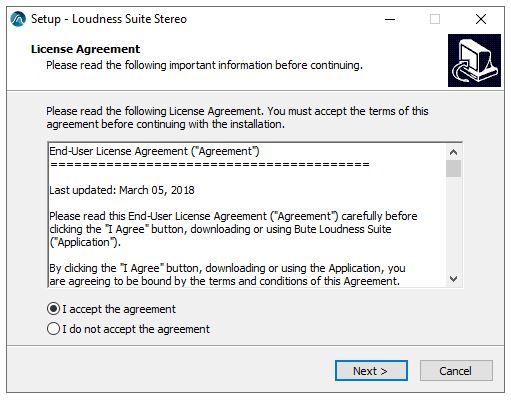
3. Go to your downloaded installer, double click the zip file to extract the contents and open the .exe file to begin the installation > Select 'I accept the agreement' and click 'Next'.

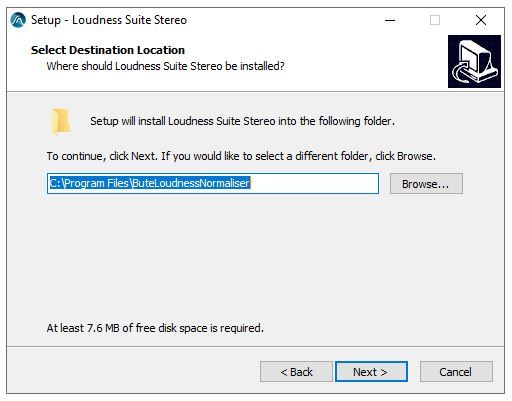
4. Click 'Next'.

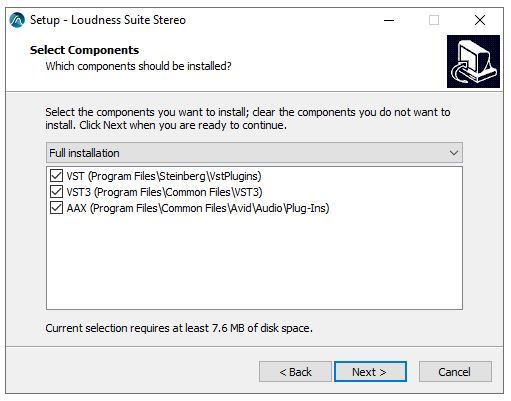
5. Click 'Next'.

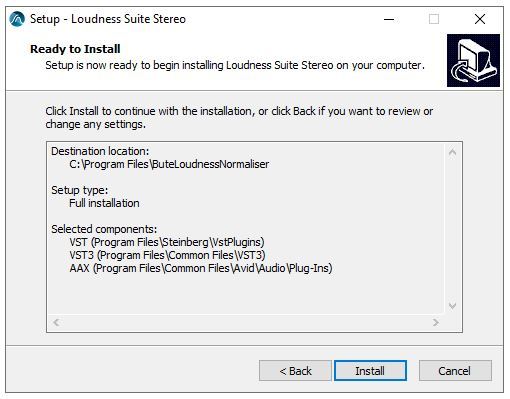
6. Click 'Install'.

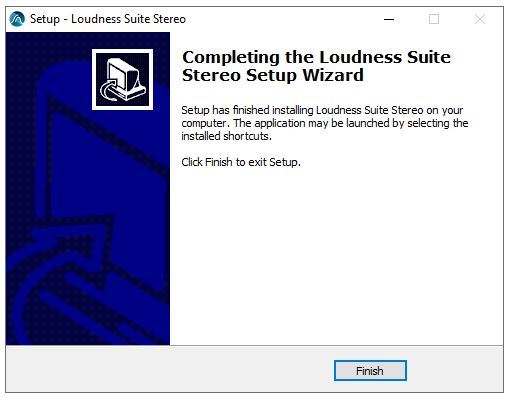
7. Click 'Finish'.

Activation

1. Open your newly installed plugin in your DAW > Enter your license key, found in your email from Signum Audio and click 'Ok'.

Your software is now activated and ready to use in your DAW.

Plugin Boutique Rewards

Discover the most rewarding loyalty programme among all plugin retailers.

  • Free Loopmasters Samplepacks
  • Discounts on products and courses
  • Extra Virtual Cash claimed immediately at checkout
Find out more

Follow us:

X (Twitter) Facebook YouTube Instagram
Logo Logo

Plugin Boutique Limited, Part of the Beatport Group LLC.

Copyright © 2011-2025 Plugin Boutique. All rights reserved