


 Log In

Free gifts available with your purchase
A British classic, reincarnated.
Descended from the iconic limiters of Abbey Road Studios, the Chandler Limited® Zener Limiter is a legend in its own right. With the vibe of the vintage hardware used to capture Pink Floyd and The Beatles running through its veins, the Zener Limiter is a rock and roll blueblood—with an appealingly modern streak.
In collaboration with Chandler Limited®, Softube proudly continue the legacy with the Zener Limiter plug-in. A true emulation of its forebearer, christened by Chandler Limited’s Wade Goeke himself, the Zener Limiter plug-in is a versatile, state-of-the-art limiter and compressor that stays true to its illustrious sonic roots.
Legendary Lineage
Blessed by Chandler Limited® founder, Wade Goeke, the Zener Limiter plug-in embodies the heritage of the limiters that recorded Pink Floyd and The Beatles. That’s why Softube made sure that their apple fell close to the tree.
Golden Child
Add understated, vintage vibes to a track or thoroughly transform the tone, character, and transient behaviour of a drum bus or room mic channels. The Zener Limiter plug-in is the most versatile member of your studio family.
Breaking the Mold
Input stage with variable impedance, THD mode, the different comp modes, the rare form of the attack and release—the exclusive features of the Zener Limiter plug-in make it a compressor without a twin.
Inherited Wealth
The Chandler Limited® Zener Limiter is a rare breed. The construction and functionality are unique compared to other popular compressors. Like the legendary Abbey Road limiters, the Zener Limiter’s circuit employs zener diodes, which are notoriously challenging to employ. Softube expertly emulated the Zener Limiter’s entire circuit—including transformers, circuit nonlinearities, and germanium transistors. A painstaking, yet thoroughly satisfying endeavour, because this speedy, colourful limiter has personality to spare.
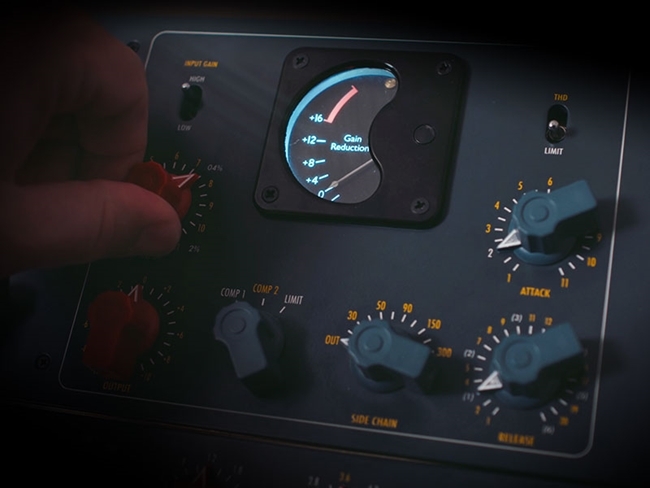
Dominant Traits
The input stage with variable impedance, the THD mode and the uncommon way it distorts when pushing the level. The Zener Limiter plug-in is truly one-of-a-kind. With the Input Gain toggle, you can drive the signal for more or less distortion, while the Total Harmonic Distortion (THD) toggle disengages the limiter’s threshold. The effect is a smooth, pleasing distortion that features a high-frequency bump caused by the discrete amplifiers and zener diode limiting circuit. This plug-in simply has no peer.
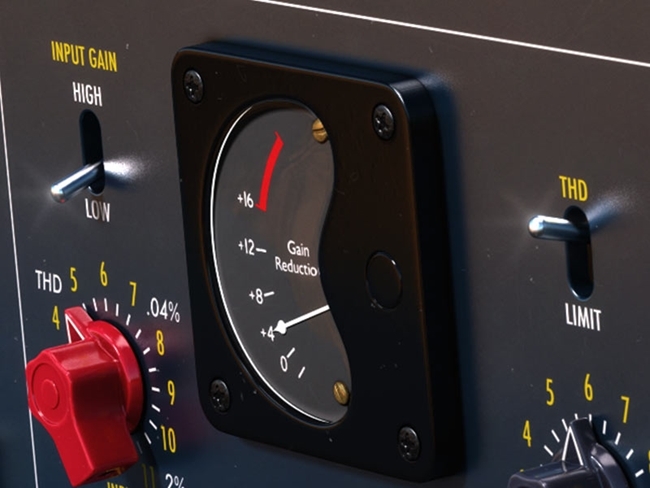
Compression Reborn
When it comes to tailoring the overall tone of the Zener Limiter, the Comp 1/Comp 2/Limit switch couldn’t be more critical. Both Comp 1 and Limit were originally designed to emulate the compressors of Abbey Road Studios, while Comp 2 gives a more modern response. While the Comp 1 is a 2:1 ratio with slower time constants and the Limit is super quick, Comp 2 places the limiter in the middle, giving you the compression curve of Comp 1 with the faster release of Limit.
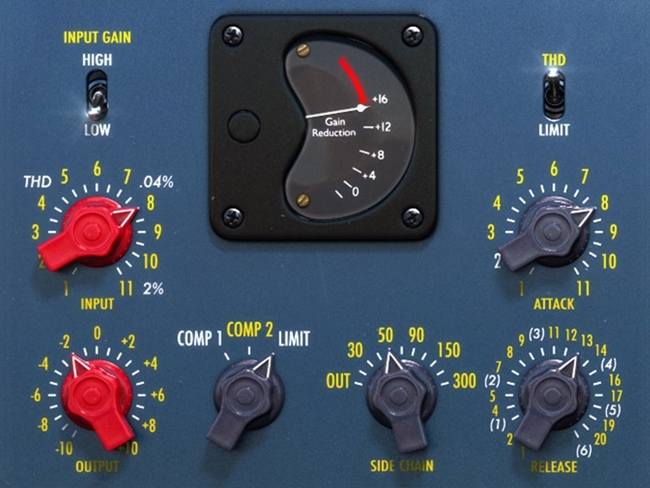
The Second Coming
The Softube + Chandler Limited® Zener Limiter is truly its father’s son. But, like every good son, the plug-in strives to accomplish just that much more. The Zener Limiter plug-in has features you won’t find on dear old dad, like Mid/Side processing, External Sidechain, and Link Channels. Link the left and right channels in stereo mode, and the Mid and Side in Mid/Side Mode or use the External Sidechain to total change the behaviour of the compressor and its parameters by including an external sound source as a sidechain. The special attributes of the Zener Limited plug-in give you unprecedented control.
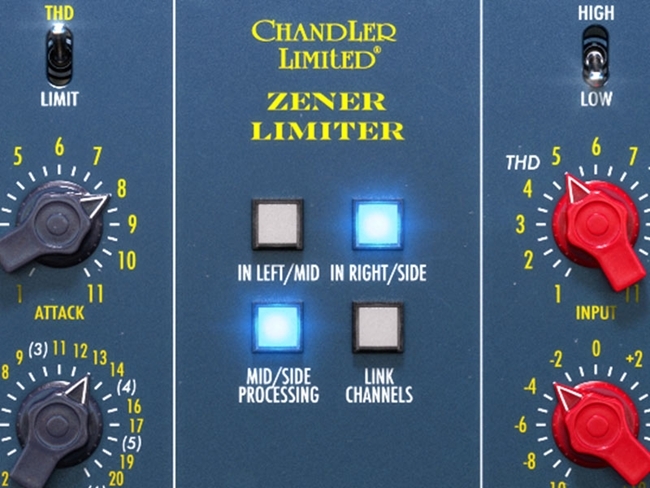
Features
- Expertly emulated and fully-endorsed by the creator of the original hardware, Wade Goeke
- The vintage vibe of the equipment used to record The Beatles and Pink Floyd
- Now available in native format
- Superb versatility that makes it the secret weapon of high-level engineers and mixers
- Essential switches, such as Input Gain, THD, and Comp 1/Comp 2/Limit
- Plug-in exclusive features, such as Mid/Side Processing, External Sidechain, and Link Channels
- Also included in Zener-Bender. Learn more
- Console 1-ready: can be used within the Console 1 mixing ecosystem.
System Requirements
- macOS Big Sur 11, Monterey 12, Ventura 13
- Windows 10 (64-bit), Windows 11
- Softube account
- iLok account
- Computer with AU, VST, VST3, and/or AAX-compatible DAW host software
- Internet access (for downloading installers and managing licenses)
Supported CPU Families
- Apple macOS computers with Intel Core i3/i5/i7 or Apple silicon (M1 or newer) CPU. Apple silicon is supported natively.
- Windows computers with quad-core Intel Core i3/i5/i7 or AMD quad-core processors with SSE 4.2 support.
- Other Intel processors (Celeron, Pentium, and Xeon) are compatible if they support SSE 4.2 instructions.
Supported Host Software (DAW)
Any 64-bit VST, VST3, AU, or AAX (Pro Tools 11.0.2 or higher) compatible host application should work. However, due to plug-in host differences between DAWs—and our rigorous standards—Softube only officially test their plug-ins and instruments in the most recent versions of Pro Tools, Logic Pro, Cubase, Ableton Live, Studio One, and Reaper. Softube plug-ins are not tested regularly in non-listed systems. They will likely work if the system requirements are met. However, the manufacturer cannot guarantee a solution for issues in unsupported systems.
Softube strongly recommend using VST3, as some of their plug-ins have features that are not present in the older VST format. Supported sample rates: 44.1, 48, 88.2, 96, 176.4, and 192 kHz, in both mono and stereo. The most recent maintenance release of your DAW application is recommended. AAX DSP is not currently in active development. TDM/VENUE/RTAS are no longer supported. See Legacy Installers.
Important Note: Make sure that you always use the latest iLok License Manager. It is not included in the Softube installer but can be downloaded from www.ilok.com


