


 Log In

Free gifts available with your purchase
Product information
Kramer Master Tape
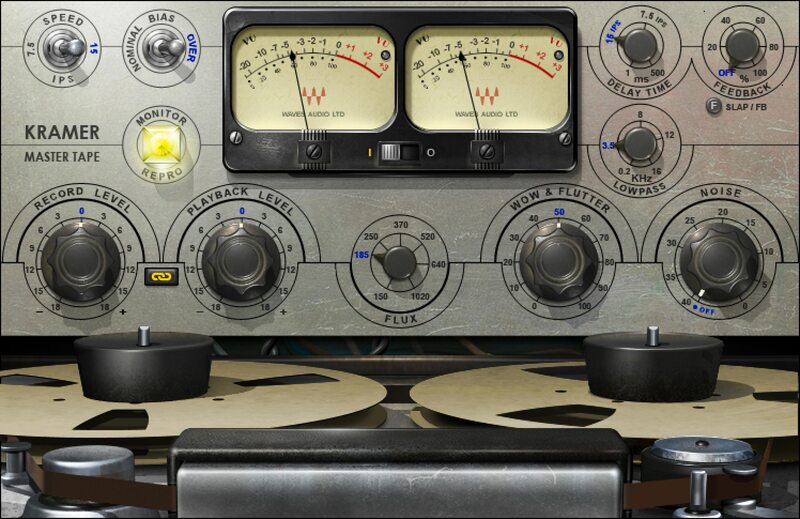
Add Texture with the Sound of Early Analog Tape
Early analog tape was the sound of rock’n’roll. Recording engineers pushed analog tape ever-further into distortion, creating a type of tape compression that made the music powerful and compelling. The tube electronics of that era also added warmth and character.
To this day, early 1/4" analog tape recorders are coveted—and extremely rare. Whether used on individual tracks or masters, these machines exemplify the sound of classic tracks, from Hendrix and Led Zeppelin onward. Now, Kramer Master Tape brings this sound to digital recording.
Features
- Developed with studio legend Eddie Kramer (Zeppelin, Hendrix)
- Customize the sound with speed, bias, and flux controls
- Models the American tube recorder used in Olympic Studios
- Tape delay (up to 500 ms) includes time, feedback, and filter controls
- Add wow, flutter, and hiss for extra authenticity
- Tube saturation helps warm up harsh-sounding instruments
System Requirements
Mac
- macOS Monterey 12, Ventura 13, Sonoma 14, Sequoia 15
- VST / AU / AAX
PC
- Windows 10+
- VST / AAX
Installation Instructions












Customer Reviews
(2)


