


 Log In

Free gifts available with your purchase
Great Things are Timeless
Rewind Back in Time with Cassette
Cassette is an audio plugin that imparts the unique character and sonic imprint of an often maligned recording medium, one that offers a sound like nothing else. This is not a tape machine, this is a time machine.
It's in Our DNA
An entire generation heard the music that shaped their lives on cassette tape. The Wavesfactory team grew up listening to them at home, on the car or on a walkman. They are not perfect, in fact, they are far from perfect. That’s what they love about them.
A Love Letter to Simple Things
This is Wavesfactory's tribute to the sound that shaped their childhood. They discovered the passion for music between quirks and random fluctuations. Watching the meters move as they sang into an old microphone. Red peaks and analog saturation. Rewind, listen again.
No Pencil Needed
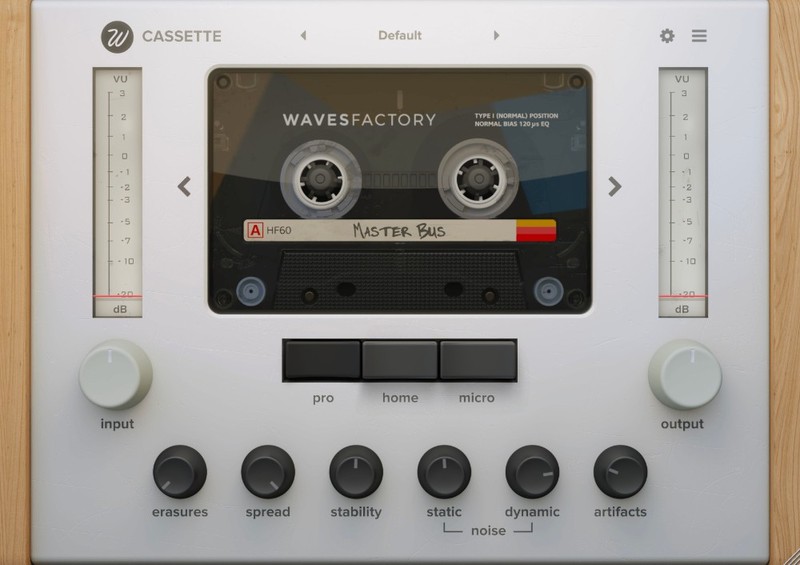
Cassette is an audio plugin that emulates the sound of vintage cassette tapes and decks. It has been carefully modelled after exhaustive analysis of a high number of sound signals recorded into real tapes. As a result, you get the same sound and behaviour of the original units.
Magnetic tape is not sterile media. Because of that, it will impart its own sound signature to signals recorded into it. These include a different frequency response, frequency-dependent saturation, high-frequency compression, hiss, asperity noise and much more. Reproduction systems will also induce their fingerprint: wow, flutter, random high-frequency loss, crosstalk between channels, stereo unbalances and other.
All of these little quirks and random fluctuations have been modelled meticulously. Cassette imprints instant nostalgia, movement and analog feel all around in its path.
Cassette has been designed to be fun, pleasant to the ear and true to the medium.
Randomness Under Control
There’s much more power under the hood than what you see at a first glance.
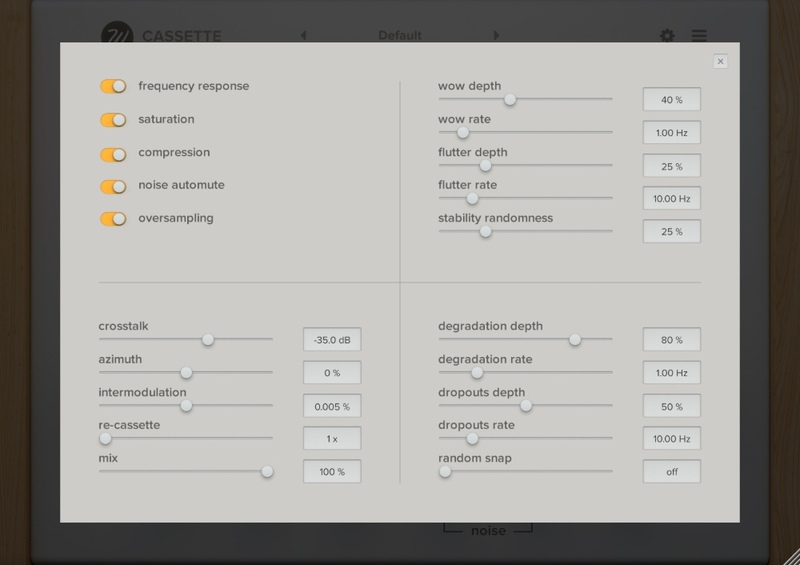
There are 4 sections:
- Tape: I always wanted to have a modular tape plugin in which I could enable or disable each step of the processing.
- Stability: Control how the Stability parameter in the front panel works internally. Includes “randomness” in order to make things unpredictable and analog.
- Extra: More of what makes a cassette sound like a cassette. Including the innovative “Re-Cassette” parameter.
- Artifacts: Control how the Artifacts parameter in the front panel works internally. Includes “Random Snap” for simulating the tape being caught momentarily causing pitch instability.
As you can see in this panel, Cassette uses oversampling in order to get rid of aliasing. The plugin always works at 192KHz sampling rate internally.
What’s your type?
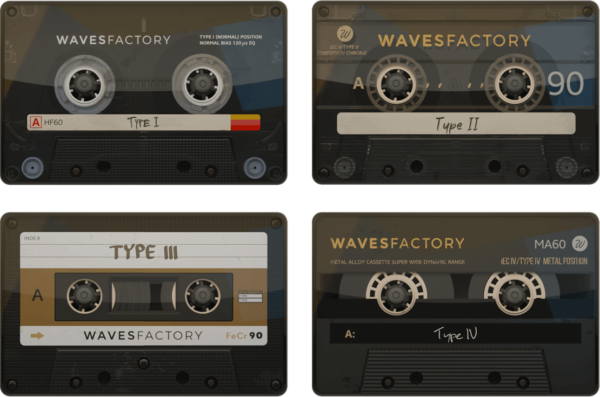
Wavesfactory modelled the four cassettes types available. Each one delivers different sonic characteristics.
- I: was the standard and most compatible tape format. Featured a ferric-oxide coating (Fe2O3). First appeared in the 1960s.
- II: with a chromium dioxide (CrO2) formulation was introduced at the dawn of the 1970s featuring an undeniable increase in high frequency response.
- III: living a short period between the mid 70s and early 80s, the ferro-chrome (FeCr) never made it into the golden era.
- IV: metal-formulated hit the scene at the end of the 70s. Features firmer bass as well as louder high frequencies.
Changing tapes will have an effect in the frequency response of the plugin but also in the saturation, compression, static noise (hiss) and dynamic noise (asperity noise).
Changelog in Version 1.0.1 Update:
- Fixed: Pro / Home / Micro buttons now respond to automation.
- Improved: settings sliders snap to mouse position on click.
- Added: Artists presets from Torley.
Changelog in Version 1.0.3 Update (14.01.20):
Cassette has been updated to version 1.0.3, fixing compatibility issues with earlier versions of macOS.
System Requirements
macOS
- 10.9 or higher.
- Intel and Apple Silicon natively supported.
- 64-bit DAW and OS.
Windows
- Windows 7, 8 or 10 (64-bit only)
- DAW capable of hosting VST or VST3 plugins, or Pro Tools.
Important Note: This software is available in 64-bit format only and will not function on 32-bit systems.

Greg Wells
Grammy award-winning musician, songwriter and record producer who has worked with the likes of Pharrell Williams, Katy Perry, Kid Cudi, Theophilus London, Ariana Grande, Weezer, Pink, Otep, Aerosmith, Celine Dion, Quincy Jones, Elton John, Burt Bacharach, Adele and many more.
"Cassette, by one of my favourite plugin developers, is a blast to use!"
Beat Magazine
"It scores as an excellent tool for making individual tracks or complete mixes more lively and characteristic or for creating striking tape effects, for example for breaks."

Antonio Escobar
Antonio's name can be found in the music credits of dozen of movies, such as Netflix’s Klaus or Toc Toc and he has worked with musicians such as John Legend, Zara Larsson, David Bisbal and Carlos Rivera.
"Cassette lets you transform a regular track into something unique. It’s an instant classic."
Reviews Summary
While it aims to provide a helpful overview, it may not capture every perspective or detail. We encourage you to read individual reviews to make an informed decision.
Users consistently praise this cassette emulation plugin for its warm, authentic tape sound and deep control over settings while maintaining an accessible workflow. It is widely regarded as one of the best cassette plugins available and has professional endorsements. Minor criticisms mention a desire for more cassette models or EQ options for the price, as well as the placement of some controls, such as the Mix level, in the settings panel rather than the front interface.


