Log In

Free gifts available with your purchase
Mixcraft is Acoustica's highly acclaimed digital audio workstation (DAW) software for Windows. Since its initial release in 2004, it has been a go-to choice for both professionals and beginners. Mixcraft is available in two versions: the entry-level Recording Studio and Pro Studio, which offers additional powerful tools, instruments, and effects.
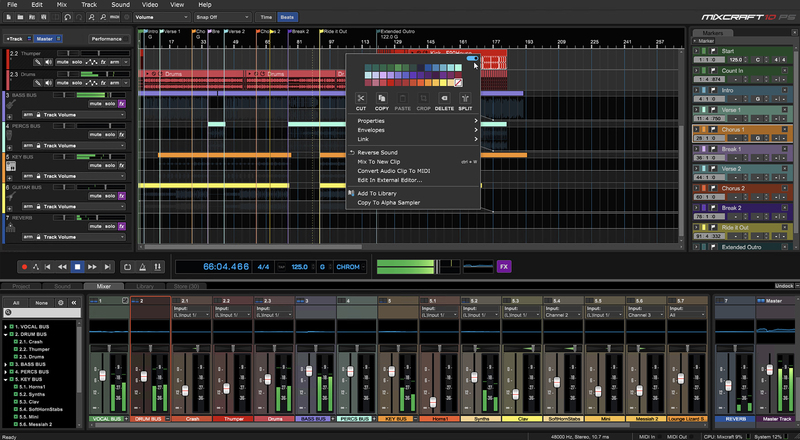
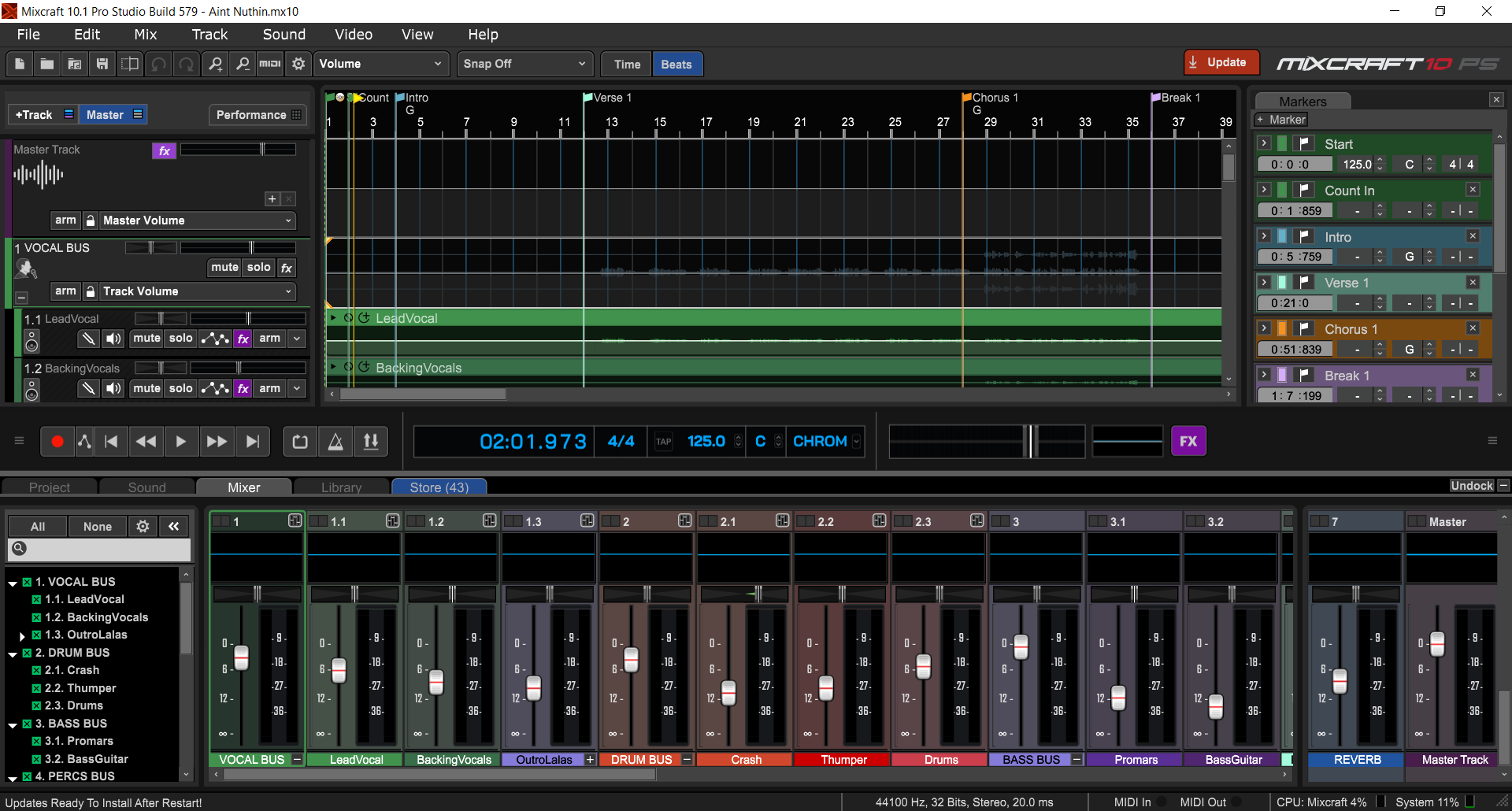
The introduction of Mixcraft 10 in 2023 transformed the software with a more intuitive, scalable, and colorful interface, context-sensitive pop-up menus, and flexible drag-and-drop automation controls. The updated Start Panel provides quick access to saved projects, templates, and the latest Mixcraft news. The robust new plugin architecture is incredibly stable and gives users better ways to manage their plugins through a redesigned plugin manager. Users can assign custom hotkeys and project settings, and a more comprehensive range of control surfaces is now supported. And Mixcraft's video editing capabilities make it a comprehensive multimedia powerhouse under one roof.
Every improvement and new features in Mixcraft has been centered on inspiration, ease of use, and stability. With the latest 10.5 update, Mixcraft has introduced even more enhancements to allow musicians to achieve their music goals faster and with professional-level quality.
Mixcraft 10.5 now includes preset Project Templates, which offer task-specific presets for podcasting setups, mastering, video editing, and more. MIDI controller support has been expanded, and the new Quick Access panel enables users to quickly add, remove, and reorder instruments and effects on virtual tracks. Behind the interface improvements is a solid backbone of further enhanced stability and plugin support. 10.5 also introduces a new Auto-save function with user-selectable intervals.
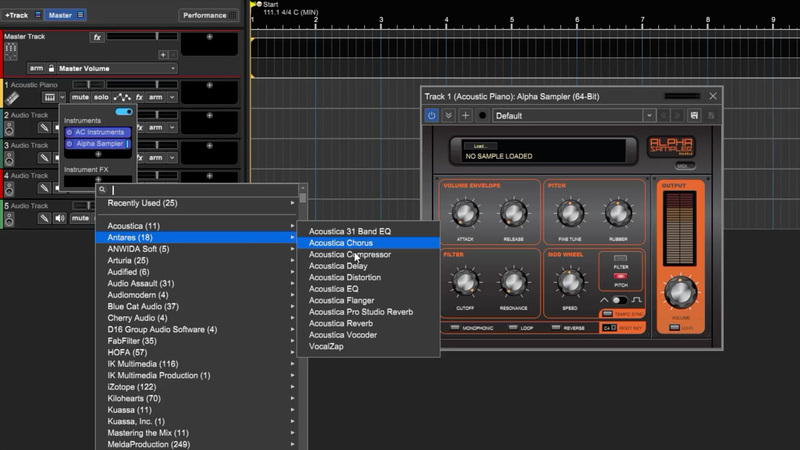
These features and improvements are standard in both Mixcraft 10.5 Recording Studio and the feature-rich Mixcraft 10.5 Pro Studio.
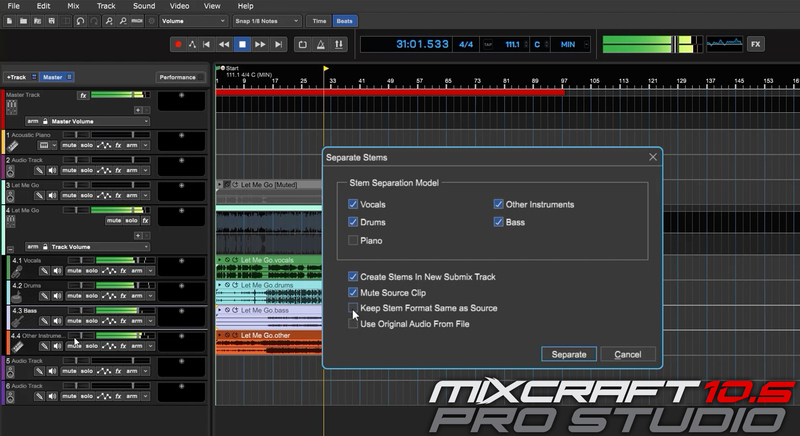
Mixcraft 10.5 Pro Studio offers an exclusive new feature: the AI-powered Stem Separation tool. With stem separation, users can quickly isolate parts of a mixed audio file, such as vocals, piano, drums, and other instruments, into individual tracks, ready for editing, inspection, or replacement. Pro Studio also offers powerful features like Track Regions, audio and MIDI routing, Melodyne pitch shifting, and acclaimed plugins like Cherry Audio's DCO-106, Stardust 201, and Galactic Reverb, and more.
Whether you're a professional or a beginner, Mixcraft offers an irresistible opportunity to upgrade your studio without the burden of complexity or cost. Get started today and discover why Mixcraft is the DAW that's in tune with you.
Acoustica Mixcraft 10 Pro Studio Features
- Updated interface that's more usable, customizable, and scalable
- Improved plugin support and management
- Project Start Window with links to saved projects, templates, and the latest Mixcraft news
- Expanded in 10.5: Project Templates for task-specific presets for podcasting, mastering, video editing, and more
- Expanded in 10.5: Broader support of MIDI devices and control surfaces
- Custom hotkeys for optimizing your workflow
- New in 10.5: Quick Access panel enables users to edit instruments and effects on virtual tracks quickly
- New in 10.5: Auto-save, with user-selectable intervals
- Drag-and-drop automation for even more efficiency
- Unlimited audio and MIDI tracks
- 7,500+ loops, SFX, and samples
- Vocoder tracks
- Curved, Tempo, and Pitch envelopes
- Per-track parametric EQ and oscilloscope
- Live performance panel
- Updated piano roll, step editor, and music notation panels
- Video editing
- Master tempo envelope
- Curved automation
- Gain, drive, parametric EQ, compressor, oscilloscope, and spectrum analyzer mixer panels
- Tempo-synced LFOs for plugin automation
- ReWire hosting
- New in 10.5 Pro Studio exclusively: AI-powered Stem Separation tool to isolate parts of a mixed audio file, such as vocals, piano, drums, and other instruments
- Track Regions allow you to select, drag and drop, and copy groups of clips and tracks, including their automation
- Advanced MIDI and Audio output recording and routing
- Natively Integrated Celemony Melodyne 5 Essential
- Audio to MIDI conversion
- 24 virtual instruments and 50+ effects, including the Pianissimo Grand Piano and DCO-106 Synthesizer virtual instruments, Voltage Modular Ignite, and Stardust 201 Tape Echo and Galactic Reverb virtual effects from Cherry Audio
System Requirements
Minimum System Requirements
- 64-bit Windows 7 SP1, 8, 10 or 11
- 4GB RAM
- 1.8 GHz Dual Core CPU
- Sound card, USB, or Firewire sound device
Recommended System Requirements
- 64-bit Windows 10 or above
- 8GB RAM or higher
- 3.0 GHz Quad Core CPU or higher
- ASIO Audio Interface
Please Note
- Internet access required for some Pro Studio Plug-ins, Updates
- Melodyne (Pro Studio Only) requires Windows 10 or above