/ Audio Editor / Reformer Pro
Krotos

Reformer Pro

4.7 (70 Reviews)
$119.70 $399.00

70% off until Dec 07

Krotos Reformer Pro
Krotos Reformer Pro
Reformer Pro - Transform Your Input. Perform Your Sound Design. gallery thumbnail
Using Reformer Pro for Sound Replacement gallery thumbnail
Reformer Pro Walkthrough gallery thumbnail
Performing Sci-Fi Sound Effects Using Reformer Pro gallery thumbnail
Buy Now
Product information

Perform Sound Effects Without a Foley Pit

Used by audio professionals to perform realistic Foley within your DAW. Save time by skipping the tedious cut, drag, and drop workflow.

Turn Your Own Sounds Into A Digital Foley Stage

  • Import your own sounds with the Analysis Tool
  • Perform nuanced sound design to picture
  • Blend multiple sound libraries simultaneously

Go Beyond Just Editing Sound Libraries

Reformer Pro allows you to replace any input audio, in real-time. Unlike traditional sound editing, you can add responsive cloth Foley to any scene in minutes.

Will I Use It Enough?

Every sound designer needs Foley. Reformer Pro will become your go-to plugin for every project. When you need to add textures, extra layers, surfaces, or completely replace a sound, Reformer Pro is ready to perform.

That’s why so many experienced sound designers say, “Reformer Pro is in my template”.

Hiring a Foley Studio is Expensive

Everyone knows that cracking celery sticks is fun, but…

Under the pressure of deadlines, the only thing that matters is getting the job done. With Reformer Pro you can deliver fast, quality results.

Keep your clients coming back for more.

Everyday Sound Design and More. Krotos Has Got You Covered.

Get started straight out of the box.

Reformer Pro ships with a full collection of over 2 GB of high-quality and versatile sounds covering common use cases encountered in sound design, recorded by Krotos' team of sound designers.

Included Reformer Libraries

  • Air Vent
  • Bengal Tiger
  • Black Leopard
  • Bonfire
  • Bubble Wrap
  • Concrete Foot Slides
  • Debris Pebbles
  • Debris Rock Dust
  • Electrical Sparks
  • Electromagnetic Pickup
  • Electronic Pro
  • Fire Gestures Windy
  • Fruit and Veg
  • Fruit and Veg Crunch
  • Fruit and Veg Squash
  • Fruit and Veg Stabs
  • Glass Foley
  • Grass Rustling
  • Gun Foley
  • Ice Debris
  • Jacket Foley
  • Leather Foley
  • Plate Armour
  • Polystyrene
  • Shoes On Leaves and Twigs
  • Sizzle
  • Snow Debris
  • Water Splashing
  • Waterproofs Foley

Overview + Features

Turn your Sound Libraries into Performable Sound Instruments

  • Use a microphone or any pre-recorded audio to control your libraries in real-time
  • Add variation quickly and easily
  • Rapidly sync to picture without losing your creative spark

Use your Own Sounds with the Help of the Analysis Tool

  • Analyse your own libraries for use in Reformer Pro using the standalone Analysis Tool
  • Drag and drop folders of audio files into the tool, analyse and perform at high speed
  • Include up to 1 GB of samples in every Reformer Pro library that you create
  • Analyse at the sample rate that’s ideal for you

Use Dynamic Input to Create Dynamic Sound Design without an Audio Input

  • Perform any time, anywhere without needing a microphone or any audio assets input
  • Automate and explore your libraries directly from the plugin UI
  • Scan through any library by frequency or amplitude
  • Reveal incredible sounds you never knew were inside your own library

Prefer using a Keyboard? Perform your Foley with MIDI

  • Use any MIDI controller to perform your sounds in Reformer Pro, without the need for a microphone or audio assets
  • High-speed, tactile response to your performance on a keyboard
  • Use velocity and pitch for maximum expression

Constantly Evolving Sounds with Continuous Mode

  • Create instant, evolving drones, ambiences, or evolving textures
  • Use almost any set of audio assets as source material
  • Avoid repetitive backgrounds or drones
  • Render directly to the timeline with AudioSuite in Pro Tools
  • Perfect for games, and constantly evolving backgrounds for post-production

Turn on the Transient Engine to Perform Impacts and Add Extra Definition

  • The Analysis process automatically identifies transient sections of any audio material
  • Seamlessly add extra transients and additional dynamics to any audio signal
  • Trigger transients directly, based on frequency via velocity-sensitive MIDI input
  • Use Variation controls to avoid repetition

Trusted as the go-to sound design software

Reformer Pro is used widely in movies, TV, and games. Here are some projects that use Reformer Pro:

  • Stranger Things
  • Game of Thrones
  • Alita - Battle Angel
  • Frozen 2
  • Cyberpunk 2077
  • The Lion King (2019)
  • Captain Marvel

System Requirements

Mac

  • macOS 10.13 - macOS 11 Big Sur (64-bit only) (M1/M2 Mac Supported)
  • Intel computer with a minimum of 2.4 GHz Intel Dual Core Processor
  • 4 GB of RAM
  • VST, AU, AAX Native

Windows

  • Windows 10 and later (64-bit only)
  • 2.4 GHz Intel Dual Core Processor
  • 4 GB of RAM
  • VST, AAX Native

Additional Information:

  • This software is a digital download
  • Minimum sample rate: 44.1 kHz
  • Maximum sample rate: 192 kHz
  • RTAS is not supported
  • An iLok account (available for free at ilok.com) is required to activate and use the software
  • An iLok 2 or later is required for dongle use

Supported Host Applications:

  • Pro Tools (10.3.5 and above)
  • Reaper
  • Logic Pro X
  • Nuendo (7 and above)
  • Cubase (8 and above)
  • Ableton Live (9 and above)

Please Note: This software may work on other DAWs and DAW versions apart from those listed above. However, these will not have been tested and Krotos cannot guarantee the product will work as expected.

Awards

Testimonials

Paula Fairfield

"Reformer is insanely awesome."
Alistair George

"Truly something new for Post in audio."
David Farmer

"Instantly, Reformer is a brand new approach and a very creatively inspired tool."

Installation Instructions

Important Notes:

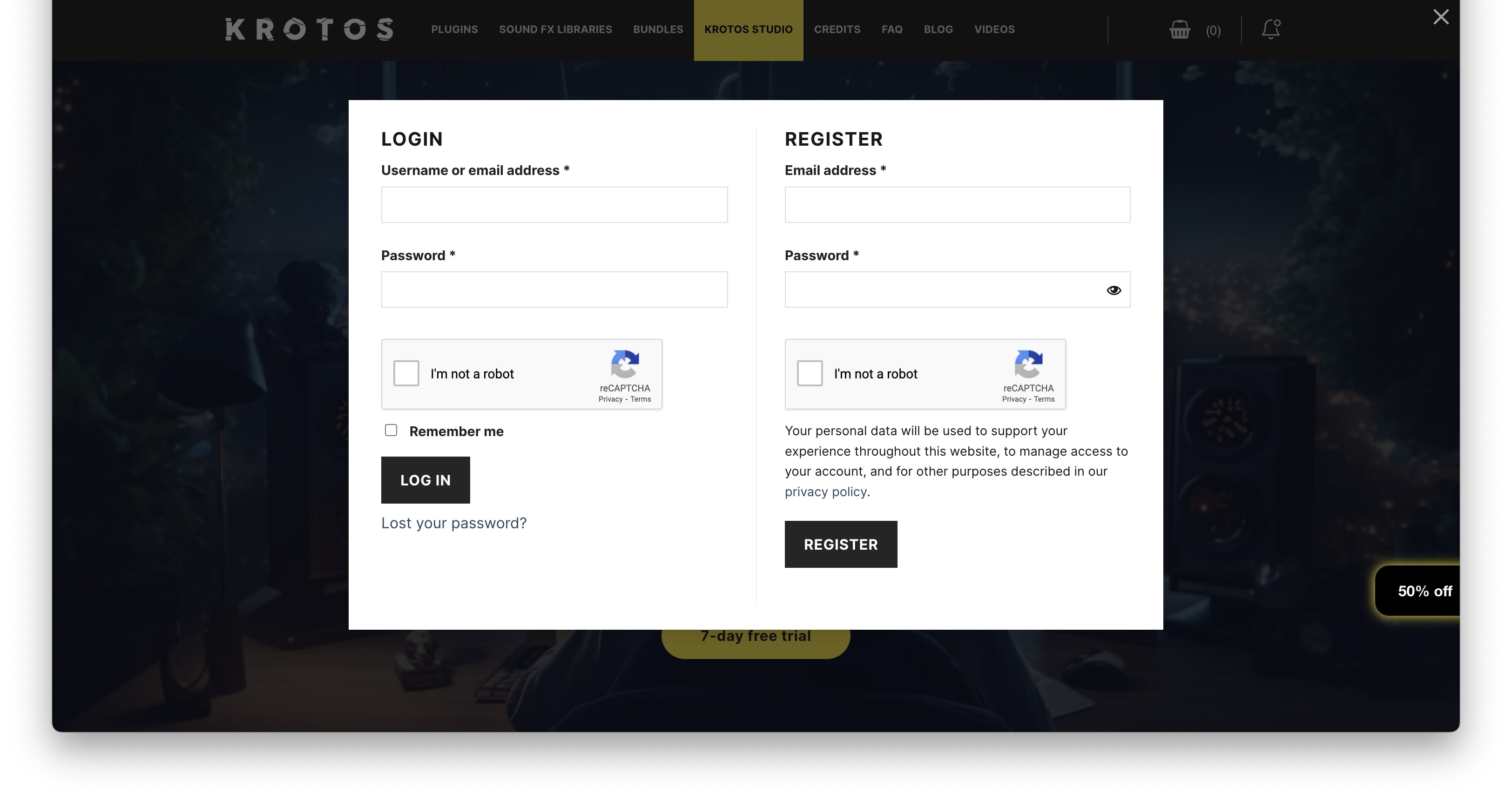
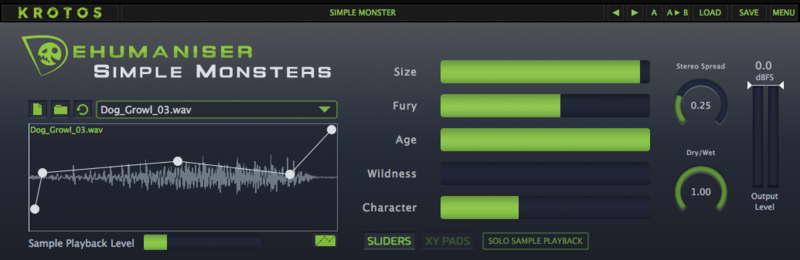
  • Dehumaniser Simple Monsters is used as an example.
  • This product requires a free iLok account and a copy of iLok license manager to be installed on your computer. A physical iLok USB dongle is NOT required.
  • Registering and logging into your Krotos account is required before activating the plugin - please follow the below registration steps before activating.

Registration (Neccessary to complete first)

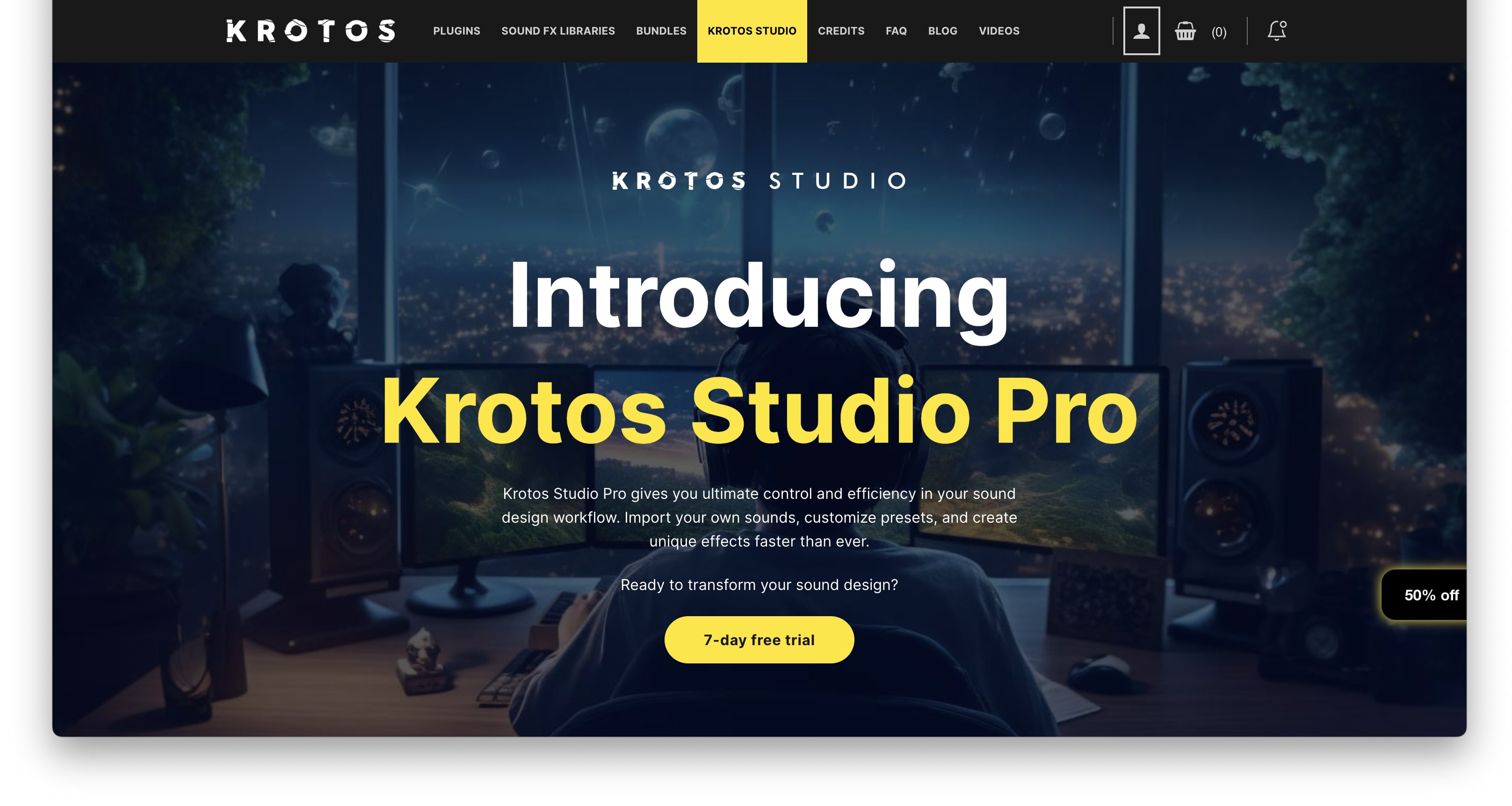
1. Go to https://www.krotosaudio.com/ > Click the 'user' icon in the top right corner.

2. Enter your details and click 'Register' > If you already have a Krotos account, log in as usual.

Activation

Mac

iLok Registration

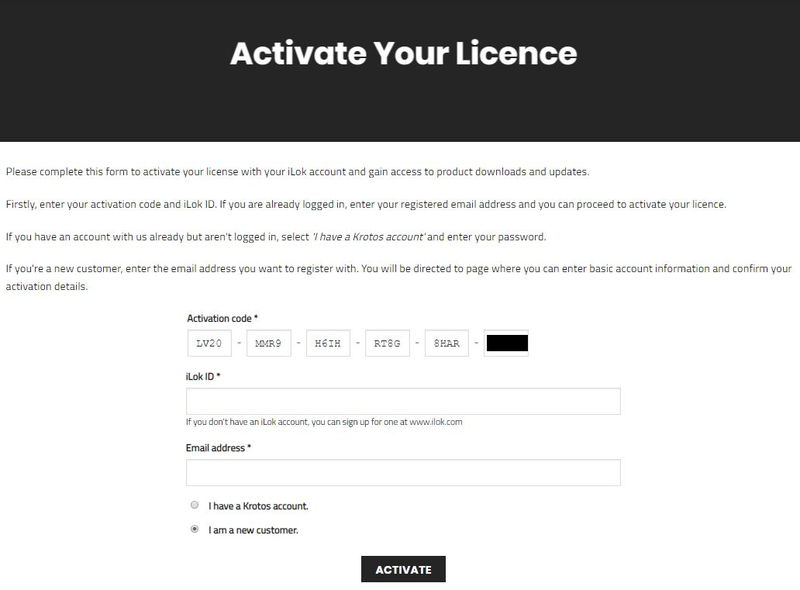
1. Go to https://www.ilok.com/#!registration > Fill out all of the relevant fields marked with an asterisk (*) and click 'Continue'.

2. Go to https://www.ilok.com/#!license-manager > Download and install the iLok License Manager.

Krotos Registration

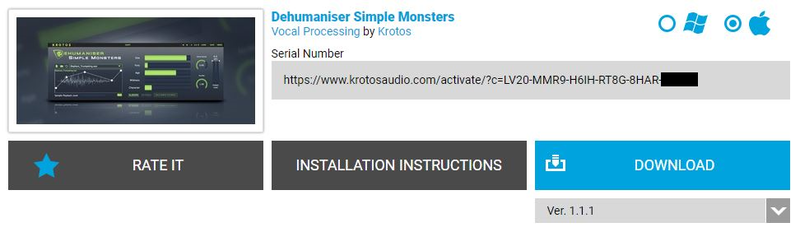
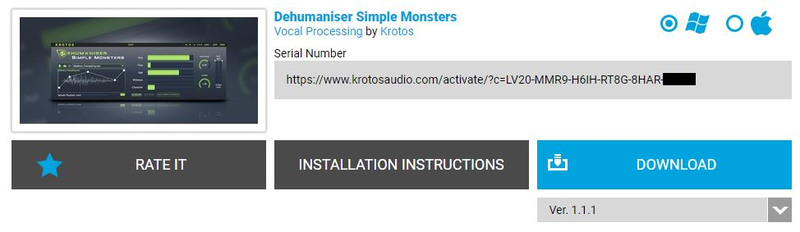
1. Go to your Plugin Boutique User Account and copy the URL found in the serial number section of your purchased product > Paste the URL into your web browser and press enter.

2. Fill out the relevant fields marked with an asterisk (*), including the iLok ID that you chose in step 1 of the iLok Registration instructions > Select 'I am a new customer' and click 'Activate'.

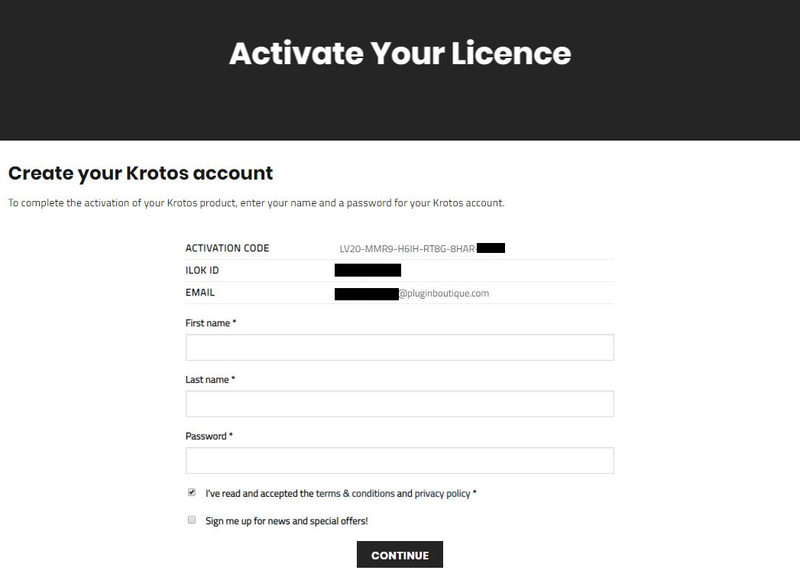
3. Enter your name and password of choice > Select 'I've read and accepted the terms and conditions and privacy policy' and click 'Continue'.

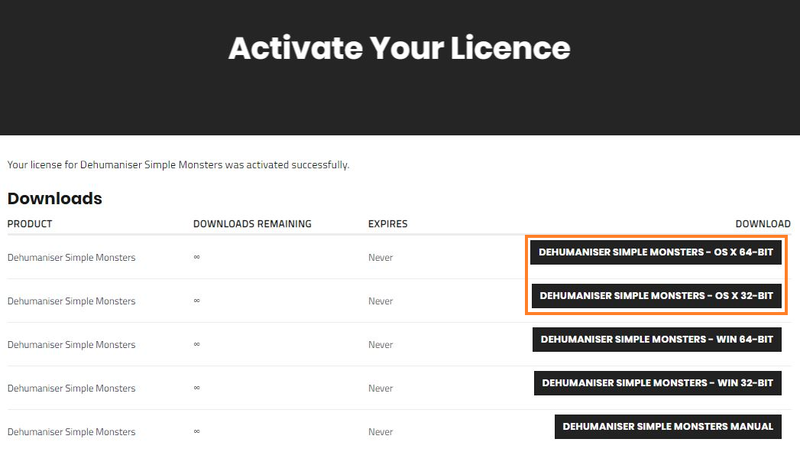
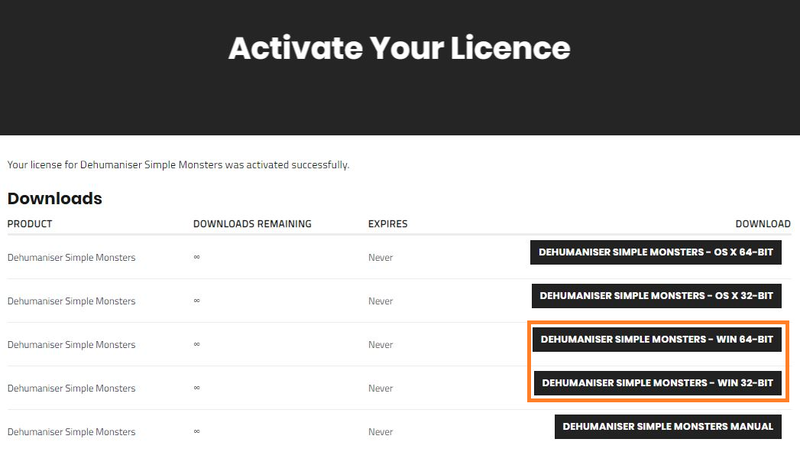
4. Download the Windows installer.

Installation

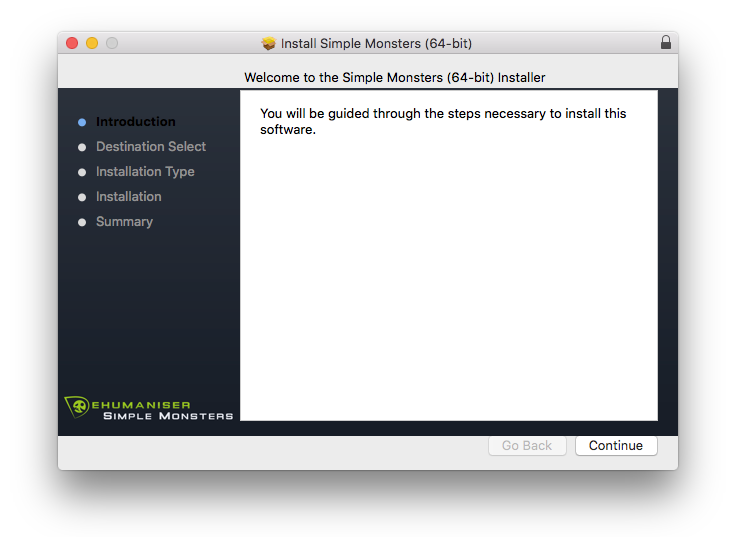
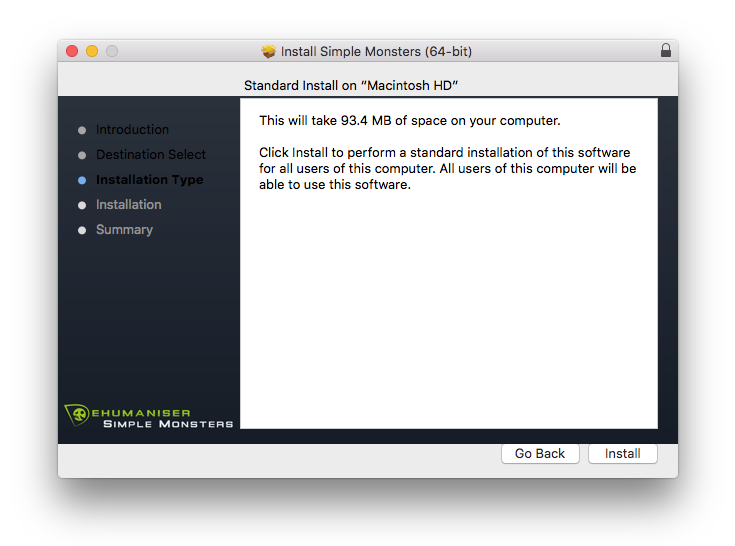
1. Double-click the downloaded .zip file to extract the contents and open the .pkg file to begin the installation > Click 'Continue'.

2. Click 'Install'.

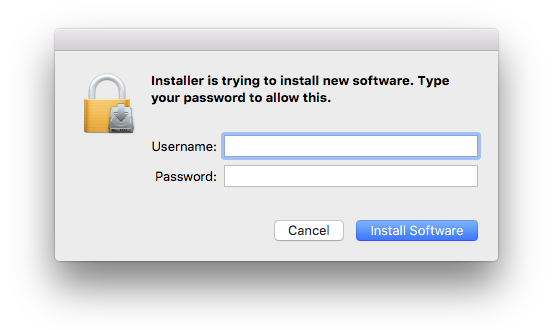
3. Enter your computer Username and Password > Click 'Install Software'.

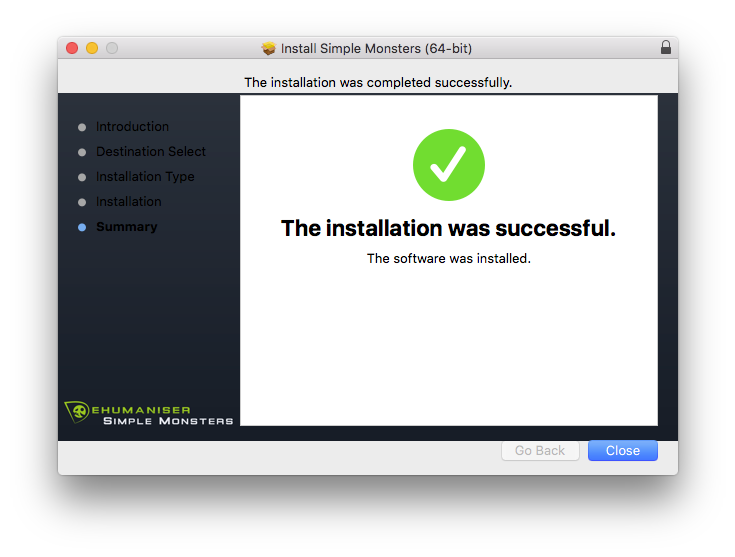
4. Click 'Close'.

Activation

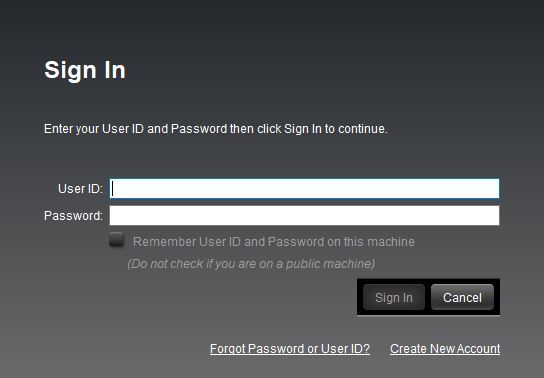
1. Open the iLok License Manager > Click 'Sign In'.

2. Enter your iLok User ID and Password > Click 'Sign In'.

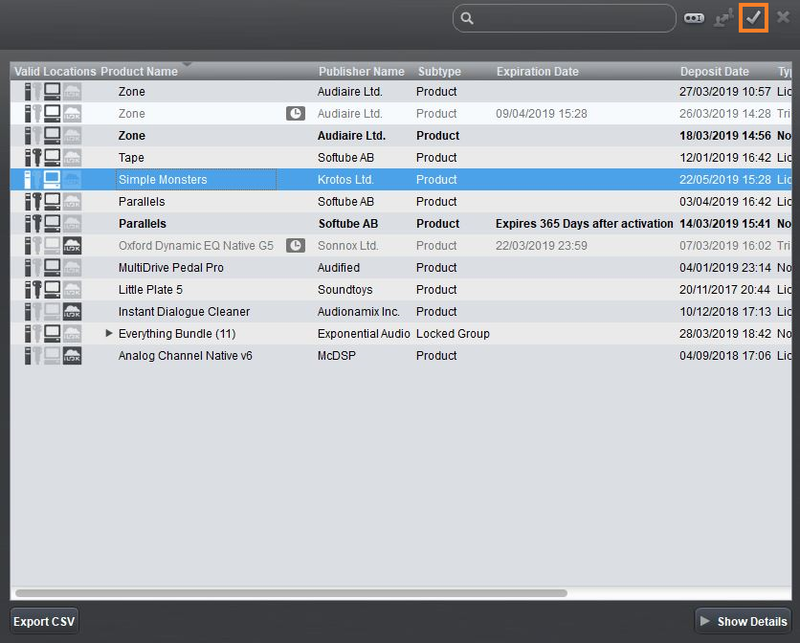
3. Select your recently installed product from the list > Click the tick icon in the top right corner of the application window.

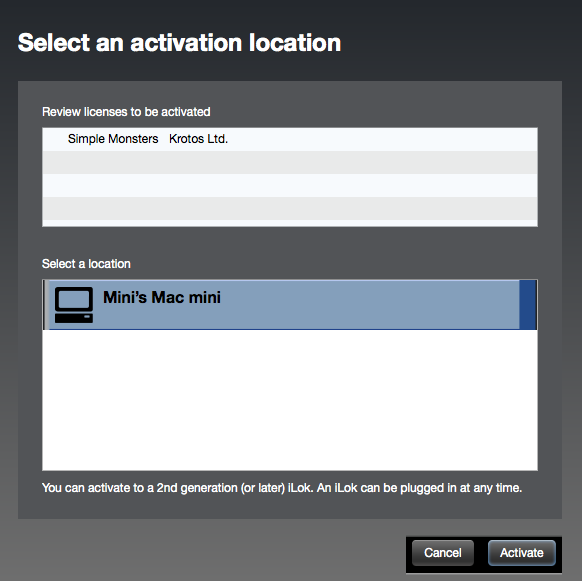
4. Select the location you wish to activate your license - this can be your computer or an iLok USB dongle > Click 'Activate'.

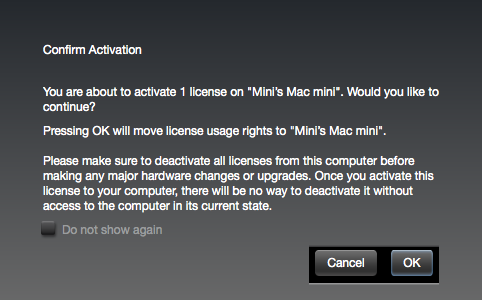
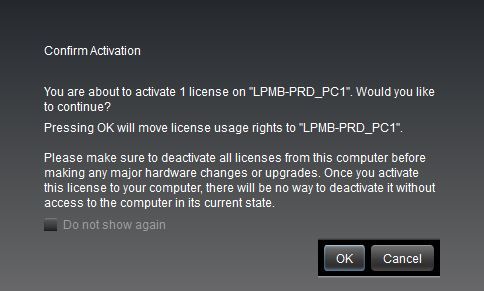
5. Click 'Ok'.

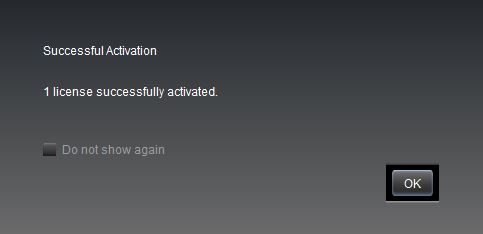
6. Click 'Ok'.

7. Open the recently installed plugin in your DAW.

Note: If your plugin fails to appear, re-scan your plugin selection in your DAW.

Your software is now activated and ready to use.

Windows

iLok Registration

1. Go to https://www.ilok.com/#!registration > Fill out all of the relevant fields marked with an asterisk (*) and click 'Continue'.

2. Go to https://www.ilok.com/#!license-manager > Download and install the iLok License Manager.

Krotos Registration

1. Go to your Plugin Boutique User Account and copy the URL found in the serial number section of your purchased product > Paste the URL into your web browser and press enter.

2. Fill out the relevant fields marked with an asterisk (*), including the iLok ID that you chose in step 1 of the iLok Registration instructions > Select 'I am a new customer' and click 'Activate'.

3. Enter your name and password of choice > Select 'I've read and accepted the terms and conditions and privacy policy' and click 'Continue'.

4. Download the Windows installer.

Installation

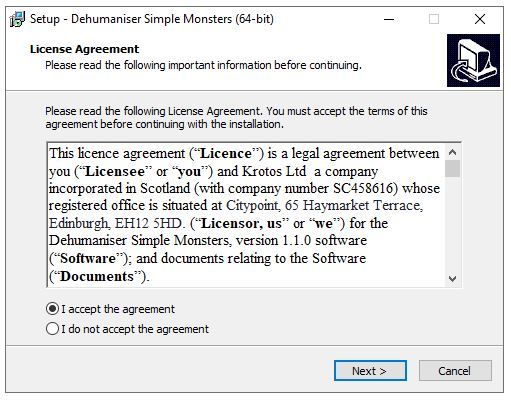
1. Double-click the downloaded .zip file to extract the contents and open the .exe file to begin the installation > Select 'I accept the agreement' and click 'Next'.

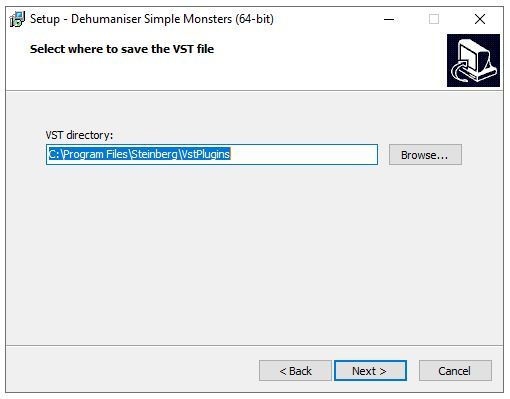
2. Click 'Next'.

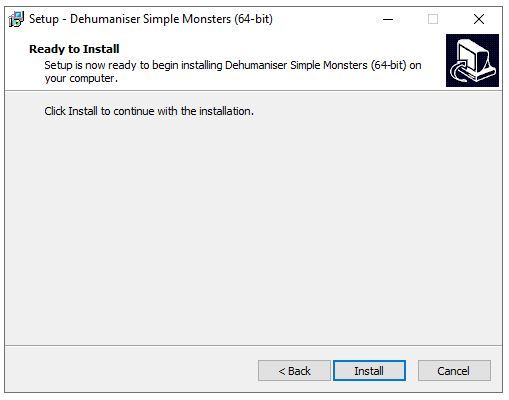
3. Click 'Install'.

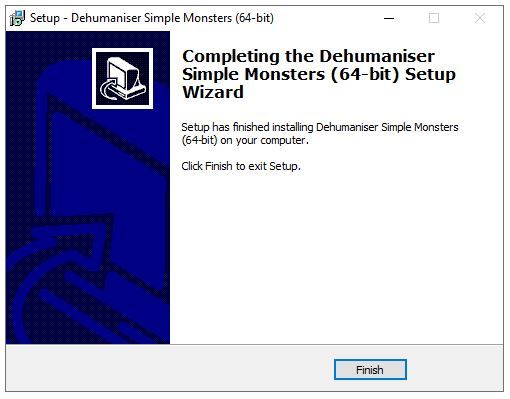
4. Click 'Finish'.

Activation

1. Open the iLok License Manager > Click 'Sign In'.

2. Enter your iLok User ID and Password > Click 'Sign In'.

3. Select your recently installed product from the list > Click the tick icon in the top right corner of the application window.

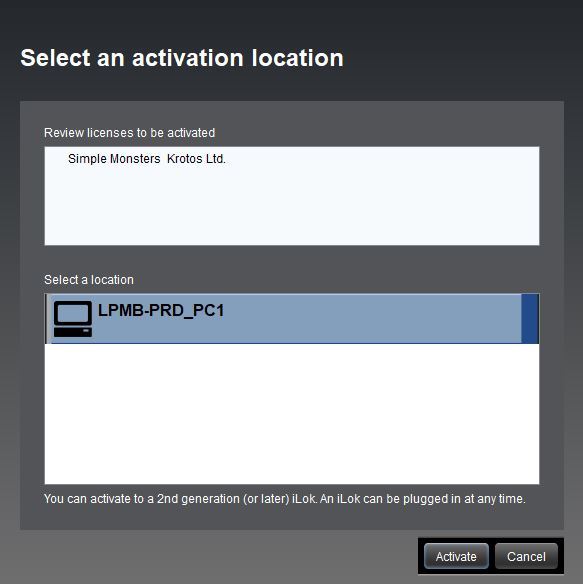
4. Select the location you wish to activate your license - this can be your computer or an iLok USB dongle > Click 'Activate'.

5. Click 'Ok'.

6. Click 'Ok'.

7. Open the recently installed plugin in your DAW.

Note: If your plugin fails to appear, re-scan your plugin selection in your DAW.

Your software is now activated and ready to use.

Krotos Concept Installation Instructions

Mac

Registration

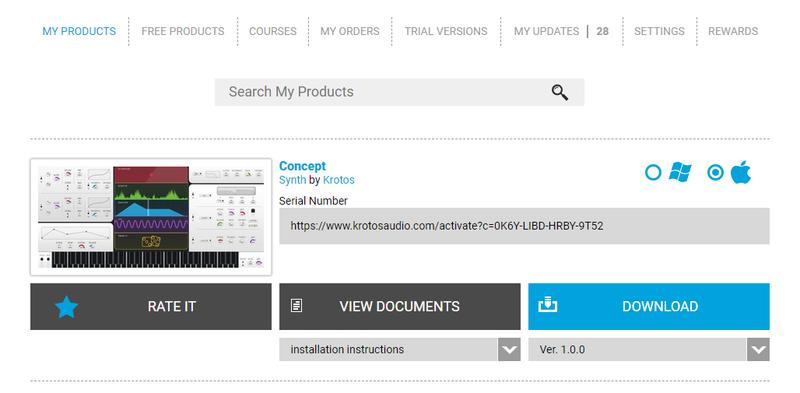
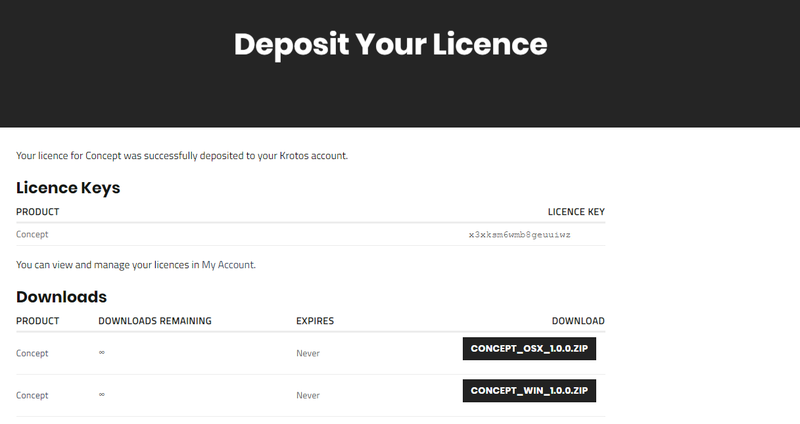
1. Go to your Plugin Boutique User Account > Copy and paste the serial number into your web browser and press enter on your keyboard.

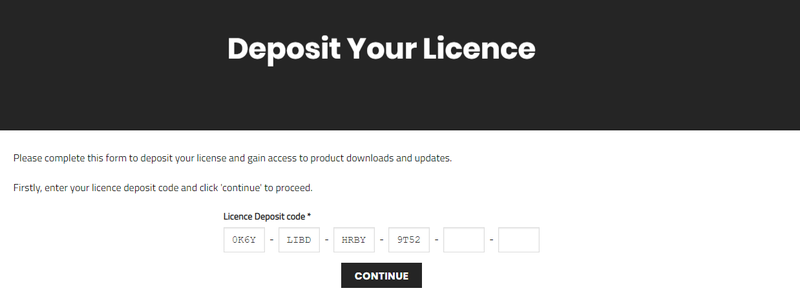
2. Click 'Continue'.

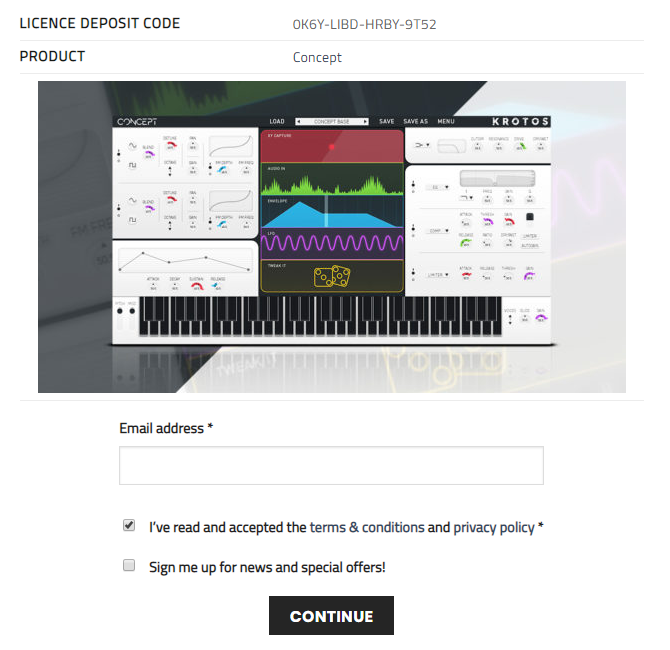
3. Enter your email address and check the box that states 'I've read and accepted the terms & conditions and privacy policy' > Click 'Continue'.

Installation

1. Download your Windows installer by clicking the button that reads 'CONCEPT_OSX_1.0.0.ZIP'.

Note: You will need your License Key for step 1 of the activation process.

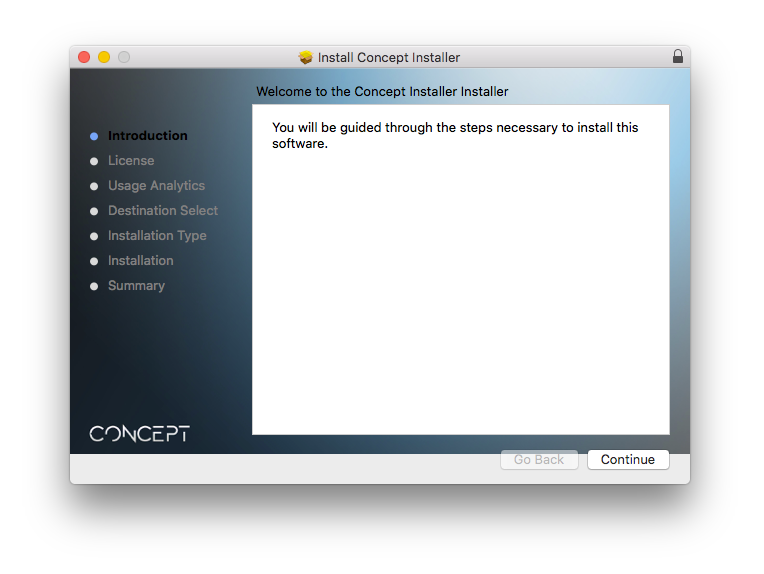
2. Double-click the .zip file to extract the contents > Open the .pkg file to begin the installation and click 'Continue'.

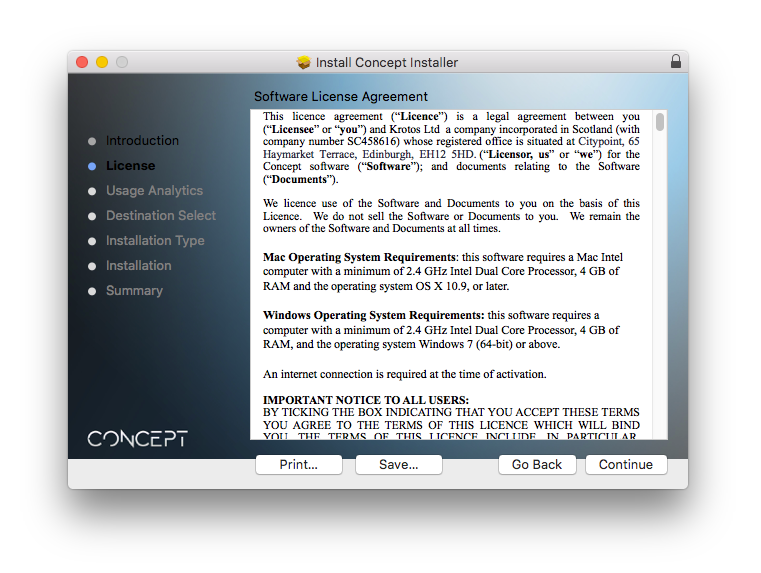
3. Click 'Continue'.

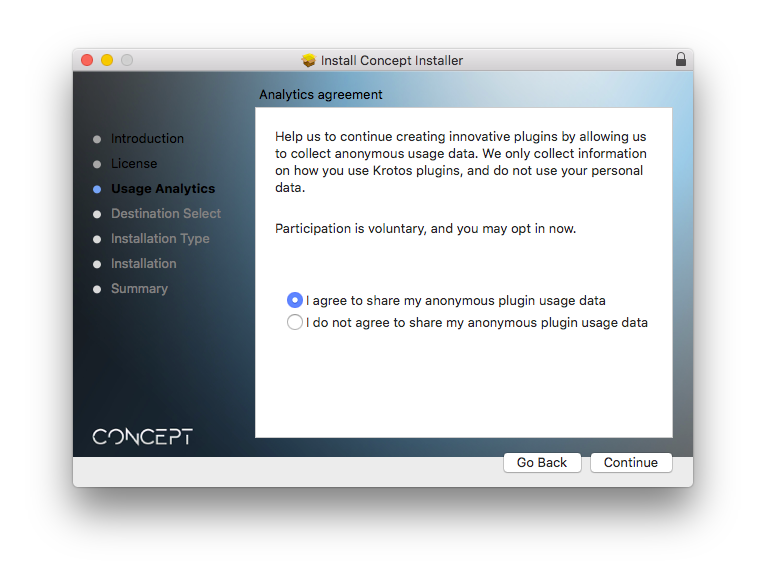
4. Select whether you agree to share your anonymous plugin usage data or not > Click 'Continue'.

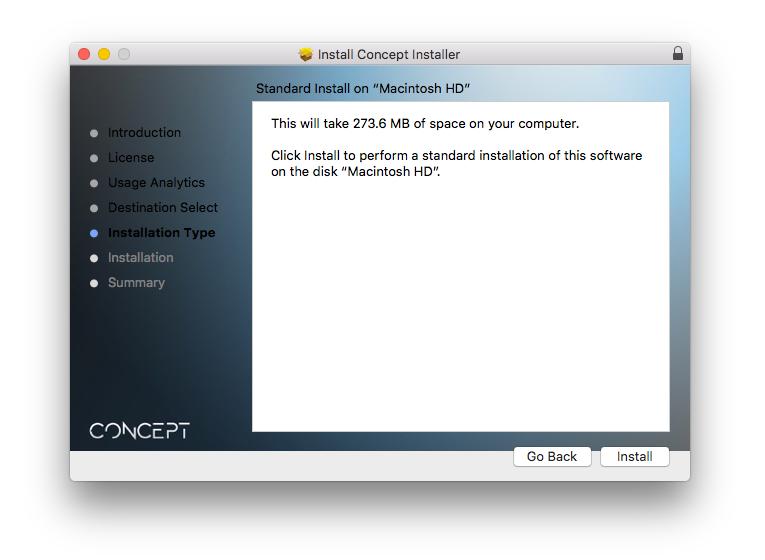
5. Click 'Install'.

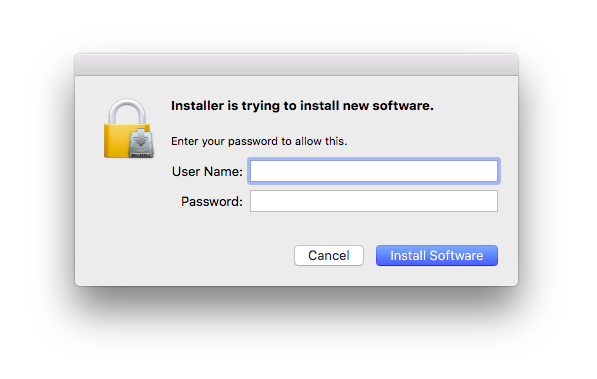
6. Enter your computer User Name and Password > Click 'Install Software'.

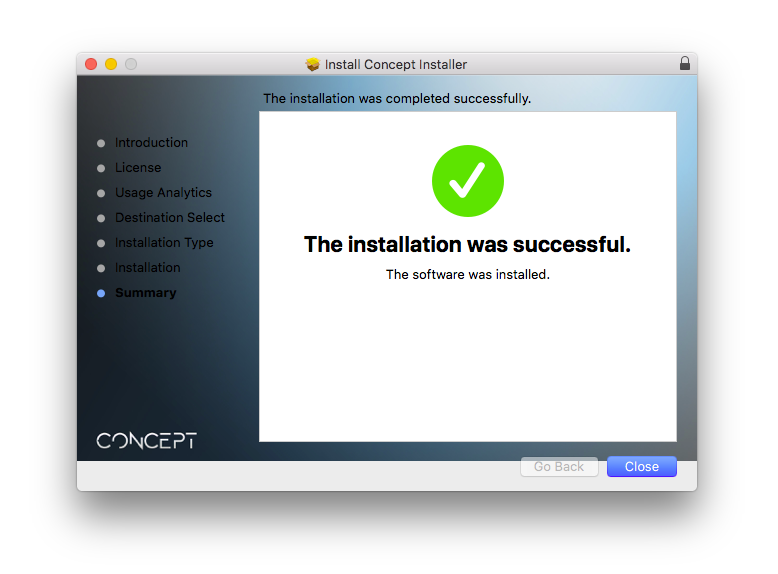
7. Click 'Close'.

Activation

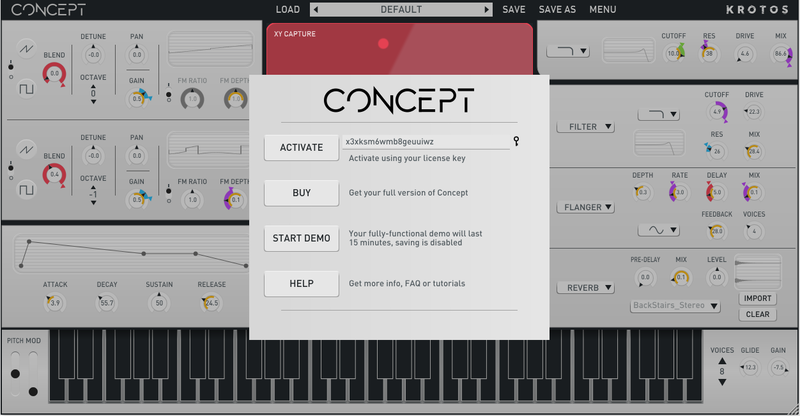
1. Open the newly installed software within your DAW > Copy and paste the License Key from step 1 of the installation process > Click 'Activate'.

Your software is now activated and ready to use within your DAW.

Windows

Registration

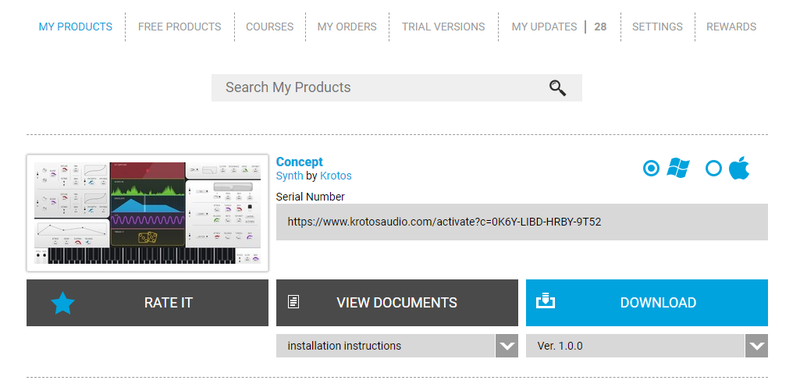
1. Go to your Plugin Boutique User Account > Copy and paste the serial number into your web browser and press enter on your keyboard.

2. Click 'Continue'.

3. Enter your email address and check the box that states 'I've read and accepted the terms & conditions and privacy policy' > Click 'Continue'.

Installation

1. Download your Windows installer by clicking the button that reads 'CONCEPT_WIN_1.0.0.ZIP'.

Note: You will need your License Key for step 1 of the activation process.

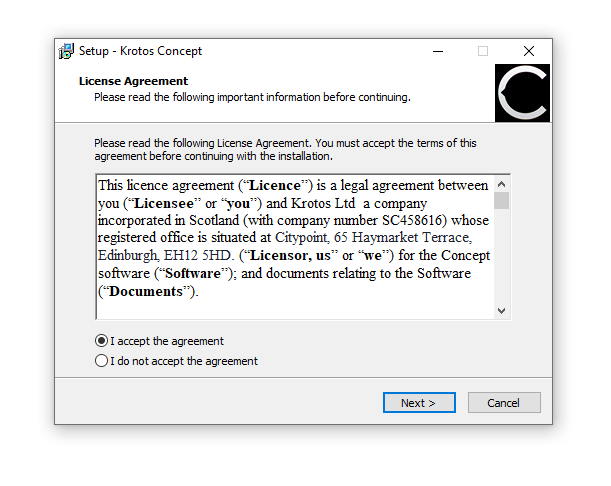
2. Double-click the .zip file to extract the contents and open the .exe file to begin the installation > Select 'I accept the agreement' and click 'Next >'.

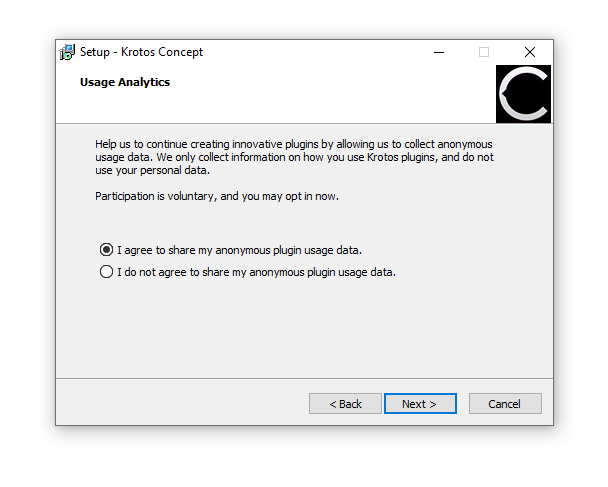
3. Select whether you agree to share your anonymous plugin usage data or not > Click 'Next >'.

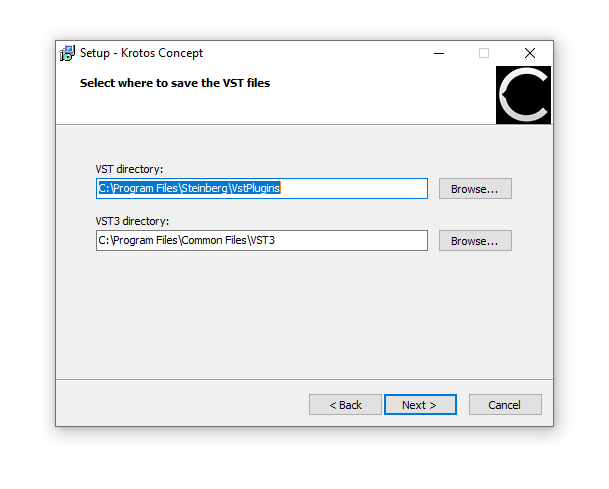
4. Select the installation location for your VST files > Click 'Next >'.

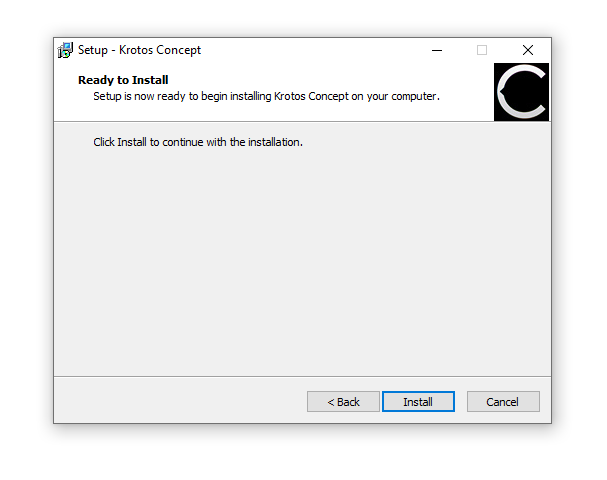
5. Click 'Install'.

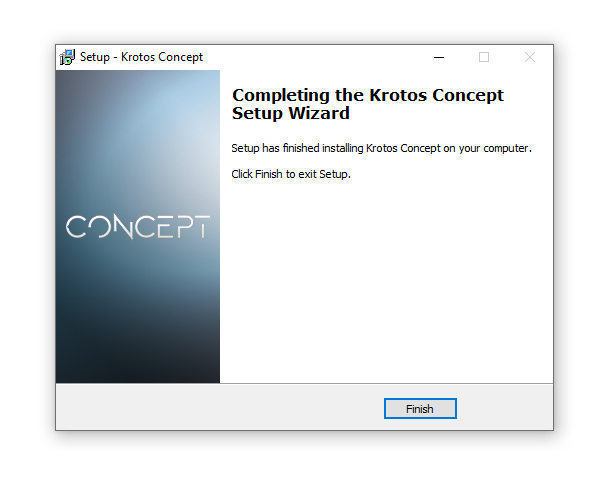
6. Click 'Finish'.

Activation

1. Open the newly installed software within your DAW > Copy and paste the License Key from step 1 of the installation process > Click 'Activate'.

Your software is now activated and ready to use within your DAW.

Plugin Boutique Rewards

Discover the most rewarding loyalty programme among all plugin retailers.

  • Free Loopmasters Samplepacks
  • Discounts on products and courses
  • Extra Virtual Cash claimed immediately at checkout
Find out more

Follow us:

X (Twitter) Facebook YouTube Instagram
Logo Logo

Plugin Boutique Limited, Part of the Beatport Group LLC.

Copyright © 2011-2025 Plugin Boutique. All rights reserved