Buy Simple Stems, get a free gift with purchase:
Stems for any Song

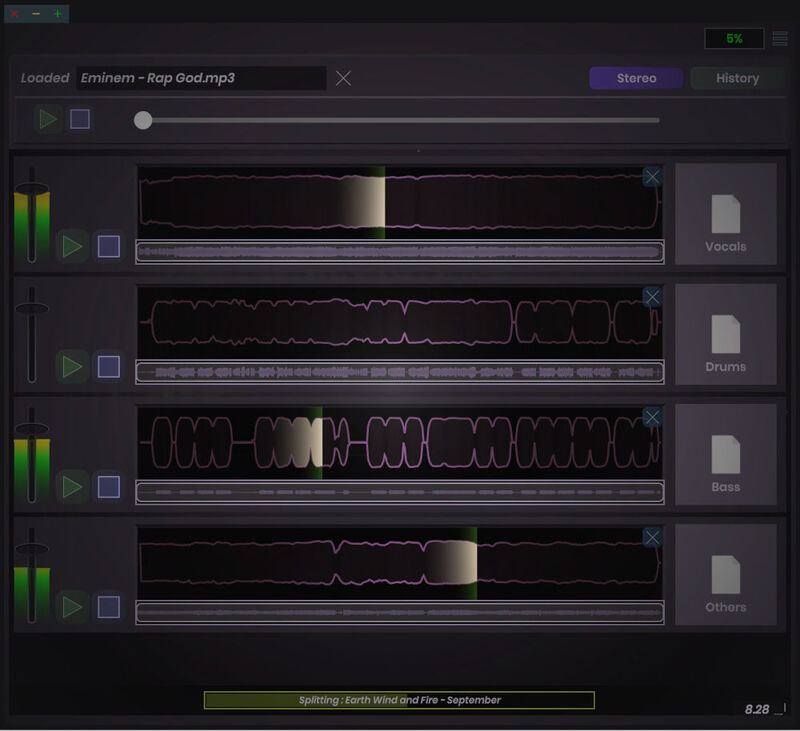
Simple Stems is a quick and easy way to decompose any audio into its constituent parts. Leveraging advanced spectral analysis and artificial intelligence, audio can be deconstructed into four parts: vocals, drums, bass, and other (like piano or strings).
With version 2, Simple Stems has a powerful new architecture which steps up the quality of the stems — making it even better for use-cases like remixing, sampling, or creating karaoke versions of songs.
Get the stem separation you need, without the subscriptions, long waiting queues, or ads.
Drag & Drop
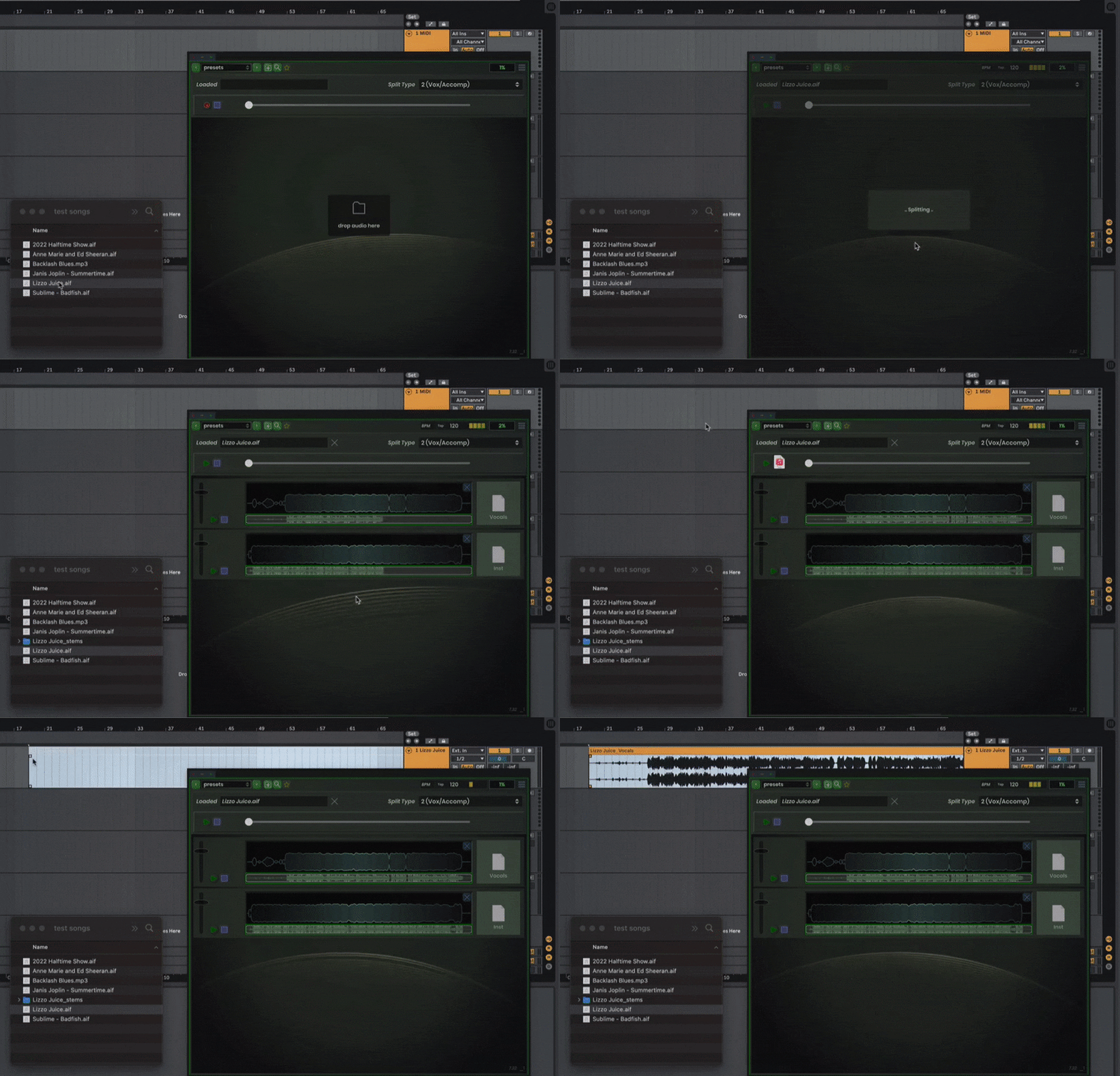
Simple Stems is extremely easy to use! It loads as a plugin (VST/AU/AAX) or standalone. To decompose audio, simply drop your audio on the splitter and wait a moment for the stems to appear. You can preview individual stems and then drag them directly to your DAW, desktop, or files. The stems are also automatically created in a folder right beside the original audio, so you can always find them later.
System Requirements
Mac
- macOS 11 or newer (Intel / Apple Silicon supported) (64-bit only)
- VST3, AU, AAX, Standalone
Windows
- Windows 10+ or newer (64-bit only)
- VST3, AAX, Standalone
Please Note: Addiction Synth is used as an example
Windows
1. Download and run the installer. This can be found in your Plugin Boutique User Account under option 2.
2. Open the .zip (Windows) or .pkg (Mac) and unzip the files.
3. Place the two VST files (the DLLs) in whatever directory you prefer to keep VST plugins in, on your system.
(Please note: The two plugin files are identical except that one is 32 bit, and the other is 64. Keeping both ensures that you can run this on any VST host).
4. Use a VST plugin host to scan the directory that contains the plugin files.
5. Find the "SC Addiction Synth" plugin on your host's plugin list and double click it.
6. Enter your serial number (which can be found in your Plugin Boutique User Account) and enter the email address in which the plugin will be registered to).
Your software is now installed and ready to use.
Mac
1. Download the Mac installer from your Plugin Boutique user account.
2. Once downloaded, open the .pkg file.
3. Follow the instructions in the installer.
4. Select the destination where you wish to install your plugin.
5. If you're happy with the install location, click 'Install'. If not, click 'Change Install Location' and select a different folder.
6. Your plugin will now be fully installed.
7. Open your host DAW and open the plugin.
8. Enter your serial number (which can be found in your Plugin Boutique User Account) and enter the email address in which the plugin will be registered to.