/ Audio Restoration / W43 Noise Reduction Plugin
Waves

W43 Noise Reduction Plugin

$29.99 $149.00

79% off until Dec 07

Waves W43 Noise Reduction Plugin
Buy Now
Product information

W43 Noise Reduction Plugin
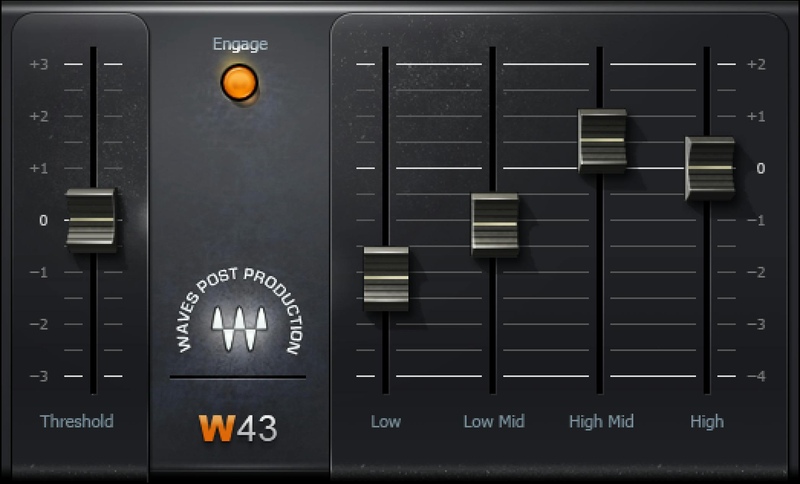
Push Background Noise Further Into the Background

W43 emulates an industry-standard hardware system, based on analog noise reduction technology, that was known for its benign, artifact-free, and efficient operation. Four dynamic EQ engines increase attenuation in bands as they become quieter, leaving louder sounds unaffected.

Free from the warbly artifacts sometimes found in broadband noise reduction, the W43 is optimized for reducing continuous noise from fans, lighting, and other low-level ambient sounds.

Features

  • 4 frequency bands reduce noise selectively
  • Designed for the challenges of post-production audio work
  • Easy editing—set threshold, then lower slider(s) to reduce noise
  • Natural, unobtrusive, artifact-free noise reduction
  • Clean up on- location, audio-only recordings of sound effects
  • Zero latency maintains perfect picture sync

System Requirements

Mac

  • macOS Monterey 12, Ventura 13, Sonoma 14, Sequoia 15
  • VST / AU / AAX

PC

  • Windows 10+
  • VST / AAX
Installation Instructions

1. Head to https://www.waves.com/create-account

2. Enter your email and choose a password to create an account (if you already have a Waves account, choose Log in, enter your details and head to Step 5) > click 'Submit'

3. Open your email inbox > click the activation link in the email from Waves

4. Click 'Log in here' > Log in to your Waves account

5. Click 'Register New Products'

6. Enter the Serial Number found in your Plugin Boutique user account > click 'Submit'

7. Click download in your Plugin Boutique user account or head to https://www.waves.com/downloads/central > download the Waves Central app for your operating system

8. Install Waves Central > Open Waves Central

9. Click 'Log in' > enter your log in details

10. Click the 'Install Products' tab

11. Tick the blue dot on all products you wish to install or click the top dot to install all products > click 'Install & Activate'

12. Click 'OK'

13. Open your DAW > open the Waves plugin

Your Waves plugins are installed and ready to use, enjoy!

Plugin Boutique Rewards

Discover the most rewarding loyalty programme among all plugin retailers.

  • Free Loopmasters Samplepacks
  • Discounts on products and courses
  • Extra Virtual Cash claimed immediately at checkout
Find out more

Follow us:

X (Twitter) Facebook YouTube Instagram
Logo Logo

Plugin Boutique Limited, Part of the Beatport Group LLC.

Copyright © 2011-2025 Plugin Boutique. All rights reserved










