Log In

Free gifts available with your purchase

The new DeVerberate 3 — now based on Deep Learning
Important Note: If you purchased DeVerberate 2 between June 26th 2021 and 30th September 2021, you are eligible for a FREE upgrade to DeVerberate 3. To claim your upgrade, please send your DeVerberate 2 8-digit order number to support@pluginboutique.com.
DeVerberate is a reverb reduction plug-in that can attenuate or boost the reverberation that is already present in recorded material. The new version includes an entirely new algorithm based on deep learning for fully automatic reverb reduction of recorded dialogue. By training a neural network on thousands of high-quality voice recordings and a wide variety of acoustical surroundings, the artificial intelligence can automatically separate dialogue from reverb.
The reverb reduction algorithm from version 2 is included for music and other audio sources. Both algorithms split the incoming audio into an estimation of the direct sound and the reverberated sound which can then be recombined freely. Additionally, a unique Early Reflections Filter that works in conjunction with the reverb suppression algorithms is included. The Early Reflections Filter uses sophisticated statistical methods to estimate the so-called impulse response of the early reflections, which is then used to cancel out the effect of the early reflections.
Features
- Fully automatic dialogue reverb reduction based on deep learning
- Manual mode for music and other signal types with adjustments of the original reverberation’s level and decay times
- Separate adjustments of the direct sound and the reverberation levels
- Early reflections filter
- Frequency spectrum representation of the of the following signals:Input signal, Output signal, and Estimated reverberation
- Frequency emphasis filter for the the reduction level
- High and low shelving filters with variable slopes (-3 to -96 dB / octave)
- High and low peak filters with adjustable bandwidth (0.1 to 3.0 octaves)
- Graphical representation of frequency response
- Editing of filter settings through handles in the frequency response curve
- EUCON and full Pro Tools HW controller support
System Requirements
PC
- Windows 10 / 8 / 7
- Intel Core i3 or AMD multi-core processor (Intel Core i5 or faster recommended)
- 1366 x 768 display resolution (1920 x 1080 or higher recommended)
- 1 GB RAM (4 GB or more recommended)
- 1 GB free HD space
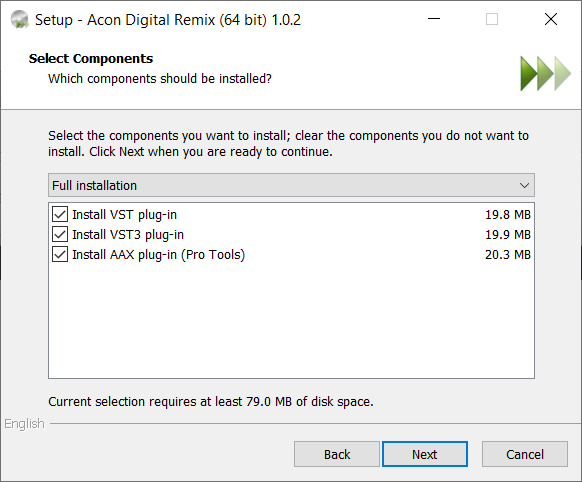
- A host application that is compatible with (32 bit or 64 bit) VST , VST3 or AAX (Pro Tools 10.3.5 or higher)
Mac
- macOS / OS X 10.9 or later
- Runs natively on ARM64 and Intel
- 1 GB RAM (4 GB or more recommended)
- 1 GB free HD space
- A host application that is compatible with (64 bit) AU, VST, VST3 or AAX (Pro Tools 11 or higher)