


 Log In

Free gifts available with your purchase
Dynamics Plugin
The Ultimate Smart Parallel Multi-band Dynamics Processor
Unrivalled Dynamics Control
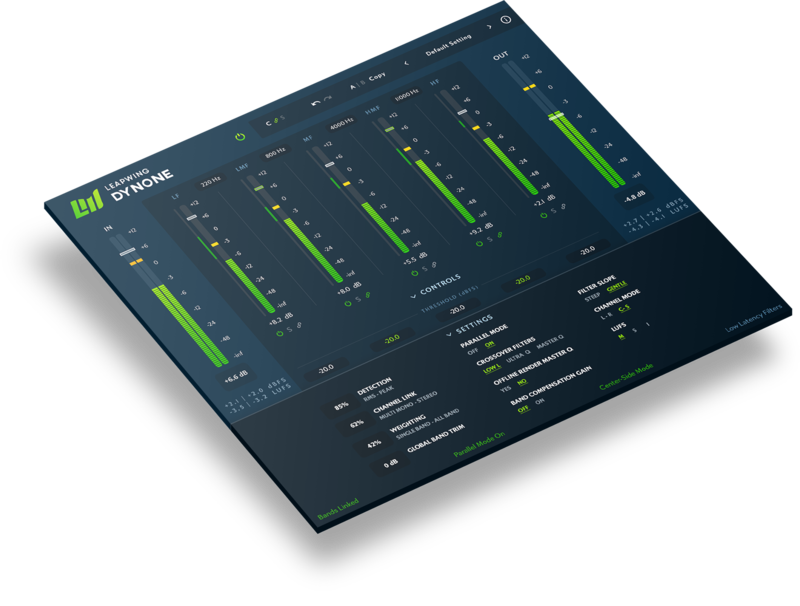
DynOne was designed from the ground up to put 5 bands of quality parallel compression at your fingertips. Transparent and adjustable filters will help control your audio levels without discarding the nuances of your sound. Intelligent and responsive attack and release settings work within pre-set values to get you closer to the sweet spot, faster, and with less guesswork.
Despite the help it offers, it doesn’t take your creative decisions away from you, so if you’re the type who isn’t satisfied until everything is just right then the comprehensive options, clear metering, and intuitive controls will get you where you want to be. Features you won’t find elsewhere include a unique weighting algorithm to offer specific control of your sidechain, and a Center-Side Mode to give attention to your stereo field.
- Unique Best-In-Class Filters - Hear the difference high-quality FIR filtering can make. Keep your levels where you need them without sacrificing any detail.
- Complete Musical Control - Find comprehensive options for fine mixing and mastering, such as variable RMS vs peak detection, stereo link control and unique weighting algorithm.
- Beautiful Design with Optimal Workflow - A beautiful Retina design with the most common controls on one screen and a complete range of fine adjustments only a click away.
Features
Unique 5-Band Algorithm that Puts Quality First
You will hear no aliasing, no phase issues, and no distortion between the bands, even at higher frequencies. Leaping Audio built DynOne from the ground up with quality and audio transparency in mind. The result is a compressor that remains transparent and musical in situations where other compressors would have an impact on your sound. The CPU burden is modest and adjustable, with automatic bouncing in the highest quality so as not to compromise your workflow.
Intelligent Adaptive Attack and Release Settings
A traditional fixed approach to attack and release times won’t always give you the best results so Leaping used adjustable min and max settings. This means you can optimize your dynamics both with transients or sustained sounds.
Quick and Intuitive Interface
It looks good and it sounds good because Leapwing were thinking of the user when they designed it. To find your sound quickly, Leapwing created something minimal and clear. You can get good results in a few clicks with real-time feedback to visualise what you’re hearing. Save time and sound great!
System Requirements
Mac
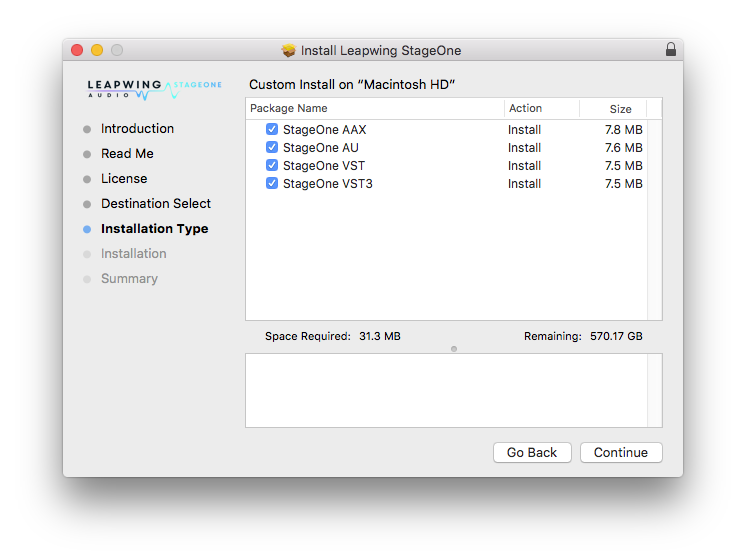
- macOS 10.13 High Sierra and later (Intel / M1 Apple Silicon supported) (64-bit only)
- VST2, VST3, AU, AAX (Native)
Windows
- Windows 8 - Windows 10 (64-bit only)
- VST2, VST3, AAX (Native)
Awards


Joe Chiccarelli
Grammy-winning producer & engineer (White Stripes, U2, Beck, The Strokes).
"Perfect for the finishing touch on a mix!"
Seth Drake
Mastering engineer (Bassnectar, Ellie Goulding, Rick Ross, The Prodigy).
"DynOne got me 80% to my default mastering chain by only using the faders in under 10 minutes."
Bob Katz
Grammy-winning mastering engineer (Dizzy Gillespie, Paquito D'Rivera).
"If what you are looking for is a transparent level or loudness raise, I recommend DynOne."
Mastering-Level, Multiband Parallel Processor with 5-Band Linking Co-founded by Belgian mastering engineer Robin Reumers, coder Jeroen Dreessen and technical engineer Emiliano Caballero, Leapwing Audio has released DynOne version 2, a 64-bit multiband parallel processor mastering plug-in. It i...
Read More





Reviews Summary
While it aims to provide a helpful overview, it may not capture every perspective or detail. We encourage you to read individual reviews to make an informed decision.
Users highly praise this versatile multiband compressor plugin, highlighting its exceptional sound and effectiveness for tone shaping, mastering, and mixbus processing. Reviewers appreciate its powerful yet straightforward operation and useful parallel mode, with many noting that it exceeded their expectations and served as a mix game changer.


