/ Utility / COSMOS Sample Finder
Waves

COSMOS Sample Finder

4.4 (11 Reviews)
$24.99 $79.00

68% off until Dec 07

Waves COSMOS Sample Finder
Waves COSMOS Sample Finder gallery thumbnail
Buy Now
Product information

COSMOS Sample Finder

Always Find the Right Samples for Your Tracks

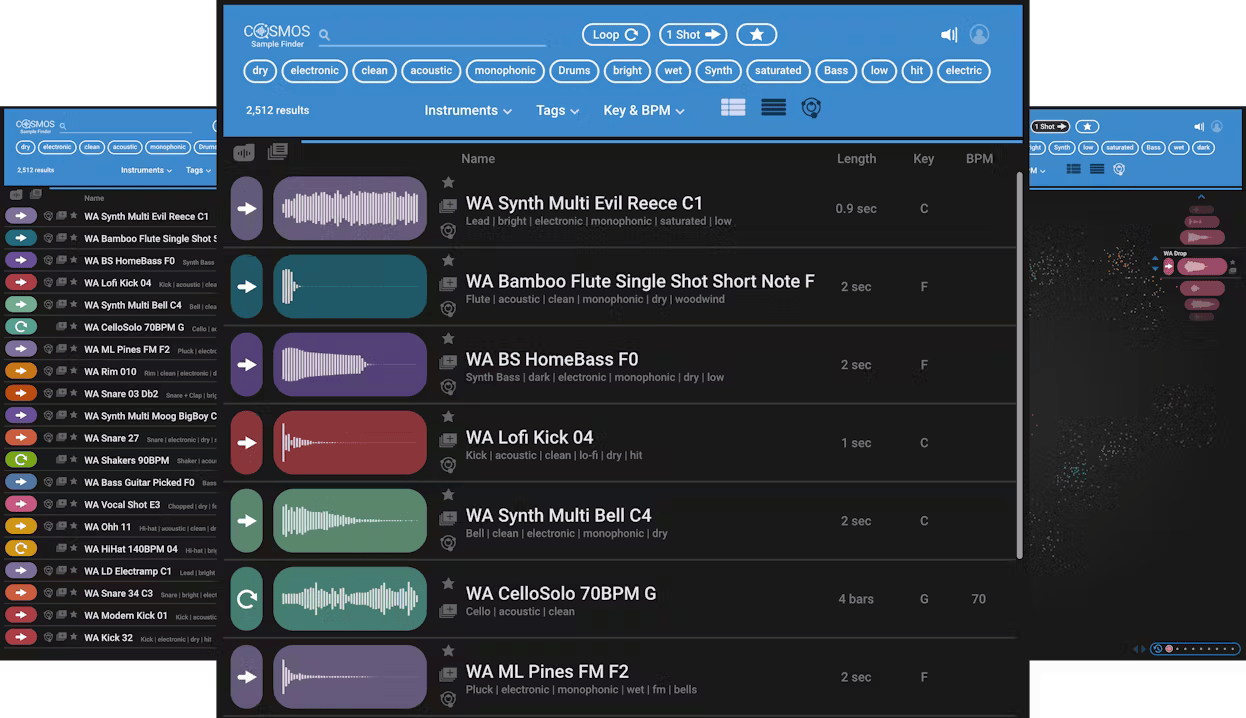
Quick—what sound is the sample with filename asdf_#12C.wav? You may not know, but COSMOS does. COSMOS uses an AI neural networks engine to analyze all the samples on your hard drive, and then categorizes and auto-tags the instrument, timbre, style, key, BPM, and sonic characteristics (loop or one-shot, dry or wet, and much more) in its database.

Need to find a saturated kick? Just type “saturated” and “kick” in COSMOS, and all your saturated kicks will show up, no matter what the files are actually named. Need to find a bright reverby drum loop in 120 BPM? Or a saturated synth sample in F#-minor with a cinematic feel? Just choose the appropriate tags, and COSMOS will deliver the samples you’re after, instantly.

Features

  • Uses AI to sort and auto-tag all the samples on your hard drive
  • Over 2500 royalty-free samples included
  • Sorts by instrument, key, BPM, and more sonic characteristics
  • 3 views: waveform, list, and COSMOS “cluster” view
  • Saves you time by finding the samples you want
  • Re-discover samples you forgot you had
  • Assign oft-used samples to a favorites list, or create collections
  • Compatible with all WAV, AIF, OGG and FLAC files
  • Use as a standalone app, or open from the Waves CR8 sampler
  • Powered by Waves Neural Networks technology

System Requirements

Mac

  • macOS Monterey 12, Ventura 13, Sonoma 14, Sequoia 15
  • VST / AU / AAX

PC

  • Windows 10+
  • VST / AAX
Installation Instructions

1. Head to https://www.waves.com/create-account

2. Enter your email and choose a password to create an account (if you already have a Waves account, choose Log in, enter your details and head to Step 5) > click 'Submit'

3. Open your email inbox > click the activation link in the email from Waves

4. Click 'Log in here' > Log in to your Waves account

5. Click 'Register New Products'

6. Enter the Serial Number found in your Plugin Boutique user account > click 'Submit'

7. Click download in your Plugin Boutique user account or head to https://www.waves.com/downloads/central > download the Waves Central app for your operating system

8. Install Waves Central > Open Waves Central

9. Click 'Log in' > enter your log in details

10. Click the 'Install Products' tab

11. Tick the blue dot on all products you wish to install or click the top dot to install all products > click 'Install & Activate'

12. Click 'OK'

13. Open your DAW > open the Waves plugin

Your Waves plugins are installed and ready to use, enjoy!

Plugin Boutique Rewards

Discover the most rewarding loyalty programme among all plugin retailers.

  • Free Loopmasters Samplepacks
  • Discounts on products and courses
  • Extra Virtual Cash claimed immediately at checkout
Find out more

Follow us:

X (Twitter) Facebook YouTube Instagram
Logo Logo

Plugin Boutique Limited, Part of the Beatport Group LLC.

Copyright © 2011-2025 Plugin Boutique. All rights reserved