/ Utility / Primary Source Expander
Waves

Primary Source Expander

5.0 (1 Reviews)
$29.99 $79.00

62% off until Dec 07

Waves Primary Source Expander
Waves Primary Source Expander gallery thumbnail
Buy Now
Product information

Primary Source Expander
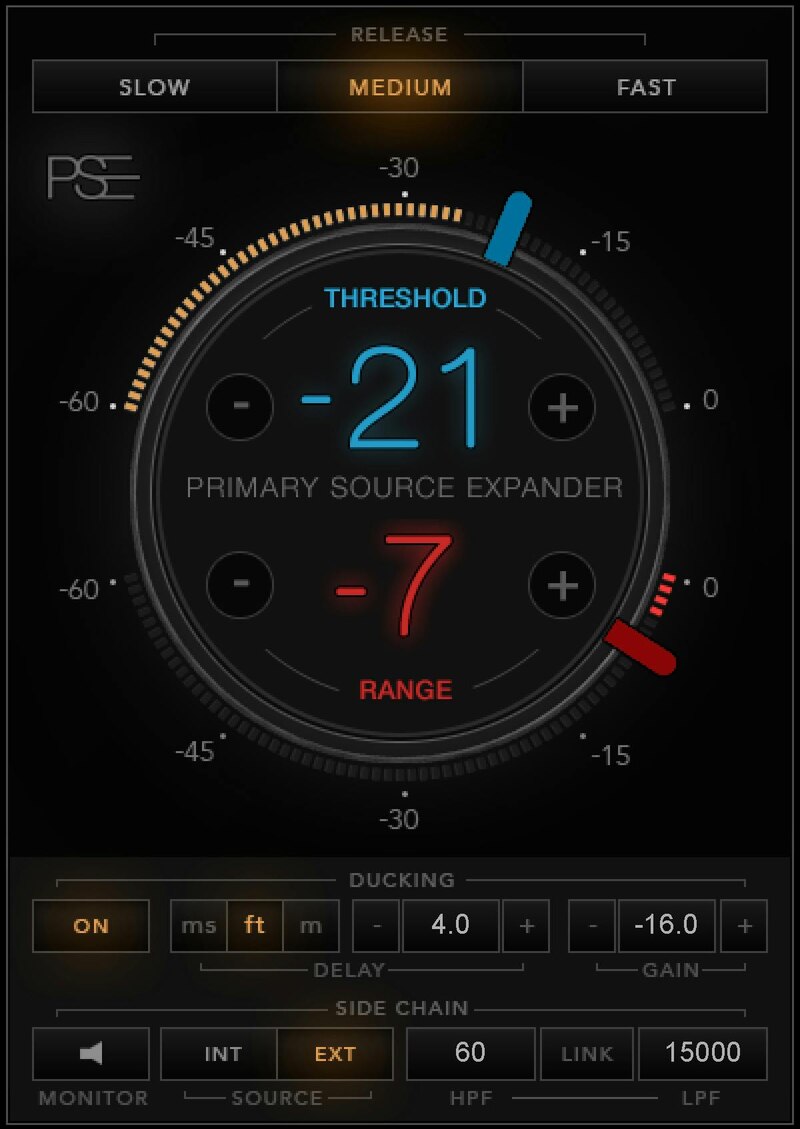
Say Goodbye to Live Mic Bleed

Mixing live shows is a rollercoaster ride, where things constantly change. Mic bleed could be causing feedback that prevents you from turning up the PA. Or you may constantly need to mute background noise when a singer isn’t singing. Or maybe you need excellent isolation with a live multitrack recording.

PSE is the answer to these and other live sound challenges. It’s an easy-to-use, optimized expander that solves most issues instantly—and allows you to handle even the toughest bleed problems.

Features

  • Obtain higher mic levels before feedback
  • Eliminate mic bleed quickly: in most cases just set-and-forget
  • Reduce phase issues in live recordings
  • Achieve a more focused stage sound by eliminating mic crosstalk
  • Improve monitoring for musicians on stage
  • Not just for live music—ideal for lavaliers and panel discussions
  • Internal and external sidechain with HP/LP filters
  • Ducking mode for added precision in complex live scenarios
  • Release time presets to speed up your process

System Requirements

Mac

  • macOS Monterey 12, Ventura 13, Sonoma 14, Sequoia 15
  • VST / AU / AAX

PC

  • Windows 10+
  • VST / AAX
Installation Instructions

1. Head to https://www.waves.com/create-account

2. Enter your email and choose a password to create an account (if you already have a Waves account, choose Log in, enter your details and head to Step 5) > click 'Submit'

3. Open your email inbox > click the activation link in the email from Waves

4. Click 'Log in here' > Log in to your Waves account

5. Click 'Register New Products'

6. Enter the Serial Number found in your Plugin Boutique user account > click 'Submit'

7. Click download in your Plugin Boutique user account or head to https://www.waves.com/downloads/central > download the Waves Central app for your operating system

8. Install Waves Central > Open Waves Central

9. Click 'Log in' > enter your log in details

10. Click the 'Install Products' tab

11. Tick the blue dot on all products you wish to install or click the top dot to install all products > click 'Install & Activate'

12. Click 'OK'

13. Open your DAW > open the Waves plugin

Your Waves plugins are installed and ready to use, enjoy!

Plugin Boutique Rewards

Discover the most rewarding loyalty programme among all plugin retailers.

  • Free Loopmasters Samplepacks
  • Discounts on products and courses
  • Extra Virtual Cash claimed immediately at checkout
Find out more

Follow us:

X (Twitter) Facebook YouTube Instagram
Logo Logo

Plugin Boutique Limited, Part of the Beatport Group LLC.

Copyright © 2011-2025 Plugin Boutique. All rights reserved










