/ Utility / InPhase
Waves

InPhase

4.5 (2 Reviews)
$29.99 $149.00

79% off until Dec 07

Waves InPhase
Waves InPhase
Waves InPhase
Waves InPhase gallery thumbnail
Buy Now
Product information

InPhase

Fix All Phase Issues—Quick and Easy

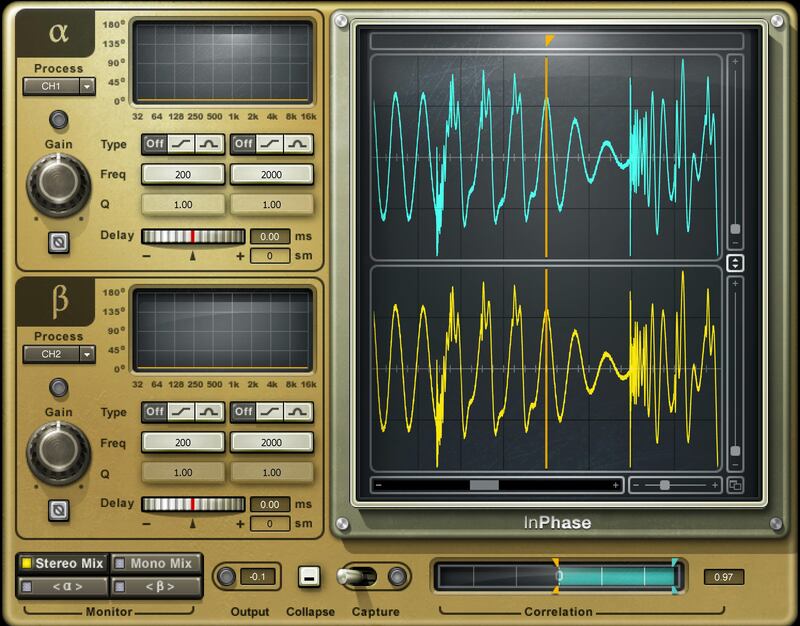
InPhase is the ultimate phase correction plugin for phase shift treatment, phase alignment, and all phase manipulation tasks. Fix phase misalignment in drum recordings or other multi-miked instruments. Solve phase shift resulting from a miswired XLR cable, or any other issues that you notice during mixing. For all these problems, InPhase has the fix.

Insert InPhase on a stereo track to solve left/right phase issues, or use the sidechain to fix phase compared to a reference (e.g., align overheads with drums). InPhase is your essential studio tool.

Features

  • Phase-align snare and overheads; DI bass and miked bass; etc.
  • Correct phase only at specific frequencies, with dual filters
  • Align phase in a stereo track, or to another track with sidechaining
  • Move waveforms visually along a timeline
  • Delay-only control to compensate for timing differences
  • Dual waveform displays update in real time according to processing
  • Correlation meter shows how much tracks are in or out of phase
  • Display shows the phase shift curve across the frequency line
  • Mono and stereo versions, plus a dedicated version for live mixing
  • Monitoring for stereo mix, mono mix, or individual channels

System Requirements

Mac

  • macOS Monterey 12, Ventura 13, Sonoma 14, Sequoia 15
  • VST / AU / AAX

PC

  • Windows 10+
  • VST / AAX
Installation Instructions

1. Head to https://www.waves.com/create-account

2. Enter your email and choose a password to create an account (if you already have a Waves account, choose Log in, enter your details and head to Step 5) > click 'Submit'

3. Open your email inbox > click the activation link in the email from Waves

4. Click 'Log in here' > Log in to your Waves account

5. Click 'Register New Products'

6. Enter the Serial Number found in your Plugin Boutique user account > click 'Submit'

7. Click download in your Plugin Boutique user account or head to https://www.waves.com/downloads/central > download the Waves Central app for your operating system

8. Install Waves Central > Open Waves Central

9. Click 'Log in' > enter your log in details

10. Click the 'Install Products' tab

11. Tick the blue dot on all products you wish to install or click the top dot to install all products > click 'Install & Activate'

12. Click 'OK'

13. Open your DAW > open the Waves plugin

Your Waves plugins are installed and ready to use, enjoy!

Plugin Boutique Rewards

Discover the most rewarding loyalty programme among all plugin retailers.

  • Free Loopmasters Samplepacks
  • Discounts on products and courses
  • Extra Virtual Cash claimed immediately at checkout
Find out more

Follow us:

X (Twitter) Facebook YouTube Instagram
Logo Logo

Plugin Boutique Limited, Part of the Beatport Group LLC.

Copyright © 2011-2025 Plugin Boutique. All rights reserved