


 Log In

Free gifts available with your purchase
Product information
InPhase
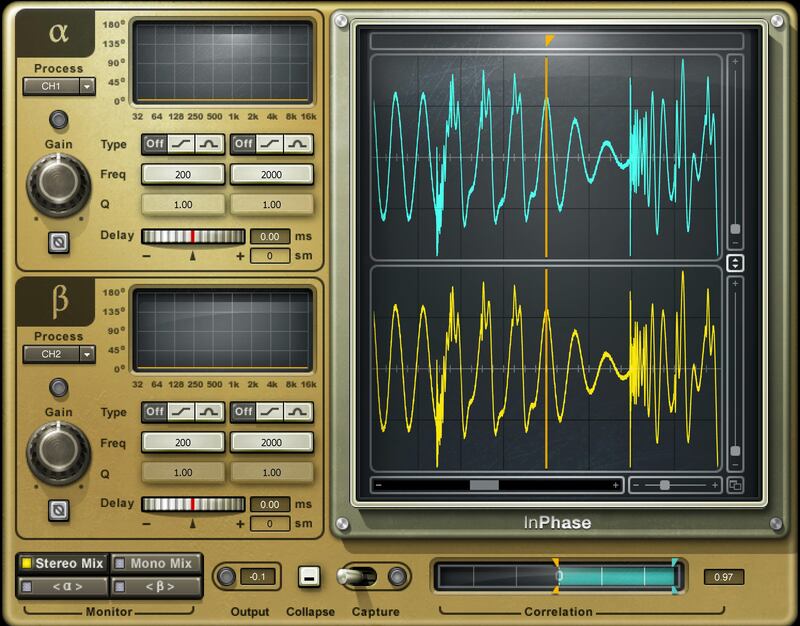
Fix All Phase Issues—Quick and Easy
InPhase is the ultimate phase correction plugin for phase shift treatment, phase alignment, and all phase manipulation tasks. Fix phase misalignment in drum recordings or other multi-miked instruments. Solve phase shift resulting from a miswired XLR cable, or any other issues that you notice during mixing. For all these problems, InPhase has the fix.
Insert InPhase on a stereo track to solve left/right phase issues, or use the sidechain to fix phase compared to a reference (e.g., align overheads with drums). InPhase is your essential studio tool.
Features
- Phase-align snare and overheads; DI bass and miked bass; etc.
- Correct phase only at specific frequencies, with dual filters
- Align phase in a stereo track, or to another track with sidechaining
- Move waveforms visually along a timeline
- Delay-only control to compensate for timing differences
- Dual waveform displays update in real time according to processing
- Correlation meter shows how much tracks are in or out of phase
- Display shows the phase shift curve across the frequency line
- Mono and stereo versions, plus a dedicated version for live mixing
- Monitoring for stereo mix, mono mix, or individual channels
System Requirements
Mac
- macOS Monterey 12, Ventura 13, Sonoma 14, Sequoia 15
- VST / AU / AAX
PC
- Windows 10+
- VST / AAX
Installation Instructions














