


 Log In

Free gifts available with your purchase
Turn Waves plugins into immersive mixing tools
Transform Any Waves Mono Plugin into an Immersive Processor
Immersive Wrapper is an innovative tool that transforms Waves mono plugins into immersive multichannel processors. This helps solves the bus processing problem when mixing music for ATMOS and other immersive formats.
Now you can create immersive bus processing setups in multichannel / object-based mixes, using your favorite Waves plugins—complete with a shared internal sidechain system for mix-wide dynamics processing.
One of the biggest challenges in mixing for Immersive formats such as ATMOS is the lack of a bus: Since the immersive mix is outputted as individual beds and objects, you cannot shape the entire mix in a single place, making it harder to achieve the same glued cohesiveness as on a stereo mix.
Immersive Wrapper finally enables bus processing in immersive mixing. The Immersive Wrapper plugin can host any mono-to-mono Waves plugin, in any channel configuration from mono though 7.1.2 all the way up to 9.1.6.
Immersive Wrapper opens the mono plugin across all the channels in the multichannel track, in a ‘multi-mono’ configuration. All the mono instances of the plugin across the beds and objects can be control-linked to make them work as a single plugin. Control-linking is flexible: you can link and unlink specific groups such as surrounds or tops, and preserve relative control positions for maximum control and precision—all with a single click.
For dynamics plugins that allow sidechaining, Immersive Wrapper lets you share internal sidechains across all the beds and objects, enabling you to glue your immersive mix with bus compression quickly and easily.
Developed with acclaimed audio engineers Hans-Martin Buff (Prince) and Yaron Fuchs (John Mayer)—both leaders in the immersive audio realm—Immersive Wrapper finally makes Waves’ vast plugin catalog fully available for detailed, flexible, musical use in immersive mixing.
- Supports all track types, from mono to 7.1.2 to 9.1.6 and everything in between
- Supports all mono-to-mono plugins in the Waves catalog
- Create advanced multi-mono setups with flexible linking and relative parameter control
- Cross-track ‘Global Group’ linking expands multi-mono functionality to cover an entire immersive mix
- Comprehensive shared internal sidechain system, for mix-wide dynamics processing
- Solves the master bus processing problem in mixing music for ATMOS
- Use live (5.1, 5.0) via SuperRack SoundGrid, SuperRack Performer, and SoundGrid Rack for VENUE
- Developed with leading mixing engineers in immersive audio
Enjoy Flexible Bus Processing in Multichannel & Object-based Mixes
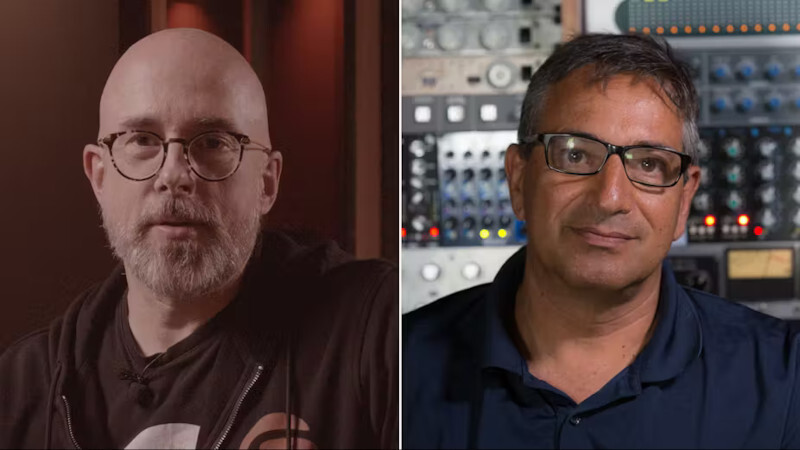
Developed with Leading Immersive Mixing Engineers
Immersive Wrapper was developed with acclaimed mixing engineers Hans-Martin Buff (Peter Gabriel, Prince) and Yaron Fuchs (John Mayer, Herbie Hancock), leaders in the ATMOS mixing realm, based on their workflows and their deep understanding of the needs of audio engineers mixing for immersive formats.
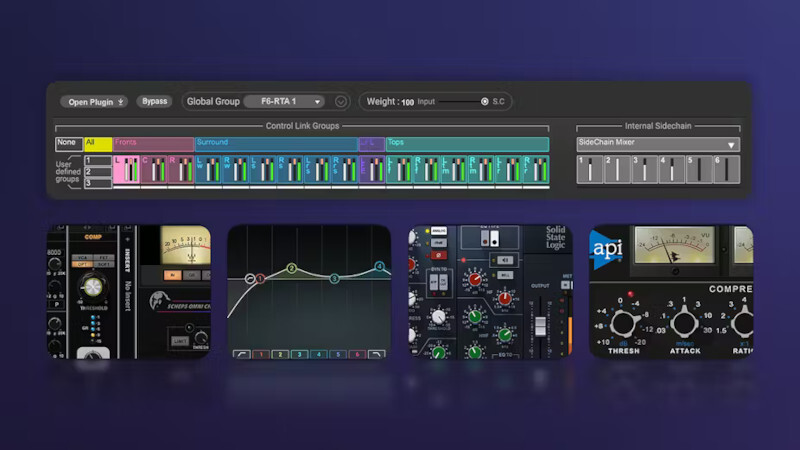
The Waves Plugin Catalog, Now Available for Immersive Mixing
For the first time, a massive plugin catalog is made available for immersive mixing with a fast, convenient workflow. Now, you can use the same tools favored in your stereo mixes—for flexible, no-compromise immersive usage as well.
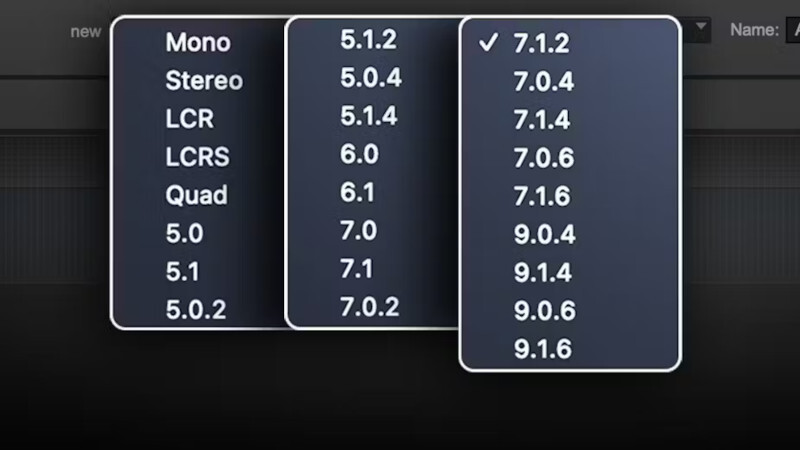
Any Channel Configuration: Mono to 9.1.6
Immersive Wrapper supports all track types standardly used in immersive mixes, from mono and stereo tracks for objects, through 7.1.2 for standard ATMOS beds, all the way up to 9.1.6 for more advanced workflows. It also supports the less common LCR, Quad and 6.0 formats, along with all variations of 5.1, 7.1 and 9.1 surround tracks for maximum flexibility and compatibility.
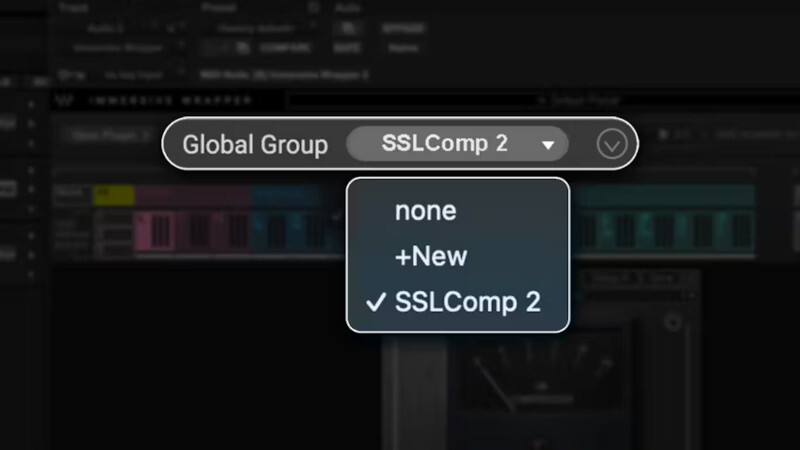
Enjoy a Streamlined Bus Processing Workflow with ‘Global Groups’
The ’Global Group’ feature enables control linking and shared sidechains across multiple instances of Immersive Wrapper, open on multiple tracks in your session. This way you can enjoy the ultimate bus processing workflow in object-based immersive mixes, with the same ease of using a regular plugin.
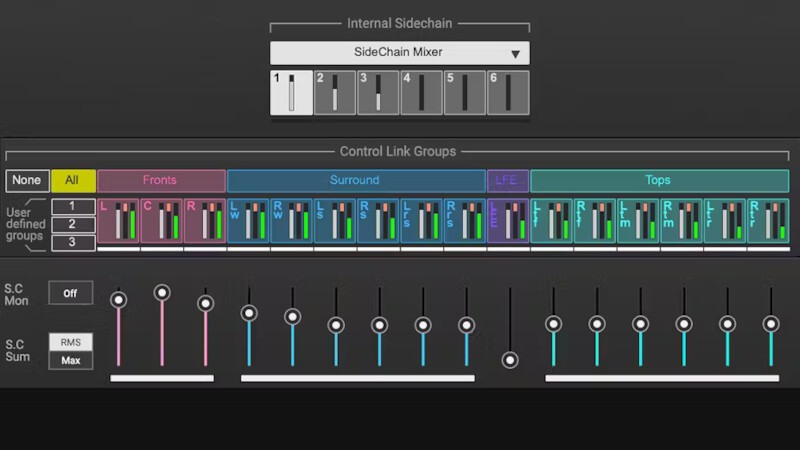
Shared Sidechains for Mix-Wide Compression
For dynamics plugins that allow sidechaining, Immersive Wrapper lets you share internal sidechains across all the beds and objects, enabling you to glue your immersive mix with bus compression. Up to 6 independent sidechain mixes can be shared across tracks in the session. You can control each channel (or each group of channels) over the received sidechain or mix of sidechains. You can also integrate the External Key feature from your DAW within the sidechain system.
System Requirements
Mac
CPU
- Intel or Silicon Architecture
- macOS Monterey 12, Ventura 13, Sonoma 14, Sequoia 15
Memory
- Minimum: 8 GB RAM (16 GB recommended)
- 16 GB free disk space on the system drive
Operating System
- macOS Monterey 12, Ventura 13, Sonoma 14, Sequoia 15
Screen Resolution
- Minimum: 1024x768
- Recommended: 1280x1024 / 1600x1024
- USB displays are not supported as the primary display.
PC
CPU
- X64 compatible Intel or AMD CPU
Memory
- Minimum: 8 GB RAM (16 GB recommended)
- 16 GB free disk space on the system drive
Operating System
- Windows 10 64 bit
- Windows 11
Screen Resolution
- Minimum: 1024x768
- Recommended: 1280x1024 / 1600x1024














