


 Log In

Free gifts available with your purchase
Power Up Your Plugins
Custom Signal Architecture
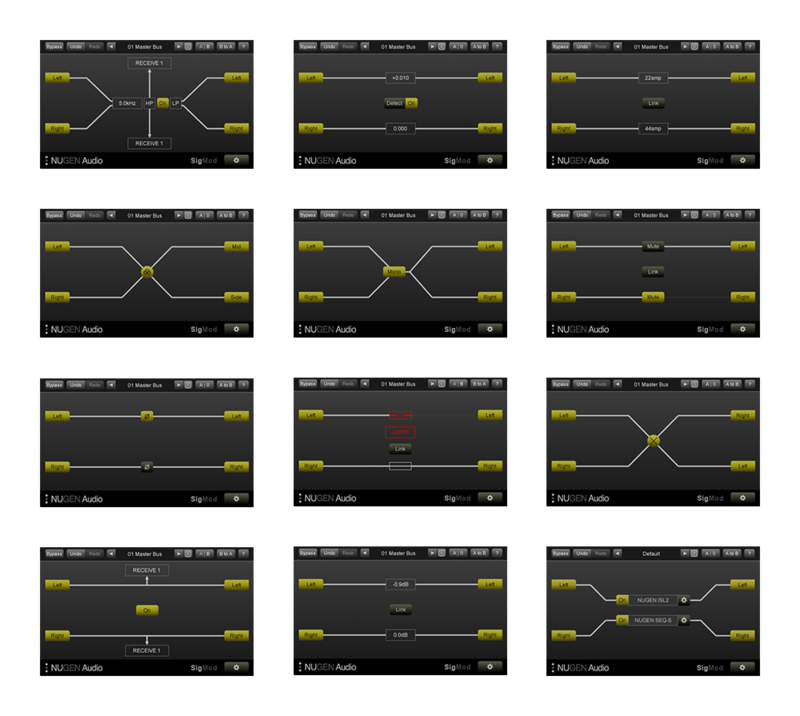
Instantly enhance the functionality of your plug-ins and DAW with twelve different signal modification units. Explore new creative possibilities and quickly add missing features. Each module can easily be inserted, swapped and moved around making new options to correct, convert or tweak your audio.
Full List of Modules
Combine these twelve single-process modules in any order to design the precise routing you require. Auto-resizing keeps the signal flow and functionality clear at all times.
- Mid/side
- Protect
- Tap
- Crossover
- Insert
- Mute/solo
- Trim
- Switch
- DC offset
- Mono
- Phase
- Delay
Use Stereo Plugins in Mid / Side Mode
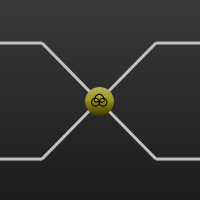
Add mid/side functionality to classic stereo compressor and EQ emulations, or get creative with mid/side delays, distortion and many other effects by inserting the mid/side encoder/decoder on either side of any left/right plugin instance.
Protect Speakers, Ears & Sanity
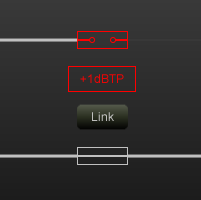
Insert the Protect unit across your output bus and this safety module will automatically cut in to prevent bursts of noise or feedback howls due to system errors, saving both your nerves and your speakers. Manual or auto-reset options give you the level of protection you need - a real gift when working with headphones!
Tap and Crossover
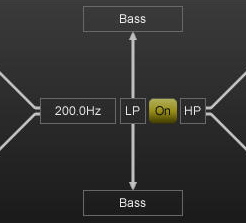
Want to try some parallel processing? Drop in the Tap module and you are good to go. Use the Crossover module to split the highs from the lows and apply different effects to different frequency ranges - great for avoiding muddying up the low frequencies or getting creative with automation and sweep effects.
Host any VST2, VST3 or AU Plugin Anywhere within your Signal Chain
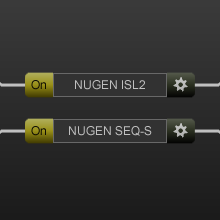
Enhance the functionality of your plug-ins and enable multiple new applications. A dual-mono option allows for independent processing of two parallel channels, turbo-charging your existing plug-in collection with new creative possibilities.
For your DAW
Several of SigMod's modules offer easy access to functionality which is either missing from certain DAWs, or at least awkward to access.
Mute/solo or Trim the left and right sides of a stereo signal independently, or easily flip the stereo image in one click with the Switch module. Quickly detect and correct DC offset to retain valuable headroom.
How does your mix sound in mono? Think about how many listeners will be using a phone or a DAB radio with one speaker - the Mono module switches your signal from stereo to mono in one click. You can also check the Phase relationship between your left and right channels, and use the simple Delay module to fix any syncing issues.
Your Imagination is the Limit
With SigMod's creative signal routing - particularly the Mid/side, Tap, Crossover and Insert modules - the possibilities are virtually endless, not to mention easy and tweakable.
Ever wondered how your go-to tape emulator would sound in mid/side mode?
Splitting your vocals into 6 different frequency bands and sending them each to a different compressor?
Even just using your old plug-ins in a DAW which doesn't support VSTs or AUs?
Expand your System
- Master & Channel Strip Features
- Signal Monitoring & Routing Options
- Mid / Side Conversion
- Output Level Protection
- Frequency Banded Splits
- 1000's of Possibilities...
System Requirements
Mac
- macOS 10.9 and later (64-bit only)
- 512 MB RAM
- AAX, VST3, AU, AudioSuite
Windows
- Windows XP and later (64-bit only)
- 512 MB RAM
- AAX, VST3, AudioSuite
Awards






















