


 Log In

Free gifts available with your purchase

A cross-fade effect can be useful but a simple blending of one material into another can be a bit boring. Fortunately, there's now Transmutator which brings transition between tracks, song parts or whole songs to another level of fun and creativity.
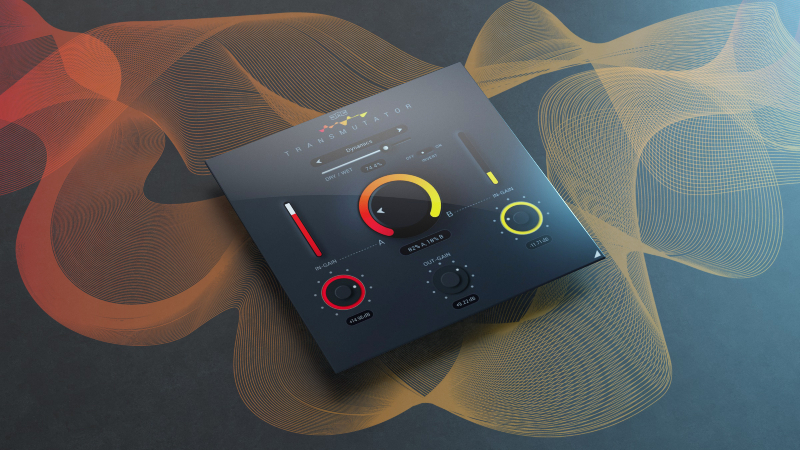
More than a Cross-Fade
Transmutator is a cutting-edge tool that crossfades between two inputs in a multitude of exciting ways. Simply place the plugin on your track and feed a second track into its sidechain input. Then use the Mix dial to transition from A to B using various unique modes.
16 (x2) Astonishing Blend Modes
Transmutator offers many creative ways to fade between inputs including Mid/Side, Multi-band, Dynamics, Filtering, Spectral freezing/blurring, Pitch/Frequency shifting and much more. Plus, the Invert parameter changes the behaviour of each of the modes.
Sound Designer's Swiss Army Knife
Blend and fuse 2 audio signals in many creative ways, from spectral morphing to Noise/Tone merging. You will find so many innovative uses for Transmutator, that it will become a powerful tool in your plugin arsenal.
From Classic to Creative
Use the Dry/Wet slider to blend between a traditional volume crossfader to full-on sonic mangling. Find the perfect balance that naturally fits your audio.
Transition Between Track Elements
Automate the mix control in your DAW to effortlessly progress from verse to chorus or build-up to drop. Transmutator will quickly create ingenious transitions to take your music productions to the next level.
Mixing Between Songs
DJs will fall in love with Transmutator for mixing between tracks. Say goodbye to boring song transitions using basic volume mixing and say hello to your new creative crossfader.
Video-makers' Lives Improved
Create effects that follow your video transitions or blend between types of music that normally do not go together well (but you simply have to use them because they fit the picture). Blend between characters voiceovers like never before.
Hassle-free Software Protection
No iLok, no dongle nor internet access is required for activation. This software uses licence files to activate. You can freely use the purchased software on all your computers as long as you are the user.
Realistic 3D yet Flexible GUI
Photorealistic graphic user interface of the plugin gives you the feeling you are touching the real hardware. But it easily adapts to your needs. You can always drag the arrow in the bottom right corner to change its size - make it smaller to save the valuable screen space, or enlarge it to make it easier to use.
64-bit Audio Quality at ANY Sample Rate
The plugin provides the maximum audio quality you can get. It uses internal 64-bit audio processing and can handle any sampling rate. 192 kHz or even higher.
Smart Bypass
The intelligent way this plugin manages bypassing ensures that you don't get any click or harmful noises when automating the parameter. It also compensates for latency ensuring that the bypass states are perfectly in sync with each other.
System Requirements
Mac
- macOS 10.10 and later (M1 Silicon Mac and macOS 11 Big Sur supported)
- 64bit only
- Intel/AMD processor with SSE2 support
- VST2, VST3, AAX or AU compatible host
Windows
- Windows 8 - 11
- 32bit or 64bit
- Intel/AMD processor with SSE2 support
- VST2, VST3 or AAX compatible host
Compatibility Warning: This product only works with sidechain signals therefore applications that do not support this kind of routing (i.e. GarageBand) do not work well with it.
Alberto Rizzo Schettino
Pianist, synth enthusiast and sound engineer.
"I've set up a couple of FX chains that feed into each other in a cool way and Transmutator is the basic tool to help me achieve this intricate effect."


