/ Utility / SoundWeaver
Boom

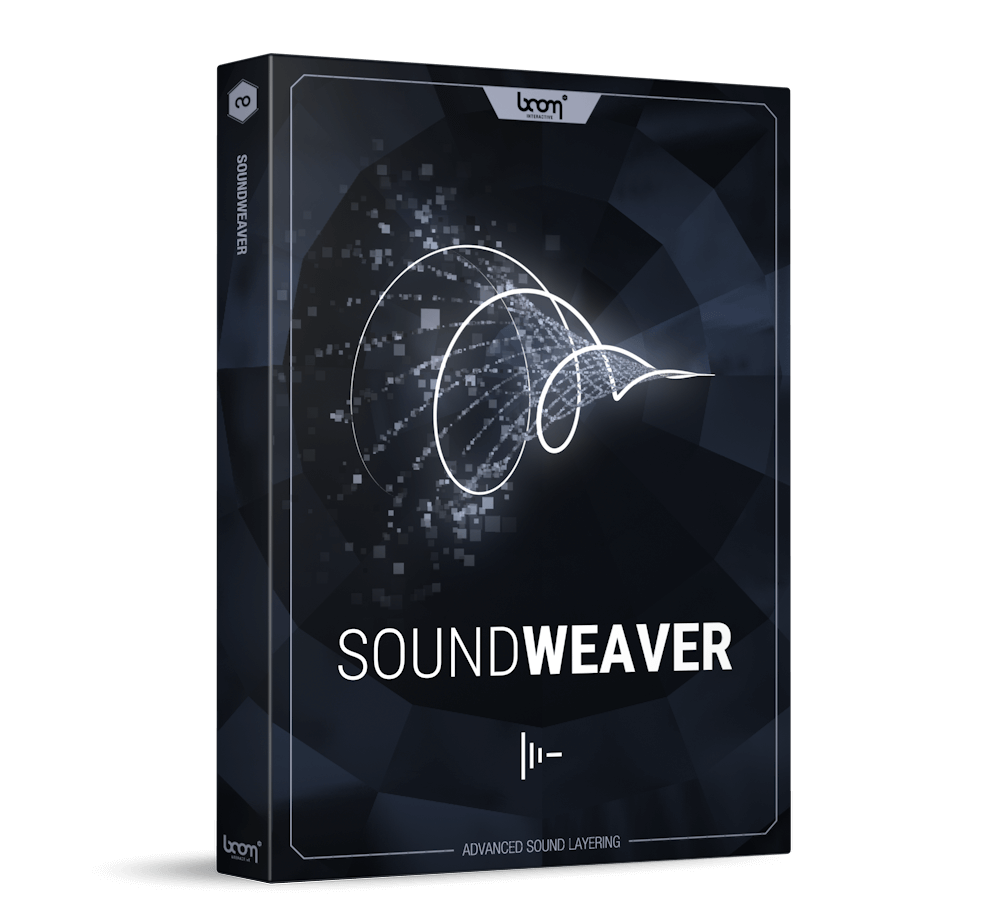
SoundWeaver

5.0 (4 Reviews)
$153.43 $229.00

33% off until Dec 04

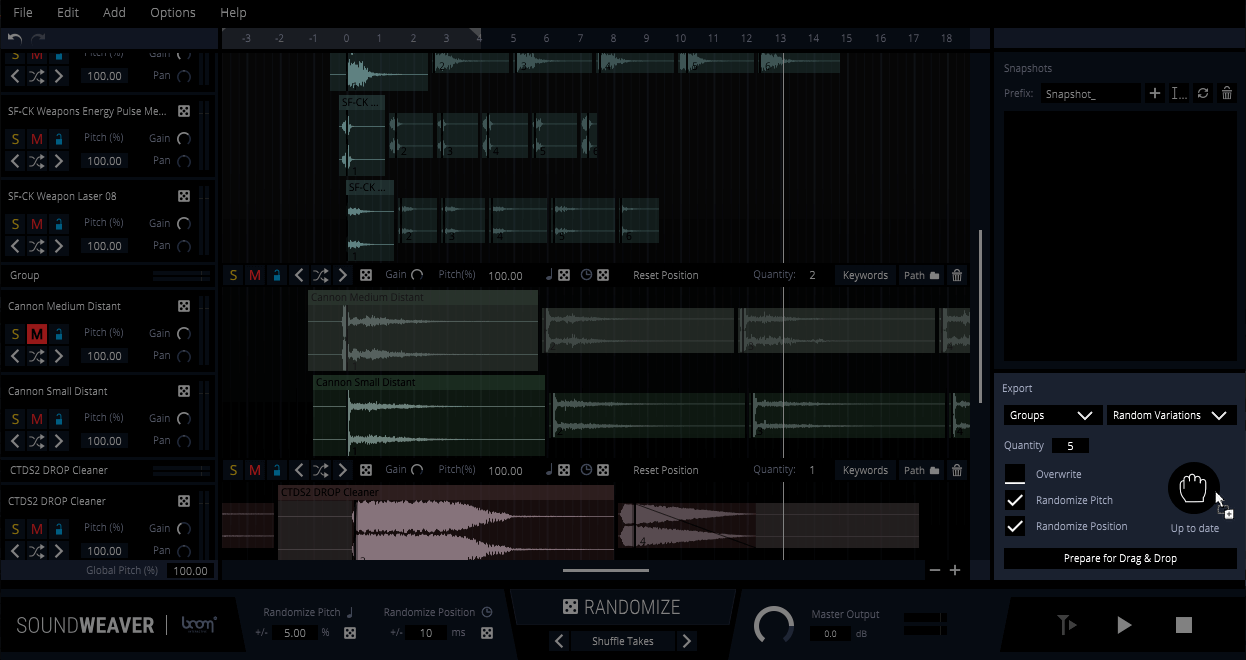
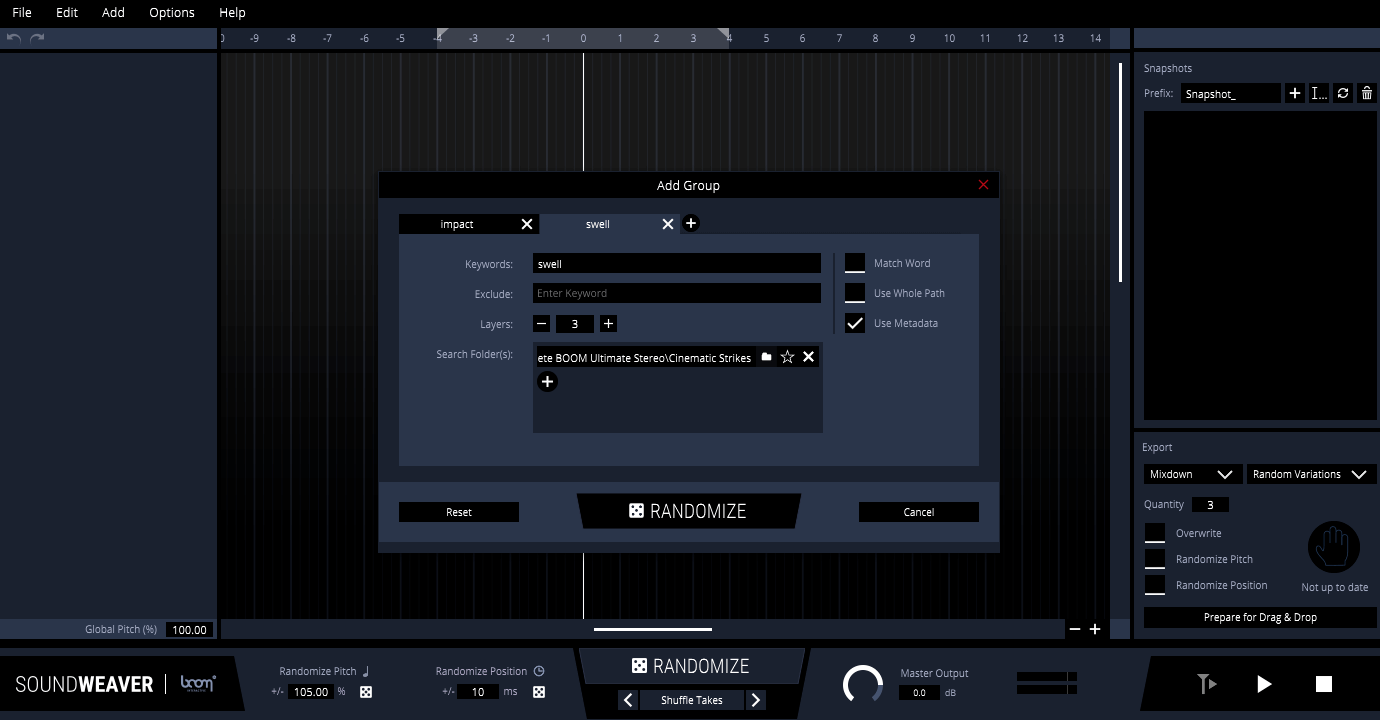
Boom SoundWeaver - GUI
Boom SoundWeaver - At A Glance gallery thumbnail
Boom SoundWeaver - Quick Start gallery thumbnail
Boom SoundWeaver - Export Features gallery thumbnail
Boom SoundWeaver - Database Walkthrough gallery thumbnail
Boom SoundWeaver - GUI 2
Boom SoundWeaver - GUI 3
Boom SoundWeaver - GUI 4
Buy Now
Product information

Audio Layering Wizard

SoundWeaver helps you design new sounds from existing audio material in less time.

Use Cases

  • Produce more assets and increase productivity on tight schedules
  • Set up your sound design session with ready-to-use sound combinations
  • Generate variations with ease instead of manually tweaking everything
  • Find new combinations, discover and create new flavours and variety within your library
What does SoundWeaver do?

  • SoundWeaver automates and randomizes certain parts of your sound design workflow.
  • SoundWeaver searches your sound library with the help of keywords or folder paths and picks matching sounds for your project.
  • Sounds are automatically sorted, grouped, layered, aligned and split into regions (if files contain multiple variations).
  • Now you can pitch, offset, gain, shuffle and randomize individual sounds, groups or the whole project.
  • The possibilities are endless.
  • Take snapshots of your favourite combinations and settings. Create as many variants as you like and return to them later in the process.
  • Drag'n'drop the project into your DAW for further editing or export the final mix.
  • SoundWeaver can generate countless variations from your project during export via pitch, offset and take randomization.
How SoundWeaver Helps Your Workflow

We all know the situation: A client has asked for 100 new sound assets, 10 variations each, delivered as soon as possible. Creating variations, in particular, requires a lot of meticulous pitching, shifting, and switching out elements within your original design. With just a few commands, SoundWeaver will automate all of those time-consuming steps for you and generate as many suggestions as you like – so all that’s left for you to do is have a quick listen and keep the ones you like best. Focus on your creative process while SoundWeaver takes care of the rest.

Inspiration Through New Combinations

Speaking of the  creative process: Once your library has grown beyond a certain point, there is only so much experimenting you can do manually. SoundWeaver’s powerful Randomize feature often generates combinations we’d never think of trying in the first place. This opens up a world of new possibilities and is a great way of starting a project. Already have an idea? Tell SoundWeaver to build on it and create different flavours. Starting empty-handed? Let SoundWeaver set up your session by putting all layers in place. Done, but missing that special something? Try out more unlikely sounds with just a few clicks.

Features

  • SoundWeaver automatically picks, slices, aligns and layers sounds
  • Search by keywords, folders or drag’n’drop
  • Pitch, offset, gain, shuffle and switch out individual sounds, groups or the whole project
  • Each of the previous parameters can be randomized.
  • Export: Drag’n’drop the project into your DAW
  • Export as: Individual layers, groups or mixdown
  • Export features: Generate variations using pitch, offset or random takes
  • Take snapshots and return to your favourite combinations, parameter settings and sounds at will

System Requirements

Mac

  • Mac OS X 10.9 and later (Intel / M1 Apple Silicon supported) (64-bit only)
  • Intel® Core i5 / M1 Apple Silicon processor
  • 8 GB RAM
  • 40 MB Hard Disk Space

Windows

  • Windows 7 (64-bit)
  • Intel® Core i5 processor
  • 8 GB RAM
  • 40 MB Hard Disk Space

Important Notes:  

  • SoundWeaver is a standalone application and works without any host audio software.
  • A FREE account at ilok.com is required (a physical USB iLok is not required)

Installation Instructions

Mac

iLok Registration

1. Go to the iLok website and create a new account if you are not currently registered and do not have the iLok Licence Manager installed on your computer.

Note: Skip to the 'Activation' procedure if you are already an iLok registered user.

2. Download and install the iLok License Manager.

Mac Software Installation

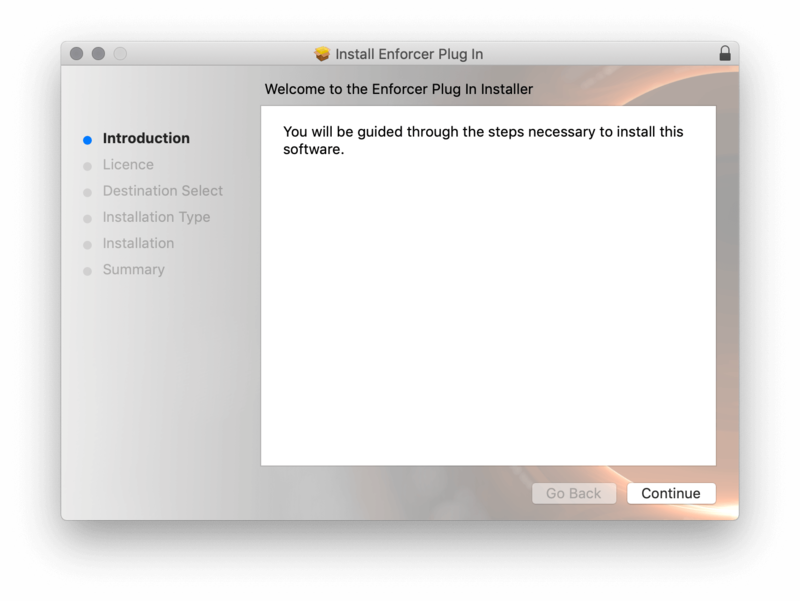
1. Download the installer file from your Plugin Boutique User Account, double click it to extract the contents, and open the .pkg file to begin the installation.

2.Click 'Continue'.

2. Click 'Continue'.

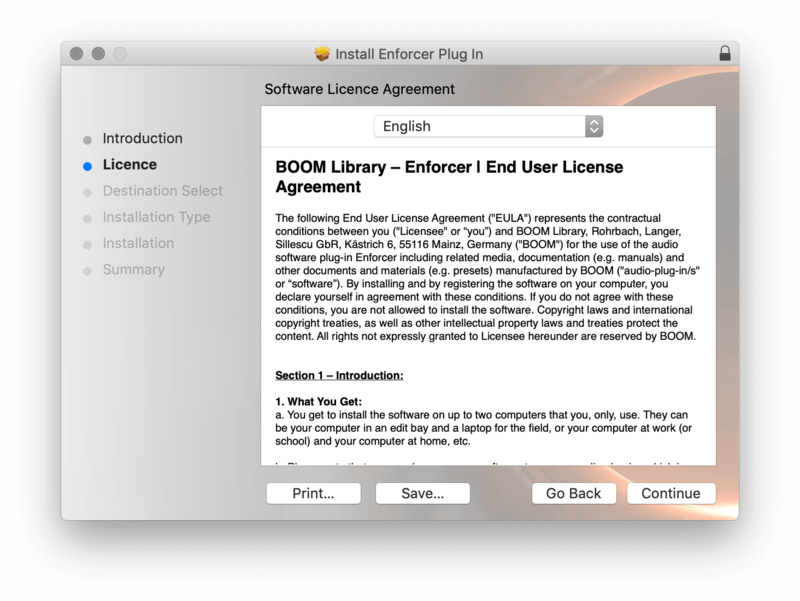
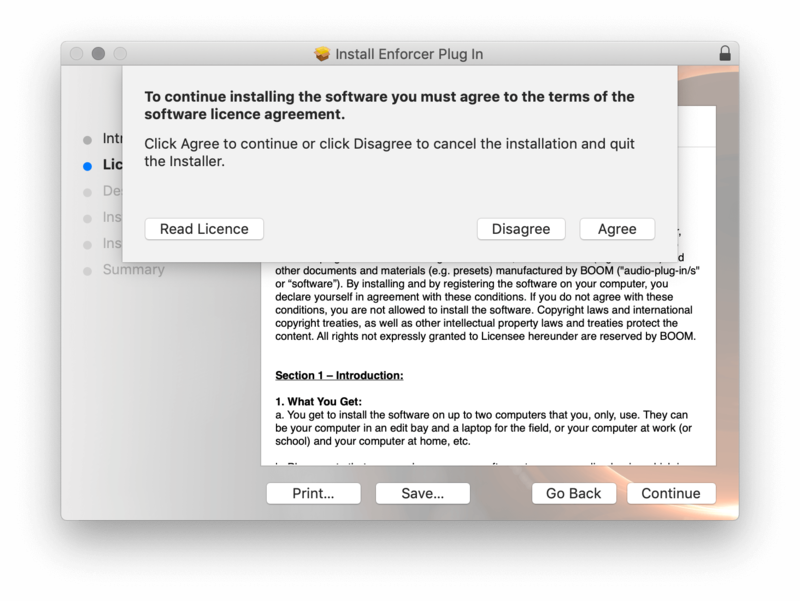
3. Click 'Agree'.

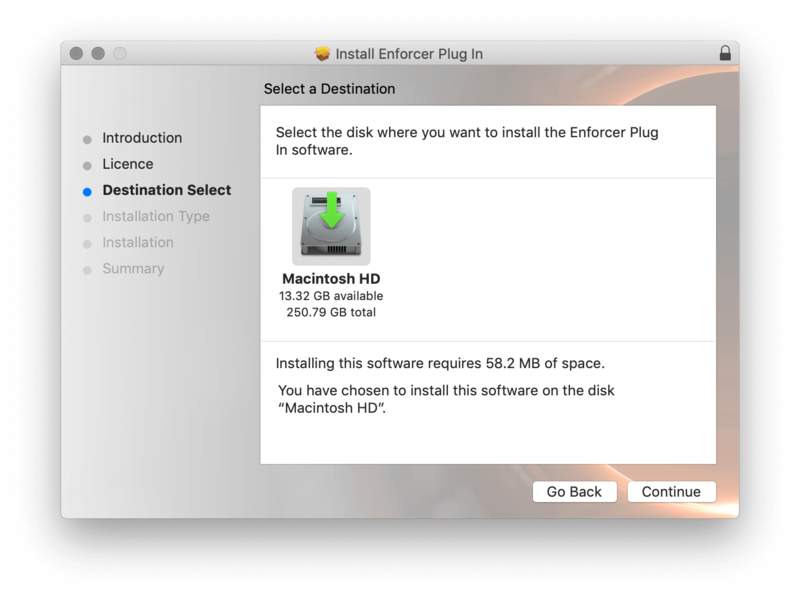
4. Select the disk you wish to install the plugin to and then click 'Continue'.

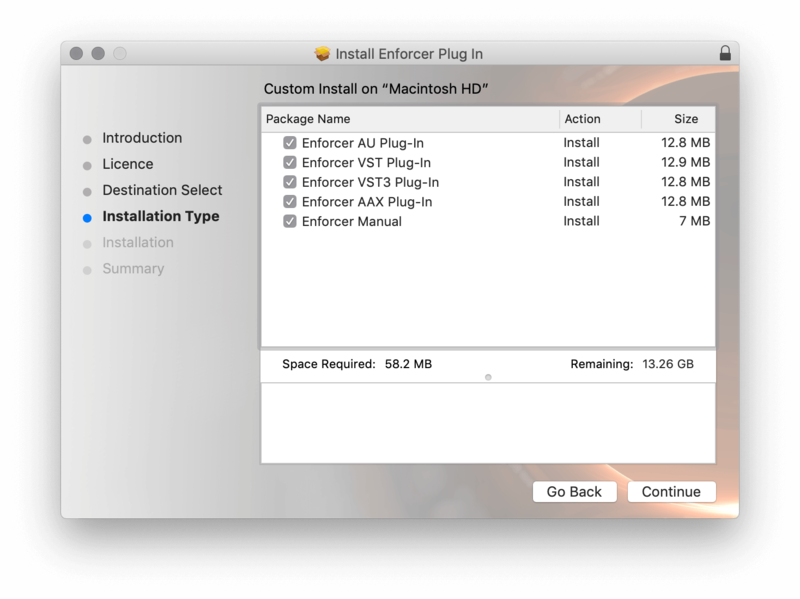
5. Select the plugin formats you wish to install and then click 'Continue'.

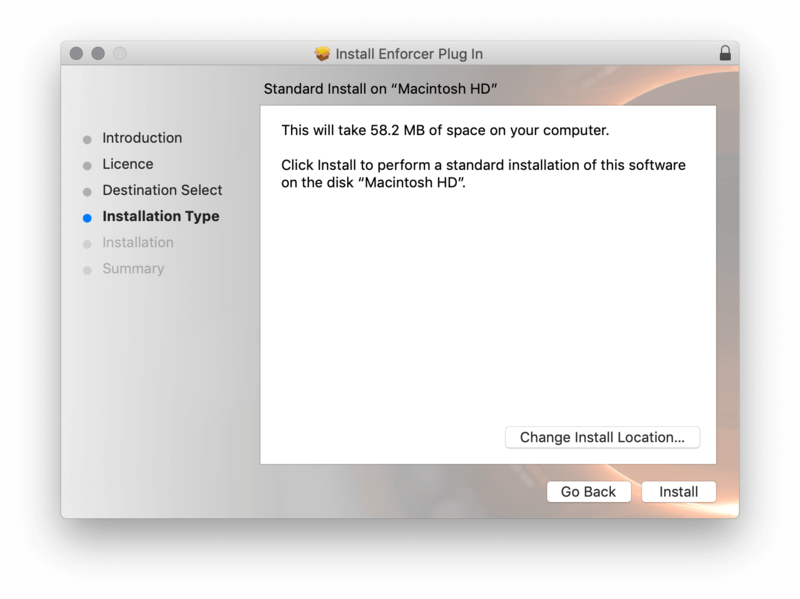
6. Select the destination you wish to install the plugin to and then click 'Install'.

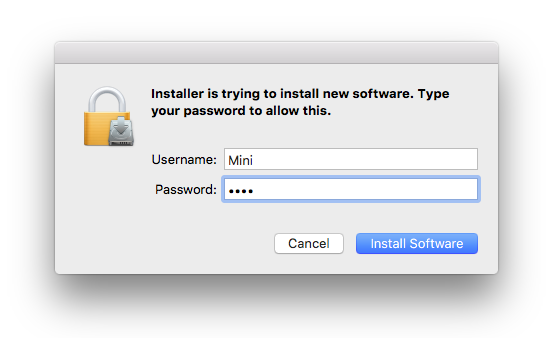
7. Click 'Install Software'.

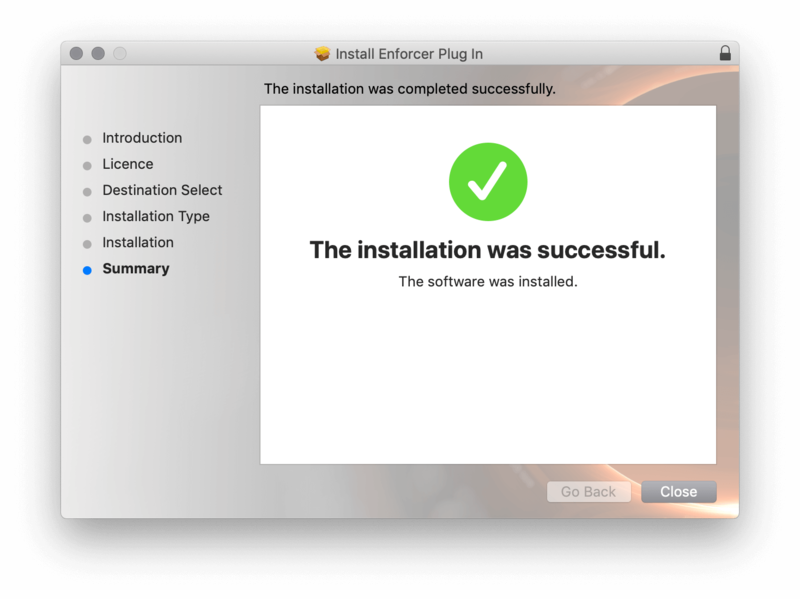
8. Click 'Close'.

Activation

1. Open your iLok license manager application > click 'Sign In'.

2. Enter your iLok registered User ID and password > click ‘Sign In'.

3. Once you are signed in, click the ‘Redeem’ icon which is located at the top-right corner of the iLok Licence Manager’s interface.

4. Copy and paste/manually enter the 30-digit code from your Plugin Boutique User Account into the available Activation Code boxes, and then click ‘Next'.

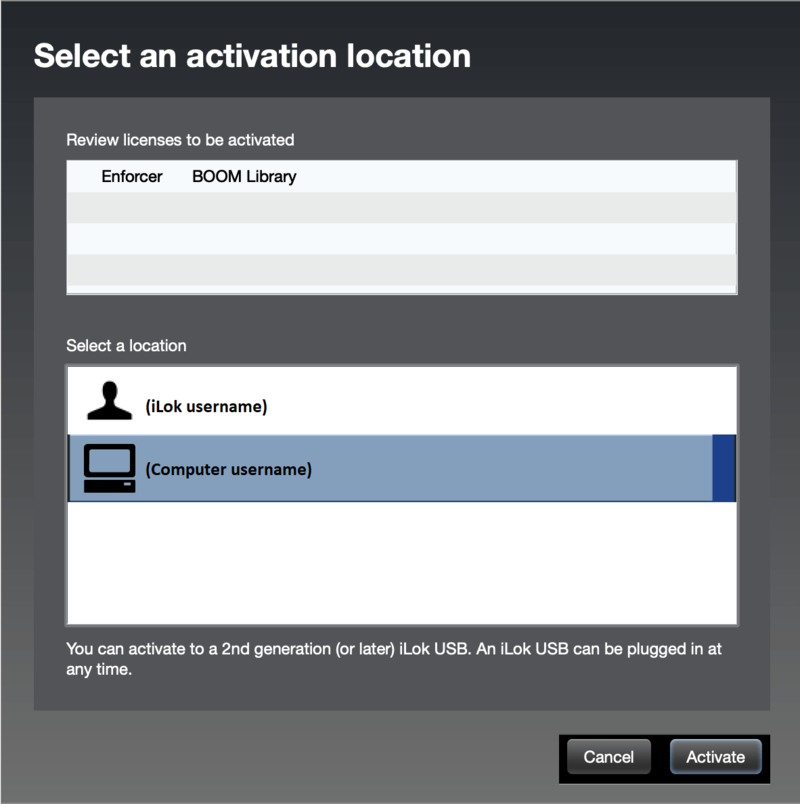
5. Select your activation destination > Click 'Activate'.

6. Click 'Ok'.

7. Open your newly installed software in your DAW.


Windows

iLok Registration

1. Go to the iLok website and create a new account if you are not currently registered and do not have the iLok Licence Manager installed on your computer.

Note: Skip to the 'Exponential Audio Software Installation' procedure if you are already an iLok registered user.

2. Download and install the iLok License Manager.

Windows Software Installation

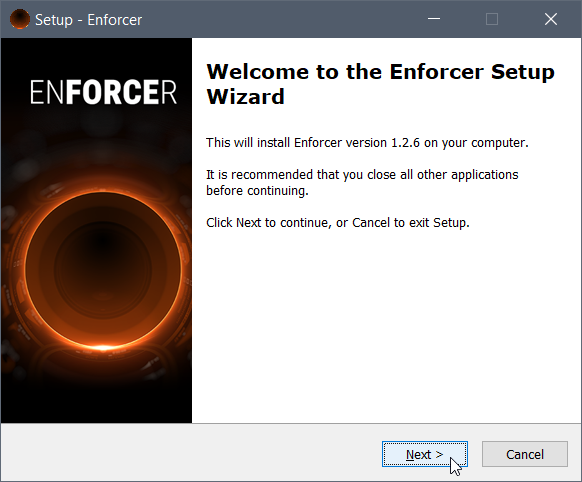
1. Download the installer file from your Plugin Boutique User Account > Double click it to extract the contents and open the .exe file to begin the installation. Click 'Next' to begin the setup. 

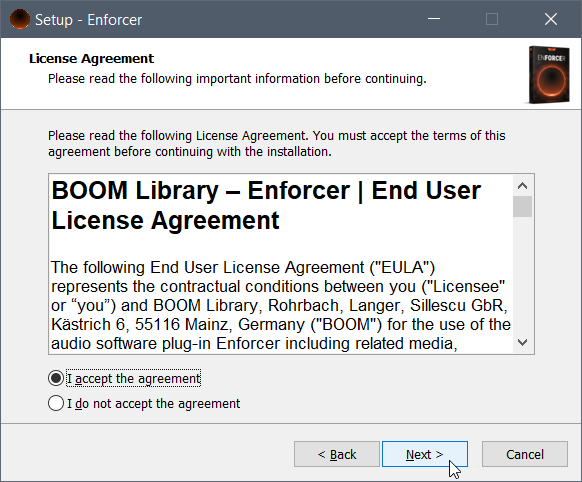
2. Select 'I Accept the Agreement' and then click 'Next'.

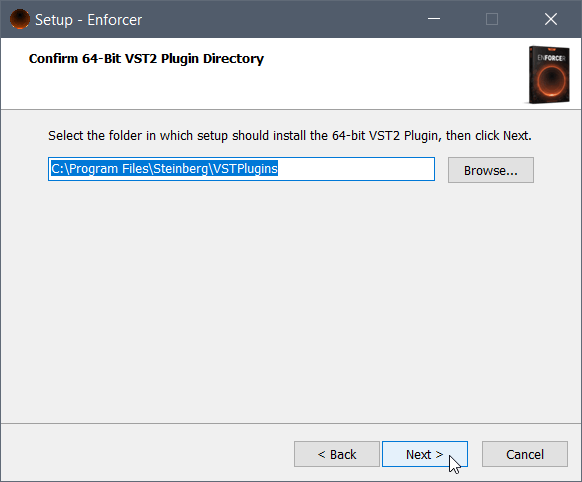
3. Select the directory you wish to install the plugin to 'Next'.

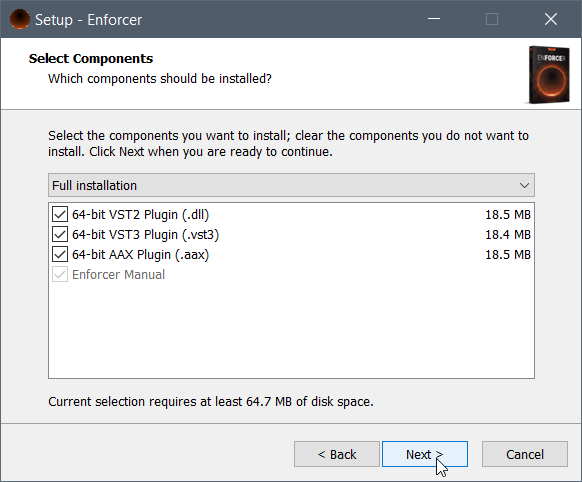
4. Select the plugin formats you wish to install and then click 'Next'.

5. Click 'Next'.

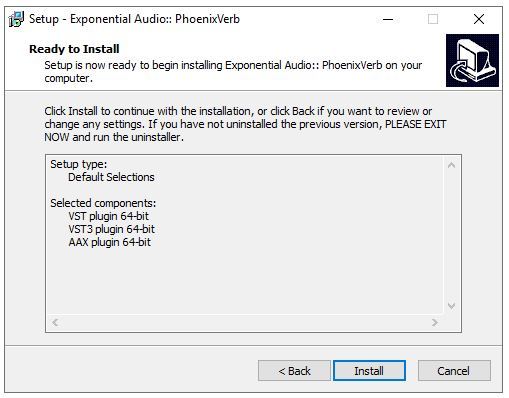
6. Click 'Install'.

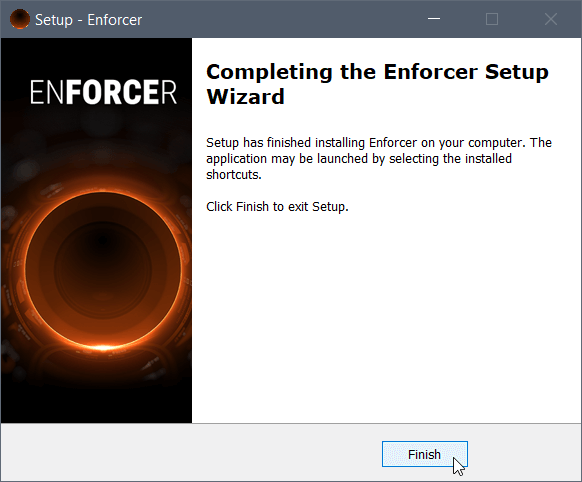
7. Click 'Finish'.

Activation

1. Open your iLok license manager application > click 'Sign In'.

2. Enter your iLok registered User ID and password > click ‘Sign In'.

3. Once you are signed in, click the ‘Redeem’ icon which is located at the top-right corner of the iLok Licence Manager’s interface.

4. Copy and paste/manually enter the 30-digit code from your Plugin Boutique User Account into the available Activation Code boxes, and then click ‘Next'.

5. Select your activation destination > Click 'Activate'.

6. Click 'Ok'.

7. Open your newly installed software in your DAW.

Plugin Boutique Rewards

Discover the most rewarding loyalty programme among all plugin retailers.

  • Free Loopmasters Samplepacks
  • Discounts on products and courses
  • Extra Virtual Cash claimed immediately at checkout
Find out more

Follow us:

X (Twitter) Facebook YouTube Instagram
Logo Logo

Plugin Boutique Limited, Part of the Beatport Group LLC.

Copyright © 2011-2025 Plugin Boutique. All rights reserved