Buy SSL Meter, get a free gift with purchase:

See Your Sonic Universe
Enhance your audio engineering capabilities with the SSL Meter plug-in, an essential set of metering tools meticulously designed to tackle audio challenges, ensure consistency, and deliver impactful mixes. Featuring measurements of peak & RMS levels, phase coherence, stereo balance, and frequency content, SSL Meter equips you with measurements for crafting top-notch mixes efficiently and effectively.
Maximize your audio engineering workflow with SSL Meter and gain the necessary insights to address audio issues, maintain consistent mixes, and achieve impactful results. With its integration capabilities and tools to meet all your essential metering needs, SSL Meter empowers you to shape and refine your audio projects with precision and speed.
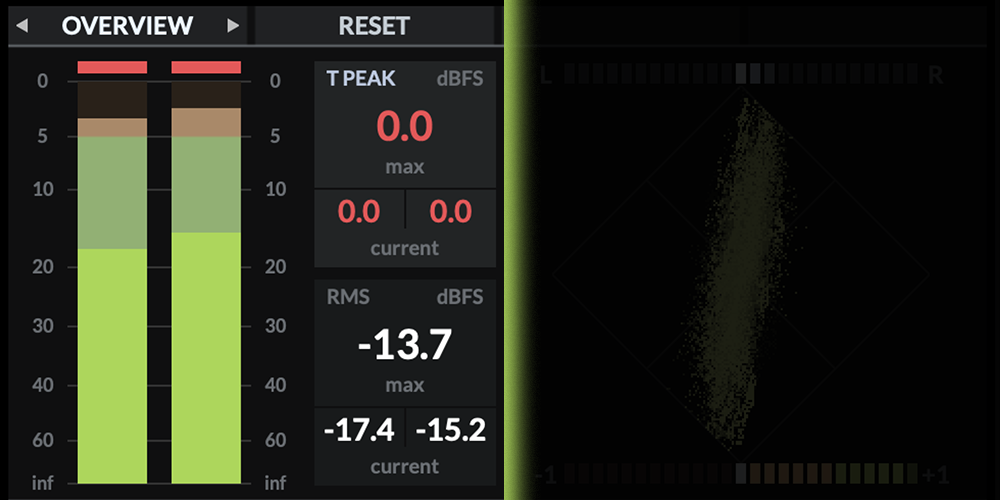
Stay In Charge Of Your Levels
Dual True Peak and RMS meters, supplemented by max and current text readouts give you essential feedback on levels and overloads. Choose between different scales/systems: Non-Linear, Non-Linear 2x, Linear, Linear 2x, K-20, K-14, K-12.
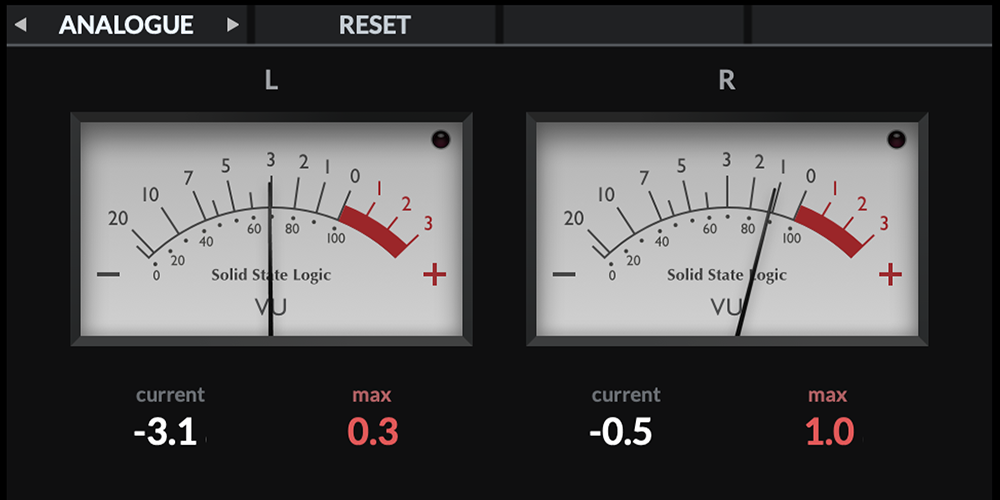
Analogue Tools In A Digital World
VUs and PPMs have been trusted metering tools amongst recording and broadcast engineers for decades and continue to provide highly valuable feedback about mix balances.
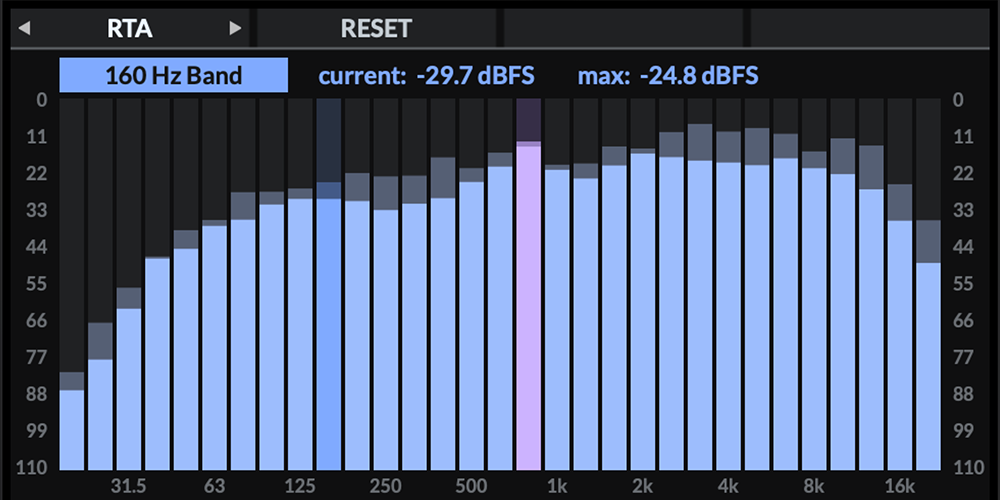
Realtime Frequency Analysis
The 31-band Real-Time Analyser (RTA) displays the frequency spectrum of your instrument or mix - allowing you to pinpoint any problem areas. You can interrogate each band for precise frequency values, as well as being able to adjust the Peak hold time and Averaging time to suit the source material.
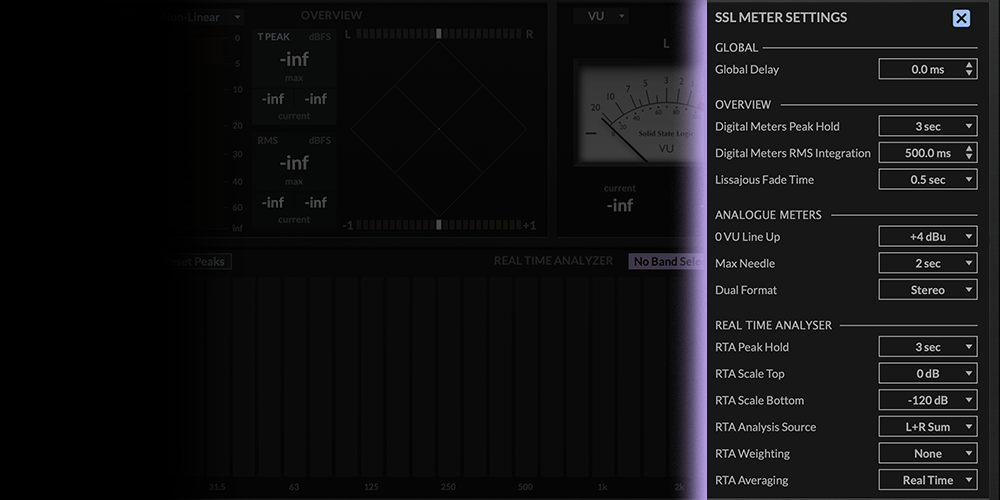
Ready, Set... Meter
SSL Meter’s comprehensive control panel allows you to tailor parameters to your precise metering needs. You can even set the 0 VU Line Up standard, if using the VU Meter as part of a critical digital to analogue path.
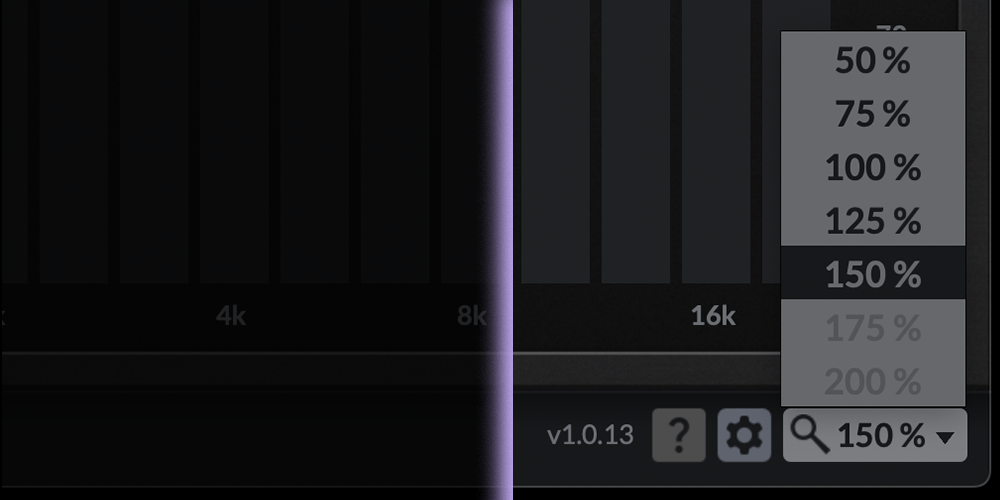
SUPERSIZE Meter
The SSL Meter plug-in is fully re-scalable, so whether you are setting it to 200% on a secondary monitor or you’re going down to 50% as you fight for screen real-estate, the scaling options have you covered.
Features
- True Peak & RMS Levels + K-System
- Analogue VU and PPM Meters
- Lissajous Phase Scope
- 31-Band Real Time Analyser
- Stereo Balance Bar & Phase Correlation Meter
- Integrates with UF1 and the SSL 360° Plug-in Mixer
System Requirements
Mac
- macOS 11 Big Sur - macOS 13 Ventura (64-bit only) (M1 Mac supported)
- Intel Dual-Core Mac running at 2.4GHz or higher
- 4 GB of RAM minimum (8 GB of RAM recommended)
- AU, VST2, VST3, AAX Native
Windows
- Windows 10 - Windows 11 (64-bit only)
- Intel Core 2 (or comparable) CPU running at 2.4GHz or higher
- 4 GB of RAM minimum (8 GB of RAM recommended)
- VST 2, VST3, AAX Native
Please Note: A FREE iLok Account is required for the authorisation of this software.
Important note:
- For licenses with the format - XXXXXXX-XXXX-XXXX-XXXXXXXX - please scroll down and follow the instructions for Harrison Multi Band Compressor, below
- For iLok licences with the format XXXX-XXXX-XXXX-XXXX-XXXX-XXXX-XXXX-XX please follow the instructions for Harrison Bass Flow & SSL Guitarstrip immediately below
Please Note: Harrison Bass Flow & SSL Guitarstrip are used as examples
iLok Registration
1. Go to the iLok website and create a new account if you are not currently registered and do not have the iLok Licence Manager installed on your computer
Note: Skip to the 'Registration' procedure if you are already an iLok registered user

2. Download and install the iLok License Manager
SSL Download Manager Installation
1. Go to https://solidstatelogic.com/ssl-download-manager or click DOWNLOAD in your Plugin Boutique User Account
2. Click either macOS or Windows to download the installer (Linux versions available here)

3. Double-click installer > Follow the on-screen instructions to install
4. Open SSL Download Manager

5. Locate Harrison Bass Flow & SSL Guitarstrip > Click Install on each plugin
iLok Authorisation
1. Open your iLok license manager application > click Sign In

2. Enter your iLok registered User ID and password > click Sign In

3. Once you are signed in, click the ‘Redeem’ icon which is located at the top-right corner of the iLok Licence Manager’s interface

4. Copy and paste/manually enter the 30-digit code from your Plugin Boutique User Account into the available Activation Code boxes, and then click Next

5. Select your activation destination > Click Activate

6. Click OK

7. Open the plugins in your DAW

Your plugins are now installed and ready to use. Enjoy!
Please Note: Harrison Multi Band Compressor is used as an example
Note: Harrison and SSL plugins now share the same installation process via the SSL Download Manager
iLok Registration
1. Go to the iLok website and create a new account if you are not currently registered and do not have the iLok Licence Manager installed on your computer
Note: Skip to the 'Registration' procedure if you are already an iLok registered user

2. Download and install the iLok License Manager
Registration
1. Go to https://account.solidstatelogic.com/register-software > Create a new account or log into your existing account if you have one

2. Click REGISTER SOFTWARE

3. Enter your license code found in your Plugin Boutique User Account as well as your iLok ID > Click SUBMIT

SSL Software Installation
1. Go to https://solidstatelogic.com/ssl-download-manager or click DOWNLOAD in your Plugin Boutique User Account
2. Click either macOS or Windows to download the installer (Linux versions available here)

3. Double-click installer > Follow the on-screen instructions to install
4. Open SSL Download Manager

5. Locate Harrison Multi Band Compressor > Click Install
6. Open your DAW > Scan for plugins
7. Click Activate

8. Click Skip

9. Enter your iLok account details > Click Next

10. Select 'Harrison Multi Band Compressor' > Click Next

11. Select an activation location > Click Next

12. Click Continue

13. Open the plugin in your DAW
Your plugin is now installed and ready to use. Enjoy!