


Buy PPMulator XL, get a free gift with purchase:
Important Note: This product will be discontinued on 31st December. Please be aware of the following conditions:
- You can continue to download, install, and authorise as normal.
- Technical support will remain available until 31st March 2026 to assist customers with existing licenses, but users can continue to use the plugins beyond this point.
- The plugins will continue to work on all currently supported systems.

Peak & Loudness Metering Plug-in
PPMulator is a cross-platform plug-in meter for digital audio workstations which exactly mimics the look and feel of a professional broadcast Peak Programme Meter (PPM).
This plugin provides a precisely calibrated workspace for recording, editing, mixing and mastering.
The plug-in is available in two versions: PPMulator+ and PPMulatorXL; the latter offers additional features such as EBU R128 loudness metering and batch audio file processing.
Features
- Customizable and resizable layouts and channel labelling
- Audio file batch processing (PPMulatorXL only)
- Automated peak logging with export
- Mono gain trim to M3 (-3dB) or M6 (-6dB) standards
- Phase correlation meter & Goniometer
- Reference tone generator for meter alignment and calibration
- Multi-channel support up to six channels
Supported Standards
- IEC 268-10 Type I: Nordic N9
- IEC 268-10 Type I: DIN 45406
- IEC 268-10 Type IIa: BBC scale
- IEC 268-10 Type IIb: EBU scale
- ITU-R BS.1770-2: True Peak Meter
- EBU R128 (2011): Loudness Meter (PPMulatorXL only)
System Requirements
- Audio format: Mono/ Stereo/ Mid-Side/ 5.1, 32-192kHz sample rate
- Plugin format: RTAS, AAX, AU, VST + Standalone application
- Min. system CPU: 1GHz
- OS: Mac OS min 10.6-11, Windows min. 7/8/10
- Host: Pro Tools: > V9
Please note: deCoda is used as an example.
Registration
1. Go to the zplane registration page > Enter your details (make sure to select the privacy policy tick box and select 'I am human') > Click Register. If you already have an account, log in to your zplane account and skip to step 4.
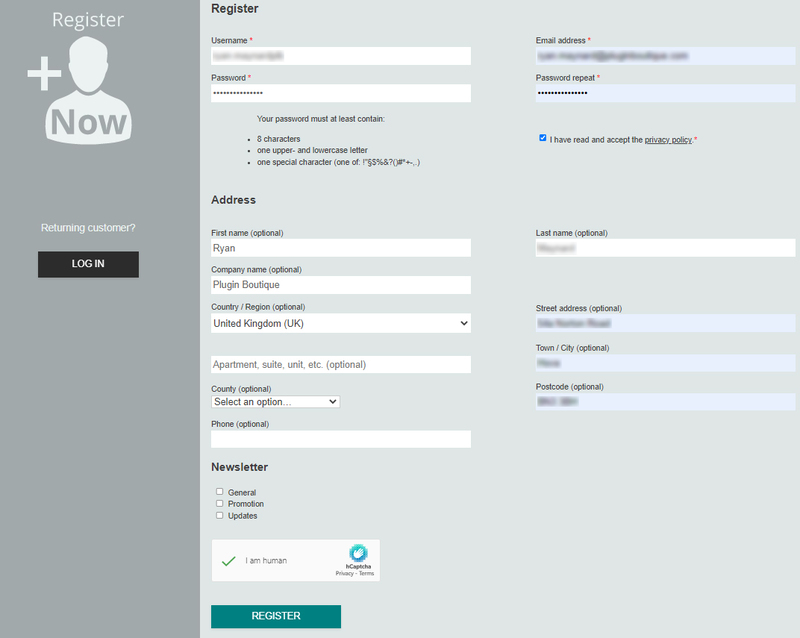
2. Click the link you were sent via email from zplane to confirm your account > Click LOG IN.

3. Enter your username and password > Click LOG IN.
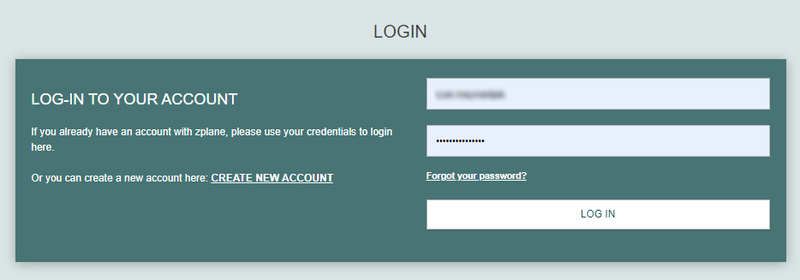
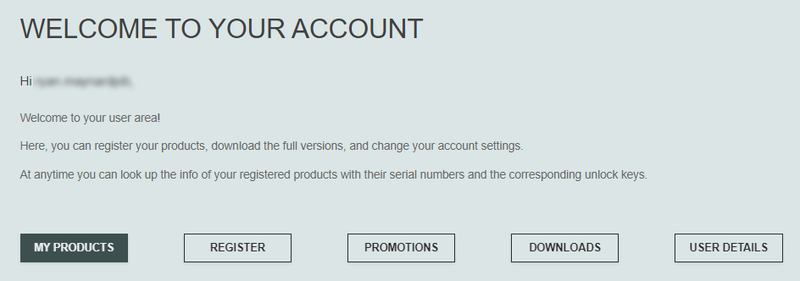
4. Click Register.
5. Copy the serial number from your Plugin Boutique account > Enter in the box on this page > Click REGISTER.
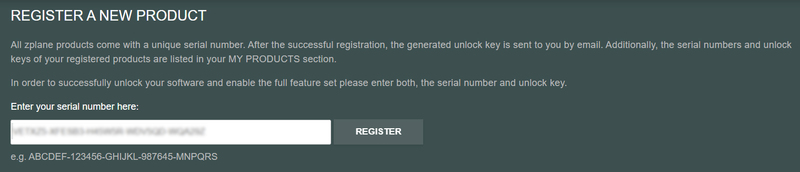
Your software is now registered.
Mac Installation
1. Download the .dmg installer file from your Plugin Boutique account > Double-click to open it.
2. Drag 'deCoda' into your Applications folder.
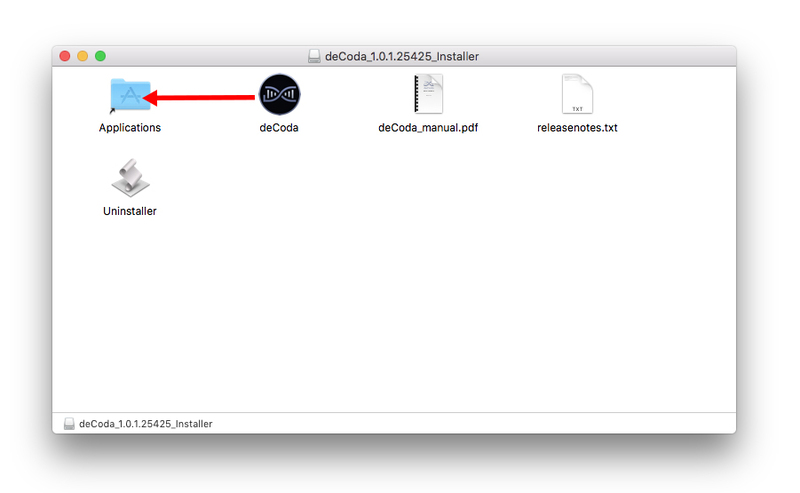
Activation
1. Open up the recently installed software from your Applications folder.
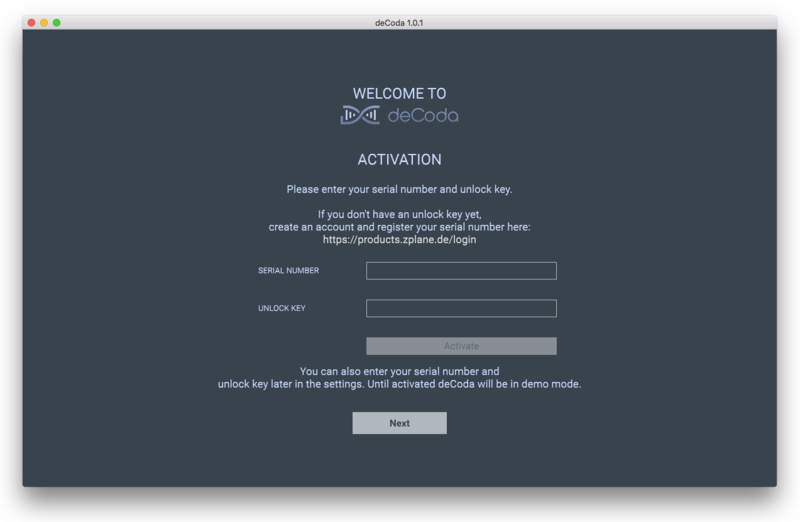
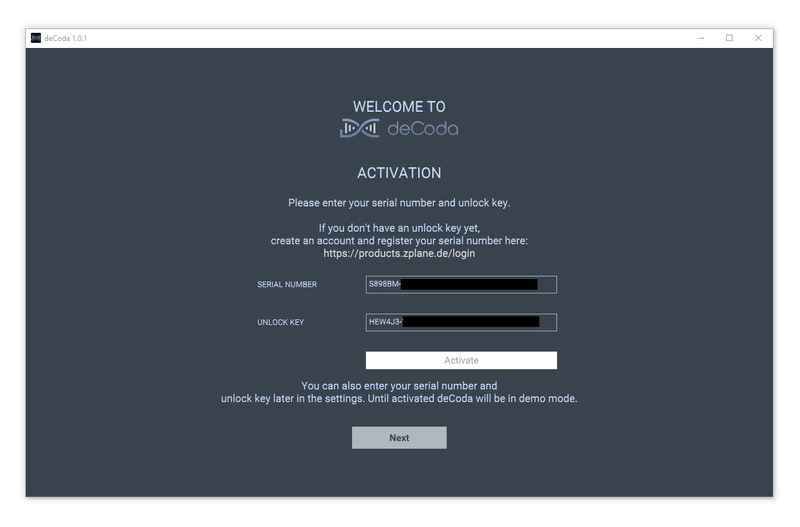
2. Enter your serial number found in your Plugin Boutique account and your Unlock Key sent to your Email > Click Activate.
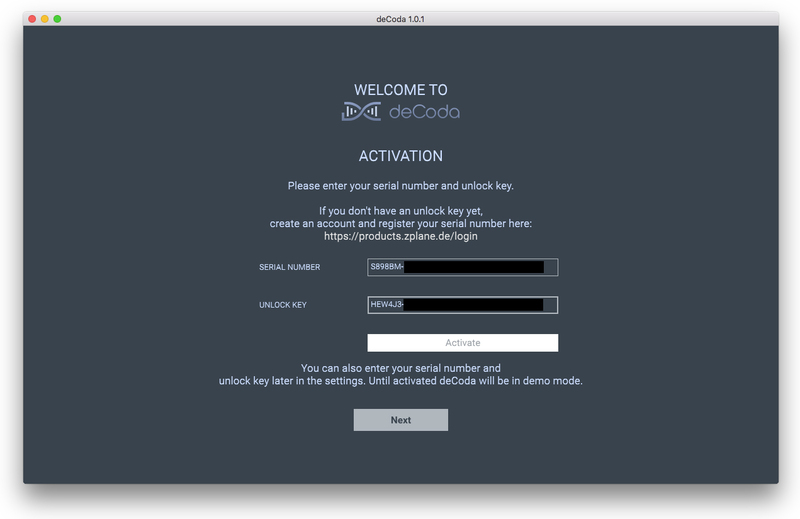
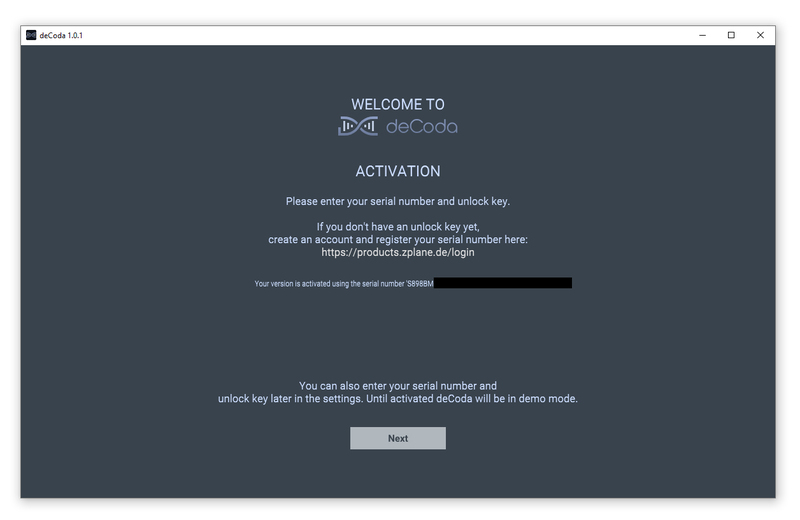
3. Click Next.
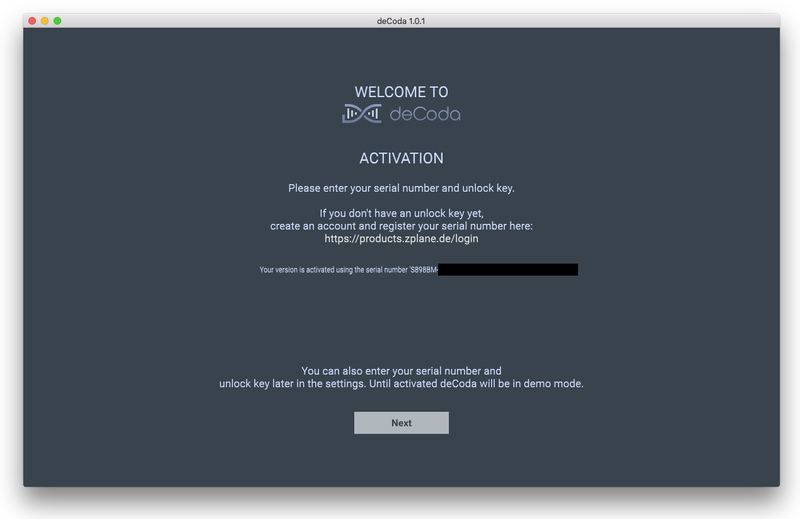
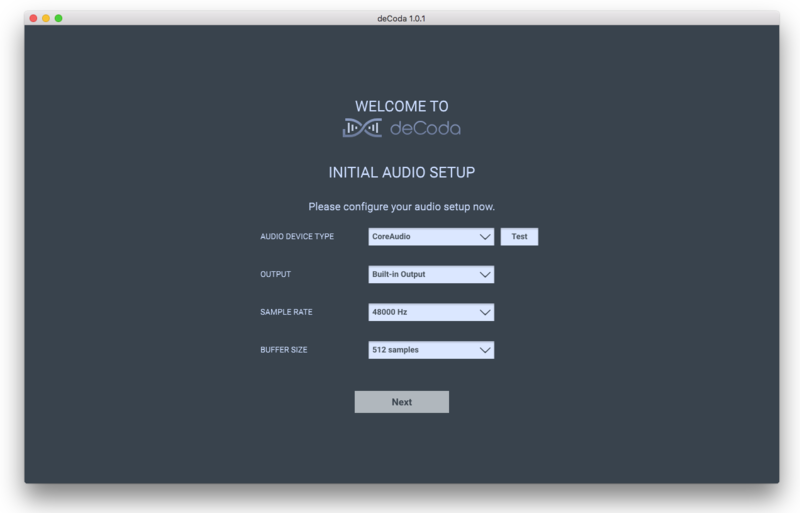
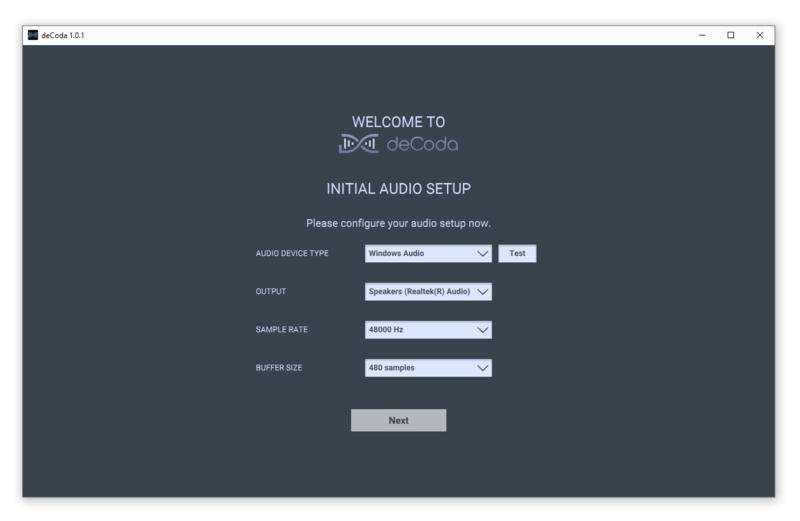
4. Confirm your audio setup is correct > Click Next.
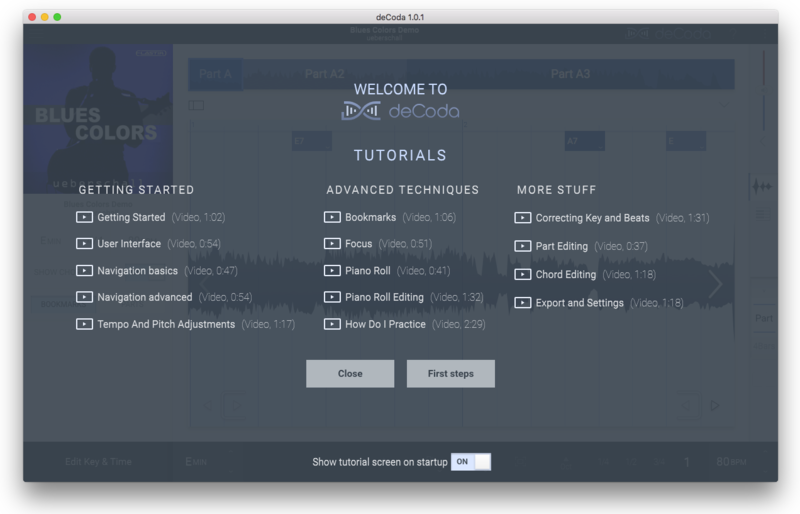
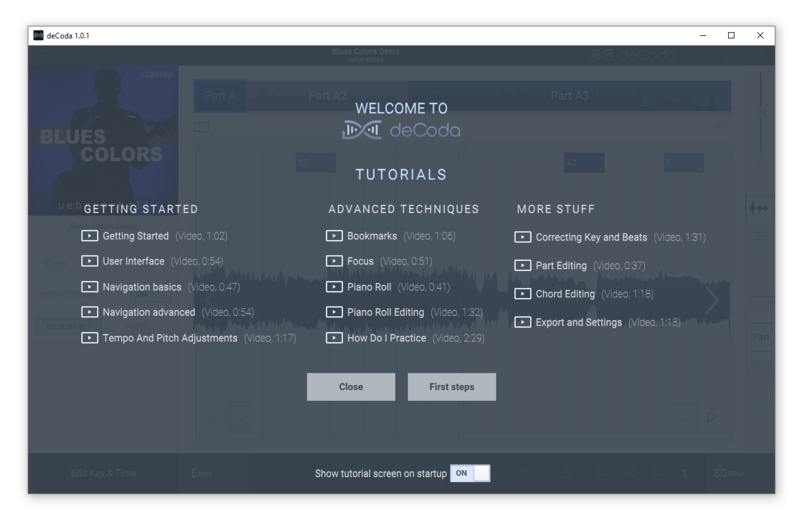
5. Start the interactive tutorial by clicking 'First steps', watch a tutorial video, or click Close.
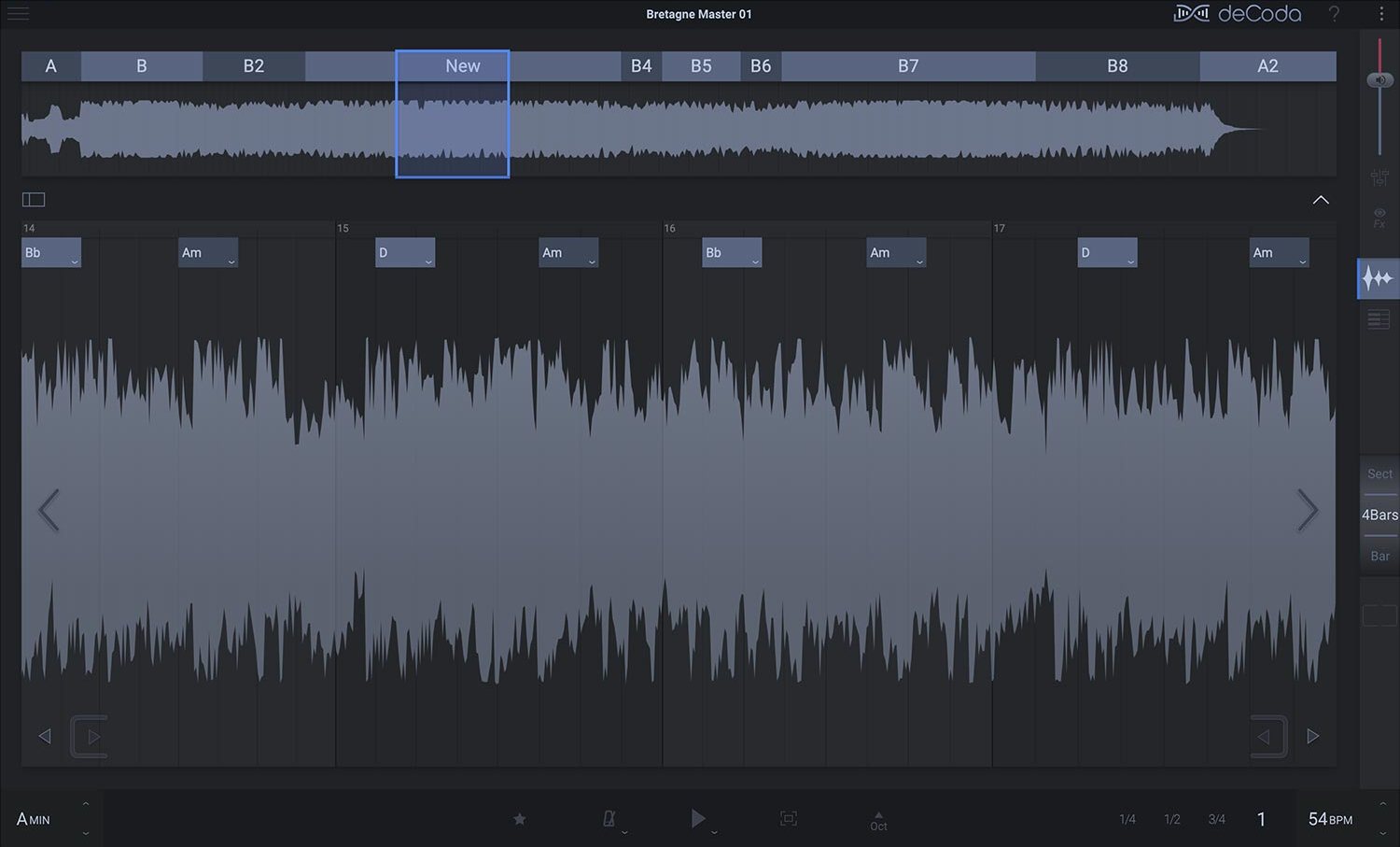
Your software is now activated and ready to use!
Windows Installation
1. Download the .zip file from your Plugin Boutique account > Double-click to extract its contents.
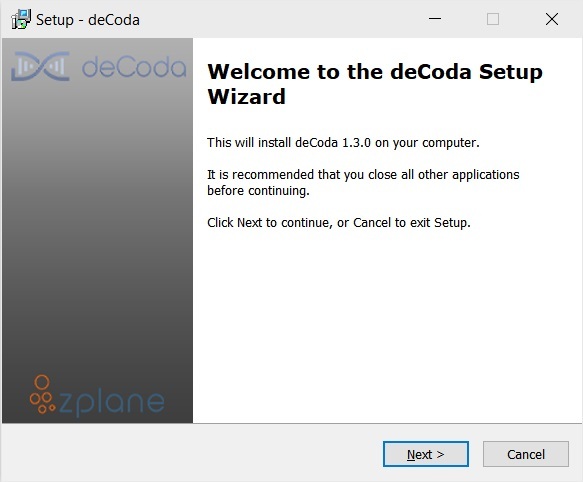
2. Double click the .exe file to run the installer > Click Next.
3. Read the License Agreement > Select 'I accept the agreement' > Click Next.
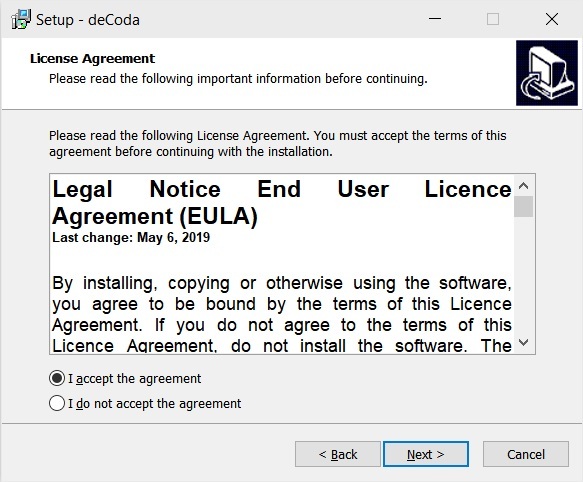
4. Select which components you would like to install > Click 'Next'.
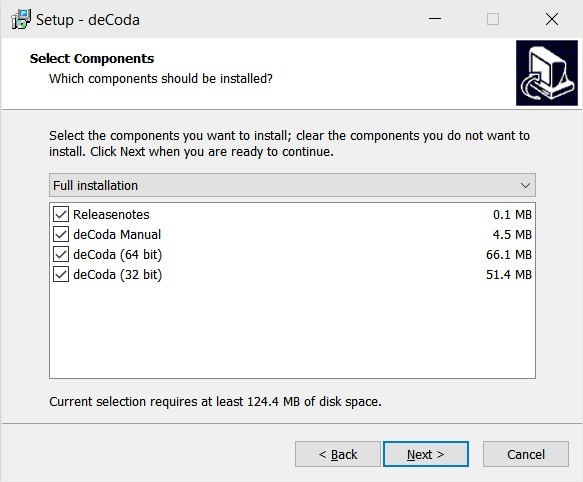
5. Select where deCoda should be installed > Click Next.
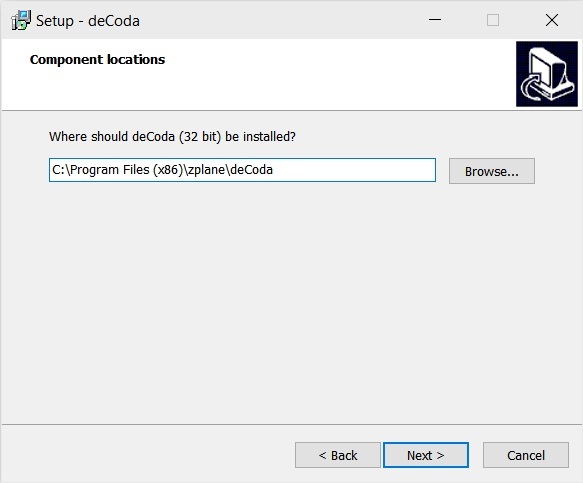
6. Select the start menu folder > Click Next.
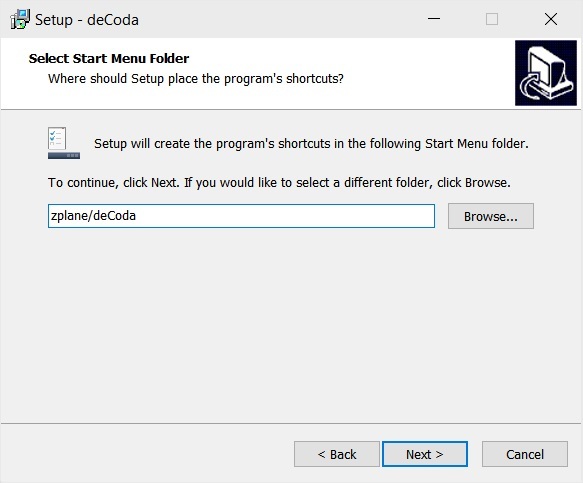
7. Select whether you would like a desktop shortcut to be created > Click Next.
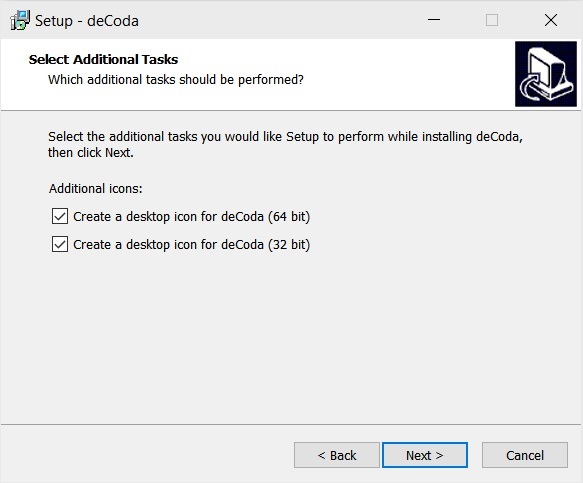
8. Check all details are correct > Click Install.
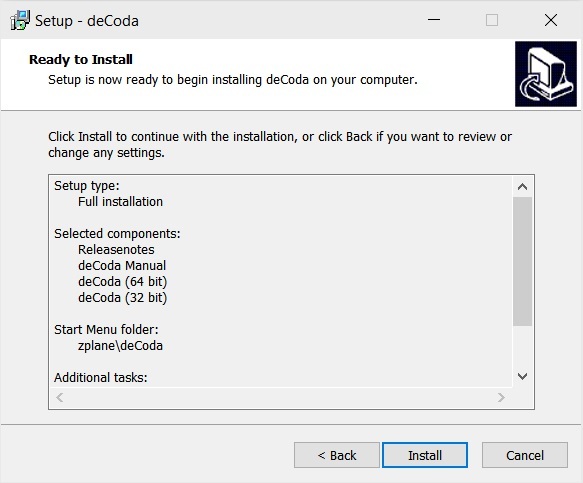
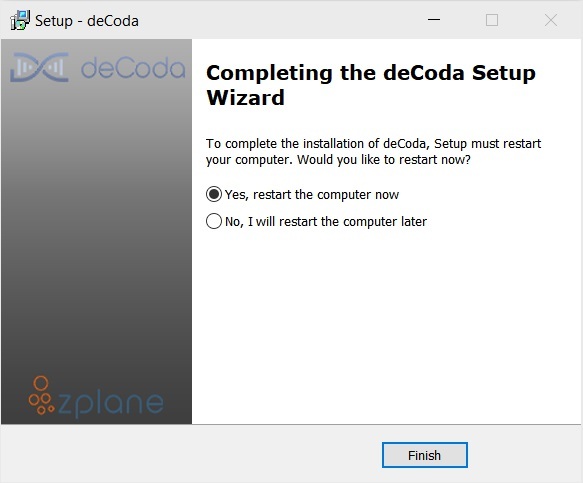
9. Your install is complete > Make sure you have saved any data > Select 'Yes, restart the computer now' > Click Finish.
Activation
1. Open up the recently installed software from your Start Menu or desktop.
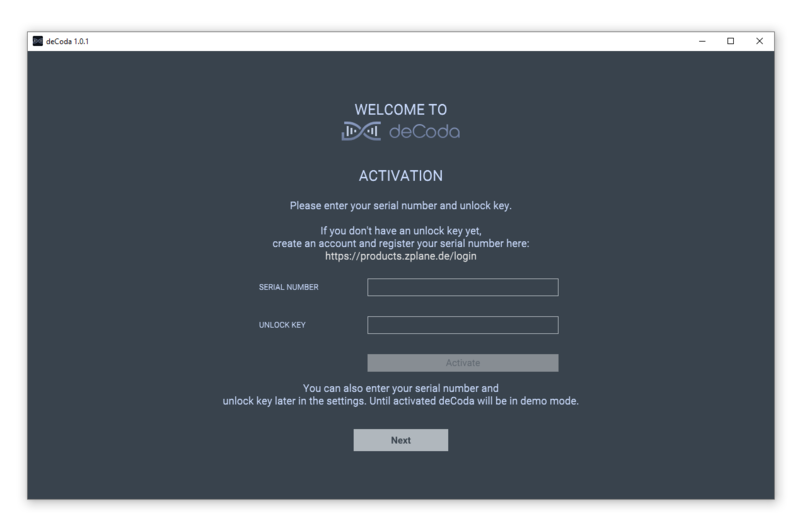
2. Enter your serial number found in your Plugin Boutique account and your Unlock Key sent to your Email > Click Activate.
3. Click Next.
4. Confirm your audio setup is correct > Click Next.
5. Start the interactive tutorial by clicking 'First steps', watch a tutorial video, or click Close.
Your software is now activated and ready to use!


