Log In

Free gifts available with your purchase
Important Note: This is an educationally discounted version of UNMIX::DRUMS and is available for full-time students or faculty at an educational institution only. Please check your eligibility before purchase on the Educational Discount Help Centre Article.
Once purchased please send your order number and proof of educational status to support@pluginboutique.com.
The full version of UNMIX::DRUMS is also available.

Boost Or Attenuate Drums In Mixed Music
UNMIX::DRUMS is the world’s first audio plugin that allows attenuating or boosting drums in mixed music, in real-time. Using advanced source signal separation (a.k.a. de-mixing, unmixing, sound extraction, sound isolation) technology under the hood, UNMIX::DRUMS provides frequency-dependent drum level control that ranges from up to +18dB of boost to virtually complete removal* – while always sounding great. Whether used on a full mix or on a drum bus, UNMIX::DRUMS can be used to shape and enhance the impact of your drums in a unique new way. Sporting an intuitive multi-level GUI, frequency-dependent control of key parameters, a sample-accurate sub-bass (re)synthesizer, our high-precision analyzer display, M/S operation and an output limiter, UNMIX::DRUMS opens up exciting new options for mastering, music production, sample-based music creation, mash-up artists, remixers and DJs.
* Actually achievable amounts depend on input signal specifics.
Features
- Source Separation-Based Control of Drum Level in Mixed Music.
- SMOOTH and PUNCHY Boost Modes.
- Sample-Accurate Sub-Bass (Re)Synthesizer.
- Frequency Dependent Control of Key Parameters.
- Intuitive 3-way GUI Design.
Turn It Up (or Down)
UNMIX::DRUMS is your after-the-fact fader for the drums. It takes mixed music input and allows you to change the level of the drums relative to everything else, in real-time. Attenuate the drums to "headphone bleed" levels, or make them sit squarely in your face – the choice is yours. Adjust DRUM LEVEL and THRESHOLD, done.
Impact Shaping
UNMIX::DRUMS doesn't only work with mixed music – you can slap it onto a drum buss, too. Adjusting DRUM LEVEL frequency dependently - using our slick breakpoint editor in the CURVES view - lets you shape the impact and punch of your drums like never before. Without touching a compressor or transient processor, and even if they're inside a full mix. We call this impact equalization. As drum punch connoisseurs, we're proud to say: It's simply awesome.
Smooth Punch, Punchy Smoothness
Speaking of punch: UNMIX::DRUMS offers two boost modes, SMOOTH and PUNCHY. The SMOOTH mode was designed with a dry, organic sound in mind, for natural sounding medium boost situations, as well as pre-processing for drum extraction applications. PUNCHY produces a very snappy, tight sound that can really make the drums jump at you. Both modes allow boosting the drum reverb, too, SMOOTH focusing on early reflections and PUNCHY on long reverb tails.
Off The Richter Scale
UNMIX::DRUMS features the world's first and only sample accurate sub-bass (re)synthesizer. Adding punchy and clean low frequency energy to your music or drums has never been easier. Simply raise the BASS SYNTH slider to taste – no level instabilities, false triggers or phase cancellation included. Whether subtly extending the frequency range on a jazz master or creating earth-shattering club beats of woofer destruction, the onboard BASS SYNTH delivers – with minimal effort.
Workflow Monster
UNMIX::DRUMS features an intuitive 3-way Graphical User Interface design. Rather than cluttering up your workspace, this layout ensures you see only the parameters you need to see – when and if you need them. With its level compensation feature, M/S processing, a hard-knee limiter, "kill-switch" style drum level macro buttons, and a plethora of carefully hand-crafted factory presets, UNMIX:DRUMS delivers stunning results, easily and in an instant.
System Requirements
Mac
- macOS 10.15.x or newer, 64 bit
- Apple Silicon CPU, or Intel CPU with at least 2 Cores (i7 or better recommended)
- Apple AU (AudioUnits), Steinberg VST 2.4, VST 3 or Avid AAX Native compatible host software, processing audio as 32 bit float
Windows
- Windows 10 or newer
- Intel CPU with at least 2 Cores; i7 or better recommended
- Steinberg VST 2.4, VST 3 or Avid AAX compatible 64-bit host software, processing audio as 32 bit float
Important Notes:
- An iLok account or iLok 2/3-based activation is required in order to register this product
- An internet connection is required for software activation
Copy Protection
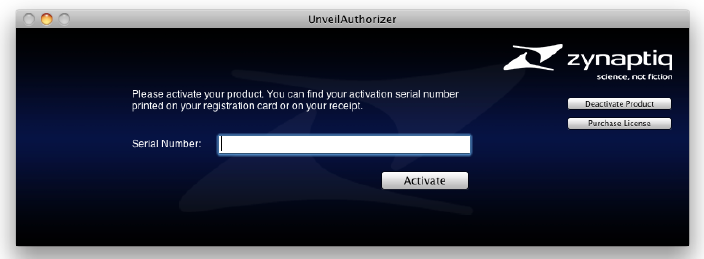
Zynaptiq products use the latest PACE copy protection, which allows you to place your activation on your machine or on an iLok 2* (not included). You will need a free iLok.com account to use our software, even for the demos - but you do not necessarily need the iLok 2 dongle if your machine has internet access (activation of a system without internet connectivity requires an iLok 2 device). All required software is installed along with our plugins, but we generally recommend downloading the latest versions directly from iLok.com.
Please Note: The older, first-generation iLok is not supported!
CPU Load
While they are highly optimized, Zynaptiq plugins use a LOT of CPU due to the complex nature of the magic they perform. Please use the free trial to evaluate whether your system has sufficient resources to utilize the software effectively!
Zynaptiq recommends setting your playback buffer size to at least 512 or ideally 1024 samples for optimum performance.
As Zynaptiq plugins sport unique features not found in any other software, Zynaptiq highly recommends reading the User Manuals to ensure that you get the most out of them!