


 Log In

Free gifts available with your purchase
W.A. Production's InstaComposer plugin changed the game for music composition and production. This AI-supported plugin makes it easy to generate new and interesting progressions and melodies that fit perfectly with one another and has won fans worldwide.
Over time, W.A. released several expansions for InstaComposer in a wide variety of genres and styles. But what if you don't own an InstaComposer license? Well, let's change that!
With the InstaComposer & Expansions bundle, you'll receive a lifetime license for the InstaComposer plugin, as well as all of the existing expansions. On top of that, your purchase will also give you access to all future expansions for the plugin, meaning you'll keep getting new InstaComposer presets as time goes on without having to pay anything more. Sound good to you? Then get it today!
This bundle includes:

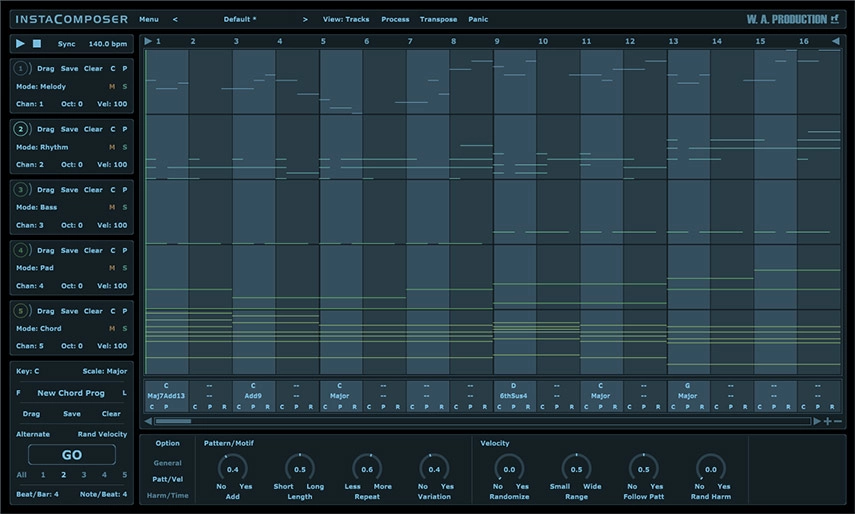
New Generation Composition Tool
Sometimes inspiration comes at you thick and fast... but sometimes not. Instacomposer is your saviour when creativity runs dry, or when you just need your talent topped up. This MIDI generation plugin can conjure melody, rhythm, bass, pads and chords at the click of a button - all using artificial intelligence to create genuinely useful and musical riffs. This is the next step in automatic composition, using a complex algorithm to determine notes, harmonies and chords based on your personal preferences. With this much composing power at your fingertips, you’ll never be stuck in a musical rut again.
Artificial Intelligence
The backbone of Instacomposer is a behind-the-scenes decision-making matrix that creates notes based on both mathematics and musical knowledge. Plus, the artificial intelligence factors in a whole host of parameters that you can set in the bottom panel, from repetition probability to the complexity of chord shapes. Harmonic variations, strumming techniques and note density are just some of the myriad of options that can be adjusted, feeding the algorithm your own personal set of preferences.
Total Flexibility
Instacomposer is as unique as you are, taking into account your chosen scale, time signature and riff length. Choose to create new sequences for one, some or all of the 5 tracks, and in any combination of melody, rhythm, bass, pad and chord.
MIDI Editor
The onboard MIDI editor can be used to tweak the output of Instacomposer within the interface itself. This means that you can manipulate the music before it leaves the plugin, adding your own creativity and personal style on top of what the plugin has offered you. Move, copy and delete notes within a familiar piano-roll interface, even changing the velocity.
MIDI Export
Drag the MIDI tracks straight out of Instacomposer and into your DAW for ultimate ease of use. Alternatively, set up multi-channel instruments and route the MIDI from Instacomposer into your favourite VSTi’s. In this way, you can preview all 5 tracks simultaneously, without ever leaving the Instacomposer environment.
Presets
Instacomposer includes a huge number of factory presets; useful musical motifs to get you up and running quickly which can eventually become the basis for whole tracks.
W. A. Production are real-life producers making creative plugins to help you achieve studio quality processing quickly and easily. Enjoy!
Features
- Intelligent MIDI Generation plugin
- Create Melodies, Phrases, Riffs, Chords & more
- Infinite ideas at the click of a button
- Generate 5 tracks simultaneously
- Multi-track and Multi-channel routing
- Automatic harmonies and chord progression generation
- Comprehensive MIDI editing
- MIDI drag and drop
- Multiple time signatures
- Many controls for Probability, Complexity & Variation
- Factory Presets
- Full PDF Manual & Tutorial video
Learn more and download the free trial of InstaComposer.
Oriental Melodies for InstaComposer
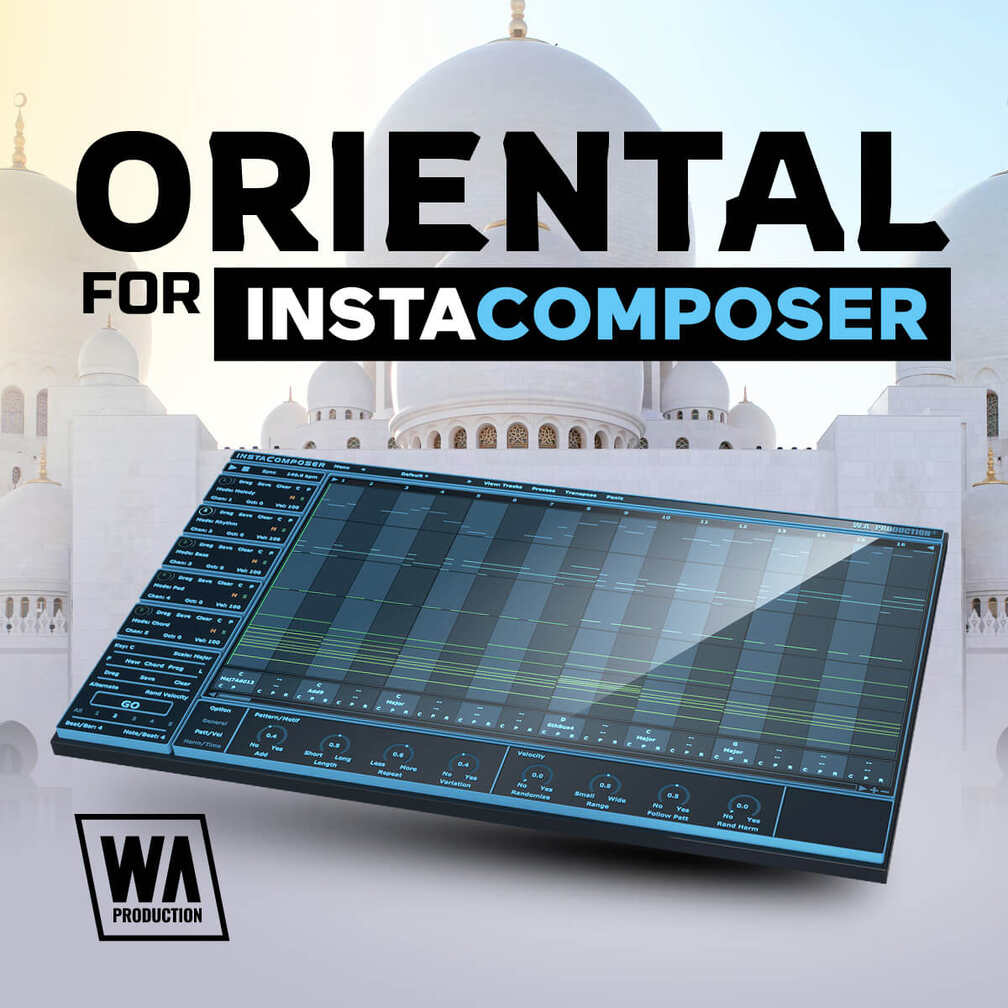
There’s something infectious about the melodies found in different cultures, and Asian-style sounds are right up there with the most intriguing. W.A Production used these as inspiration to create their latest expansion: Oriental Melodies for InstaComposer!
Oriental Melodies for InstaComposer from W. A. Production contains 40 presets designed for the powerful InstaComposer MIDI plugin. These melody presets can be used in a wide variety of genres and you can tweak them to your heart’s delight. Have a listen and download today!
Features
- 40 InstaComposer Presets
Learn more about Oriental Melodies for InstaComposer.
Epic Music 2 for InstaComposer

Introducing Epic Music 2 for InstaComposer - the ultimate toolkit for composers and producers looking to create cinematic and inspiring orchestral music. The team of experts at W.A. Production has utilized the powerful capabilities of InstaComposer to create 40 innovative presets that are perfect for creating epic soundtracks, film scores, and game music.
Whether you're looking to create a powerful and dramatic opening theme or a soaring and emotive end credits track, Epic Music 2 for InstaComposer has everything you need. These presets have been carefully crafted to provide you with a variety of inspiring and uplifting melodies that will transport your listeners to new heights.
InstaComposer is a powerful tool that makes it easy to create complex arrangements and orchestral compositions. And with Epic Music 2 for InstaComposer, you'll be able to take full advantage of its capabilities to create unique and inspired tracks that stand out from the crowd.
The presets in this pack have been inspired by some of the greatest composers in cinematic history, including Hans Zimmer, John Williams, and Howard Shore. With Epic Music 2 for InstaComposer, you'll have access to the same types of sounds and textures that these legendary composers use to create their epic soundtracks.
Whether you're a seasoned composer or just starting out, Epic Music 2 for InstaComposer is the perfect addition to your toolkit. With 40 presets to choose from, you'll never run out of inspiration.
So if you're ready to create cinematic and inspiring orchestral music, download Epic Music 2 for InstaComposer today and start creating your own epic soundtracks, film scores, and game music that will leave a lasting impression on your listeners.
Features
- 40 InstaComposer Presets
- 100% Royalty-Free
Learn more about Epic Music 2 for InstaComposer.
Progressive Trance for InstaComposer
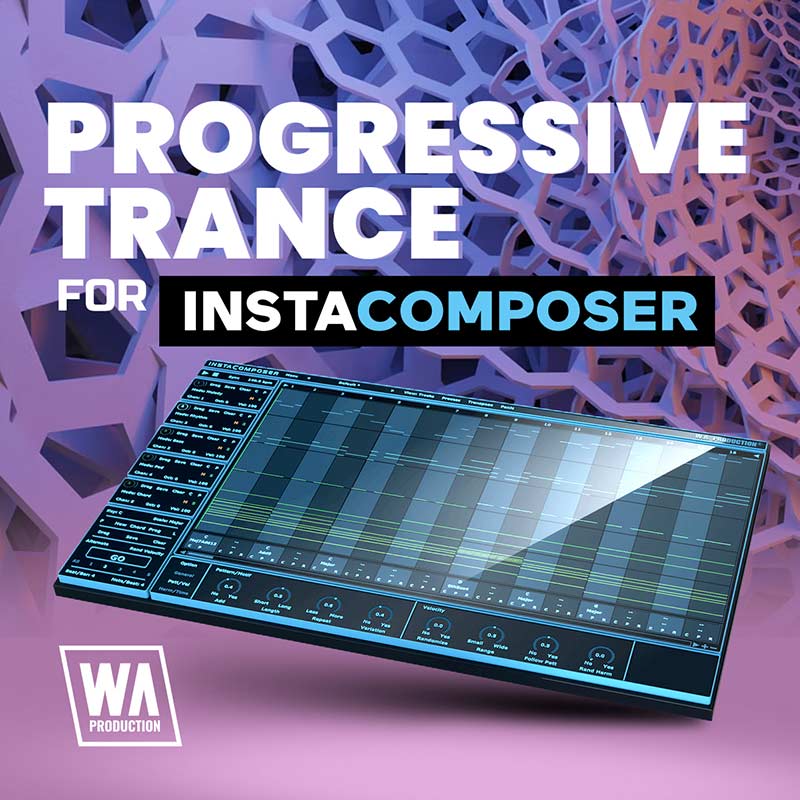
Progressive Trance is known for its captivating melodies and progressions, but what happens if you’re stuck for new inspiration? InstaComposer can help with that, and especially W. A. Production's new expansion, Progressive Trance for InstaComposer!
Progressive Trance for InstaComposer from W. A. Production contains 40 presets designed to generate the most interesting and ear-catching melodies and progressions to get you on your way to making the next Trance anthem. Download today and open new possibilities!
Features
- 40 Presets
- 100% Royalty-Free
Learn more about Progressive Trance for InstaComposer.
Melodic Arps for InstaComposer
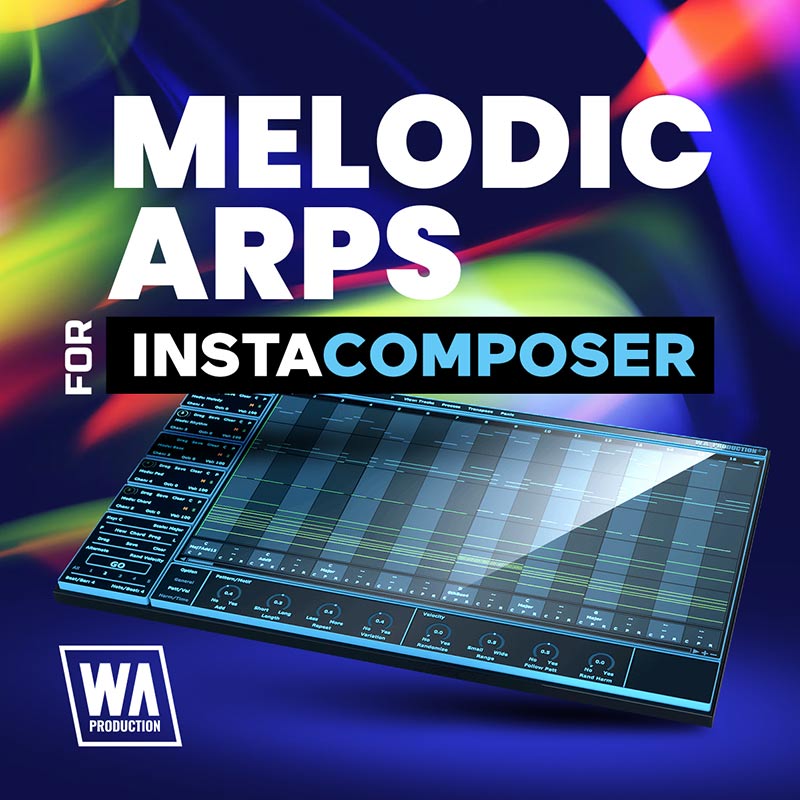
There’s something infectious about arpeggios, and the W.A Production team can’t get enough. And the powerful InstaComposer MIDI plugin is great at generating them, so W.A Production decided to use it to create this amazing expansion: Melodic Arps for InstaComposer!
Melodic Arps for InstaComposer from W. A. Production contains 40 InstaComposer presets designed to generate the most interesting and useful arpeggios possible. You can use these arpeggios as integral melodic elements in your tracks to help keep the movement going and the audience listening. Download today and get started!
Features
- 40 Presets
- 100% Royalty-Free
Learn more about Melodic Arps for InstaComposer.
Melodic Arps 2 for InstaComposer
Arpeggiated melodies can be fantastic elements to include as the lead sound, a simple background texture, or many other roles in a variety of genres. W.A Production's InstaComposer plugin is the perfect tool to design wonderful, complex arpeggios, so of course they had to put together a collection of them for you all. And they couldn't fit them all into just one expansion, so now the W.A Production team are excited to release their anticipated follow-up: Melodic Arps 2 for InstaComposer!
Melodic Arps 2 for InstaComposer from W. A. Production contains 40 ear-catching InstaComposer presets designed to help you create an endless supply of interesting melodic arpeggios. Download today and explore the possibilities!
Features
- 40 Presets
- 100% Royalty-Free
Learn more about Melodic Arps 2 for InstaComposer.
Trance Melodies for InstaComposer
Trance music requires the best chord progressions and melodies — but how do you stand out from the rest? With the InstaComposer plugin of course! W.A. Production's incredible AI-powered MIDI generator is a huge time-saver and inspiration provider, and their new Trance Melodies for InstaComposer gives you presets designed to create the best melodies and patterns for Trance Music.
Trance Melodies for InstaComposer from W. A. Production contains 40 Trance-inspired presets for the InstaComposer plugin. If you want to create music like Armin van Buuren, Ferry Corsten, or Markus Schulz, this expansion will help get you there!
Features
- 40 InstaComposer Presets
- 100% Royalty-Free
Learn more about Trance Melodies for InstaComposer.
Melodic Techno for InstaComposer
Melodic Techno can be incredibly soothing but it requires the use of the perfect sounds in combination with the ideal progressions and melodies. W. A. Production have you covered! InstaComposer is an incredible tool for sparking inspiration, and Melodic Techno for InstaComposer is just what you need to create impactful Melodic Techno tracks.
Melodic Techno for InstaComposer from W. A. Production contains 40 presets inspired by the best Melodic Techno tracks. W. A. Production thinks you’ll love this expansion - download today to take full advantage of the power of InstaComposer!
Features
- 40 InstaComposer Presets
- 100% Royalty-Free
Learn more about Melodic Techno for InstaComposer.
Tropical for InstaComposer

Kygo, Matoma, Sam Feldt, and artists like them are masters of creating that relaxed, island vibe with their Tropical House music. In addition to the sounds they use, what really sets them apart is their soothing and effective melodies, bass lines, and chord progressions. If you're having trouble getting your music up to par, give Tropical for InstaComposer a try!
Tropical for InstaComposer is an expansion for the innovative InstaComposer plugin, containing 40 Tropical-focused presets. These presets are designed to instantly generate wonderful lead melodies, bass lines, and chords that can be used in your next Tropical hit. Give them a try and hear for yourself!
Features
- 40 InstaComposer Presets
Learn more about Tropical for InstaComposer.
Cinematic for InstaComposer

InstaComposer is an incredible composition tool that can be used in any genre, but with the right parameter settings, it can be tweaked to perform exceptionally well for specific styles of music. W.A. Production finds that it can be incredibly useful to create cinematic soundscapes and instrument layers, so W.A. Production has put together their favourite cinematic InstaComposer presets into one incredible package for you: Cinematic for InstaComposer!
Cinematic for InstaComposer from W. A. Production contains 40 fantastic presets designed to give you the most delightful and dramatic cinematic output possible. Route InstaComposer to your orchestral instruments and let these presets do the rest!
You'll be listening to incredible compositions in no time at all. Download today and see for yourself!
Features
- 40 InstaComposer Presets
Learn more about Cinematic for InstaComposer.
Tropical Melodies 2 for Instacomposer
Introducing Tropical Melodies 2 for InstaComposer, a vibrant collection of captivating melodies designed to infuse your compositions with the warm and breezy vibes of tropical music. This expansion pack effortlessly sparks inspiration and adds an exotic touch to your productions.
Featuring meticulously composed tropical melodies, Tropical Melodies 2 offers a range of uplifting hooks, infectious rhythms, and grooves. From catchy marimba patterns to soulful steel drum melodies, each captures the essence of tropical music, transporting listeners to sunny shores and tropical landscapes.
Features
- 40 InstaComposer Presets
Learn more about Tropical Melodies 2 for Instacomposer.
Trance Melodies 2 for InstaComposer
Introducing Trance Melodies 2 for InstaComposer - the ultimate collection of melodic inspiration for trance producers and composers. With 40 mesmerizing presets, this expansion pack is designed to ignite your creativity and help you craft euphoric and uplifting trance tracks with ease.
Trance Melodies 2 for InstaComposer provides a vast array of presets generating captivating and emotive melodies and patterns. Each preset has been meticulously crafted to evoke a sense of euphoria and take your listeners on a transcendental journey. Whether you're aiming for the soaring leads of Armin van Buuren, the ethereal atmospheres of Above & Beyond, or the driving energy of Aly & Fila, these presets will empower you to create trance melodies that leave a lasting impact.
Learn more about Trance Melodies 2 for InstaComposer
Cinematic Melodies 2 for InstaComposer
Introducing Cinematic Melodies 2 for InstaComposer - a collection of 40 mesmerizing presets designed to transport your listeners to the enchanting world of film. Craft hauntingly beautiful melodies, orchestral phrases, and evocative soundscapes that evoke powerful emotions and enhance the visual storytelling of your projects.
With Cinematic Melodies 2 for InstaComposer, you'll have an extensive toolkit of presets that effortlessly blend together, making it easy to create immersive and captivating soundtracks. Whether you're scoring a dramatic scene, crafting an emotional underscore, or composing a soaring theme, these meticulously crafted presets empower you to create cinematic melodies that leave a lasting impact.
Learn more about Cinematic Melodies 2 for InstaComposer
System Requirements
Windows
- Windows 8 and later (32 / 64-bit)
- VST Format
Mac
- macOS 10.13 and later (64-bit only)
- VST & AU Formats
Important Note for Mac Apple Silicon users: Before purchasing, please review the current compatibility status of this plugin on your system here.
DAW Compatibility
InstaComposer can be used on any software that supports VST or AAX plug-ins with MIDI routing or AU MIDI effect type. But to make sure it's compatible with yours please try the demo version before you buy (only major chords are allowed in trial version).
Windows
- FL Studio 12 (and newer)
- Cubase 10 (and newer)
- Studio One 5 (and newer)
- Ableton Live 9 (and newer) (Blue Cat's Patchwork plugin needed for multi-channel MIDI routing)
- Pro Tools 11 (and newer)
Mac
- FL Studio 12 (and newer)
- Cubase 10 (and newer)
- Studio One 5 (and newer)
- Ableton Live 9 (and newer) (Blue Cat's Patchwork plugin needed for multi-channel MIDI routing)
- Logic Pro X (and newer) (Blue Cat's Patchwork plugin needed for multi-channel MIDI routing)
- Pro Tools 11 (and newer)
Important Note for Mac Apple Silicon users: Before purchasing, please review the current compatibility status of this plugin on your system here.
Global
- NI Maschine - Blue Cat's Patchwork plugin is needed for multi-channel MIDI routing
- Mixcraft - Blue Cat's Patchwork plugin is needed for multi-channel MIDI routing
Incompatible with
- Maschine 2 (Win / Mac) - No MIDI routing. You can still use the Drag&Drop MIDI function.
- Reason (Win / Mac) - No MIDI routing. You can still use the Drag&Drop MIDI function.
Important Note: In order to use this product with multiple MIDI outputs in Ableton Live, a copy of Blue Cat's Patchwork is required.


