


 Log In
23% off until Sep 21

Free gifts available with your purchase
Enhance your monitoring with SoundID Reference integrated directly into Universal Audio’s Apollo X Gen 1 and Gen 2 interfaces. This bundle combines SoundID Reference for Speakers & Headphones and the Apollo Monitor Correction Add-on into a single license key.
SoundID Reference for Speakers & Headphones

Full Confidence in Sound
SoundID Reference software calibrates your speakers and studio headphones, so you can trust that every mix will translate.
A headphone calibration software delivers consistently accurate studio reference sound on your existing headphones. The software includes presets of more than 500 headphone calibration profiles. With an applied headphone calibration profile the software sets the frequency response target to be completely flat across all audible frequencies. The headphone frequency response target is designed to emulate neutral-sounding speakers. With calibrated headphones, you’ll hear a flat, consistent sound wherever you go.
Mix With Confidence
Stop second-guessing yourself and trust every decision.
Reference Standard
The only market solution providing ultimate accuracy for consistent reference sound between your speakers and headphones.
Perfect Translation
Create music that sounds great on phones, laptops, earbuds, or wherever else it's played.
Improved Collaboration
Get only relevant feedback by working on the same reference sound regardless of distance or the gear you have.
Work From Anywhere
Seamlessly switch between speakers, headphones, and rooms. You’ll hear a flat, consistent sound wherever you go.
Finish Tracks Faster
Make better decisions and spend less time fixing mistakes.

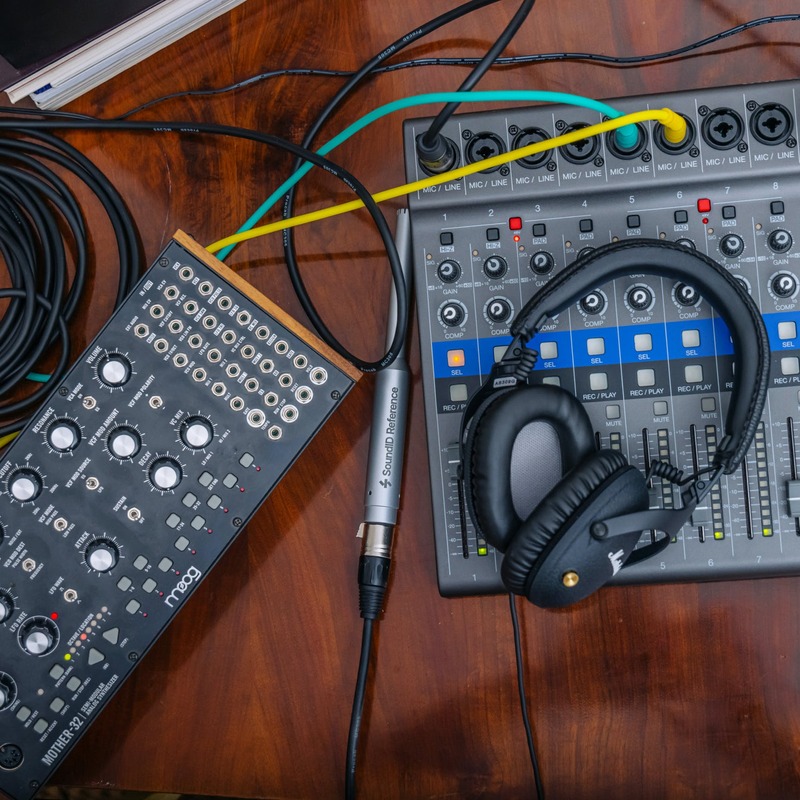
Accurate Reference Sound For Perfect Translation
The main purpose of great sound translation is delivering the artist’s exact intent to the listener. SoundID Reference delivers consistently accurate studio reference sound across all speakers and headphones so you can mix with confidence and make music that sounds great everywhere.
Why is Speaker Calibration Important?
Speaker calibration with SoundID Reference removes unwanted sound colouration and delivers accurate studio reference sound across your speakers and headphones. As a result, you hear every detail across the frequency response spectrum and can trust every mixing decision you make.
Setting up SoundID Reference for Speakers in 3 easy steps
- Start With Acoustic Treatment - SoundID Reference is not a substitute for acoustic treatment. We highly recommend treating your room before calibrating your speakers.
- Proceed with the Measurement Process - After installing the software you can proceed with your speaker calibration. Speaker calibration requires a measurement microphone — you can buy one from us or use your own. The measurement process takes only 15 minutes.
- Finish your Setup - After the measurement is completed, save your speaker profile and apply correction using the plugin in your favourite DAW or use the SoundID Reference app to correct sound from any source on your computer.
Why is Headphone Calibration Important?
SoundID Reference sets the frequency response target to be completely flat across all audible frequencies. The headphone frequency response target is designed to emulate neutral-sounding speakers. With calibrated headphones, you can seamlessly switch between speakers, headphones, projects, and mix with full confidence in sound.
Take Control of Your Listening Environment With These Key Features
DAW Plugin and Systemwide Calibration
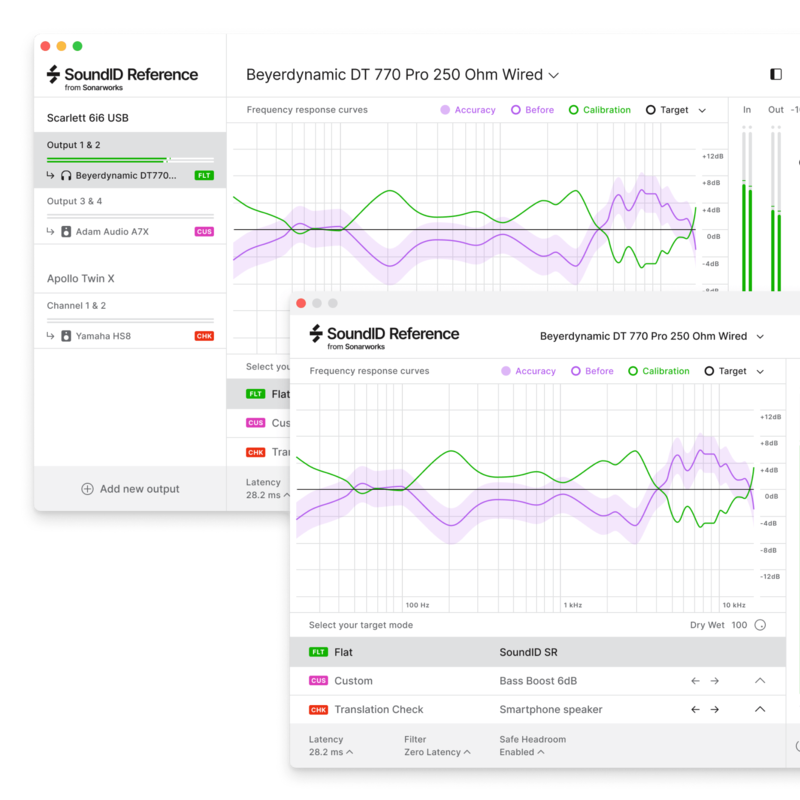
Works in all major DAWs as a plugin and as a standalone Systemwide app calibrating audio across your entire system.
Custom Target

Make custom adjustments to the target curve in real-time and manually select the frequency range that the calibration will be applied.
3 Filter Modes

Select between different filter processing modes - zero latency for live tracking, mixed or linear phase delivering ultimate audio clarity.
Translation Check
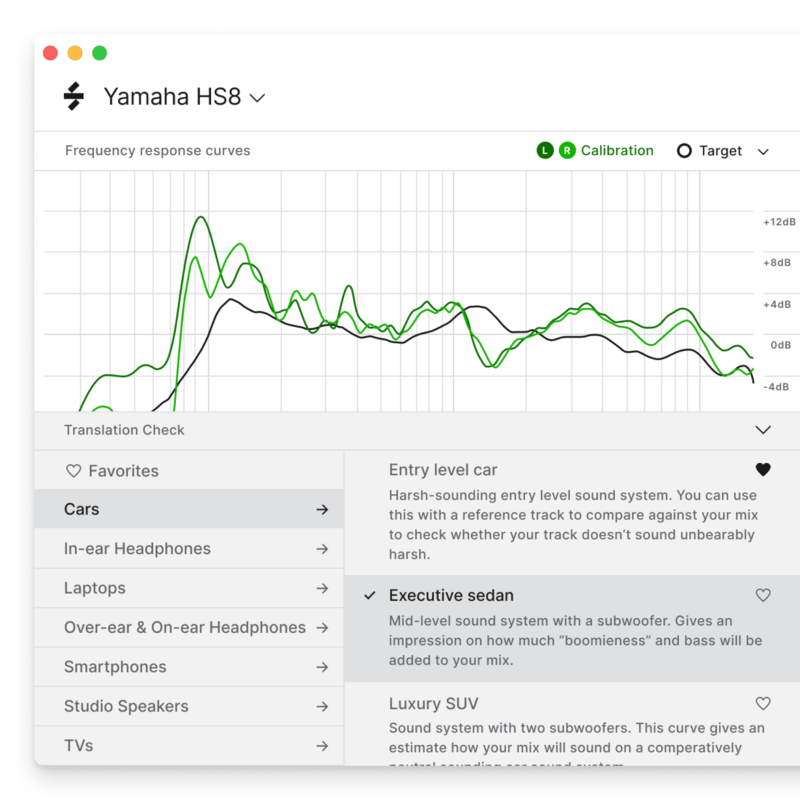
Access a library of 20 predefined simulations that will allow checking the mix in different listening environments.
What's included?
- SoundID Reference app for Headphones
- SoundID Reference DAW plugin (AU, VST, AAX) for Headphones
- 500+ supported headphone models
- Activation key for the product license: the product can be activated and used on 3 machines
Learn more about SoundID Reference for Speakers & Headphones.
Apollo Monitor Correction Add-on for SoundID Reference

Enhance your monitoring with SoundID Reference integrated directly into Universal Audio’s Apollo X Gen 1 and Gen 2 interfaces. This add-on provides top-tier speaker and headphone calibration by Sonarworks, delivering accurate sound from stereo to multichannel with minimal latency. Achieve consistent, professional results across any listening environment, making it a must-have for both audio pros and enthusiasts.
Features
- Speaker and headphone calibration running directly on Apollo X hardware.
- Hardware calibration for popular stereo and surround speaker layouts (from stereo to 9.1.6).
- Hardware calibration for over 500+ supported headphone models.
- Multiple outputs calibrated simultaneously: one speaker profile, and up to two
- headphone profiles (depending on the Apollo X model used)
- Calibrated bass management for stereo speaker setups with subwoofer
- Supported target modes include: Flat, Dolby Atmos Music curve, user Custom
- Target, and various device emulation targets via Translation Check.
- Near-zero latency integrated performance.
What's Included
- Activation key for the Apollo Monitor Correction Add-on product license
- The add-on can be activated and used on 3 devices
Learn more about Apollo Monitor Correction Add-on for SoundID Reference.
System Requirements
macOS
- macOS 11 or higher
- AAX, VST, AU
Windows
- Windows 10 or higher
- AAX, VST, AU
Please note: this is an add-on for SoundID Reference products and will not function on its own.
A valid permanent SoundID Reference license
- SoundID Reference for Headphones - headphone profile integration
- SoundID Reference for Speakers and Headphones - headphone andstereo speaker profile integration
- SoundID Reference for Multichannel - headphone and multichannelspeaker profile integration
A supported Apollo X audio interface
- Apollo X Gen 1: Apollo Twin X Duo/Quad, Apollo Twin X USB, Apollo x4,
- Apollo x6, Apollo x8, Apollo x8p, Apollo x16
- Apollo X Gen 2: Apollo Twin X Duo/Quad, Apollo x4, Apollo x6, Apollo x8,
- Apollo x8p, Apollo x16, Apollo x16D


