/ Referencing Tools / Blue Cat's Re-Head
Blue Cat Audio

Blue Cat's Re-Head

4.5 (115 Reviews)
$49.00
Blue Cat's Re-Head - User Interface 01
Blue Cat's Re-Head - Mixing Room Experience With Headphone Convenience gallery thumbnail
Blue Cat's Re-Head - User Interface 02
Buy Now
Product information

Mixing Room Experience with the Convenience of Headphones

For many audio professionals, listening on headphones is a necessary evil. Perhaps you need headphones when tracking? Perhaps you need to work away from your studio? Or perhaps your studio has that one neighbour that simply can't enjoy your creative output at 3 AM in the morning? Listening through headphones creates an unnatural sound that's quite different from how we hear music from speakers.

Re-Head will create a mixing room experience when using headphones, even when recording distorted guitars and other instruments that tend to sound unnaturally in-your-face in a headphone mix.

At the centre is a head response model that mimics the effect of your own skull on your hearing when listening through loudspeakers. Add to that stereo processing to avoid the hard-panned sound so common in headphones, a spectrum analyzer and EQ. There is even an impulse response representation of your favoured mixing room to let you feel right at home, even when you're not.

Re-Head won't replace your favourite studio monitors, for sure. But it will make the transition from speakers to headphones less dramatic.

Features

  • "Head response" model: get a more natural tone when working with headphones.
  • Adjust the position and the angle between the virtual speakers.
  • Adjust the brightness.
  • Built-in EQ and spectrum analyzer.
  • Impulse response (IR) loader to mimic your listening room, and compensate actual headphones.
  • Flip left and right channels.
  • No latency.

Blue Cat Audio Standards

  • Available in most plug-in formats for Mac and Windows.
  • Full MIDI control and automation support, MIDI Learn.
  • No CPU load on idle: processing shuts down when fed with silence (optimal CPU usage).
  • Customizable user interface with transparency & zoom.
  • Smooth Bypass: noiseless plug-in activation / deactivation.
  • Undo/Redo.
  • Full-featured integrated presets manager.
  • Copy/paste the state of the plug-in between instances.
  • Any sample rate supported.

System Requirements

Windows

  • An SSE2-enabled processor (Pentium 4 or newer).
  • Microsoft Windows Vista, Windows 7, 8 or 10.
  • Any VST / AAX compatible host software (32 / 64 bit).

Mac

  • An Intel processor.
  • macOS 10.7 or newer.
  • Any VST / Audio Unit (32 / 64-bit) / AAX compatible application.
Installation Instructions

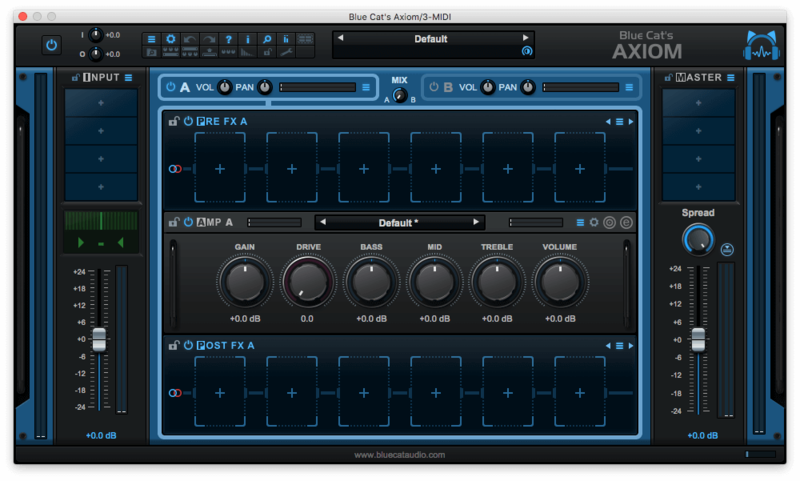
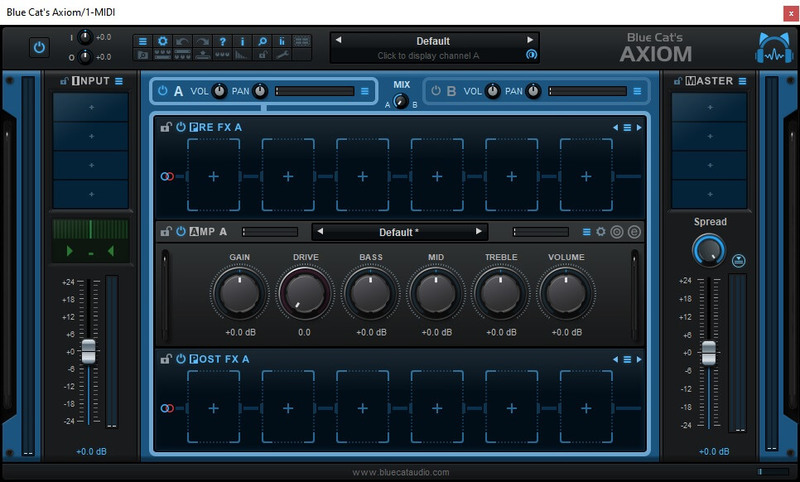
Please note: Blue Cat Axiom is used as an example

Registration

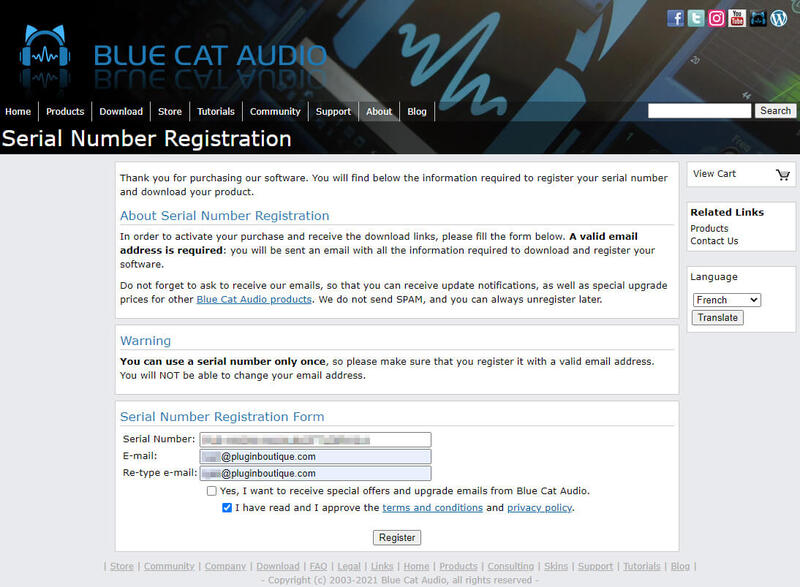
1. Click DOWNLOAD in your Plugin Boutique account or go to https://www.bluecataudio.com/register/serial/.

2. Enter your details > Click 'I have read and I approve of the terms and conditions and privacy policy > Click 'Register'.

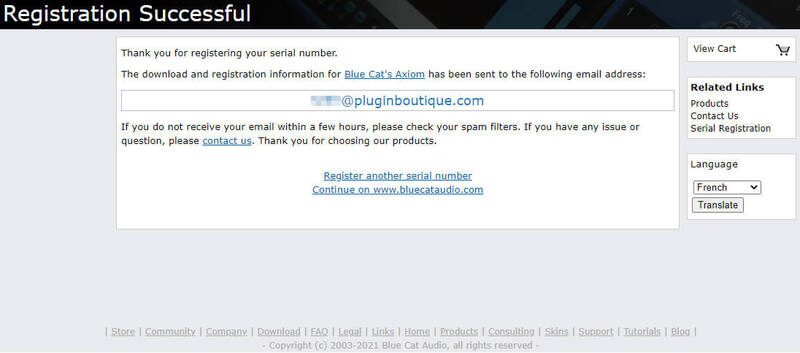
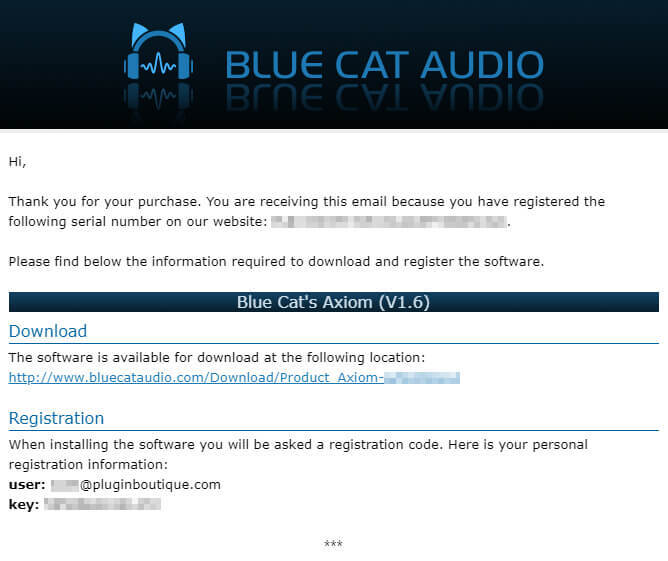
3. Your serial is now registered > Find the email that was sent to you from Blue Cat Audio.

4. Here you can find the product link and your registration details > Click the blue download link.

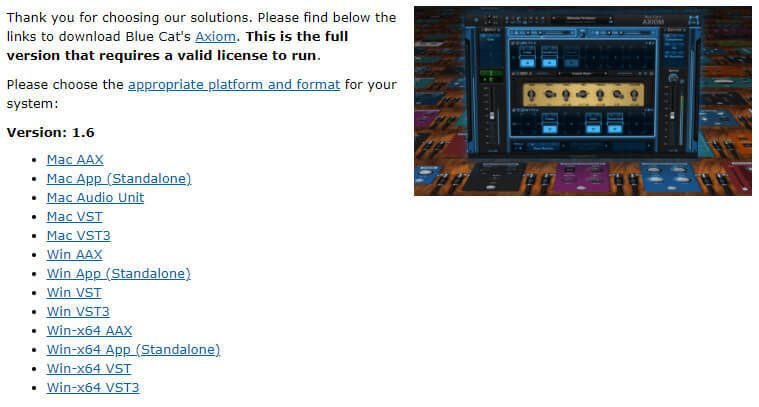
5. Select the appropriate format for your OS & DAW (if you're unsure which format you need, check out our Help Centre guide - Plugin Formats Explained (VST, AU, AAX, etc).

Mac Installation

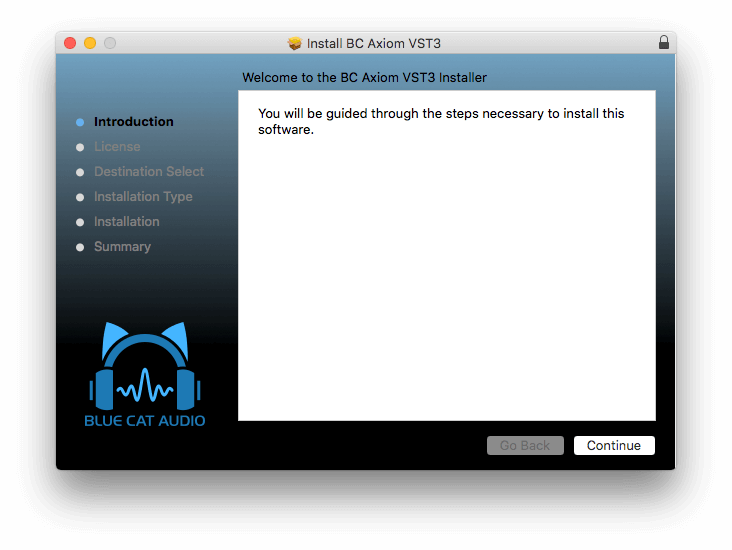
1. Run the .dmg file that you downloaded > Double click the .pkg installer > Click 'Continue'.

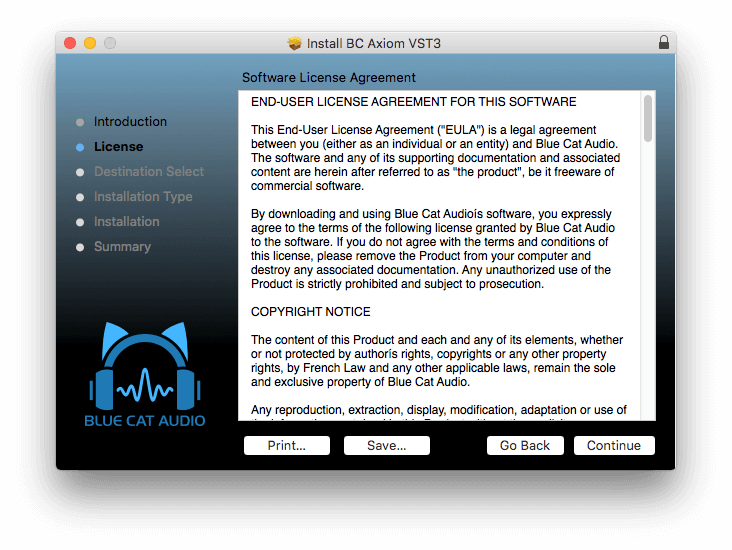
2. Read the Software License Agreement > Click 'Continue'.

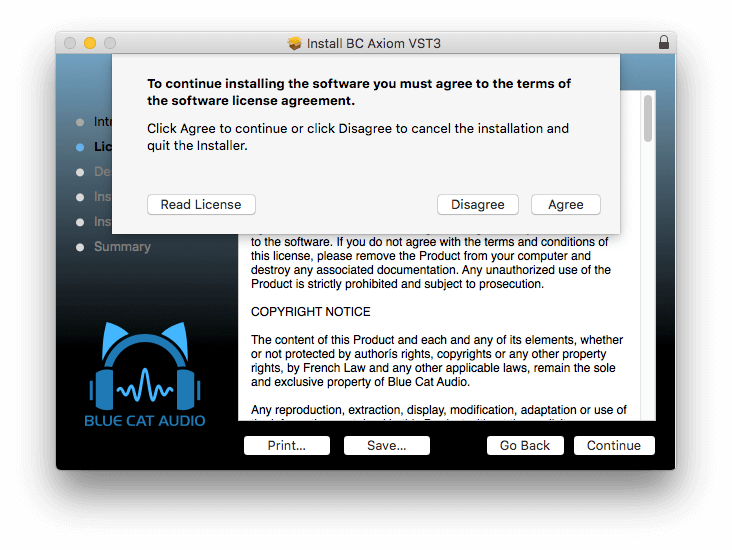
3. Click 'Agree'. 

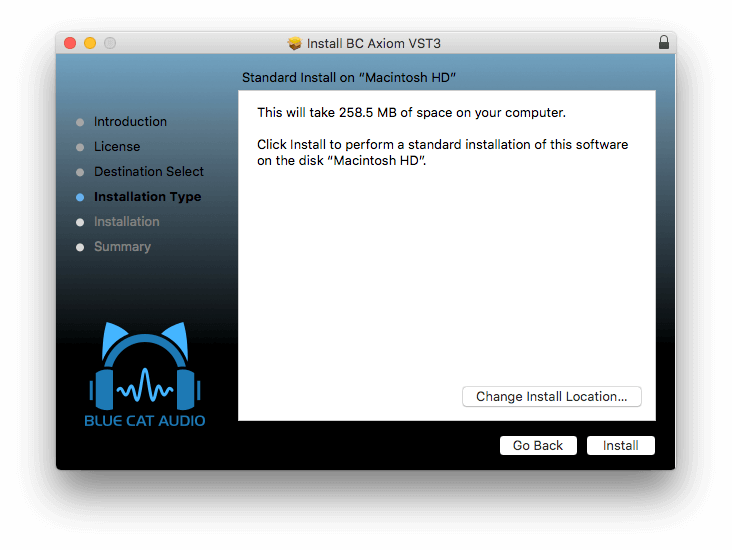
4. Click 'Install'. 

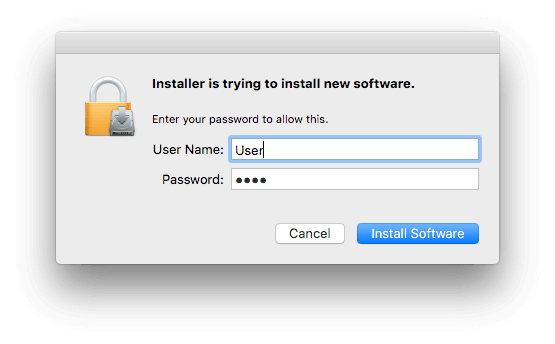
5. Enter your password > Click 'Install Software'.

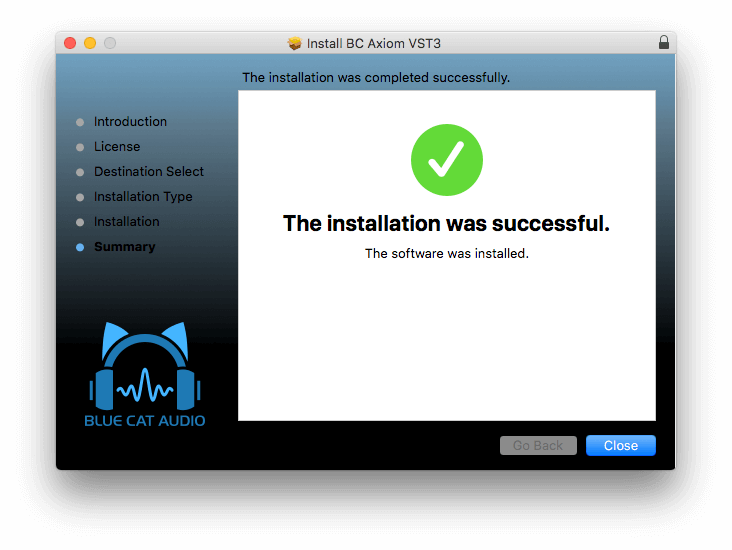
6. Click 'Close'.

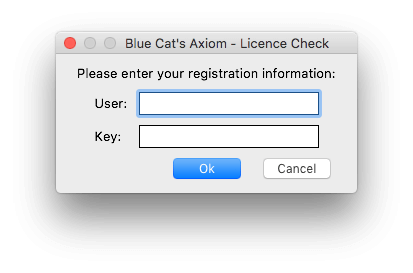
7. Open your new plugin in your DAW > Enter your email address and key that was sent to you via email > Click 'OK.

Your software is now activated and ready to use in your DAW.

Windows Installation

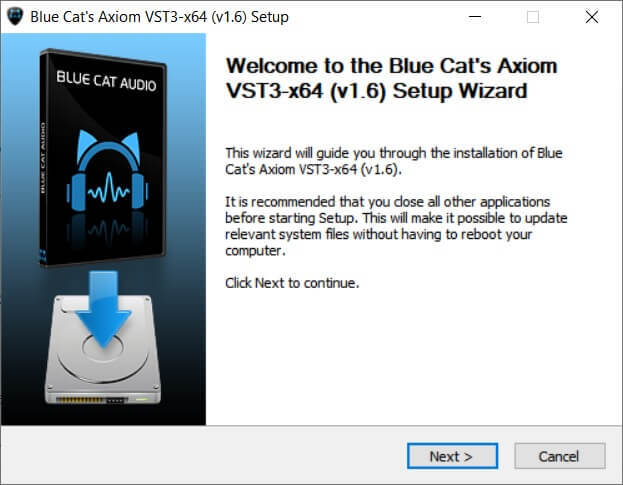
1. Run the installer that you downloaded > Click 'Next >'.

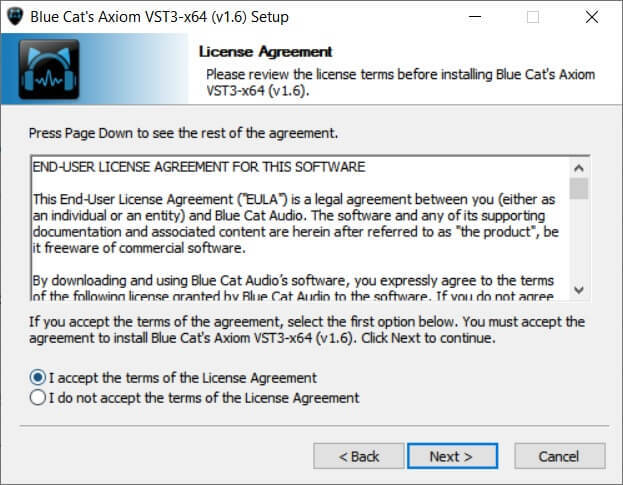
2. Read the License Agreement > Click 'I accept the terms of the License Agreement' > Click 'Next >'.

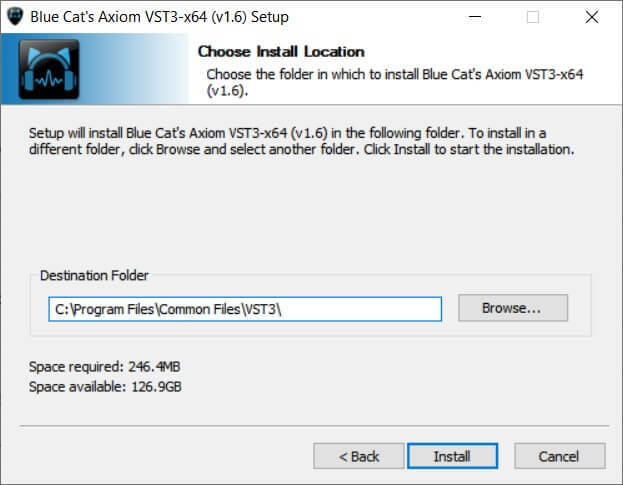
3. Choose the install location (we recommend leaving this at the default) > Click 'Install'. 

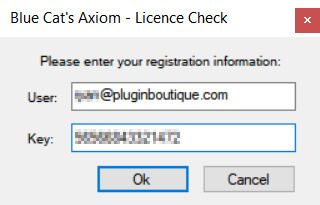
4. Enter your email address and the key that you received via email from Blue Cat Audio > Click 'Ok'.

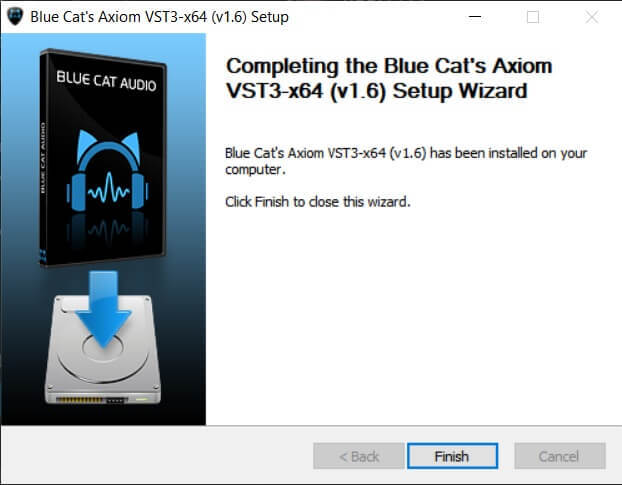
5. Your software is now installed > Click 'Finish'.

Your software is now activated and ready to use in your DAW.

Plugin Boutique Rewards

Discover the most rewarding loyalty programme among all plugin retailers.

  • Free Loopmasters Samplepacks
  • Discounts on products and courses
  • Extra Virtual Cash claimed immediately at checkout
Find out more

Follow us:

X (Twitter) Facebook YouTube Instagram
Logo Logo

Plugin Boutique Limited, Part of the Beatport Group LLC.

Copyright © 2011-2025 Plugin Boutique. All rights reserved