


 Log In


Reference audio from anywhere

Compare audio - The lens that listens
The new Audiolens desktop app makes track referencing and comparison easy by analyzing audio from any streaming platform or audio source. Play your chosen audio through the selected output of your device and the application will collect data on key sonic characteristics, helping you to visualize, compare, and match your favorite reference tracks and sounds.
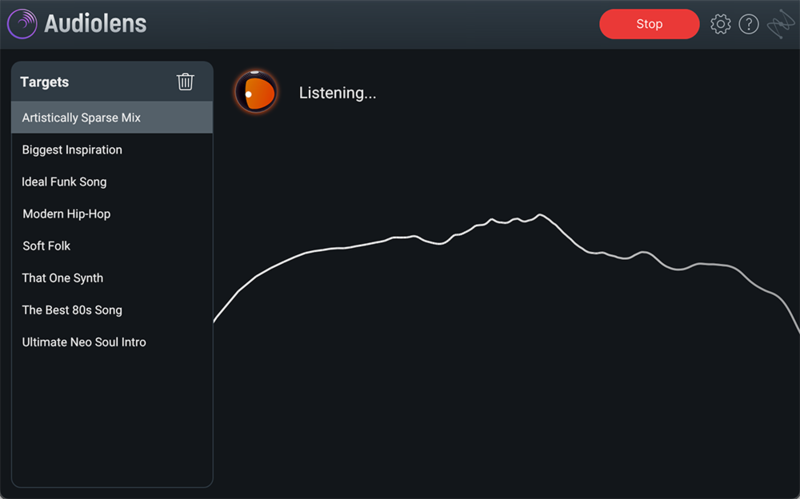
Simply reference from streaming - Straight from the source
Save time by capturing the analysis from Audiolens as a reference track so that you can use it in mixing and mastering without the need for downloading media files or setting up tedious audio routing setups. Integrate seamlessly with iZotope plug-ins Ozone 10 and Neutron 4 where you can match to your references and fine-tune your sound using the AI Assistants.

Use with Ozone 10 - Match any master
Audiolens will automatically populate saved referenced targets to your Ozone 10 Target Library so you can visualize how your master stacks up to your chosen reference. Run the AI-powered Master Assistant to match the tone, dynamics, and width profiles of the desired track to your own master, and dial in additional adjustments using the Assistant View.
*Current Ozone 10 owners should make sure they are on the very latest version of their product. New users can download a 10-day free trial of Ozone 10 here.
Use with Neutron 4 - Intelligent mixing, faster
Audiolens will automatically populate saved reference targets to your Neutron 4 Target Library where they will be analyzed by Neutron’s Assistant. You can then quickly match characteristics within the mix of your own track, whether that’s adding some thump to your bass, crisping up your snare, or making hi-hats sizzle. Further customize your sound by using the Assistant View to dial in your mix elements.
*Current Neutron 4 owners should make sure they are on the very latest version of their product. New users can download a 10-day free trial of Neutron 4 here.
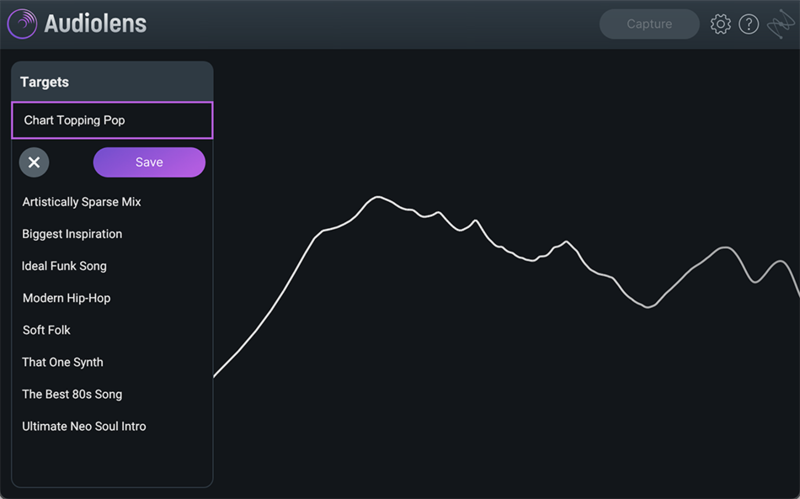
Target Library - Save your faves
Save the tonal data of your references to your Audiolens Target Library to build a personal catalog of reference track data that you can access anytime. Name your tracks so you can quickly find the sounds you want to match and compare tonal balance profiles with ease. The Target Library talks to Ozone 10 and Neutron 4, automatically populating your references to those plug-ins if you have them.
System Requirements
Operating systems
- Mac: macOS Big Sur (11.7.x) — macOS Monterey (12.5.x)*
- Windows: Windows 10 — Windows 11
*Supported on Intel Macs & Apple silicon Macs natively.
Referencing workflow and target library ONLY operates with the following products:
- Ozone 10 Elements (Version from Nov. 23, 2022 onwards), Ozone 10 Standard and Advanced
- Neutron 4 Elements, Neutron 4
Please note
- This software is a standalone application only and will not function in a DAW
- Current Neutron 4 and Ozone 10 owners should make sure they are on the very latest versions by updating the products in the iZotope Product Portal.
Reviews Summary
While it aims to provide a helpful overview, it may not capture every perspective or detail. We encourage you to read individual reviews to make an informed decision.
Users highly praise this plugin as a practical, useful, and accurate tool. It is particularly valued for organizing instruments and comparing music styles, with reviewers expressing strong overall satisfaction.


