


 Log In

Free gifts available with your purchase

Upgrade from VolumeShaper 7
The Ultimate Plugin For Modern Mixes and Infinite Inspiration
Important Note: This is the upgrade path to the Shaperbox 3 Bundle for existing owners of VolumeShaper 7. The standard purchase path for Shaperbox 3 is available HERE, and an alternative upgrade path for existing owners of TimeShaper 3 + VolumeShaper 7 is available HERE.
With power-packed upgrades like Audio Triggering, Sidechain View in VolumeShaper, and the new PitchShaper, ShaperBox 3 is the go-to plugin for inspiration, musical motion and mixing magic.
Each of ShaperBox’s eleven powerful multiband effects – Volume, Time, Drive, Filter, Crush Noise, Pan, Width, Liquid, Reverb, and the new Pitch– is a blank canvas for your creativity. Just add a Shaper and draw any wave shape you can imagine to control the effect, all with a simple visual interface that makes producing fast and fun.
With Cableguys’ easiest ever LFO editing, you can intuitively design fluid sweeps, angled lines, or stepped patterns. Unlock a world of rhythmic exploration and precision production in just a few clicks. Make your music move with effects patterns that sync to your song – or trigger them in any rhythm with MIDI and new Audio Triggering.
Use ShaperBox to turn bland melodies into unique variations. Cook up fresh ear candy from even the most basic samples. Warp the fabric of time with half-speed slooow-downs, glitches, stutters and scratches. Sidechain with total flexibility across three frequency bands. Warp, distort, bitcrush, filter, pan, flange, widen, add noise… And so much more. It’s the ultimate plugin for modern mixes and infinite inspiration.
What is ShaperBox?
ShaperBox is your go-to tool for rhythmic inspiration, musical motion, and mixing magic.
Eleven powerful Cableguys Shaper effects come together in one easy, modern interface.

Break Out Of The Loop
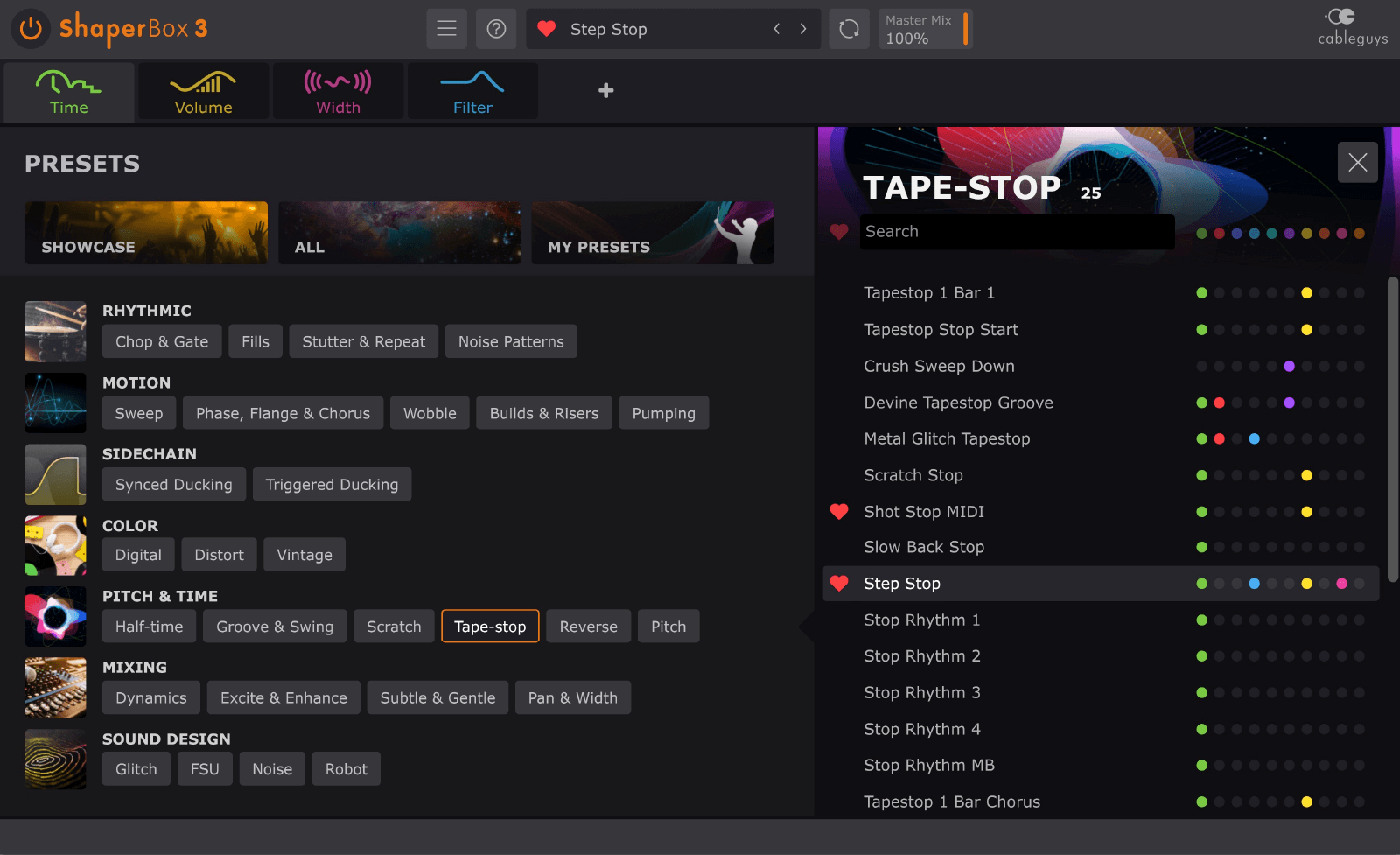
No more waiting for inspiration to strike! Create endless variations on any sound with a browser that makes it easy to find the presets you need. Chop, glitch, stutter, warp, enhance and much more.
Make Your Music Move
Bring out the emotion in your songs with easy drawable LFO waveforms, reactive envelope followers and new audio triggering. Create rhythmic effects that react to your music – or stamp a whole new groove on it.
Solve Complex Mix Problems
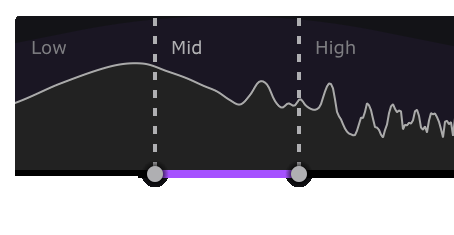
Sculpt your sound in incredible detail with 3-band multiband for every effect. Apply focused enhancement – or erase problem elements of your mix. It’s complex mixing made easy.
New for ShaperBox 3
Audio Triggering
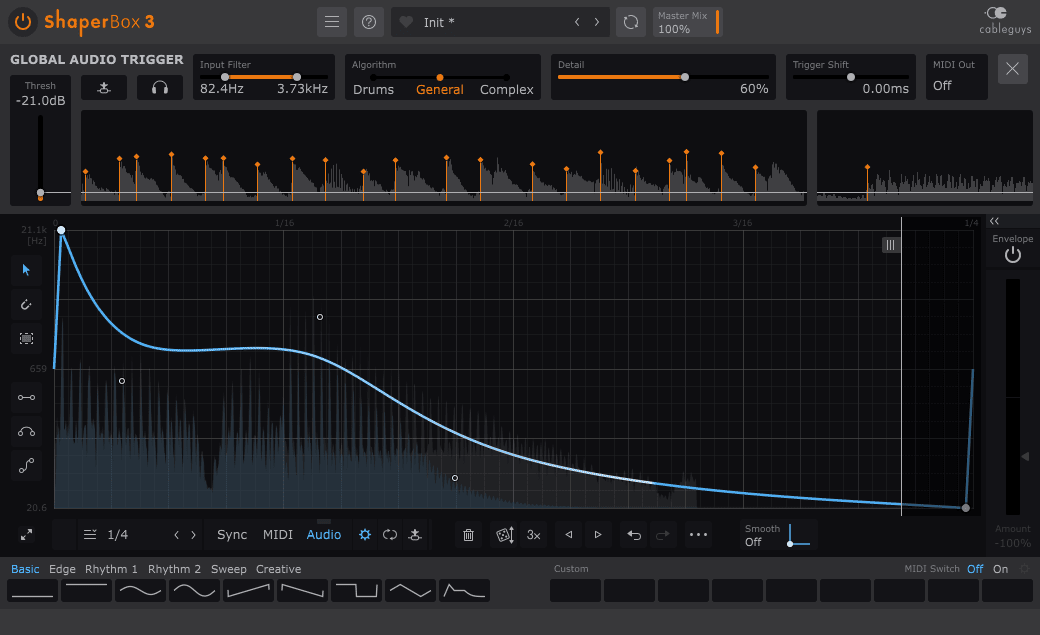
Just switch on the new Audio mode and the LFO restarts with each transient. Now ShaperBox is a powerful transient editor and rhythm-tracking creative effect! Redraw the envelope of any sound to shape dynamics, saturate attack, filter the sustain, and more. Or get creative: trigger tape-stops, filter patterns, noise sequences and more from the natural rhythm of drums, melodies, basslines, real instruments – even full mixes! Go deep with full access to triggering parameters and 3 unique algorithms: Drums, General and Complex.
External Sidechain Input
Want to duck your bass with VolumeShaper, but the kick isn’t 4x4? No problem! Audio Triggering follows any kick rhythm – just turn on the External Sidechain Input. And it’s not only for kicks and sidechain ducking. How about triggering a bitcrushing pattern on your synth every time the snare hits? ShaperBox 3 makes it all possible.
Sidechain View
See your kick drum overlaid on the bassline with VolumeShaper’s new Show External Sidechain feature. Draw the perfect ducking curve to match the contour of your kick, and lock your lows together like never before.
LiquidShaper
Dive deep into sound design! LiquidShaper gives you wild jet-plane flanging and deep, lush phasing in one Shaper. Custom LFO shapes take you far beyond the traditional. Modulate Centre and Feedback independently across 3 frequency bands. Create gentle stereo modulations… or monstrous robotic comb filter FX!
Easiest Ever Editing
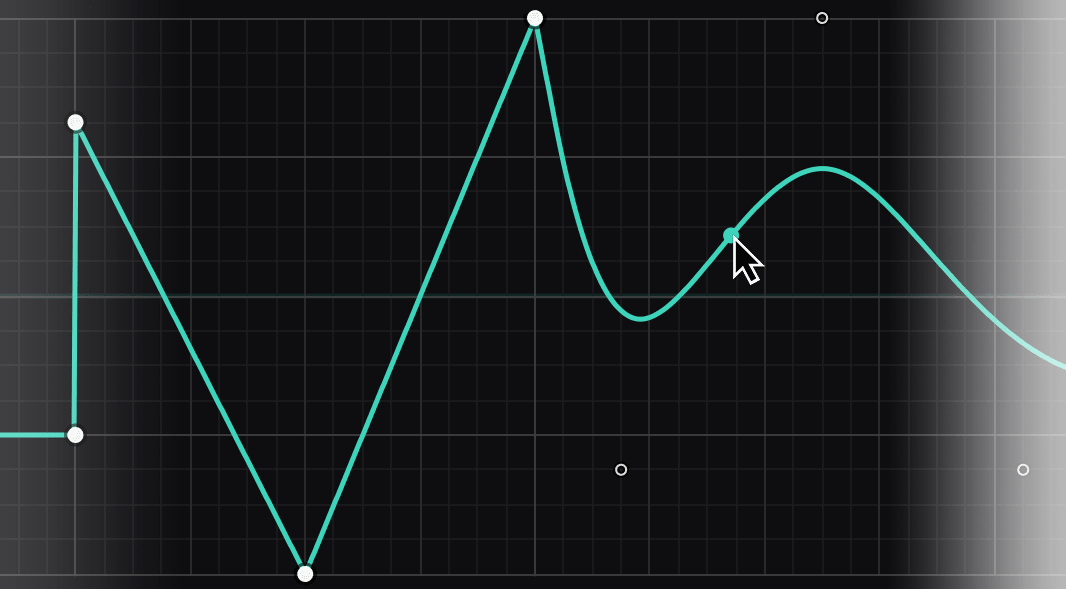
Cableguys’ best-in-class waveform drawing is now even easier, with a more powerful pointer tool that puts all key functions under simple left-click operation. Add angled breakpoints, bend any section into an endlessly flexible curve, make selections and manipulate them, and more. It’s easy, fast and fun.
New Browser
No more waiting for inspiration to strike! ShaperBox 3’s slick new browser makes it easy to find the presets you need, with clear categorisation and fast filtering. Amazing variations for any sound are just clicks away – discover rhythmic chops, groovy fills, motion-packed sweeps, and more.
Compressor Unchained
The multiband Compressor in ShaperBox is now a separate tool that you can insert anywhere in the Shaper chain. Bring even the most complex Shaper chains under dynamic control – or blow them apart with extreme pumping compression.
Improved Mix / Bypass
An improved Master Mix algorithm now gives powerful FX blends that morph smoothly from dry to wet, with no multiband phasing artefacts. And a new master Bypass button gives click-free switching to the original dry signal.
Analogue-like Envelopes Envelope
Followers feature improved Adaptive Release mode, for an even juicier analogue-like response. Get filtering, distortion, noise and more that tightly hug the dynamic contours of beats, basslines – anything – for kinetic, magnetic FX.
Also Included
- VolumeShaper: Lookahead pre-smoothing for click-free MIDI/Audio sidechaining
- LiquidShaper: Positive/negative feedback mode for rich and hollow timbres
- LiquidShaper: 4, 8, 12 or 16 stages of phasing for lush resonance
- CrushShaper: Dynamic Treble control for compensating harshness
- TimeShaper: Time offset display for easier visualization
- Redesigned interface with larger editing areas
Features
Eleven Shaper Effects
Time, Drive, Noise, Liquid, Filter, Crush, Volume, Pan, Reverb and Width Shapers come together in ShaperBox 3.
Experience analogue-like filters, timewarped stutters, multiband distortion, future phaser/flanger FX, punchy compression, super-tight sidechain ducking, mid-side expansion, dynamic noise layering, lo-fi bitcrushing, and much more.
All in one CPU-efficient plugin.

PitchShaper
The new drawable pitchshifter effect in ShaperBox 3.6 is powered by four awesome Cableguys pitch algorithms: Complex, Vocals, Drums and Vintage.
Now you can transpose vocals smoothly – or warp them with beyond-human formant shifts. Stamp stepped patterns or flowing bends onto instruments. And go extreme with glitched‑out drums, instant risers and mind‑altering multiband sequences.
Easier Waveform Editing
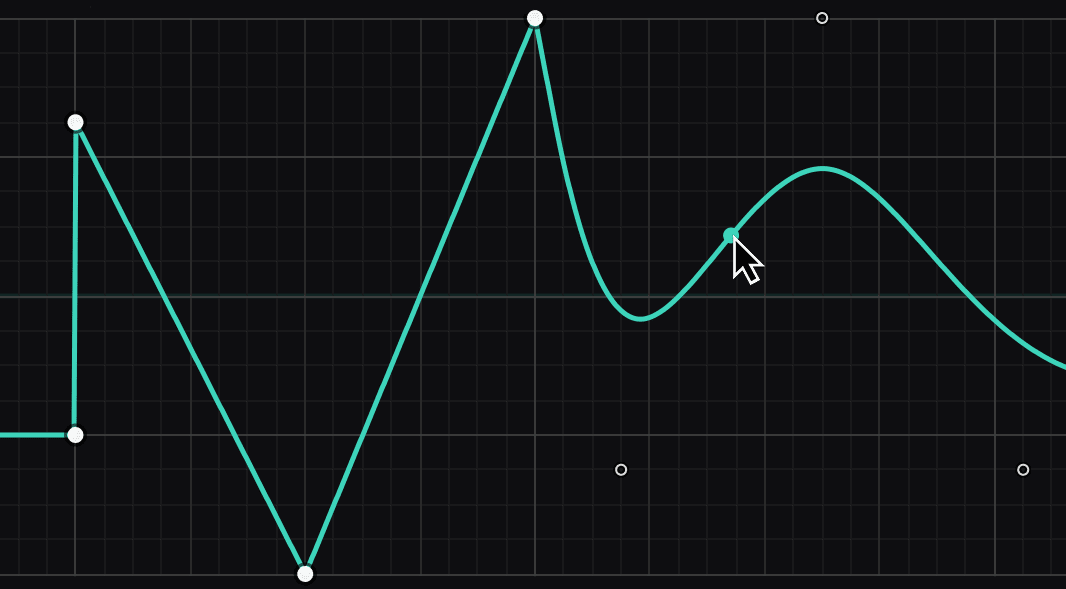
Animate any effect over time with our easiest ever waveform-editing tools. Create curved, stepped, or ramped FX patterns in seconds, and bring rhythmic life to your music.
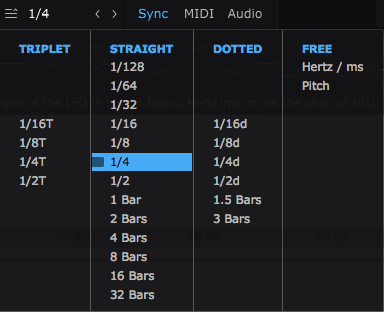
Locks To The Beat
Sync your waveforms to beats and bars so they're always locked to your music. Go from 1/4-note pumping FX to evolving multi-bar patterns and beyond. All with sample-tight accuracy.
Follows Any Rhythm
Now you can trigger all 11 ShaperBox effects with any sound, for reactive time-twists, distortion envelopes, filter plucks, transient design, and any other triggered FX you can imagine.
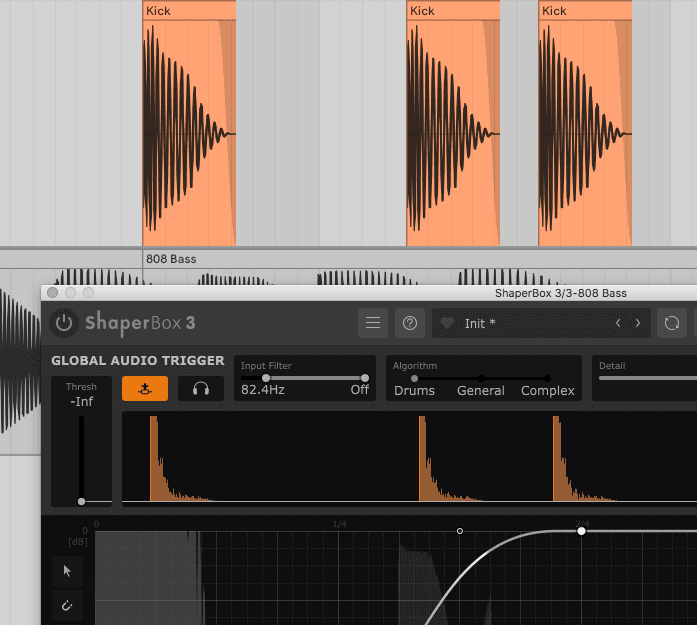
Triggers From Any Track
Want to duck your bass with VolumeShaper, but the kick isn’t 4x4? No problem! Just turn on the External Sidechain Input and Audio Triggering follows any kick rhythm.
And it’s not only for ducking basslines. Want to trigger a bitcrushing pattern on your synth every time the snare hits? Now you can.
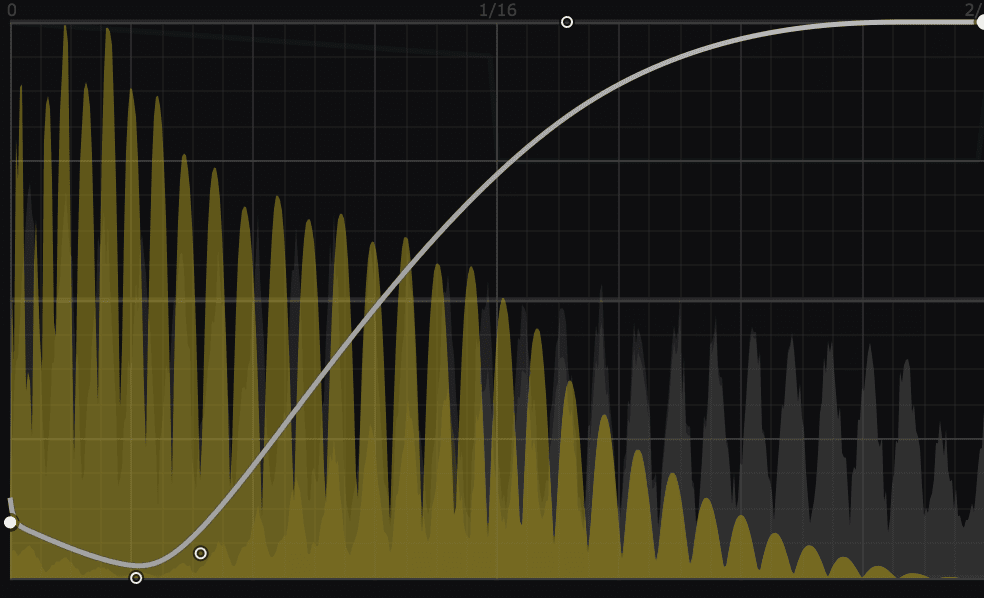
External Sidechain View
See your kick drum overlaid on the bassline with VolumeShaper’s new Show External Sidechain feature. Draw the perfect ducking curve to match the contour of your kick, and lock your lows together like never before.
Multiband Power
Every Shaper can be split into 3 bands, for tightly focused processing. Drive the bass. Stutter the mids. Reverse the highs. All 3 bands get their own LFO and Envelope Follower.
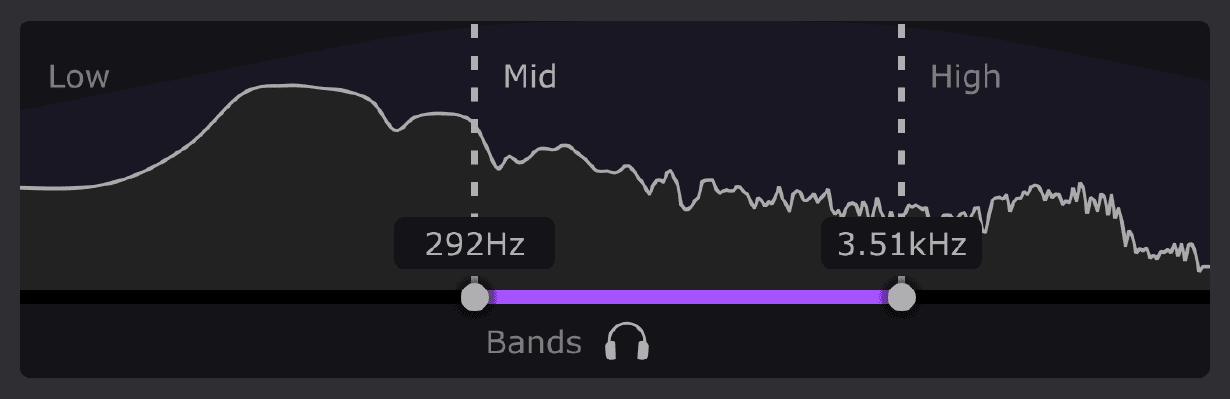
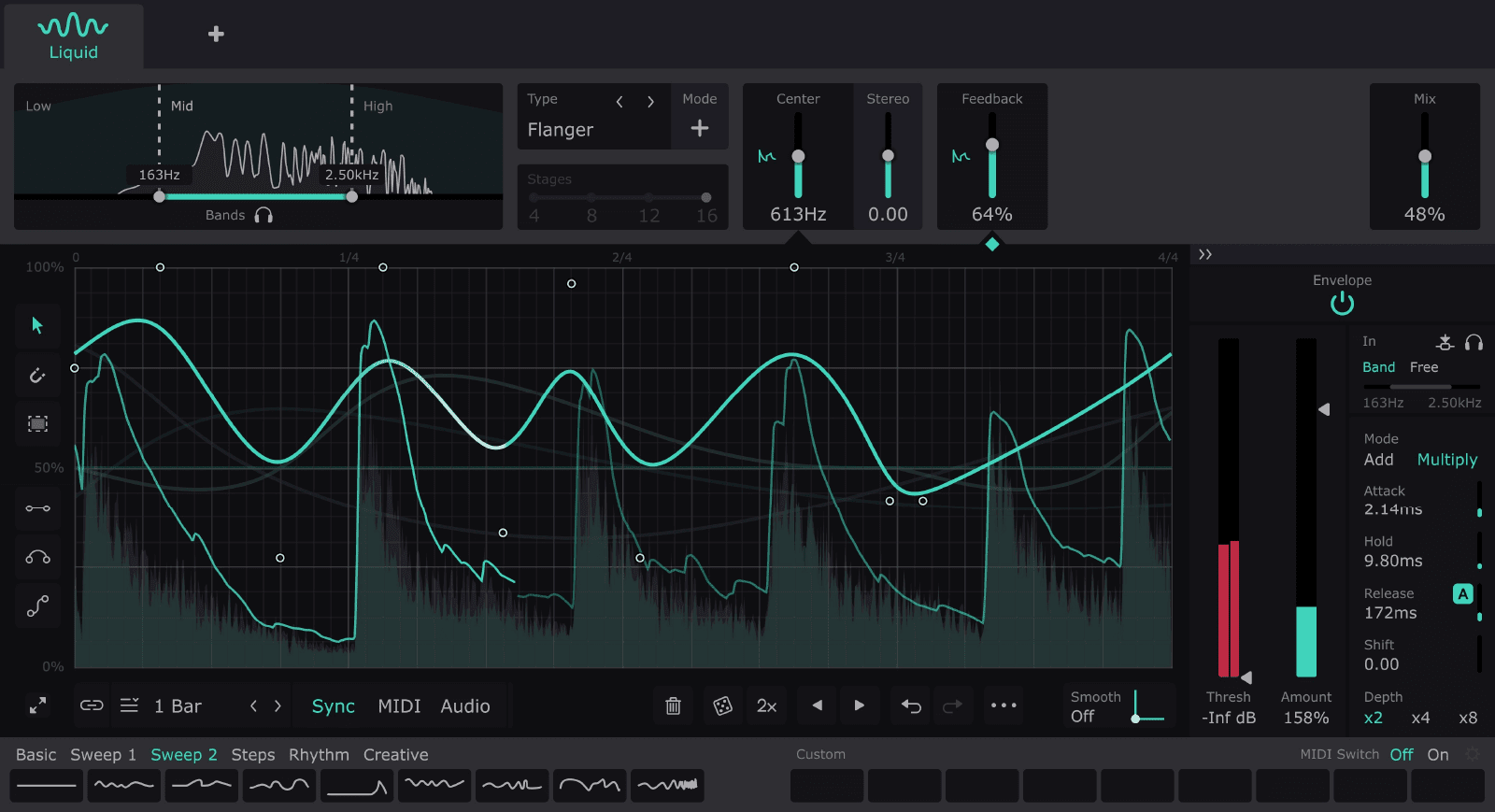
LiquidShaper
Dive deep into sound design! LiquidShaper gives you wild jet-plane flanging and deep, lush phasing in one Shaper. Create gentle stereo modulations… or monstrous robotic comb filter FX.
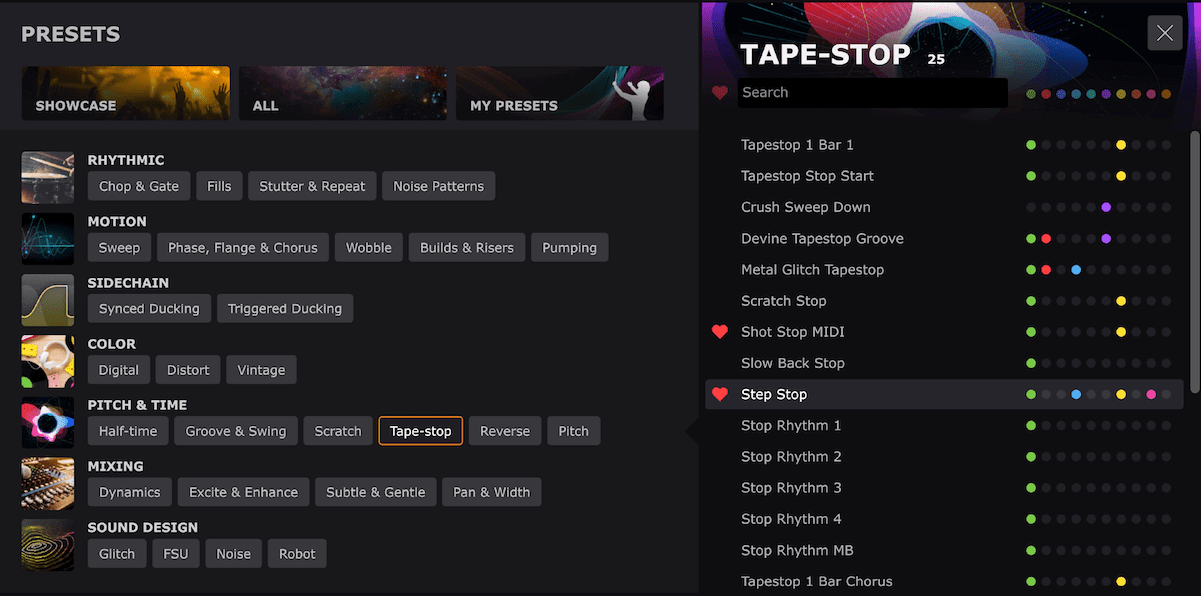
Enhanced Browser
Find your sound in a few clicks with more than 600 cleverly categorised presets. Filter by Shaper, save your faves, and find your custom presets.
Awards

Mac
- Mac OS X 10.13 or later
- Intel or Apple Silicon (Native/Rosetta) processor
- VST 2, VST 3, AU or AAX host sequencer
Windows
- Windows 7, 8, 10 or 11 (64-bit only)
- VST 2, VST 3 or AAX host sequencer


