/ Effects Bundles / Krotos Sound Design Bundle Crossgrade from Weaponiser Fully Loaded
Krotos

Krotos Sound Design Bundle Crossgrade from Weaponiser Fully Loaded

4.0 (1 Reviews)
$171.00 $570.00

70% off until Dec 07

Krotos Sound Design Bundle
Krotos Sound Design Bundle gallery thumbnail
Sound Design from the Sofa Tutorial Part 1 gallery thumbnail
Sound Design from the Sofa Tutorial Part 2 gallery thumbnail
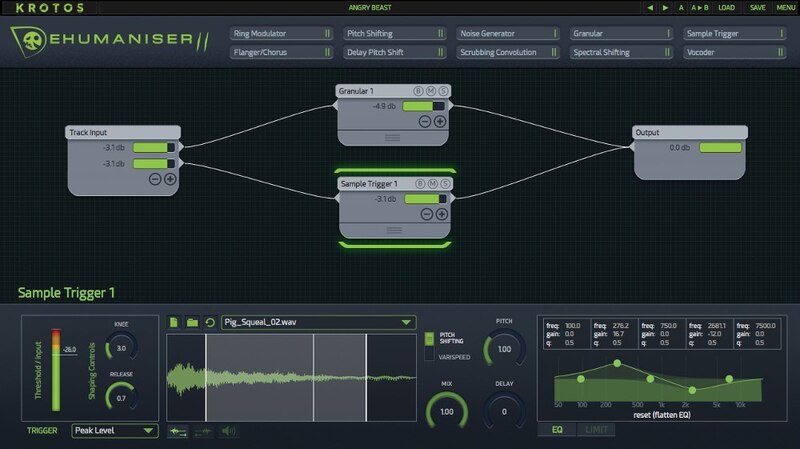
Dehumaniser 2 - User Interface
Dehumaniser 2 gallery thumbnail
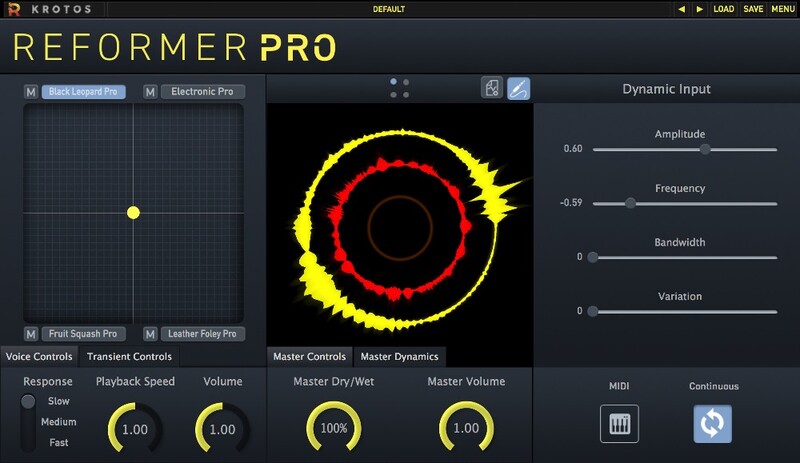
Reformer Pro - User Interface
Reformer Pro - Transform Your Input. Perform Your Sound Design. gallery thumbnail
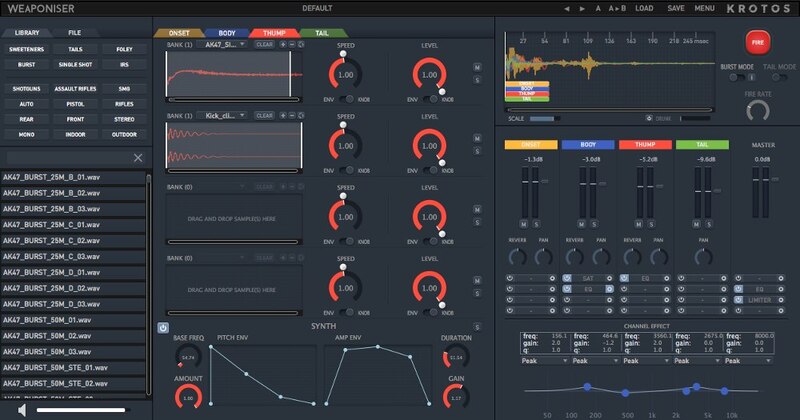
Weaponiser Fully Loaded - User Interface
Weaponiser - The Ultimate Weapon Sound Design Solution gallery thumbnail
Buy Now
Product information

Important note: This is a crossgrade path for owners of Weaponiser Fully Loaded. The standard purchase path can be found HERE.

The Basics

The Sound Design Bundle is a unique offering from Krotos, and includes 3 of their flagship products: Dehumaniser 2Reformer Pro (including the Krotos Bundle 1 Library) and Weaponiser Fully Loaded. Offering a professional solution for all your sound design needs, these unique plugins offer powerful and high-speed creation of sound and voiceover effects, Foley, creature sounds, weapons and much more.

Dehumaniser 2 is a unique sound design tool that produces studio-quality monster and creature sounds in real-time using your voice.

Reformer Pro makes it possible to perform libraries of sound effects – utilising the world’s first Dynamic Input and coming bundled with the Krotos Bundle 1 Library.

Weaponiser Fully Loaded offers the ability to design weapon sounds more easily, efficiently and creatively – all from within one plugin.

What's Included?

  • 7,734 Sounds
  • 11 GB Assets
  • 775 Presets
    • 203 for Dehumaniser
    • 29 Reformer Pro Sound Packs
    • 561 for Weaponiser

Perform Complex Vocal Effects Instantly

Process countless vocal scenarios from within one plugin. No need for additional software.

The Industry Standard Vocal Processor

Dehumaniser 2 is the all-in-one solution that puts vital vocal sound design features at your fingertips, making it the ideal plugin for use in film, TV, video games, live performance, and more.

With 10 essential modules, and over 100 impactful presets, renowned sound designers have used Dehumaniser 2 to bring other-worldly characters to life in blockbusters like Avengers: Age of Ultron, The Jungle Book, Far Cry 4, The Conjuring, and Stranger Things.

This versatile vocal processor eliminates the difficulty of setting up complex processing chains and allows designers to jump right into their creative work.

Learn more about Dehumaniser 2.

Perform Sound Effects Without a Foley Pit

Used by audio professionals to perform realistic Foley within your DAW. Save time by skipping the tedious cut, drag, and drop workflow.

Turn Your Own Sounds Into A Digital Foley Stage

  • Import your own sounds with the Analysis Tool
  • Perform nuanced sound design to picture
  • Blend multiple sound libraries simultaneously

Go Beyond Just Editing Sound Libraries

Reformer Pro allows you to replace any input audio, in real-time. Unlike traditional sound editing, you can add responsive cloth Foley to any scene in minutes.

Will I Use It Enough?

Every sound designer needs Foley. Reformer Pro will become your go-to plugin for every project. When you need to add textures, extra layers, surfaces, or completely replace a sound, Reformer Pro is ready to perform.

That’s why so many experienced sound designers say, “Reformer Pro is in my template”.

Learn more about Reformer Pro.

Don’t Sound Generic. Stun Your Audience With Unique Sound Effects.

Sound design faster than ever before. Create original sound effects in a matter of seconds.

The Ultimate Sound Collection for Weaponiser, with these massive expansion libraries already included, in full:

  • Footsteps
  • User Interfaces
  • Whooshes
  • Trailers
  • Magic

Infinite Sound Variations in Minutes

Weaponiser is a powerful sound design sampler that lets you design, customise, and perform a huge range of sound effects quickly – all from within one plugin.

Design Sound Effects Faster than Ever Before

Create assets and fully-fledged sounds quickly and effortlessly with a drag and drop, multi-sample interface.

Learn more about Weaponiser Fully Loaded.

System Requirements

Mac

  • (M1/M2 Mac Supported)
  • 4 GB of RAM
  • OS X 10.9 or later

Windows

  • 2.4 GHz Intel Dual Core Processor
  • 4 GB of RAM
  • Windows 7 or later

Other Information

  • 1.88 GB Hard Disk space for Reformer Pro
  • This software is a digital download
  • Formats (32-bit and 64-bit): AAX Native/AudioSuite, VST, AU
  • Minimum sample rate: 44.1 kHz
  • Maximum sample rate: 192 kHz
  • RTAS is not supported
  • Screen resolution of 1280×1024 or higher
  • An internet connection is required at the time of activation
  • A free iLok account is required to activate and use both the demo and full version of the software - an iLok USB dongle is NOT required
  • Pro Tools (10.3.5 and above), Reaper, Logic Pro X, Nuendo (7 and above), Cubase (8 and above) and Ableton Live (9 and above)
  • Krotos products can only be activated on one computer at a time

Note: A free iLok account is required in order to activate this product. An iLok USB dongle is NOT required.

Testimonials

Paul Lipson

"Reformer is a brilliant first step into a new workflow."

Paula Fairfield

"Reformer is insanely awesome."

David Farmer

"Instantly, Reformer is a brand new approach and a very creatively inspired tool."
Installation Instructions

Important Notes:

  • Dehumaniser Simple Monsters is used as an example.
  • This product requires a free iLok account and a copy of iLok license manager to be installed on your computer. A physical iLok USB dongle is NOT required.
  • Registering and logging into your Krotos account is required before activating the plugin - please follow the below registration steps before activating.

Registration (Neccessary to complete first)

1. Go to https://www.krotosaudio.com/ > Click the 'user' icon in the top right corner.

2. Enter your details and click 'Register' > If you already have a Krotos account, log in as usual.

Activation

Mac

iLok Registration

1. Go to https://www.ilok.com/#!registration > Fill out all of the relevant fields marked with an asterisk (*) and click 'Continue'.

2. Go to https://www.ilok.com/#!license-manager > Download and install the iLok License Manager.

Krotos Registration

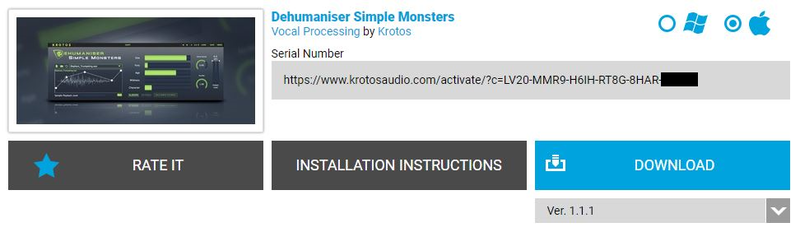
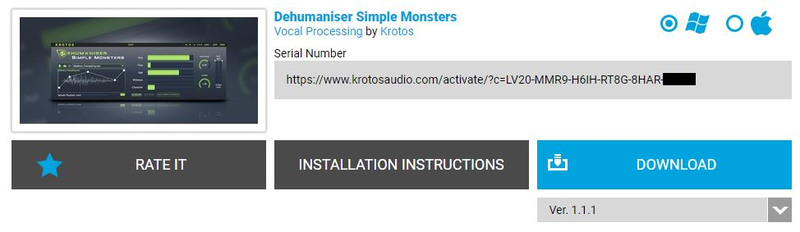
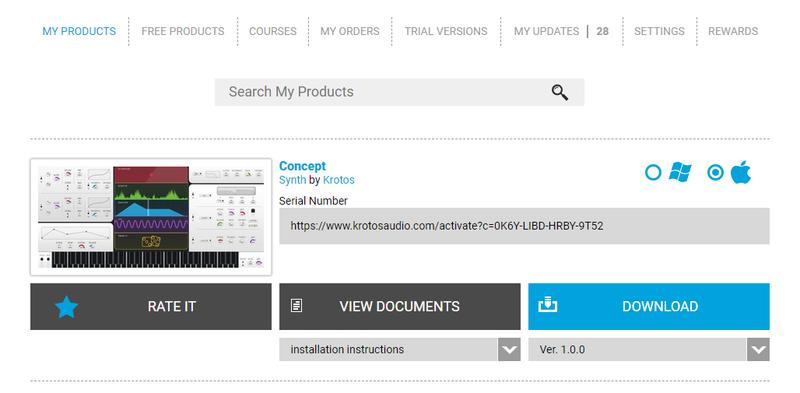
1. Go to your Plugin Boutique User Account and copy the URL found in the serial number section of your purchased product > Paste the URL into your web browser and press enter.

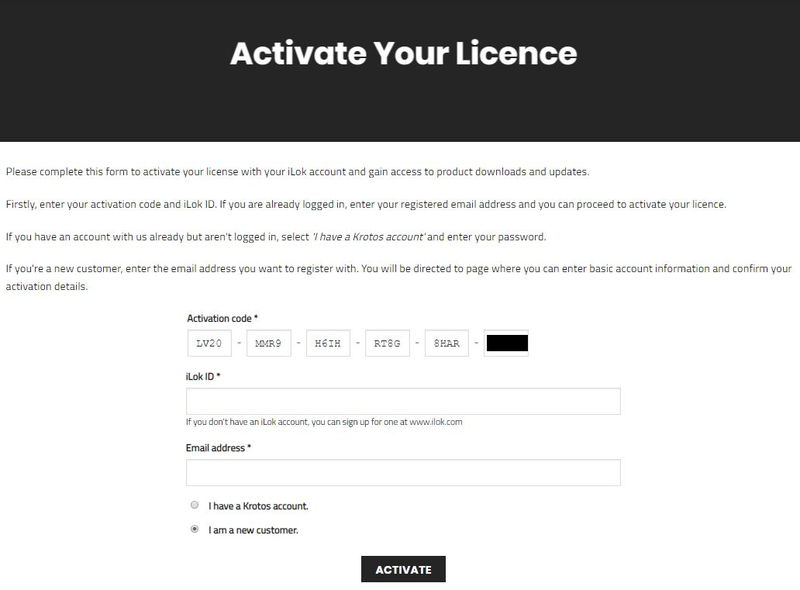
2. Fill out the relevant fields marked with an asterisk (*), including the iLok ID that you chose in step 1 of the iLok Registration instructions > Select 'I am a new customer' and click 'Activate'.

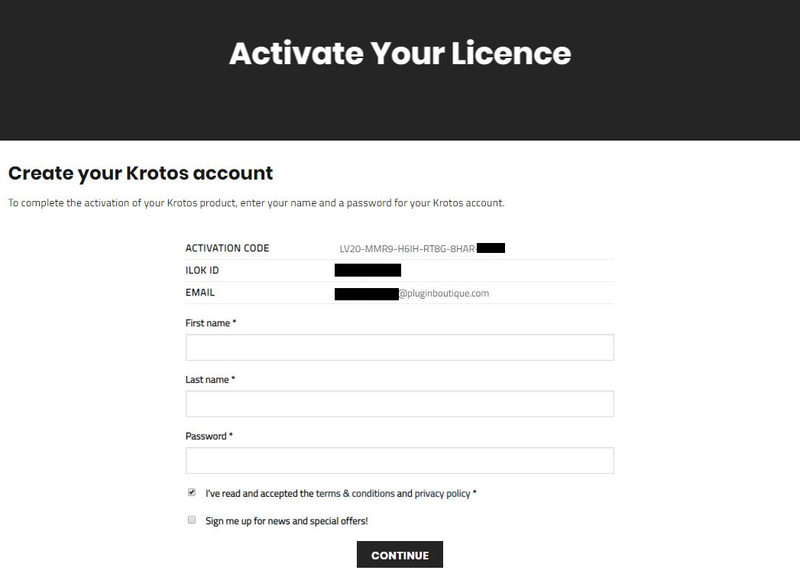
3. Enter your name and password of choice > Select 'I've read and accepted the terms and conditions and privacy policy' and click 'Continue'.

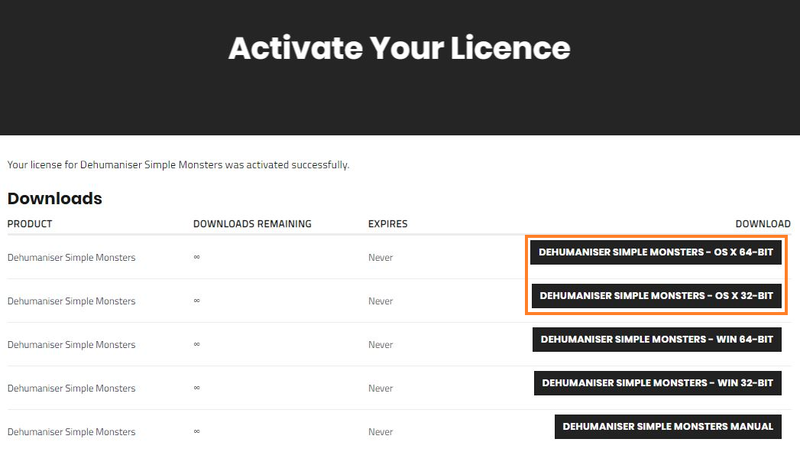
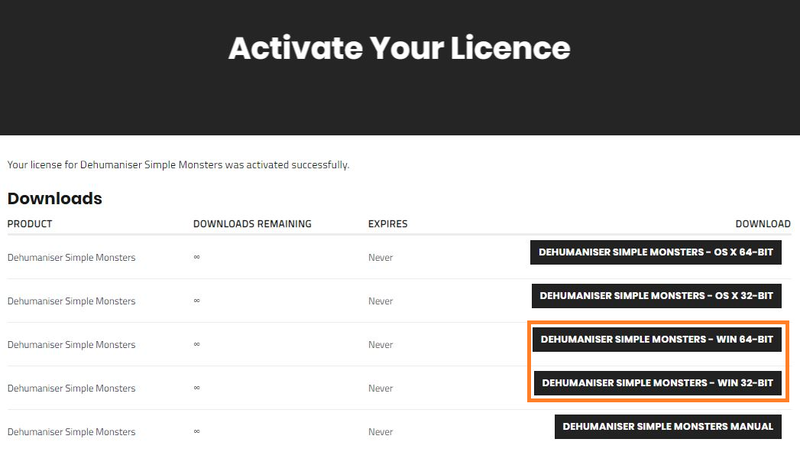
4. Download the Windows installer.

Installation

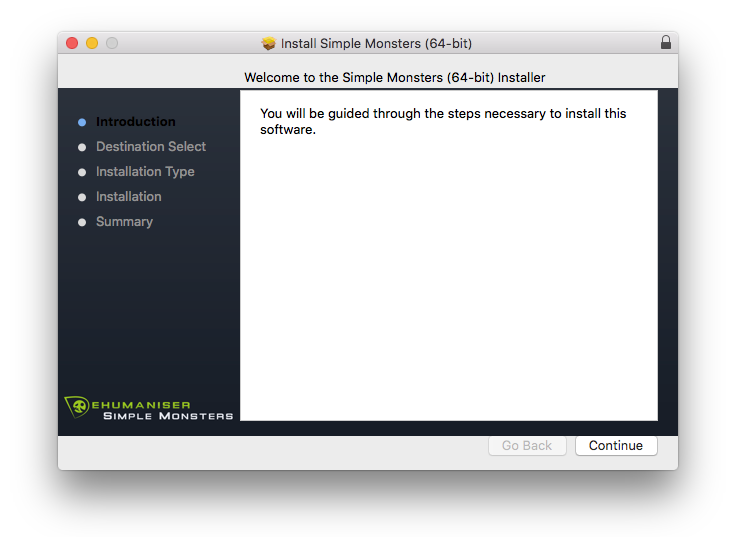
1. Double-click the downloaded .zip file to extract the contents and open the .pkg file to begin the installation > Click 'Continue'.

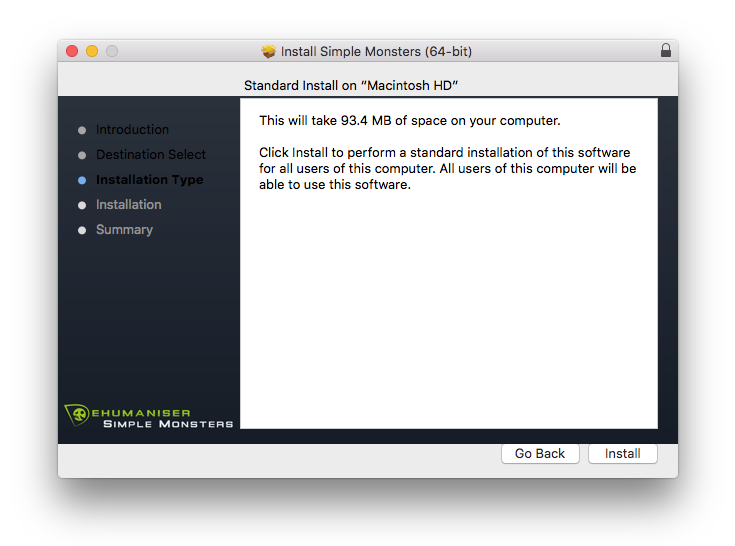
2. Click 'Install'.

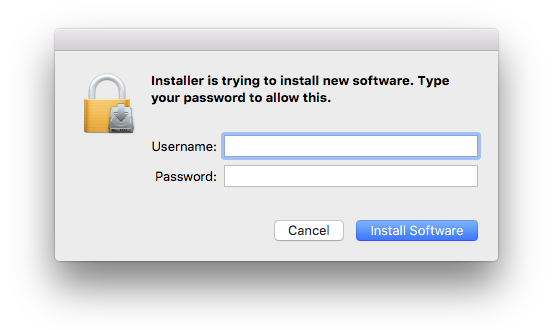
3. Enter your computer Username and Password > Click 'Install Software'.

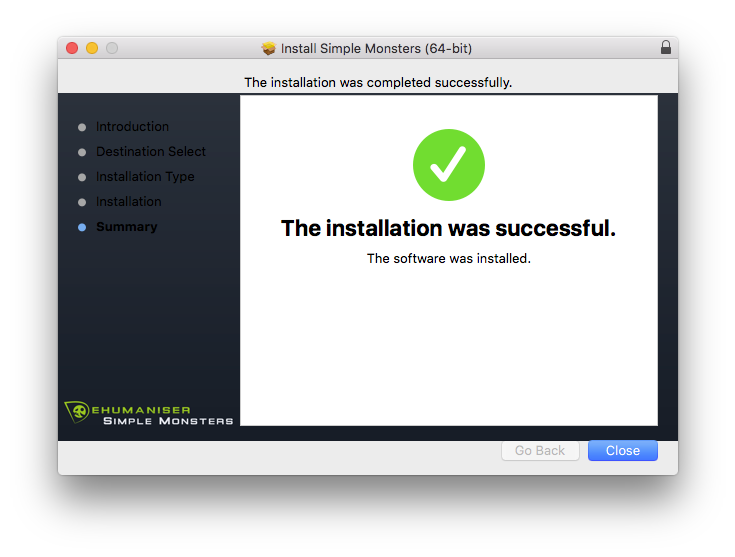
4. Click 'Close'.

Activation

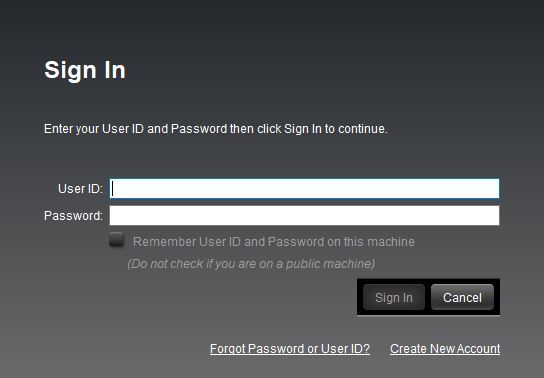
1. Open the iLok License Manager > Click 'Sign In'.

2. Enter your iLok User ID and Password > Click 'Sign In'.

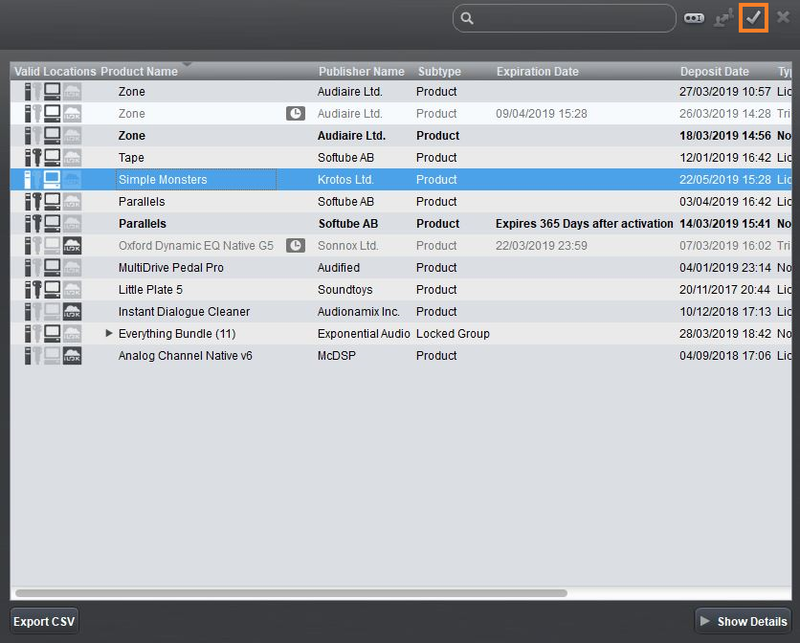
3. Select your recently installed product from the list > Click the tick icon in the top right corner of the application window.

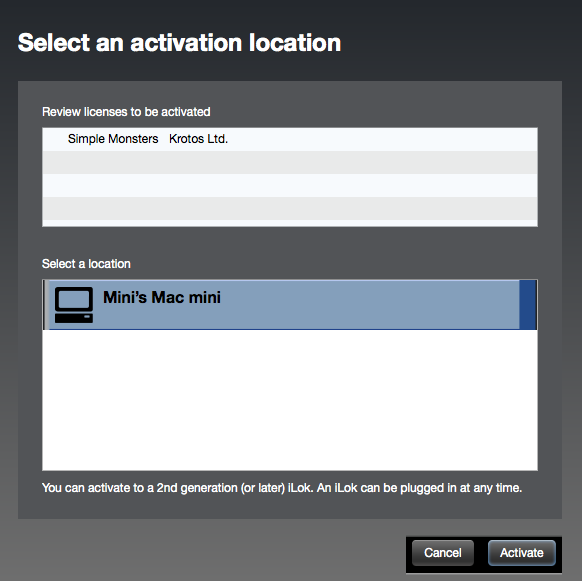
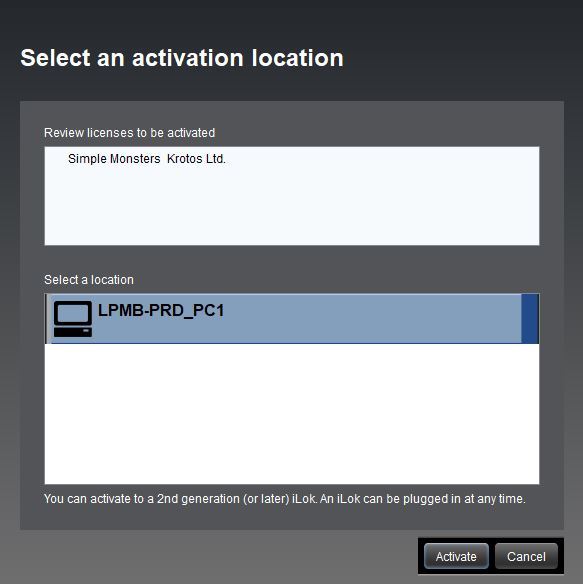
4. Select the location you wish to activate your license - this can be your computer or an iLok USB dongle > Click 'Activate'.

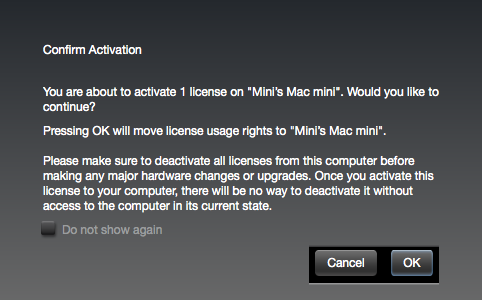
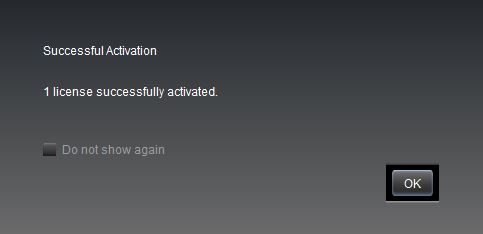
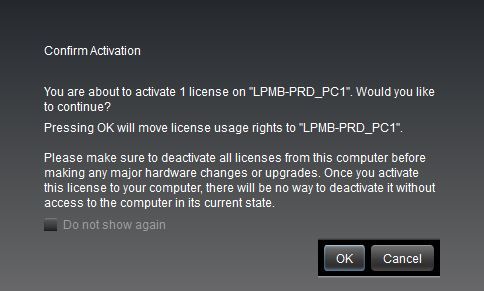
5. Click 'Ok'.

6. Click 'Ok'.

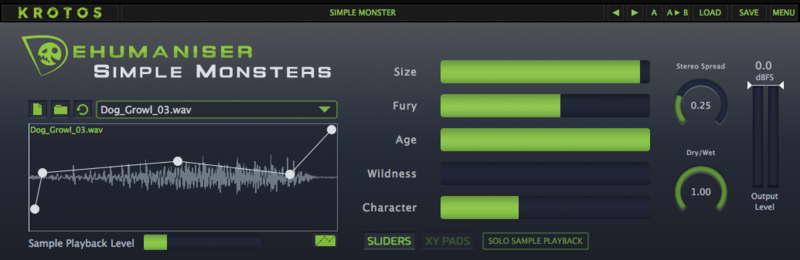
7. Open the recently installed plugin in your DAW.

Note: If your plugin fails to appear, re-scan your plugin selection in your DAW.

Your software is now activated and ready to use.

Windows

iLok Registration

1. Go to https://www.ilok.com/#!registration > Fill out all of the relevant fields marked with an asterisk (*) and click 'Continue'.

2. Go to https://www.ilok.com/#!license-manager > Download and install the iLok License Manager.

Krotos Registration

1. Go to your Plugin Boutique User Account and copy the URL found in the serial number section of your purchased product > Paste the URL into your web browser and press enter.

2. Fill out the relevant fields marked with an asterisk (*), including the iLok ID that you chose in step 1 of the iLok Registration instructions > Select 'I am a new customer' and click 'Activate'.

3. Enter your name and password of choice > Select 'I've read and accepted the terms and conditions and privacy policy' and click 'Continue'.

4. Download the Windows installer.

Installation

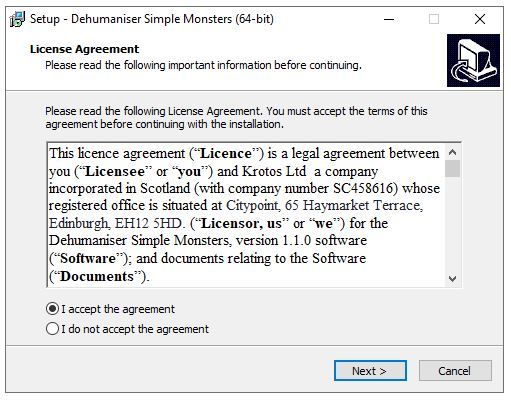
1. Double-click the downloaded .zip file to extract the contents and open the .exe file to begin the installation > Select 'I accept the agreement' and click 'Next'.

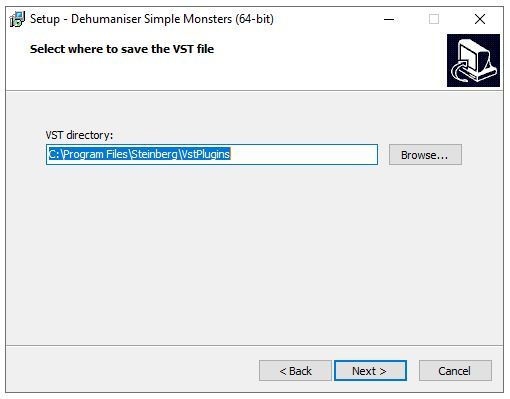
2. Click 'Next'.

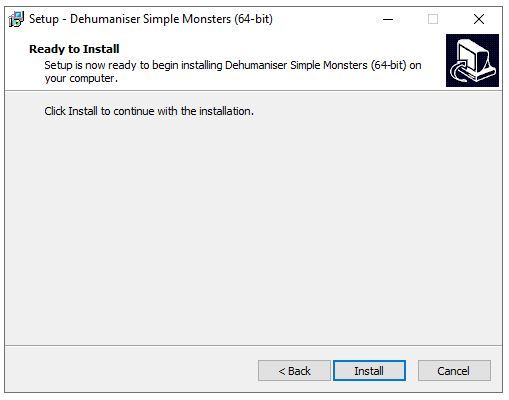
3. Click 'Install'.

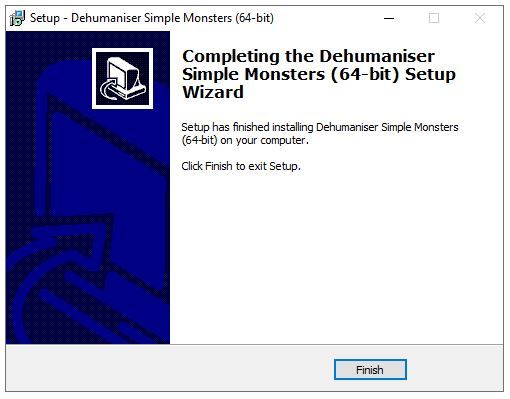
4. Click 'Finish'.

Activation

1. Open the iLok License Manager > Click 'Sign In'.

2. Enter your iLok User ID and Password > Click 'Sign In'.

3. Select your recently installed product from the list > Click the tick icon in the top right corner of the application window.

4. Select the location you wish to activate your license - this can be your computer or an iLok USB dongle > Click 'Activate'.

5. Click 'Ok'.

6. Click 'Ok'.

7. Open the recently installed plugin in your DAW.

Note: If your plugin fails to appear, re-scan your plugin selection in your DAW.

Your software is now activated and ready to use.

Krotos Concept Installation Instructions

Mac

Registration

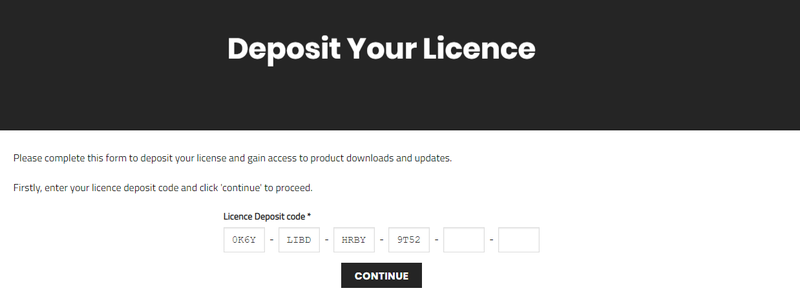
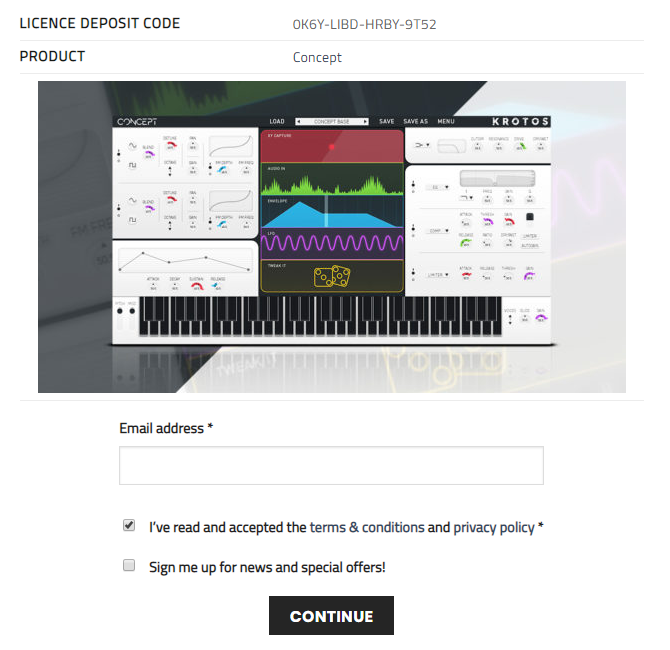
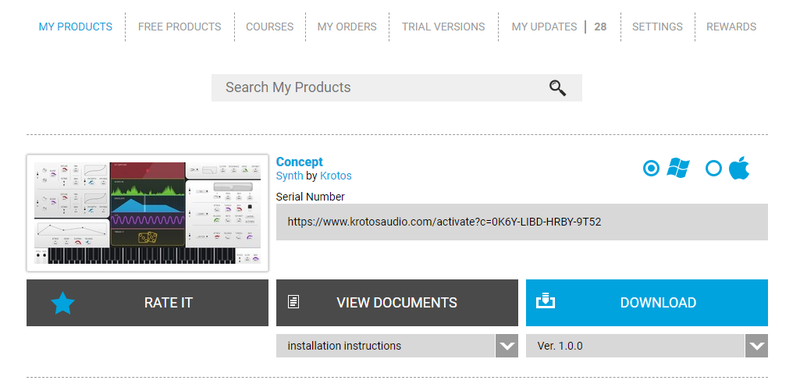
1. Go to your Plugin Boutique User Account > Copy and paste the serial number into your web browser and press enter on your keyboard.

2. Click 'Continue'.

3. Enter your email address and check the box that states 'I've read and accepted the terms & conditions and privacy policy' > Click 'Continue'.

Installation

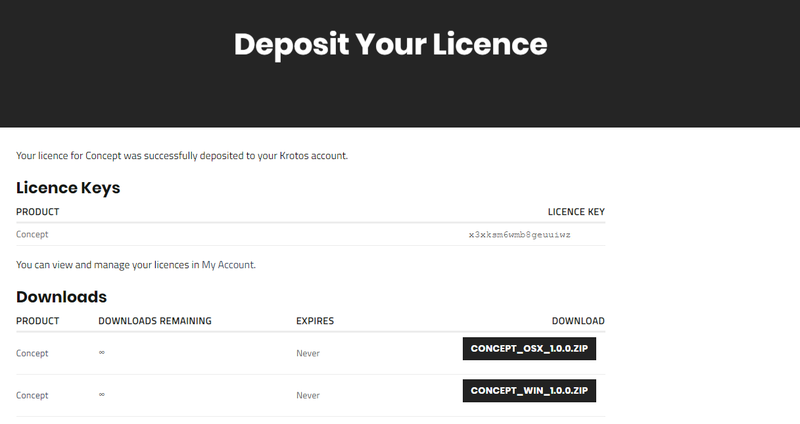
1. Download your Windows installer by clicking the button that reads 'CONCEPT_OSX_1.0.0.ZIP'.

Note: You will need your License Key for step 1 of the activation process.

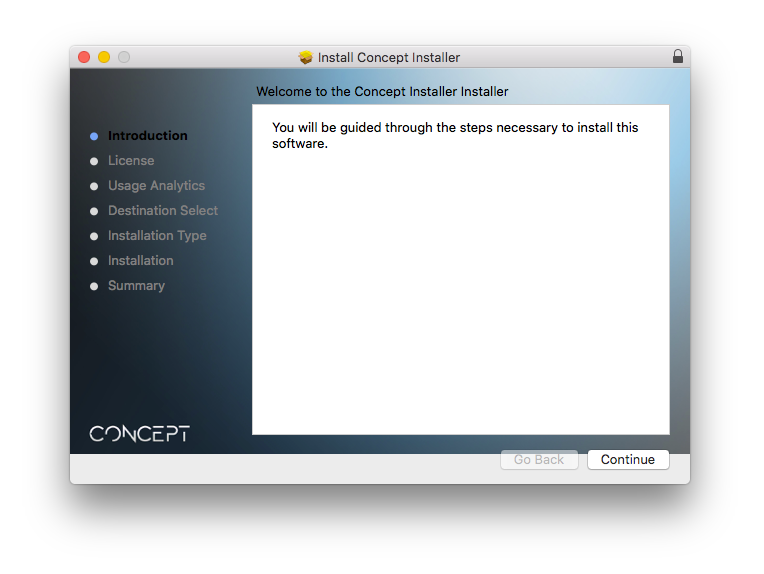
2. Double-click the .zip file to extract the contents > Open the .pkg file to begin the installation and click 'Continue'.

3. Click 'Continue'.

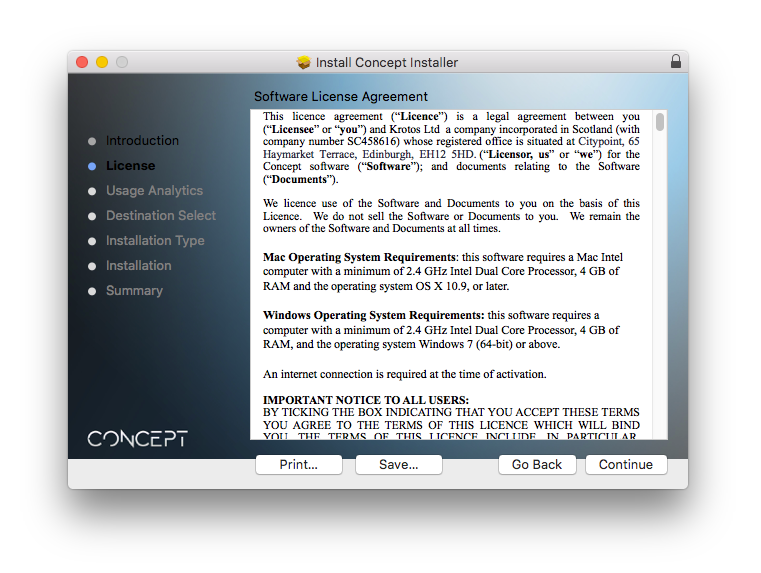
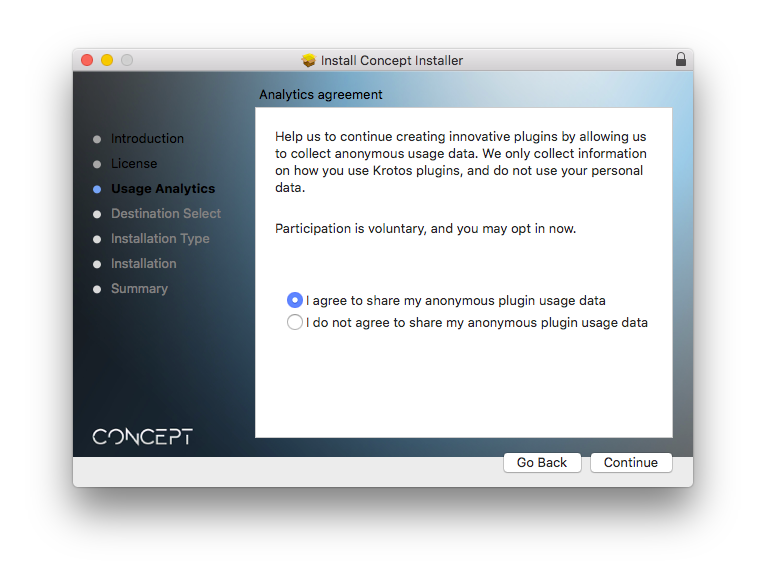
4. Select whether you agree to share your anonymous plugin usage data or not > Click 'Continue'.

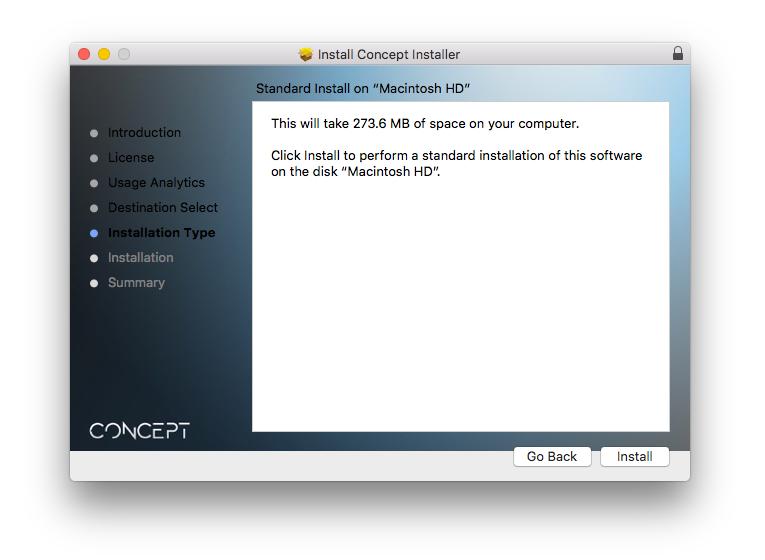
5. Click 'Install'.

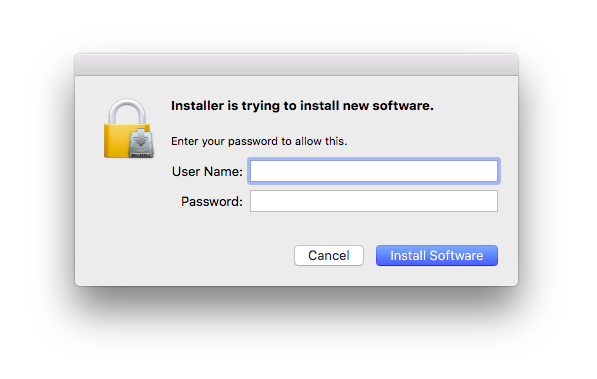
6. Enter your computer User Name and Password > Click 'Install Software'.

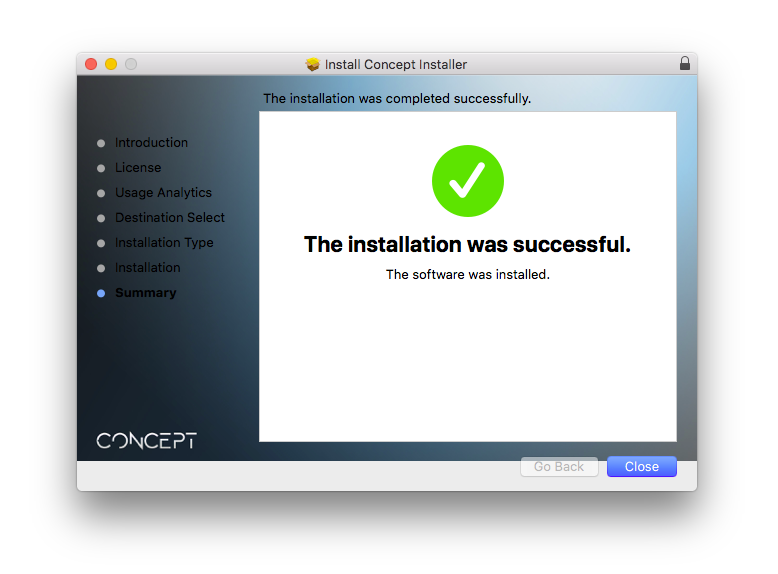
7. Click 'Close'.

Activation

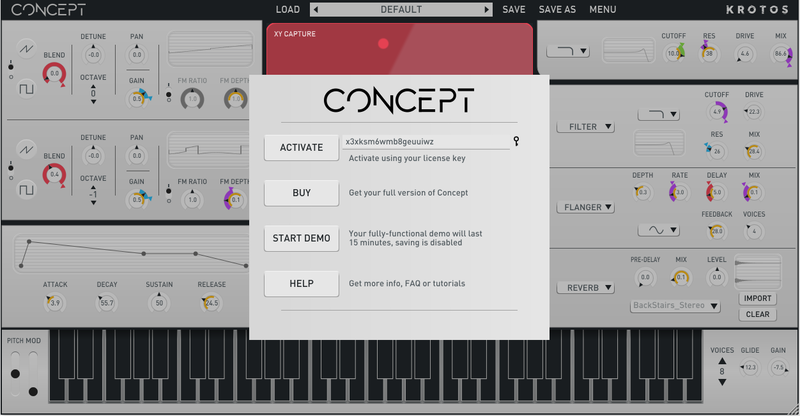
1. Open the newly installed software within your DAW > Copy and paste the License Key from step 1 of the installation process > Click 'Activate'.

Your software is now activated and ready to use within your DAW.

Windows

Registration

1. Go to your Plugin Boutique User Account > Copy and paste the serial number into your web browser and press enter on your keyboard.

2. Click 'Continue'.

3. Enter your email address and check the box that states 'I've read and accepted the terms & conditions and privacy policy' > Click 'Continue'.

Installation

1. Download your Windows installer by clicking the button that reads 'CONCEPT_WIN_1.0.0.ZIP'.

Note: You will need your License Key for step 1 of the activation process.

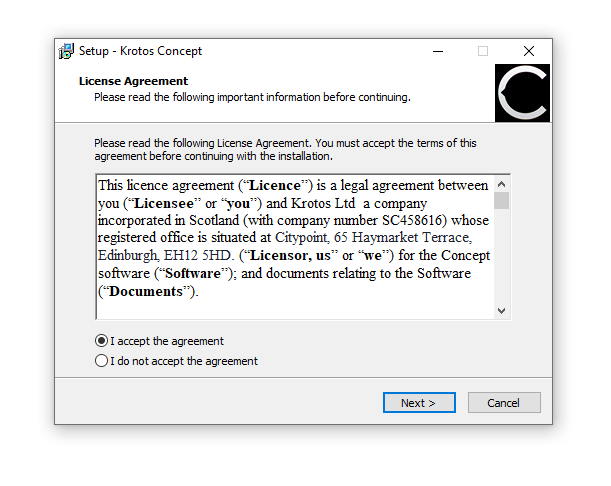
2. Double-click the .zip file to extract the contents and open the .exe file to begin the installation > Select 'I accept the agreement' and click 'Next >'.

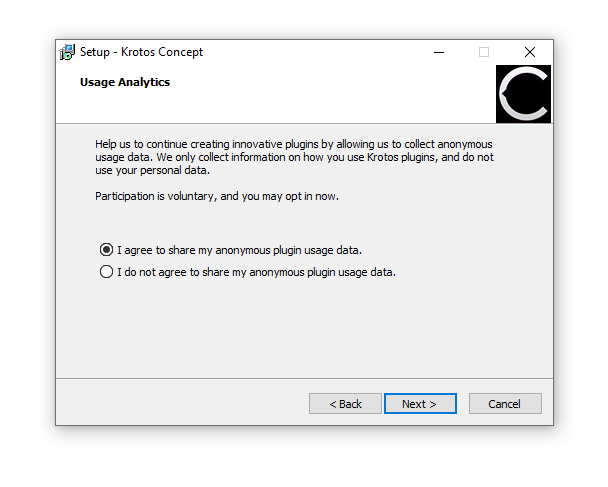
3. Select whether you agree to share your anonymous plugin usage data or not > Click 'Next >'.

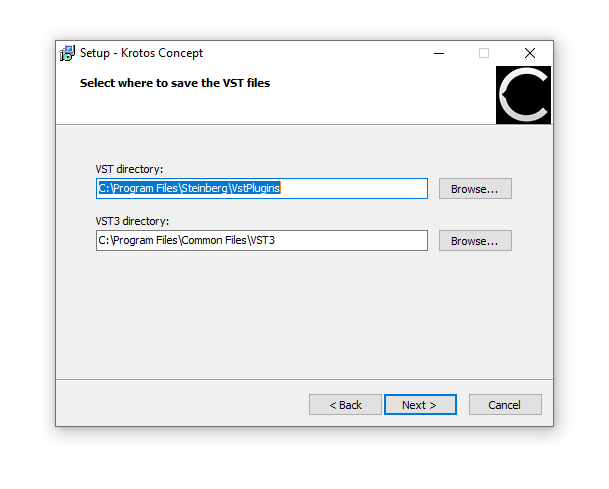
4. Select the installation location for your VST files > Click 'Next >'.

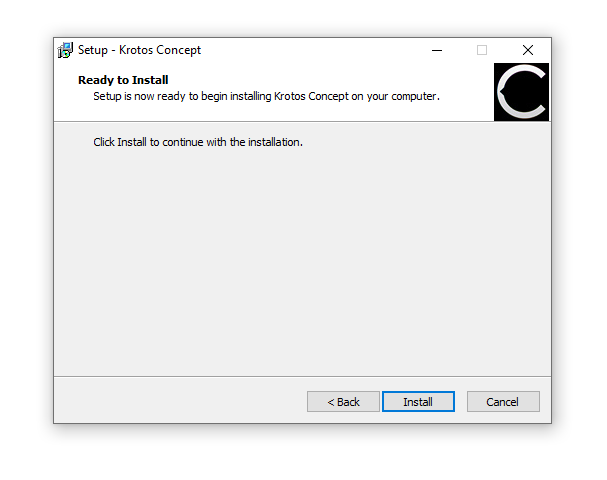
5. Click 'Install'.

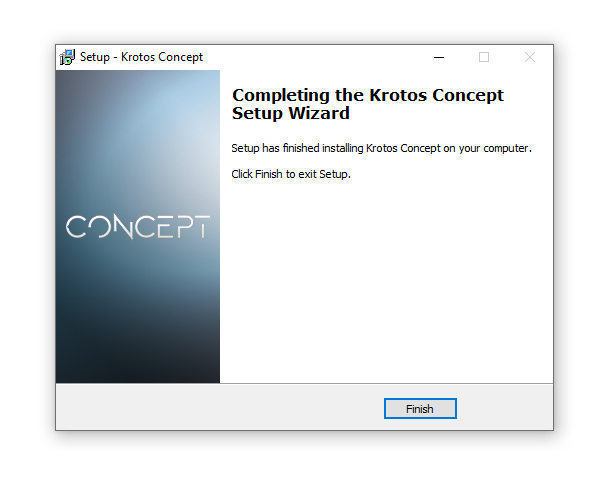
6. Click 'Finish'.

Activation

1. Open the newly installed software within your DAW > Copy and paste the License Key from step 1 of the installation process > Click 'Activate'.

Your software is now activated and ready to use within your DAW.

Plugin Boutique Rewards

Discover the most rewarding loyalty programme among all plugin retailers.

  • Free Loopmasters Samplepacks
  • Discounts on products and courses
  • Extra Virtual Cash claimed immediately at checkout
Find out more

Follow us:

X (Twitter) Facebook YouTube Instagram
Logo Logo

Plugin Boutique Limited, Part of the Beatport Group LLC.

Copyright © 2011-2025 Plugin Boutique. All rights reserved