Buy Mastering HD Native Bundle, get a free gift with purchase:
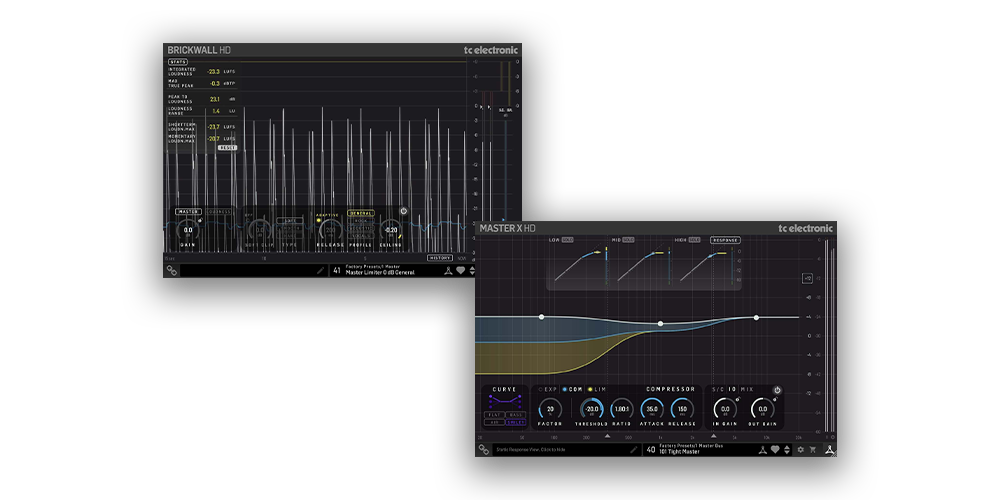
MASTERING HD NATIVE BUNDLE
The MASTERING HD NATIVE BUNDLE is a high-end dynamics processing suite designed for professional mixing and mastering applications. It includes MASTER X HD and BRICKWALL HD, two essential mastering tools that provide precise multiband dynamics processing and ultra-transparent peak limiting.
These plug-ins are based on TC Electronic’s renowned mastering algorithms, used in top-tier studios and broadcast facilities worldwide.
This bundle is ideal for engineers looking for effortless loudness control, transparent dynamic shaping, and industry-standard peak limiting. MASTER X HD delivers powerful multiband compression, expansion, and limiting, while BRICKWALL HD ensures absolute peak protection without distortion or pumping. Together, they provide everything needed to polish a mix and achieve a professional, radio-ready sound.
MASTER X HD – Easy Multiband Dynamics Processor
MASTER X HD is a multiband dynamics processor inspired by the legendary Finalizer hardware. It divides the audio spectrum into three bands, allowing for precise compression, expansion, and limiting across low, mid, and high frequencies. This makes it perfect for mastering, where different elements of a mix require independent dynamic treatment.
The intuitive interface makes it easy to dial in the perfect settings, even for users with limited mastering experience. Whether you're tightening low-end punch, smoothing out vocal presence, or controlling high-frequency transients, MASTER X HD ensures pristine, professional-grade results.
BRICKWALL HD – Master Limiter
BRICKWALL HD is an ultra-transparent peak limiter designed to maximize loudness while preventing digital clipping. Built with precision mastering in mind, it features intelligent look-ahead processing that detects and controls peaks before they cause distortion.
Unlike traditional limiters that can introduce pumping and unwanted artifacts, BRICKWALL HD preserves the clarity, punch, and dynamics of your mix while achieving competitive loudness levels. It’s an essential tool for finalizing a mix, preparing tracks for streaming, broadcast, or CD mastering, and ensuring compliance with loudness standards such as LUFS metering.
Features
- Two essential mastering plug-ins for professional audio production
- MASTER X HD provides multiband compression, expansion, and limiting
- BRICKWALL HD ensures precise peak limiting with no distortion
- Perfect for mastering, mix bus processing, and broadcast applications
- Multiband processing allows targeted control over different frequency ranges
- Intelligent look-ahead peak limiting prevents digital clipping
- Maintains transparency and punch while increasing loudness
- Optimized for modern loudness standards, including LUFS metering
- User-friendly interface for quick and effective mastering results
- Seamless integration with all major DAWs
With MASTER X HD and BRICKWALL HD, the MASTERING HD NATIVE BUNDLE provides a complete solution for achieving polished, professional-grade mixes and masters. Whether you're finalizing a music track, podcast, or film score, these plug-ins deliver the precision and reliability needed for modern audio production.
System Requirements
Operating systems
- macOS 10.14 (Mojave) through 15.x (Sequoia), Intel and Mx hardware
- Windows 7 or above
Plugin formats (64bit)
- AAX-native
- Audio Units
- VST3
Important Note: No iLok dongle is required to run this software - only a FREE iLok account/Manager is required for authorisation.
Note: Before starting the installation, you are required to create a FREE iLok user ID and install the iLok License Manager.
Please take a look at this Help Centre Guide for more information.
Note: VSS4 HD is used as the example
1. Download the .zip file from within your Plugin Boutique account > double-click it to extract the installer
2. Double-click the installer > install the software
3. Open your DAW > open the plugin
4. You will be presented with the iLok activation window > click Activate
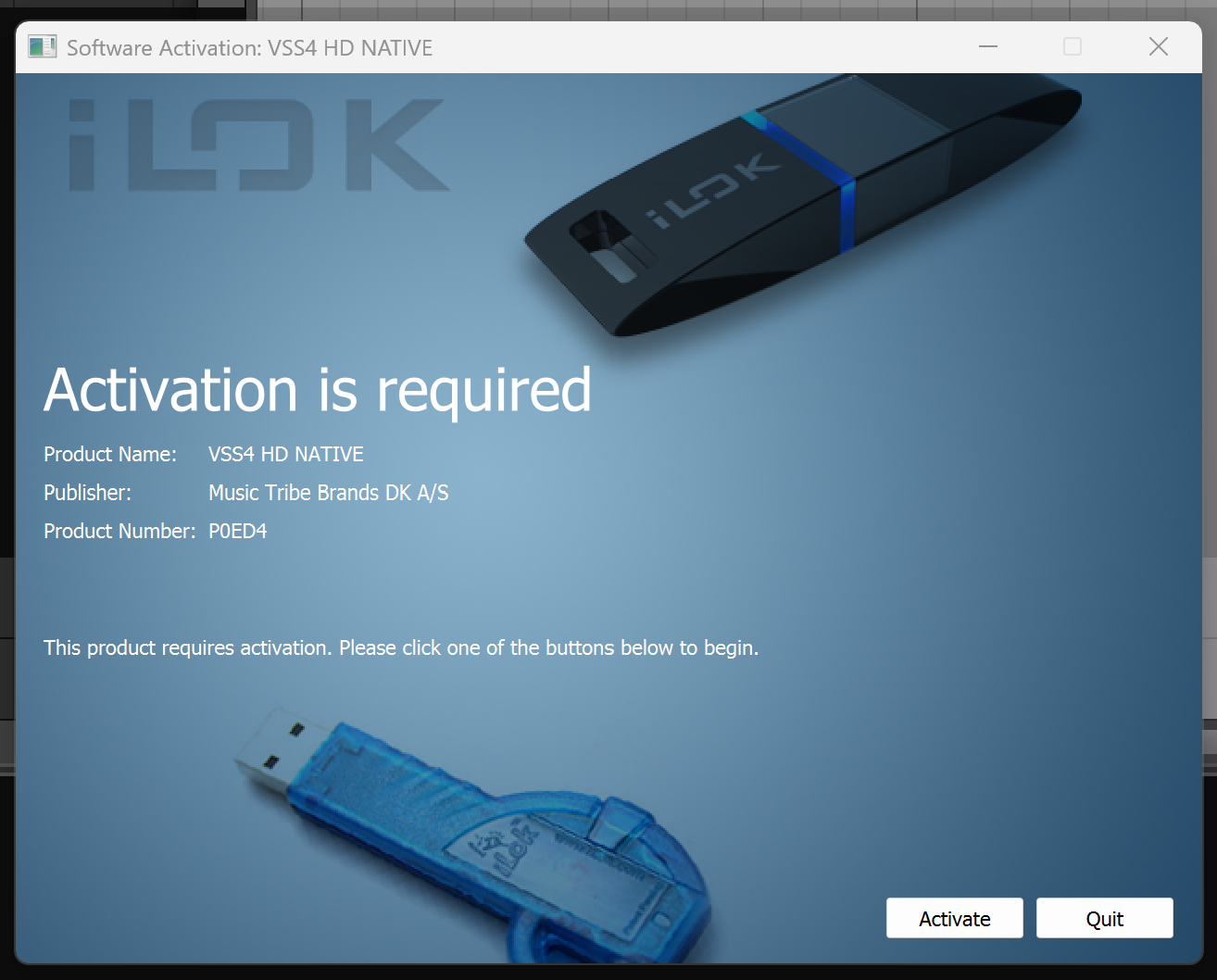
5. Paste the serial number found in your Plugin Boutique User Account > click Next
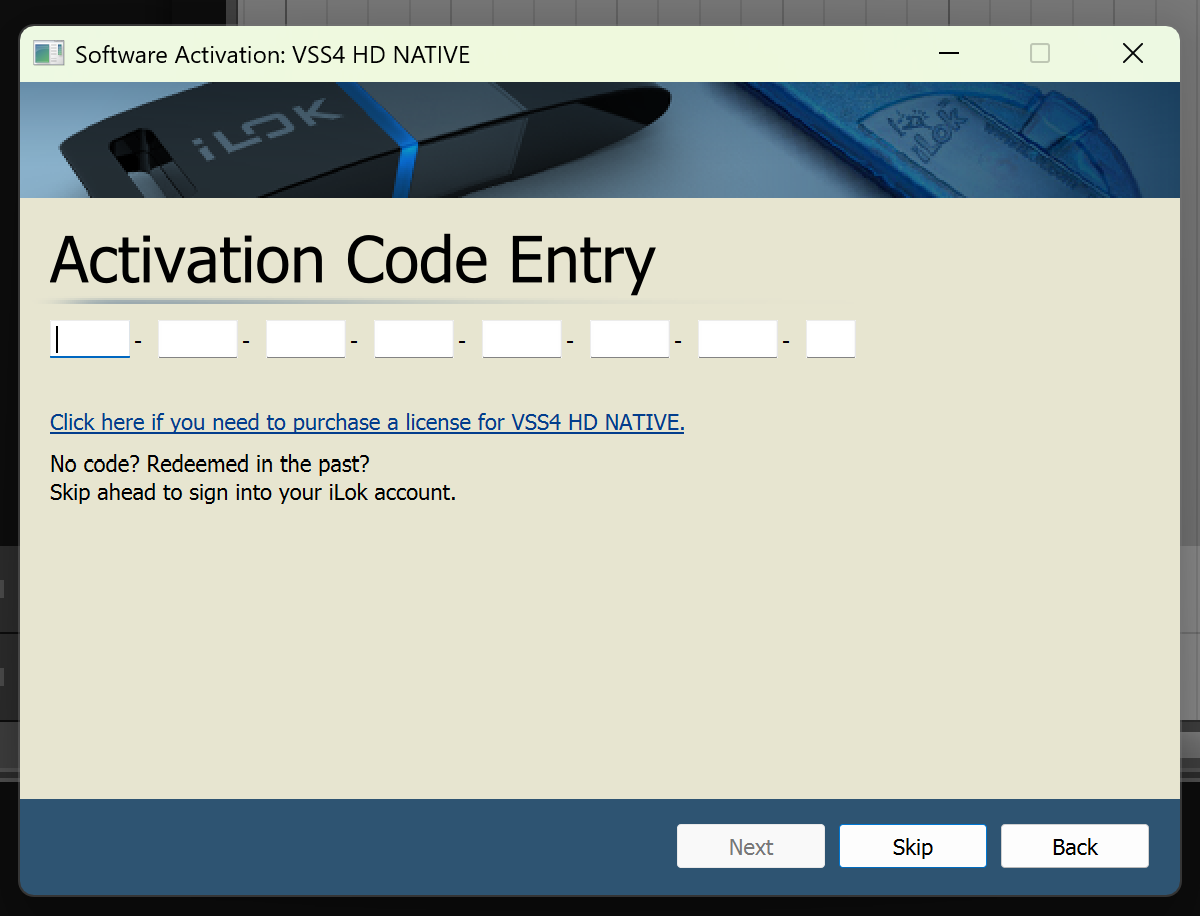
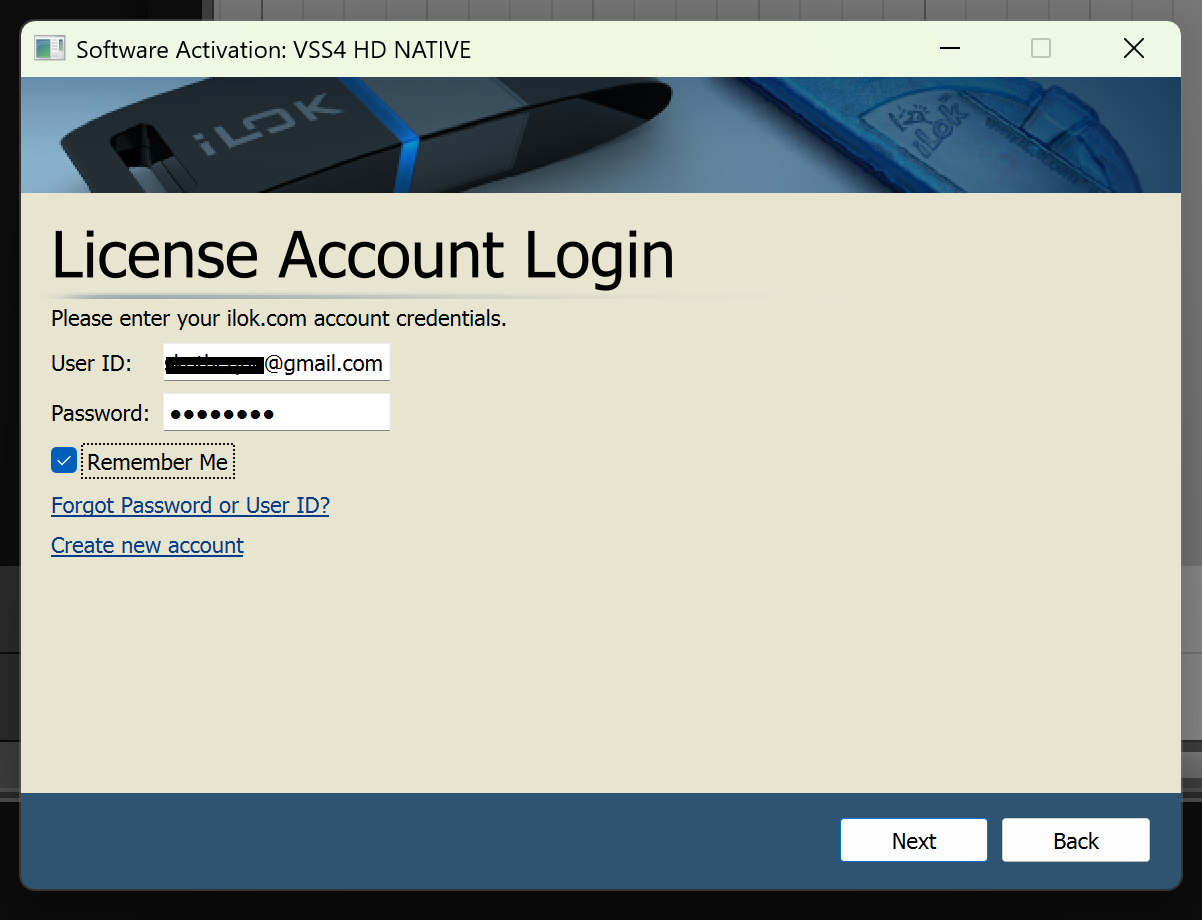
6. Enter your iLok User ID and Password > click Next
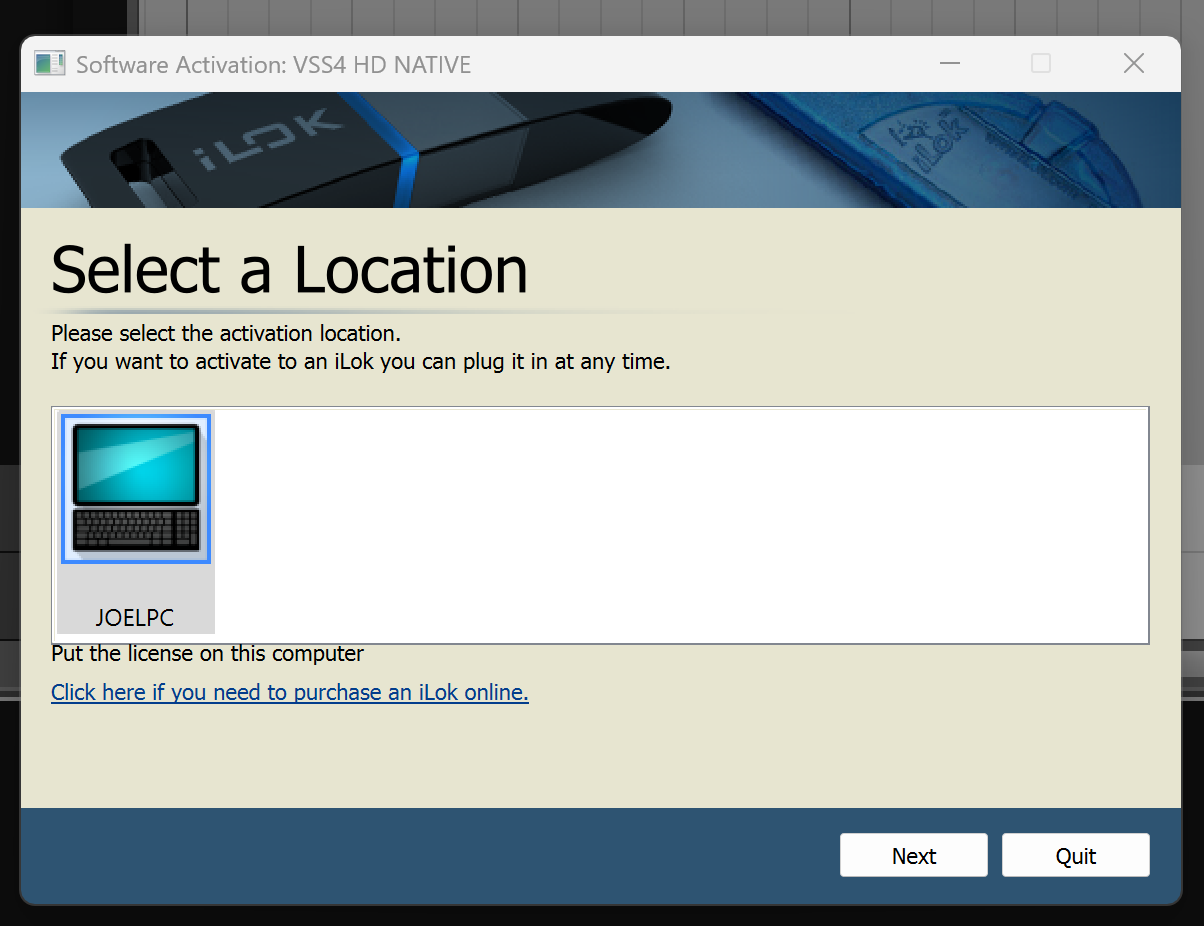
7. Select your choice of activation location > click Next
8. Your plugin has been successfully activated. Enjoy!