


Save $299.00 compared to buying products individually
Buy AutoTune Pro 11 + FREE AutoKey 2, get a free gift with purchase:

Auto-Tune Pro is the most advanced Auto-Tune edition ever. It includes a Graph Mode for detailed pitch and time editing, Auto Mode for real-time correction, runs natively on Apple Silicon, and has ARA2 support for Logic, Cubase/Nuendo, and Studio One.

Auto-Tune Pro 11 is a significant update to the renowned Auto-Tune Pro plug-in. The latest version introduces a 4-part Harmony Player that enables users to create, tune, mix, and MIDI-trigger four harmonies within Auto-Tune Pro. The update also includes enhanced MIDI functionality with smart MIDI learning, streamlined Graph Mode tools for improved workflow, and a refreshed user interface for both Auto-Mode and Graph Mode.
Introducing Auto-Tune Pro 11
Auto-Tune Pro has set the standard for professional-grade vocal pitch correction for the past 20 years. From precision tuning to lush harmonies, Auto-Tune Pro 11 brings the power you need to every session.
Harmonize Effortlessly
Powered by the famous Harmony Engine, Auto-Tune Pro 11's Harmony Player unlocks four individual harmonies that can be mixed and MIDI-triggered for instrument-like playability. Crafting your perfect harmony is a breeze with user-friendly controls for formant, pan, and level. Master mix options include EQ, envelope, gate, and stereo width adjustments.
Automatic & Precise
Auto Mode offers effortless real-time pitch correction, while Graph Mode provides precise hands-on pitch correction in a streamlined manner. Easily edit notes with your mouse and adjust the retune speed, vibrato, and formant note by note.
ARA2 Support
Auto-Tune Pro supports ARA2 for Logic, Studio One and Cubase/Nuendo. This advanced technology allows a DAW and a plug-in to exchange more information such as audio data, tempo, pitch, and rhythm in real-time, for an entire song—not just at the moment of playback.
Smart MIDI Mapping
Mapping your MIDI controller to any function in Auto-Tune Pro has never been easier. Just right-click on any knob, pad, or button in Auto-Tune Pro, then move your MIDI controller's physical knob, fader, or pad, and you'll gain instant real-time control of the plug-in.
See More, Do More
Multi-View lets you quickly switch between separate Auto-Tune tracks in a single window to process multiple vocals, faster.
Artist Presets and Presets Manager
An exclusive collection of artist presets and an updated Presets Manager to fast-track creativity.
Apple Silicon Native
Experience enhanced performance and improved plug-in efficiency with our Apple Silicon Native support. Antares plug-ins are specifically tailored to seamlessly integrate with the latest Apple hardware, providing faster processing and peak efficiency.
Features
- Integrated 4-part Harmony Player - Explore new musical dimensions with a seamlessly integrated 4-part harmony player, enhancing your creative possibilities.
- Revamped MIDI Hardware Mapping - Experience improved MIDI hardware mapping for greater control and precision in your music production workflow.
- New Graph Mode Tools for More Efficient Workflow - Updated zooming and navigation features enable the user to achieve faster editing inside Graph Mode.
- Refined Auto-Mode and Graph Mode GUI - Enjoy a refreshed user interface for Auto-Mode and Graph Mode, designed for enhanced readability and ease of editing based on important community feedback.

Automatic Key, Scale, and Tempo Detection
Auto-Key 2 is the automatic key, scale, and tempo detection plug-in which easily identifies primary musical properties to assist music creators and speed their workflows.
Effortless Analysis
Scan your music in real-time and detect key, scale, and tempo information automatically from any audio file.
Drop It Like It’s Hot
Drag and drop audio files directly into Auto-Key 2 for easy detection of key, scale, and tempo information across all Auto-Tune plug-ins.
Direct to Auto-Tune
Click the “Send to Auto-Tune” button, and compatible versions of Auto-Tune are automatically updated with the correct key and scale settings.
Automatically Stay in Key
Automate key changes to compatible Auto-Tune plug-ins in your session to ensure all Auto-Tune plug-ins stay in key with your song.
Why Auto-Key?
By automatically updating the key and scale of all the Auto-Tune effects in use, Auto-Key will drastically improve your workflow and boost your productivity. However, it does much more than finding the correct key and scale for your music. Auto-Key detects the key and scale of a track outside of your session in seconds, which is ideal if you're a DJ looking for tracks in the same key. Furthermore, the pitch reference display and the Detune control will allow you to adjust the pitch reference based on the deviation from the standard A440.
What is Key and Scale Detection?
A key and scale detection plug-in analyzes an audio file and automatically detects the vocal characteristics of a track, giving all the necessary information for an effective pitch correction. Some of the best key and scale detection plug-ins provide real-time key detection and editing features to adjust the tonality of any vocal sample while recording or during playback.
How Does the Auto-Key Plugin Work?
If on your project you have multiple Auto-Tune plug-ins opened on separate tracks, you'll see they're all set to the standard C chromatic key. Add Auto-Key to the original vocal track to find the correct scale and key. After playing the track for a few seconds, Auto-Key will display the key. The final step is to click on 'Send to Auto-Tune' to update all the instances of Auto-Tune in use. Auto-Key uses TONART V3 by zplane.development as an automatic key detection engine.
Features
- Automatic Key, Scale, and Tempo Detection
- Drag-and-Drop Audio Files (MP3, WAV, FLAC, AIFF)
- Send Key and Scale Changes Directly to Auto-Tune
- Resizable UI With Light and Dark Modes
- Automated Key Changes
System Requirements
- macOS 11 and higher - VST3, AU, AAX Native (Pro Tools 2018.1 or later)
- Windows 10+ - VST3, AAX Native (Pro Tools 2018.1 or later)
Important Note
- No iLok dongle is required to run this software - only a FREE iLok account/Manager is required for authorisation.
Note: Before starting the installation, you are required to create a FREE iLok user ID and install the iLok License Manager.
Please take a look at this Help Centre Guide for more information.
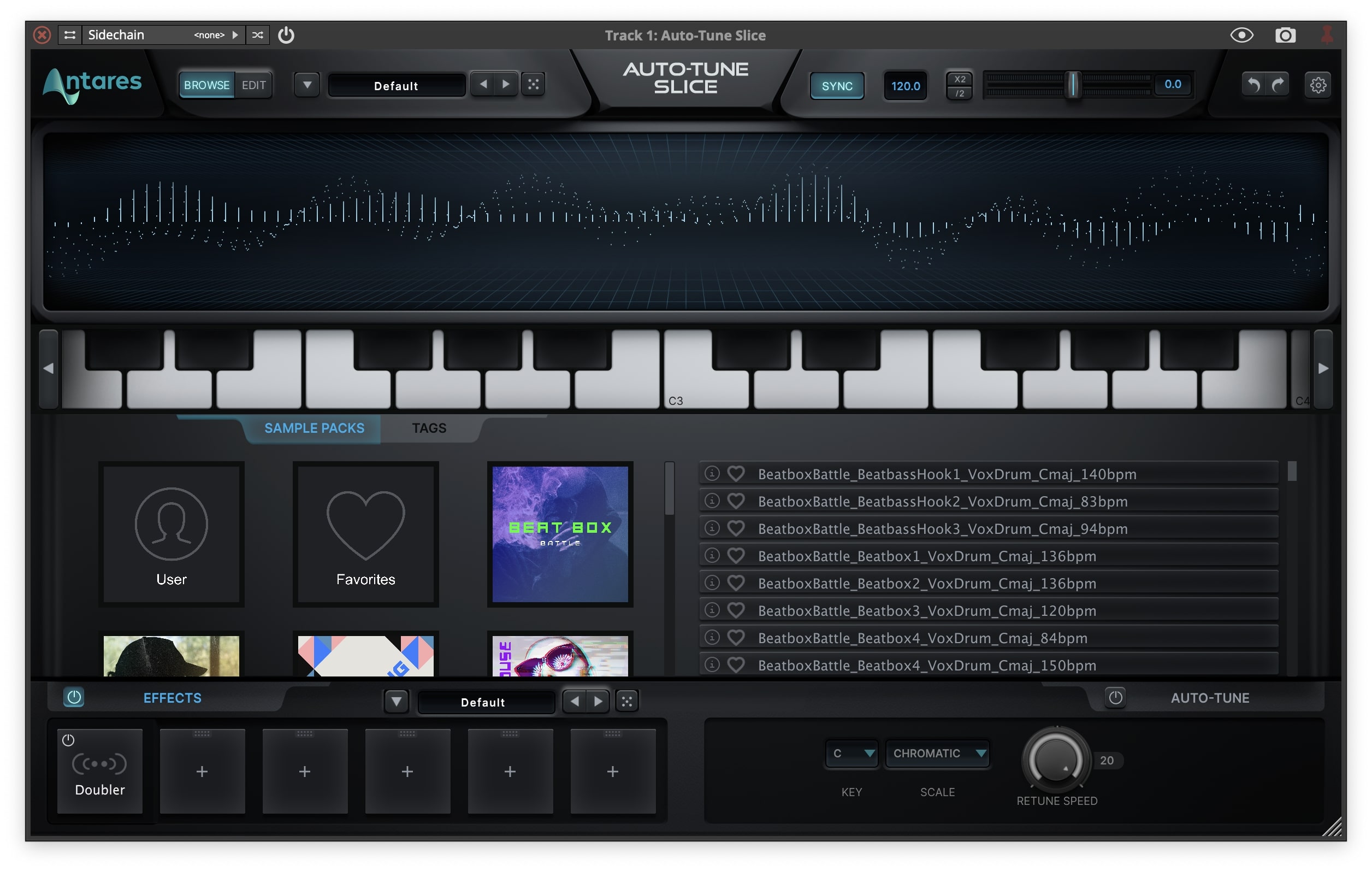
Note: Auto-Tune Slice is used as an example.
Mac
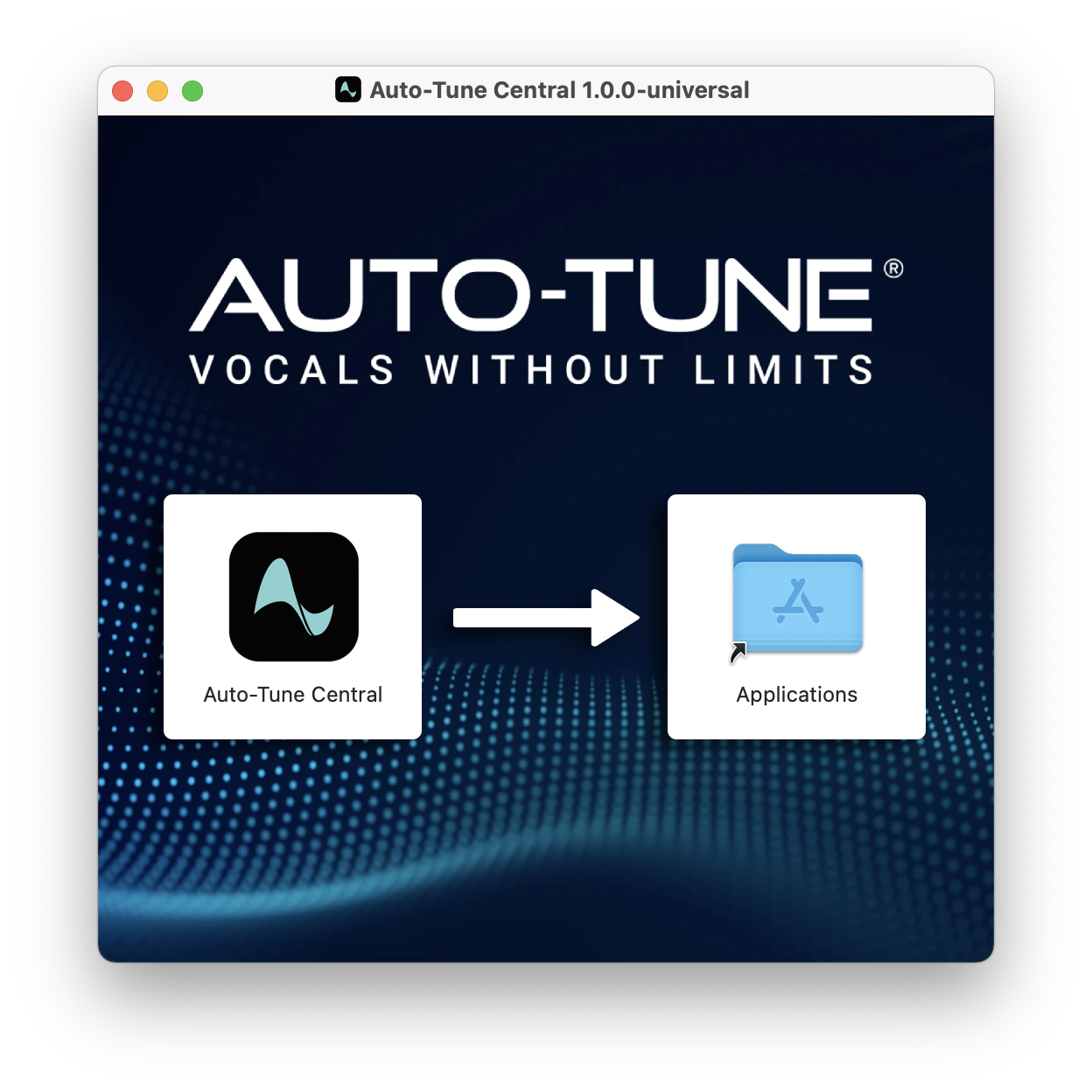
1. Download the .zip file from within your Plugin Boutique account and double-click it to extract the contents > Double-click the .dmg file to launch the installer > Drag Auto-Tune Central into your Applications folder > Auto-Tune Central will now automatically install.
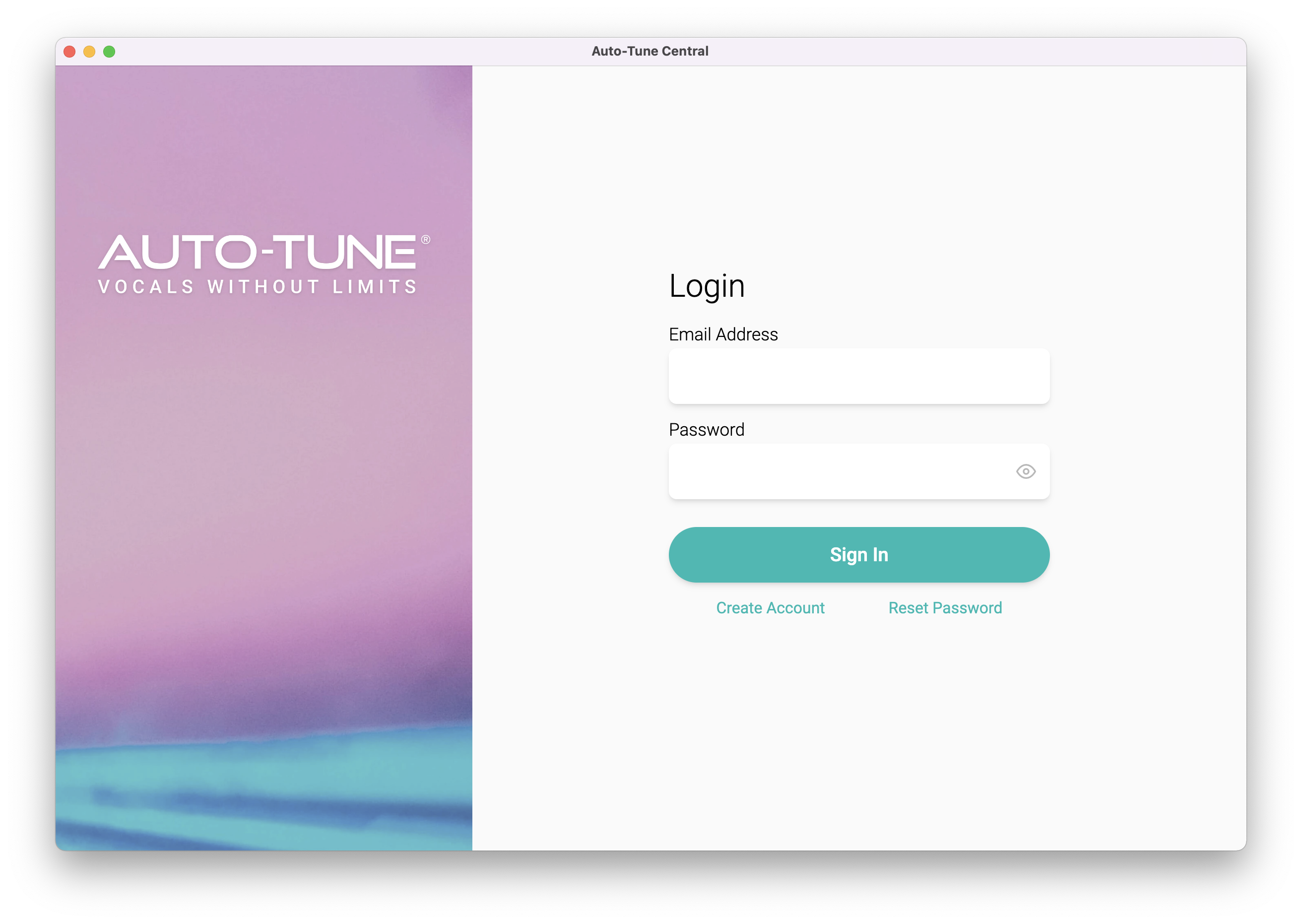
2. Launch Auto-Tune Central > Either create a new account by clicking 'Create Account' or if you already have an account, enter your Antares registered Email Address and Password > Click 'Sign In'.
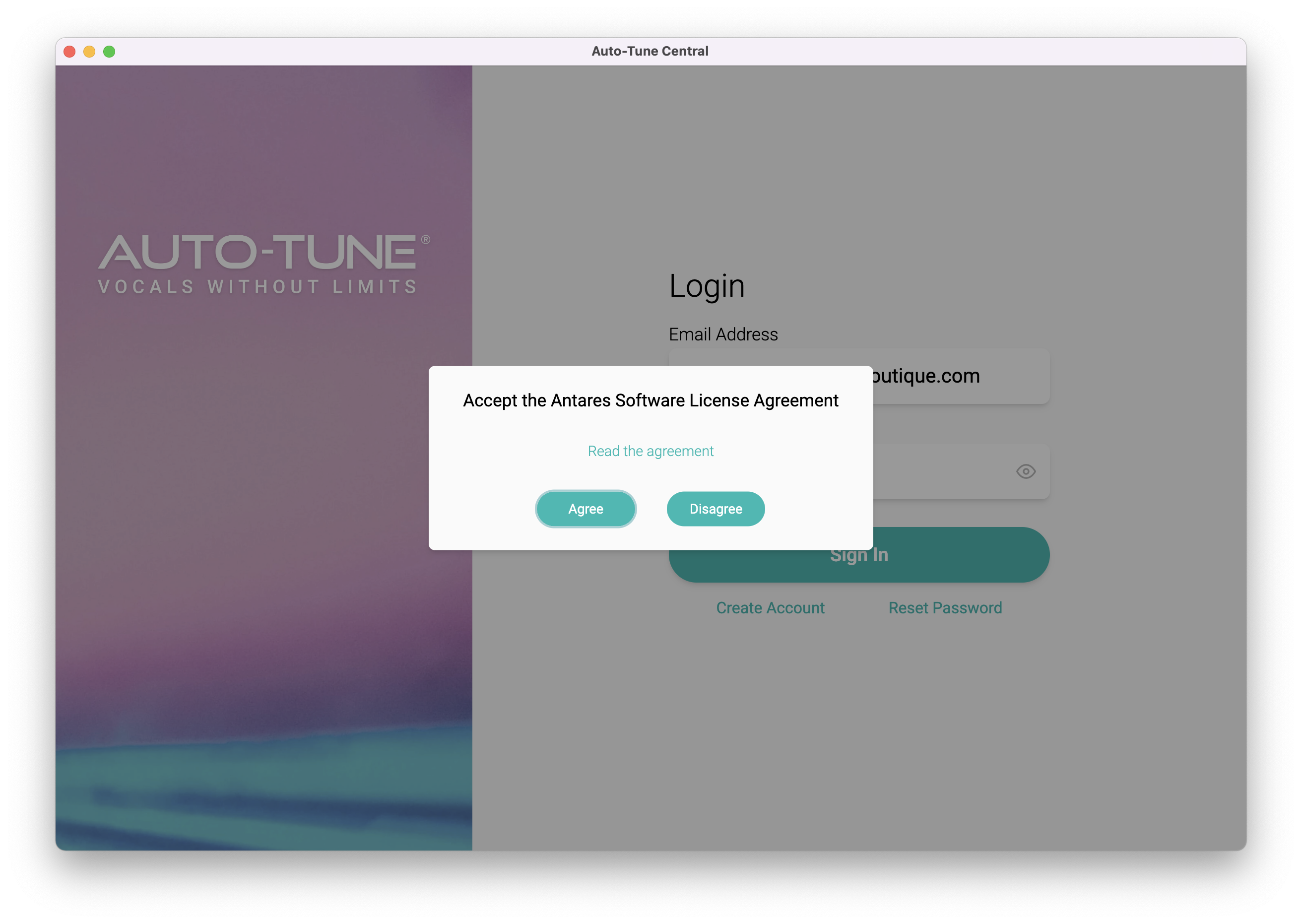
3. Click 'Agree'.
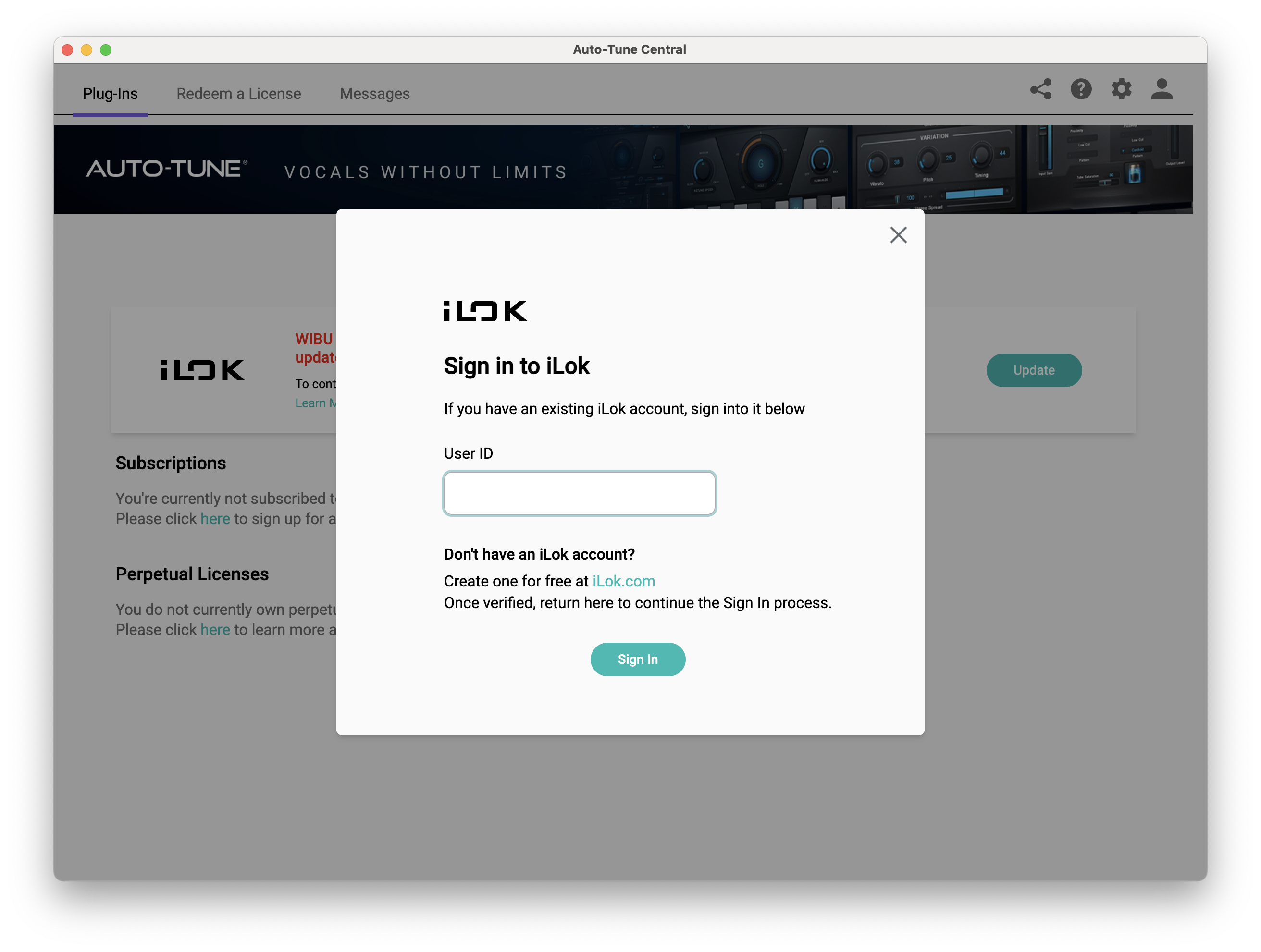
4. Enter your iLok User ID and click 'Sign In'.
5. Click 'Continue to iLok'.
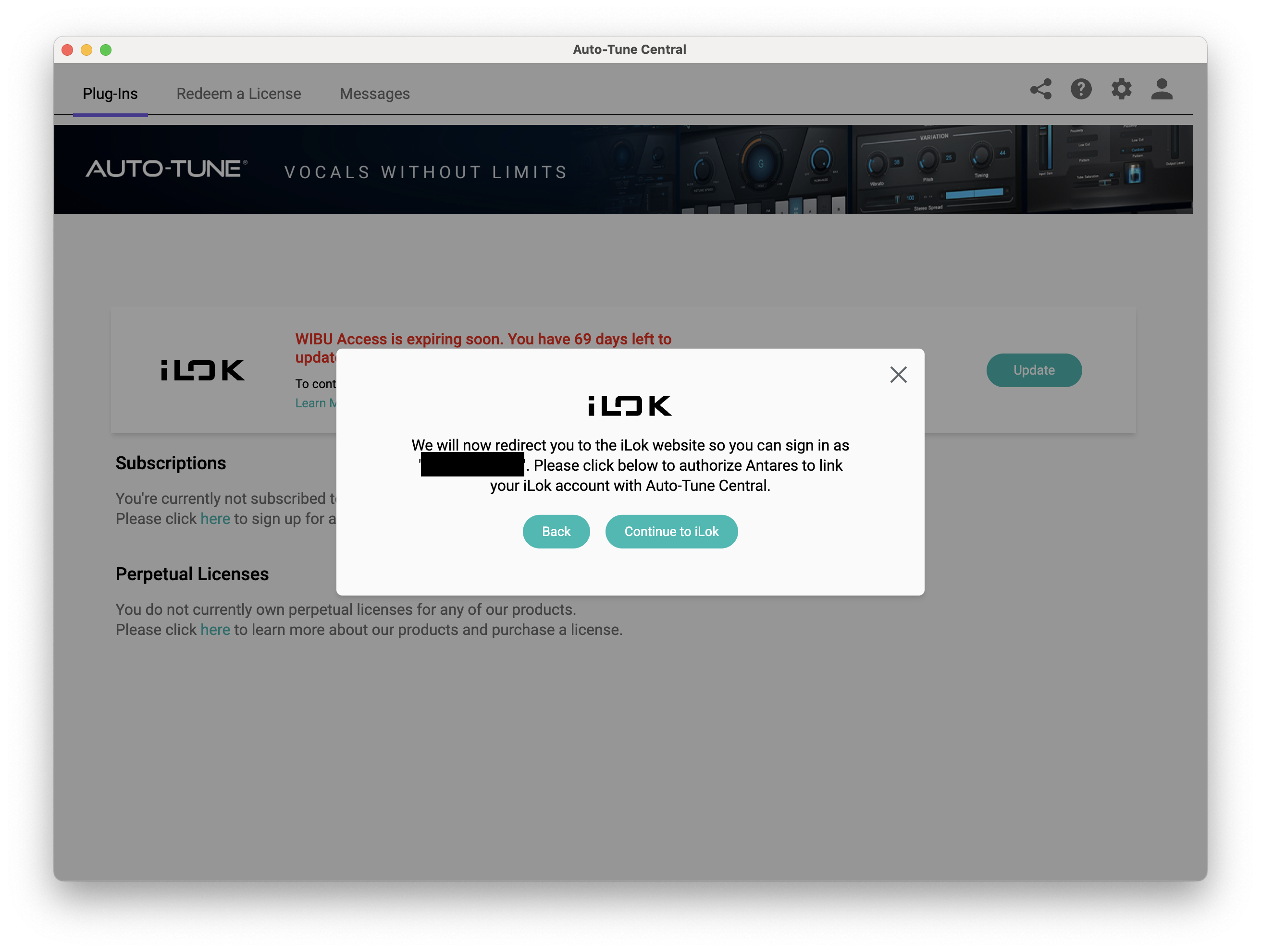
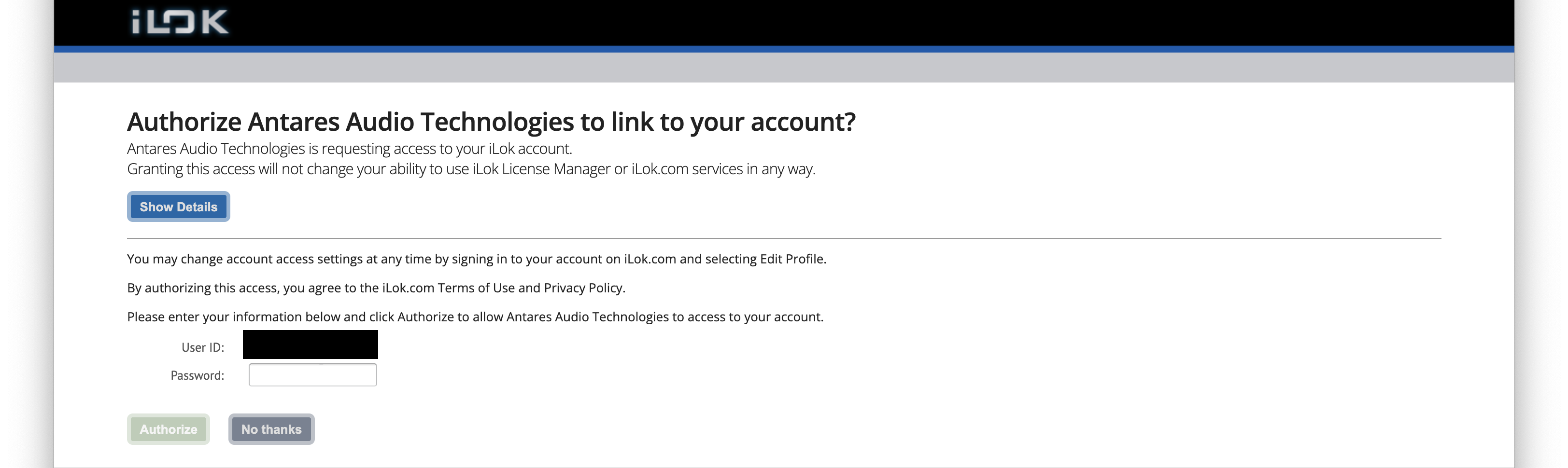
6. Enter your iLok User ID and Password then click 'Authorize'.
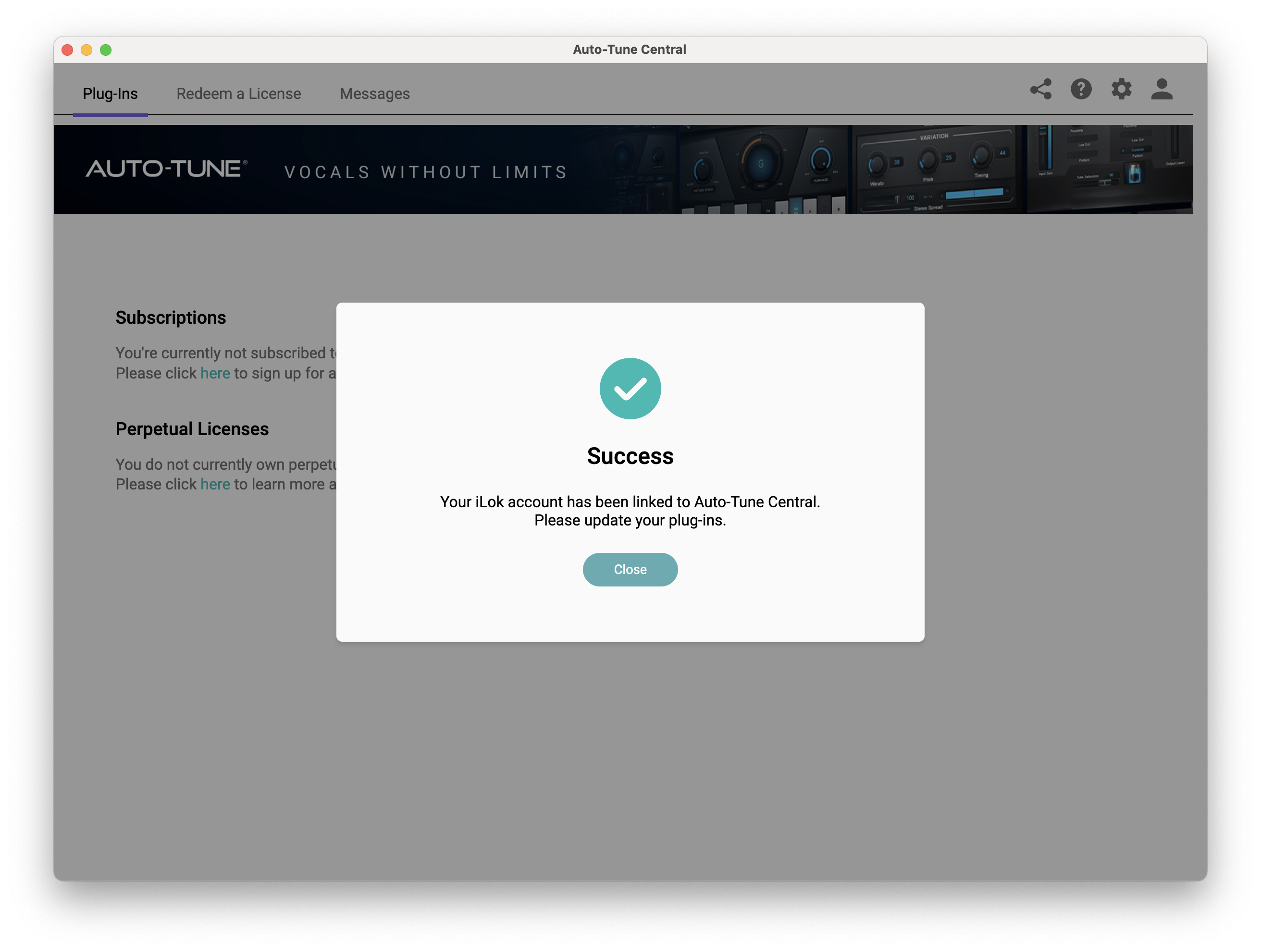
7. Your iLok account is now linked > Click 'Close'.
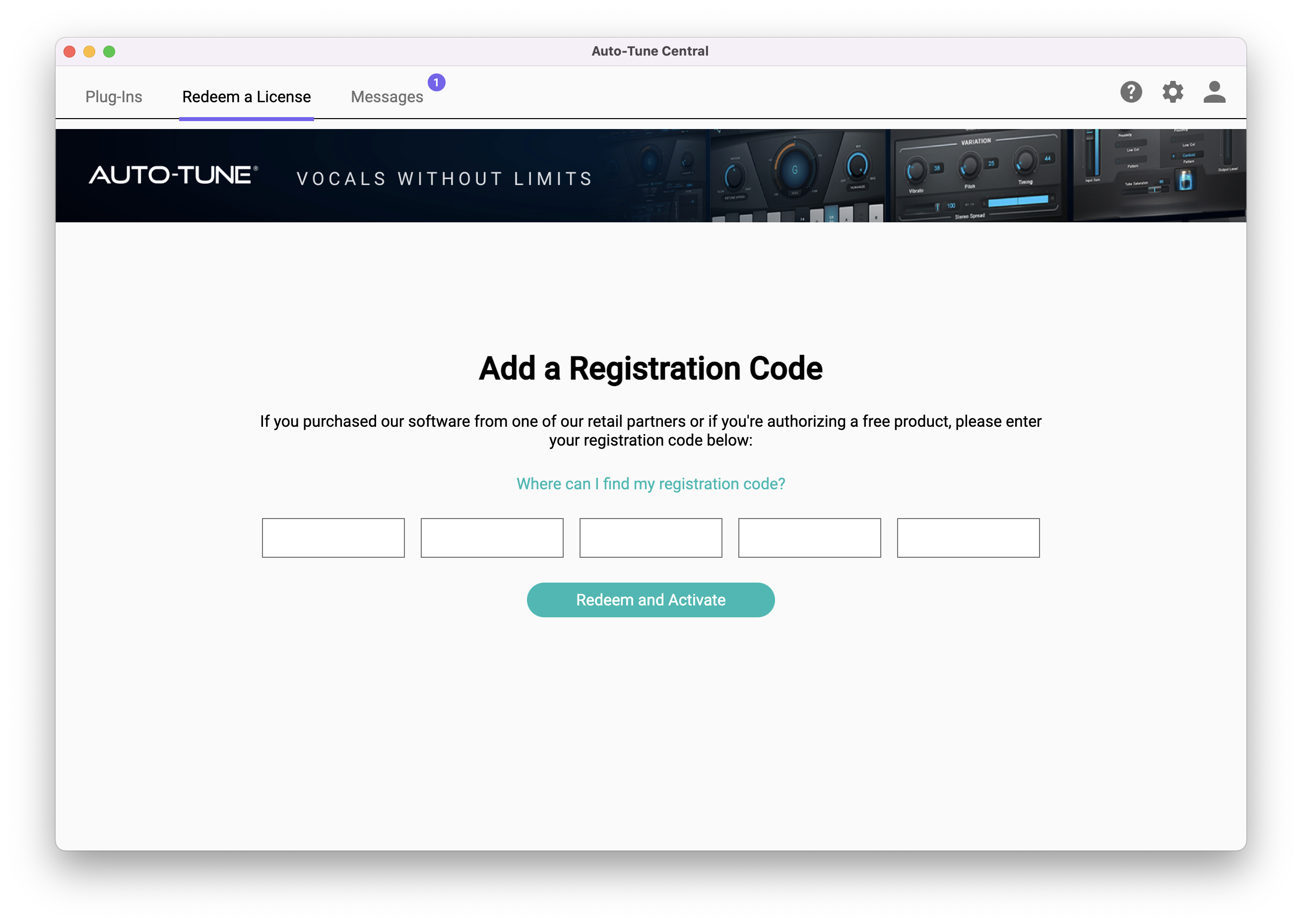
8. Click on the 'Redeem a License' tab > Enter the 25-digit Registration Code, found in the serial number section of your Plugin Boutique account > Click 'Redeem and Activate'.
9. Navigate back to the 'Plug-Ins' tab > Click 'Install' to install your plugin.
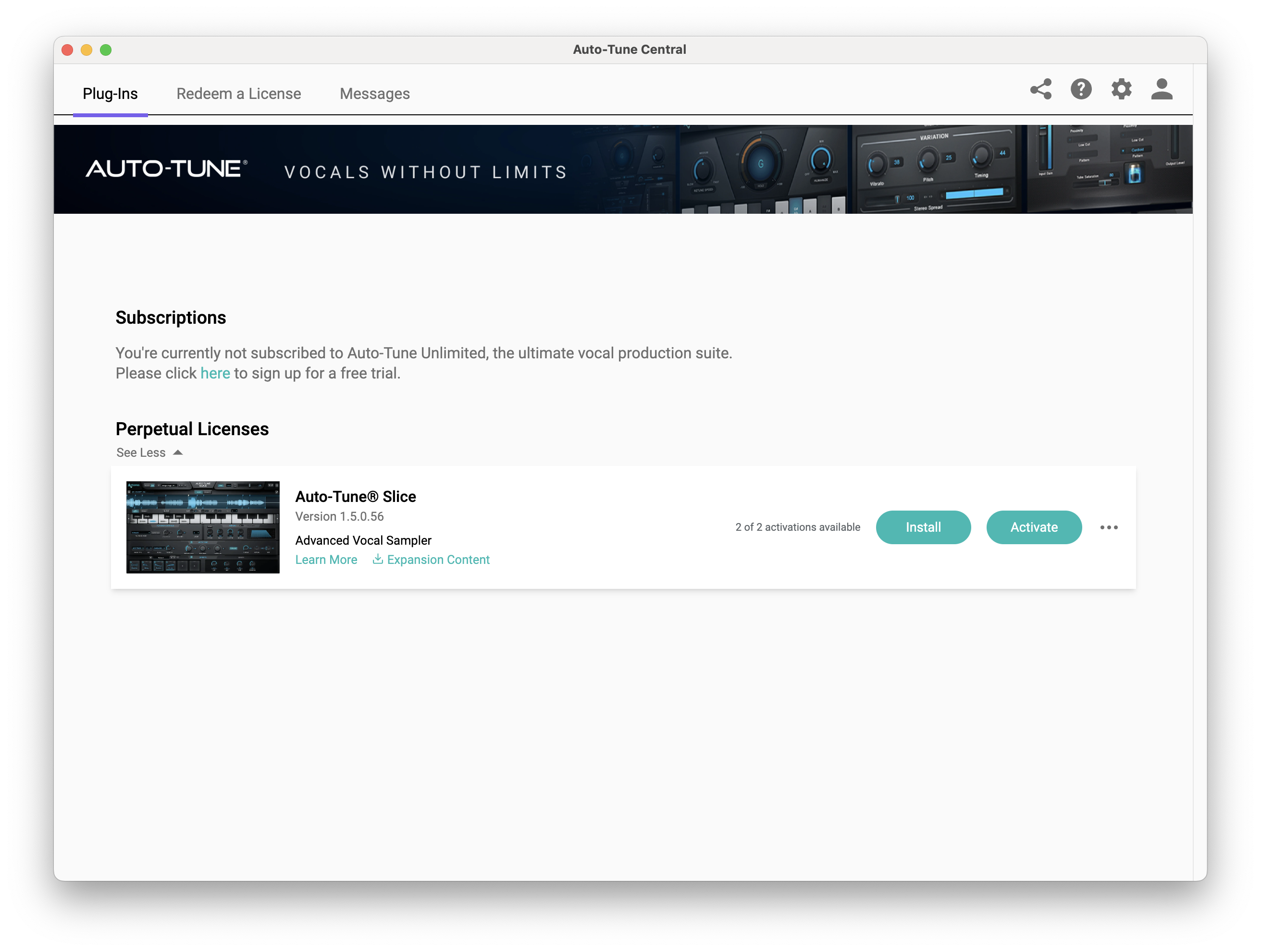
10. Click 'Activate'.
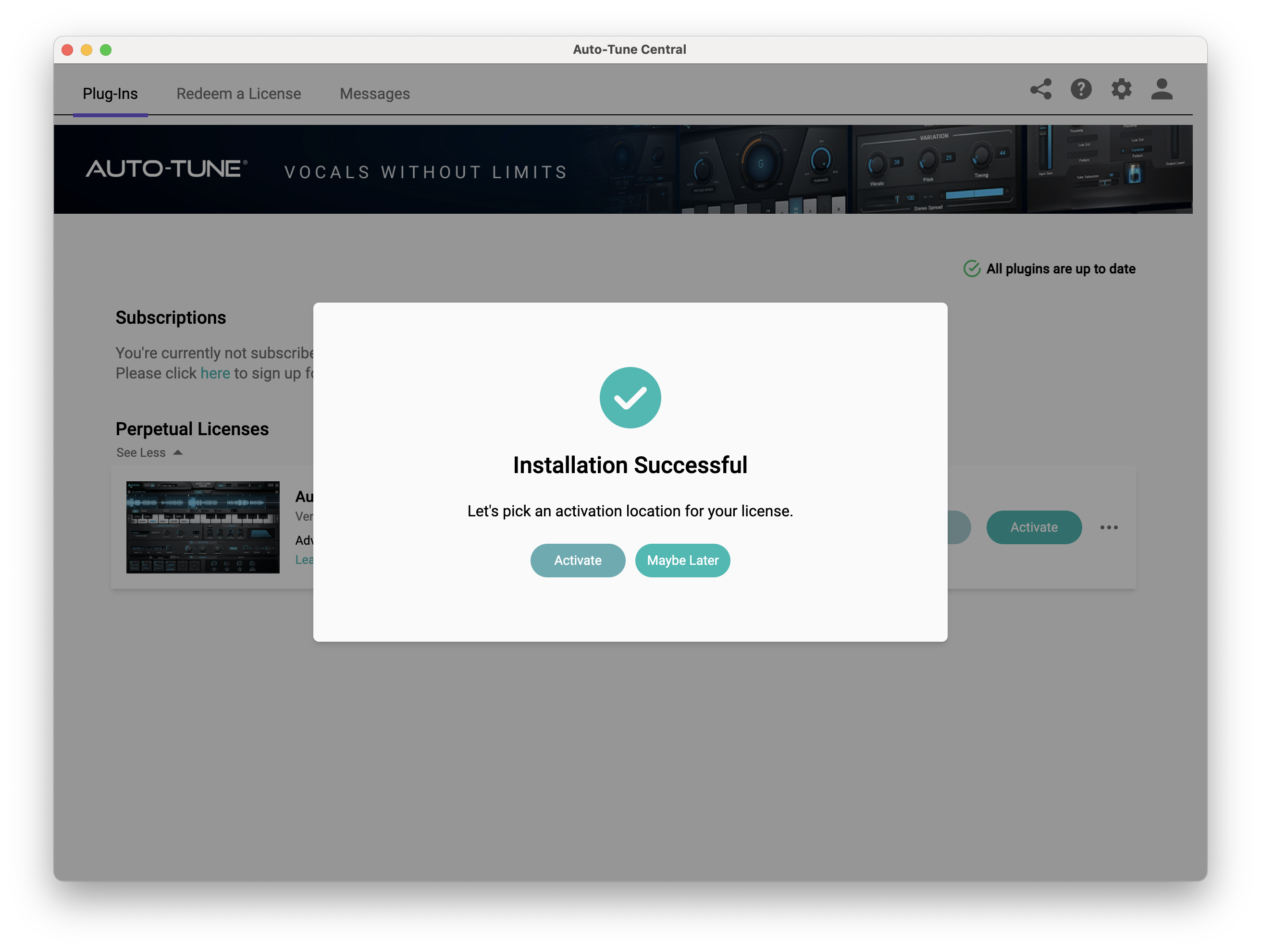
11. Select whether you want to activate the license to your Computer or iLok USB > Click 'Activate'.
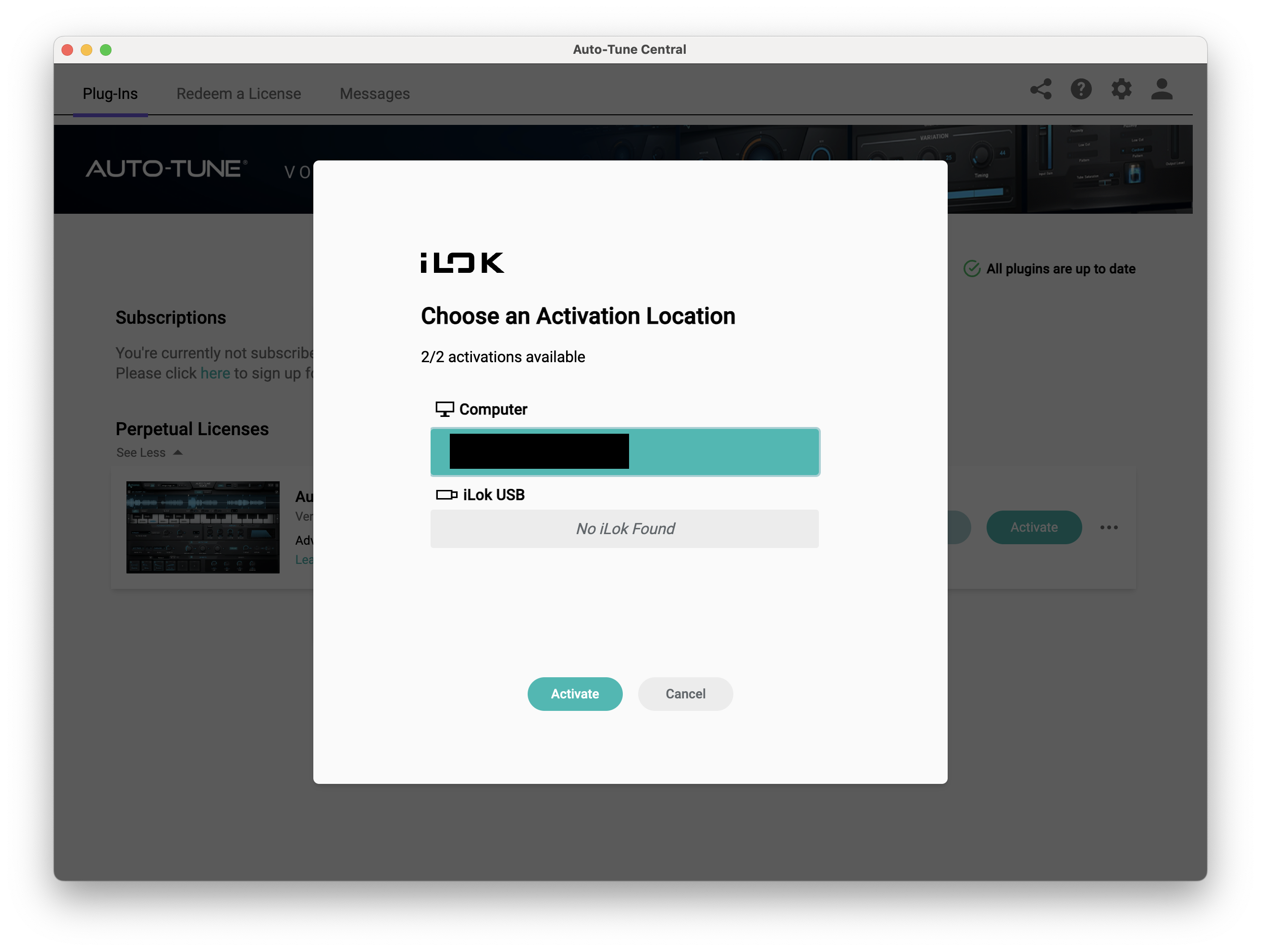
12. Click 'Close'.
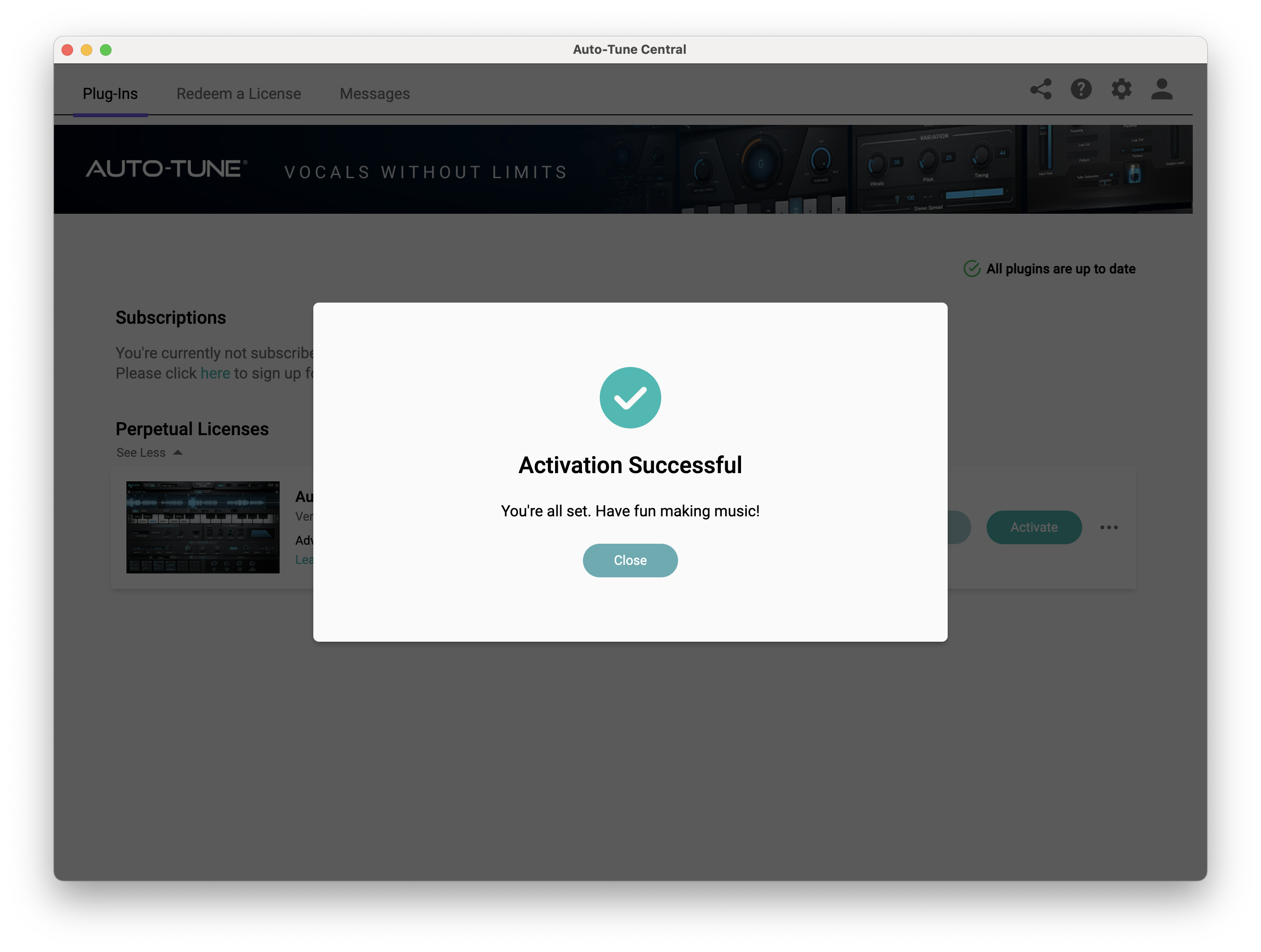
Your software is now activated and ready to use within your DAW.
PC
Windows
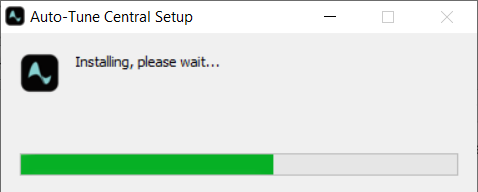
1. Download the .zip file from within your Plugin Boutique account and double-click it to extract the contents > Open the .exe file > Auto-Tune Central will now automatically install.
2. Launch Auto-Tune Central > Either create a new account by clicking 'Create Account' or if you already have an account, enter your Antares registered Email Address and Password > Click 'Sign In'.
3. Click 'Agree'.
4. Enter your iLok User ID and click 'Sign In'.
5. Click 'Continue to iLok'.
6. Enter your iLok User ID and Password then click 'Authorize'.
7. Your iLok account is now linked > Click 'Close'.
8. Click on the 'Redeem a License' tab > Enter the 25-digit Registration Code, found in the serial number section of your Plugin Boutique account > Click 'Redeem and Activate'.
9. Navigate back to the 'Plug-Ins' tab > Click 'Install' to install your plugin.
10. Click 'Activate'.
11. Select whether you want to activate the license to your Computer or iLok USB > Click 'Activate'.
12. Click 'Close'.
Your software is now activated and ready to use within your DAW.


