


 Log In

Free gifts available with your purchase
Upgrade Note: This is an upgrade for owners of Empirical Labs Complete Collection. The full version of the Empirical Labs Complete Collection 2 is also available.
Modern analogue flavour, tasty price.
All 4 Empirical Labs products in one bundle.
When you think ELI, you think rock & roll. You think Dave Derr. You think quality modern analogue. Aggressive, but never harsh in the extremes. The Empirical Labs Complete Collection allows you to do more than think about it. It lets you hear it, feel it, touch it, and taste it. All. For less.
Made in close collaboration with Dave Derr himself, this bundle of Empirical plug-ins will give your mixes that coveted analogue tang heard on so many thousands of records. Precisely modelled and calibrated with mixing professionals and recording engineers in mind, the collection brings the retro grunge that ELI does so well into the DAW-based studio. Into your studio.
What's included?
- Empirical Labs Professor Punch-Knuckles
- Empirical Labs LilfrEQ
- Empirical Labs Mike-E Comp
- Empirical Labs Trak Pak for Console 1
Empirical Labs Professor Punch-Knuckles

A friendly punch in the gut.
You know it when you hear it. That instantly gratifying sound that hits you right in the gut. Professor Punch-Knuckles from Softube and Empirical Labs delivers just that: warm and gentle saturation all the way to forceful and explosive character for your drums, vocals, and more. All with the unmistakable and unique sonic character of ELI.
Features
- Three classic saturation flavors
- The distortion sound of the Distressor
- Tone shaping options including emphasis filters
- Easy-to-use and instantly gratifying
- Available in Flow® Mixing & Complete Suites, the new Empirical LabsComplete Collection 2, and as standalone plug-in
- Console 1-ready
Learn more about Empirical Labs Professor Punch-Knuckles
Empirical Labs LilfrEQ
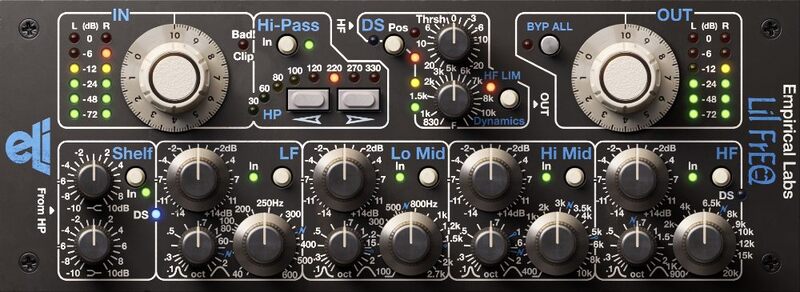
The warm and punchy analogue sound of the Empirical Labs Lil FrEQ makes it something of an oddity in the world of equalizers. But it’s no sideshow. With its heart-shaped box of tricks, mighty analogue tone, and de-essing chops, Softube were hard-pressed to think of a more powerful analogue EQ. It’s what makes Lil FrEQ the ace in the hole for so many high-profile recording engineers and mixing professionals. When your equalizer features eight different processing sections, you can ditch the multi-plug-in setup and get on with it. The native software version—expertly modelled under the watchful eye of Dave Derr himself—gives you all that tone-shaping and correction power, plus supernatural sound quality, and flavour galore. In a word, it's un-freakin-believable.
Features
- An expert component modelled native plugin version of the Empirical Labs Lil FrEQ hardware
- Input Gain after Meter with clip indicator
- Vintage style High-pass filter: 18 dB/octave
- Super smooth High and Low shelving EQ
- 4-band fully parametric EQ: LF, Lo Mid, Hi Mid, and HF: +-14 dB
- Super-wide to super-narrow bandwidth and generous frequency ranges
- Blue markings for vintage British style of equalization
- DS section – the same as the famous DerrEsser
- Individual bypass on all bands and sections
- Punchy, fat and analogue sound
Learn more about Empirical Labs LilfrEQ.
Empirical Labs Mike-E Comp
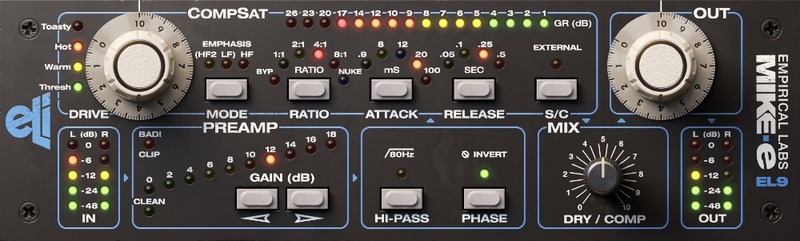
Precisely modelled in close collaboration with Dave Derr, Empirical Labs Mike-E Comp offers high-calibre, one-of-a-kind saturation/compression based on the famous ELI Distressor. A punchy preamp that's available before the CompSat circuitry, and three different emphasis modes—plus NUKE!—enable multi-stage distortion and quick changes to the character of the saturation/compression behaviour. Available for the first time as a native plug-in, Mike-E makes it a total blast to go overboard. And when you do, you’re rewarded with nary a hint of harshness—no matter how far you push it to the extreme. Excess without consequence? That’s rock & roll. And it's what makes Mike-E your man in the box.
Features
- An expert component modelled native plugin version of the Empirical Labs Mike-E hardware
- Warm and punchy preamp up to +18 dB of gain
- Hi-Pass and Phase, vintage style 18 dB/octave at 80 Hz
- Multistage soft-clipping saturator in CompSat section with Drive and Toasty/Warm meter
- Three emphasis modes in CompSat section (HF, HF2, LF)
- Compressor in CompSat section based on the Distressor
- The famous NUKE mode in compressor
- Ratio presets: BYP, 1:1, 2:1, 4:1, 8:1 & NUKE
- Attack times in ms: 0.9, 8, 12, 20, 100 • Release times in s: 0.05, 0.1, 0.25, 0.5
- External Sidechain
- Dry/Wet mix
Learn more about Empirical Labs Mike-E Comp.
Empirical Labs Trak Pak for Console 1
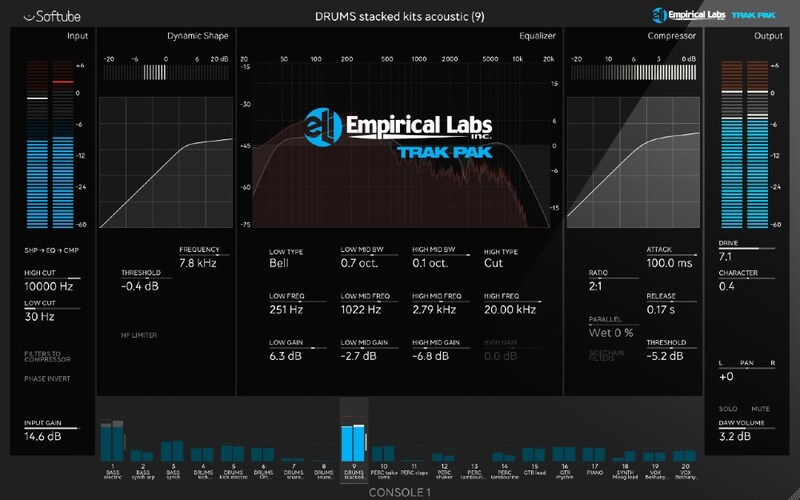
Ever wonder how an Empirical Labs console would sound? Trak Pak has your answer and it’s an emphatic, hell yeah. Introducing the Empirical Labs Trak Pak channel strip expansion for Console 1. In partnership with Dave Derr, the mastermind behind ELI, Softube expertly modelled two killer hardware units: the intensely punchy Lil FrEQ de-esser/analogue equalizer and the hairy, fat-sounding Mike-E saturator/compressor. Turns out, these two get along like gangbusters.
Combined and configured for mixing, this pairing stuffs obscene amounts of power, punch, character, and analogue warmth into a single channel strip. With the highly valued Console 1 workflow and bone-deep ELI sound, Trak Pak is unique for Console 1 and unlike anything on the pro audio market today. Drop exceptional analogue sound and the perfect amount of vintage mojo onto your ecosystem with the Empirical Labs Trak Pak.

Important Note: This product requires Softube Console 1.
Features
- It’s basically like having an Empirical Labs console
- High and Low-pass filters from the Lil FrEQ: 18 dB/octave
- Shape section from the DS section of Lil FrEQ (DS and HF, high frequency limiting)
- 4-band parametric EQ from Lil FrEQ with the separate shelves and filters selectable on the LF and HF bands: Gain +-14 dB
- Compressor from the Mike-E (based on the Distressor) including NUKE mode
- Compressor ratios: BYP, 1:1, 2:1, 4:1, 8:1 & NUKE
- Compressor attack times: 0.9 ms to 100 ms
- Compressor release times: 0.05 s to 0.5 s
- Drive has the multistage soft-clipping from the Saturator of Mike-E
Learn more about Empirical Labs Trak Pak for Console 1.
Important Notes
- This product requires Softube Console 1.
- Make sure that you always use the latest iLok License Manager. It is not included in the Softube installer but can be downloaded from www.ilok.com
- macOS Big Sur 11, Monterey 12, Ventura 13
- Windows 10 (64-bit), Windows 11
- Softube account
- iLok account
- Computer with AU, VST, VST3, and/or AAX-compatible DAW host software
- Internet access (for downloading installers and managing licenses)
Supported CPU Families
- Apple macOS computers with Intel Core i3/i5/i7 or Apple silicon (M1 or newer) CPU. Apple silicon is supported natively.
- Windows computers with quad-core Intel Core i3/i5/i7 or AMD quad-core processors with SSE 4.2 support.
- Other Intel processors (Celeron, Pentium, and Xeon) are compatible if they support SSE 4.2 instructions.
Supported Host Software (DAW)
Any 64-bit VST, VST3, AU, or AAX (Pro Tools 11.0.2 or higher) compatible host application should work. However, due to plug-in host differences between DAWs—and our rigorous standards—Softube only officially test their plug-ins and instruments in the most recent versions of Pro Tools, Logic Pro, Cubase, Ableton Live, Studio One, and Reaper. Softube plug-ins are not tested regularly in non-listed systems. They will likely work if the system requirements are met. However, the manufacturer cannot guarantee a solution for issues in unsupported systems.
Softube strongly recommend using VST3, as some of their plug-ins have features that are not present in the older VST format. Supported sample rates: 44.1, 48, 88.2, 96, 176.4, and 192 kHz, in both mono and stereo. The most recent maintenance release of your DAW application is recommended. AAX DSP is not currently in active development. TDM/VENUE/RTAS are no longer supported. See Legacy Installers.
Important Note: Spring Reverb is used as the example
Installation Video
Note: Before starting the installation, you are required to create a FREE iLok user ID and install the iLok License Manager.
Please take a look at this Help Centre Guide for more information.
Registration
1. Click 'DOWNLOAD' in your Plugin Boutique Account. This will direct you to the Softube login page.
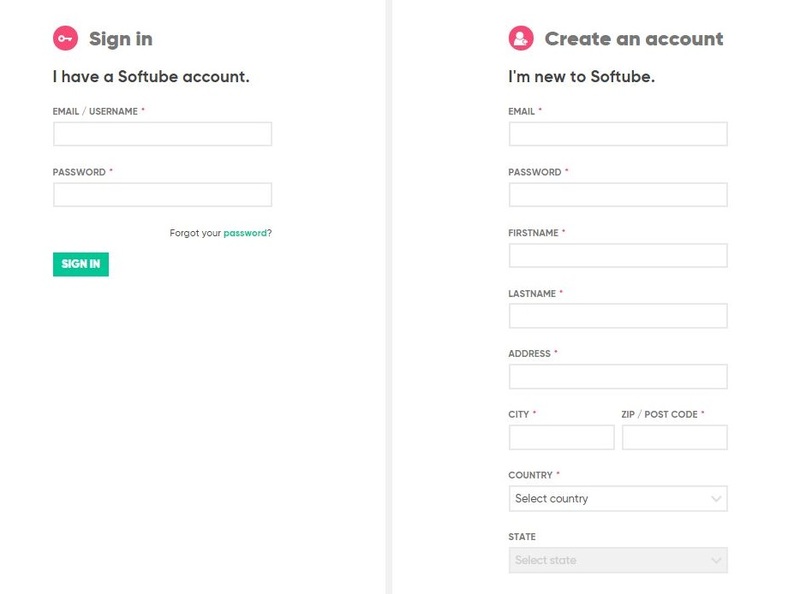
2. Enter your details > tick the Privacy Policy box > click 'Sign up' to create an account. (If you already have a Softube account, please log in and skip to step 5).
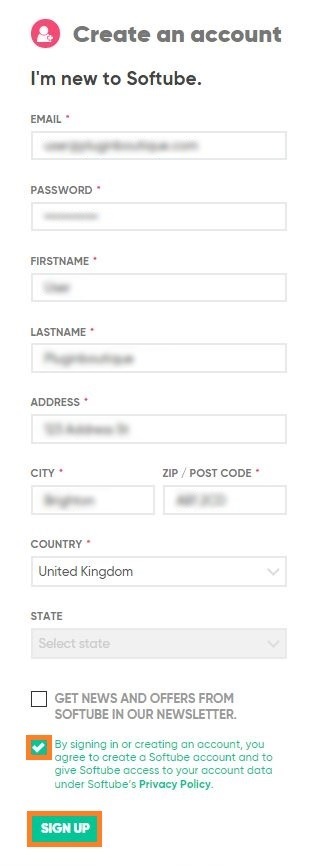
3. Go to your email account > find the Softube registration email > click 'ACTIVATE MY ACCOUNT'. (Your account has now been successfully created)

4. Go back to www.softube.com (you should now be logged in) > click 'MY ACCOUNT'.

5. Click 'REGISTER LICENSE'.

6. Enter the License Code (referred to as serial number on our site) found in your Plugin Boutique User Account > click 'REGISTER LICENSE'.

7. Click 'GO FOR IT!'.

Your product is now registered.
Mac
1. On the My Products page, click 'MAC' > you will be directed to the Mac Installation page.

2. Click 'HERE (highlighted in orange) to start downloading Softube Central.

3. Once it has downloaded, open the Softube Central PKG file > click 'Continue'.

4. Read through the Software License Agreement > click 'Continue'.

5. Click 'Agree'.

6. Click 'Install'.

7. Enter your password > click 'Install Software'.

8. Click 'Close'.

9. Open Softube Central > click 'INSTALL' to install all the necessary iLok licensing components. (This may take a few minutes)
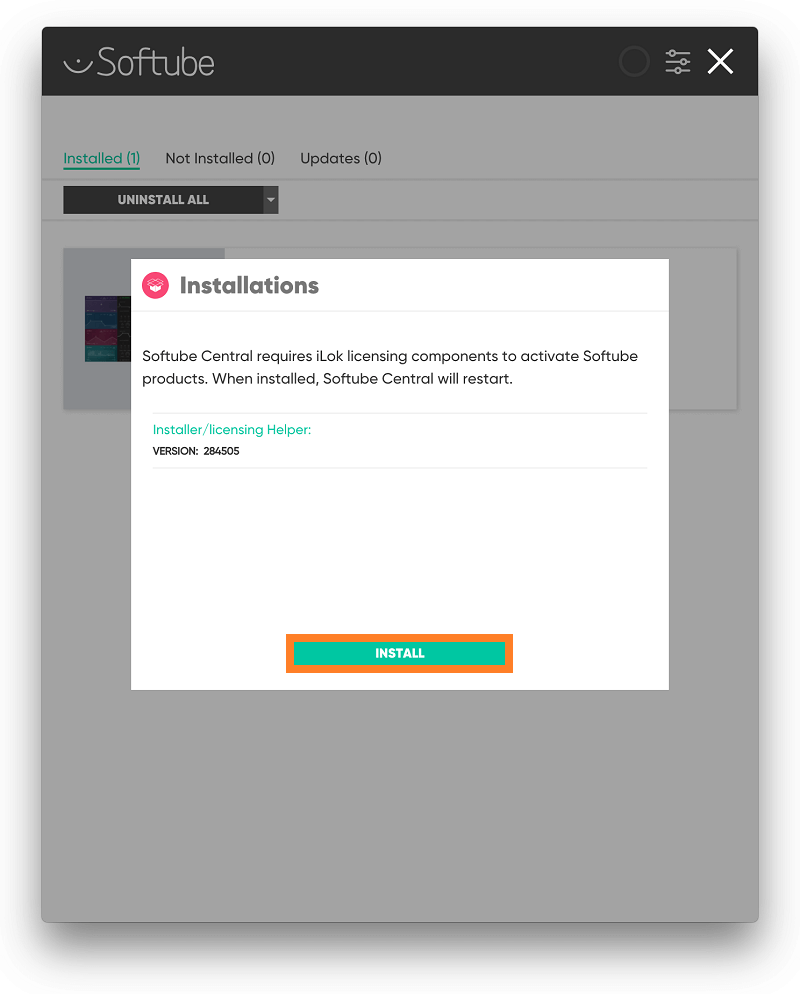
10. Sign in to your Softube account.

11. Your product will now be displayed in Softube Central.
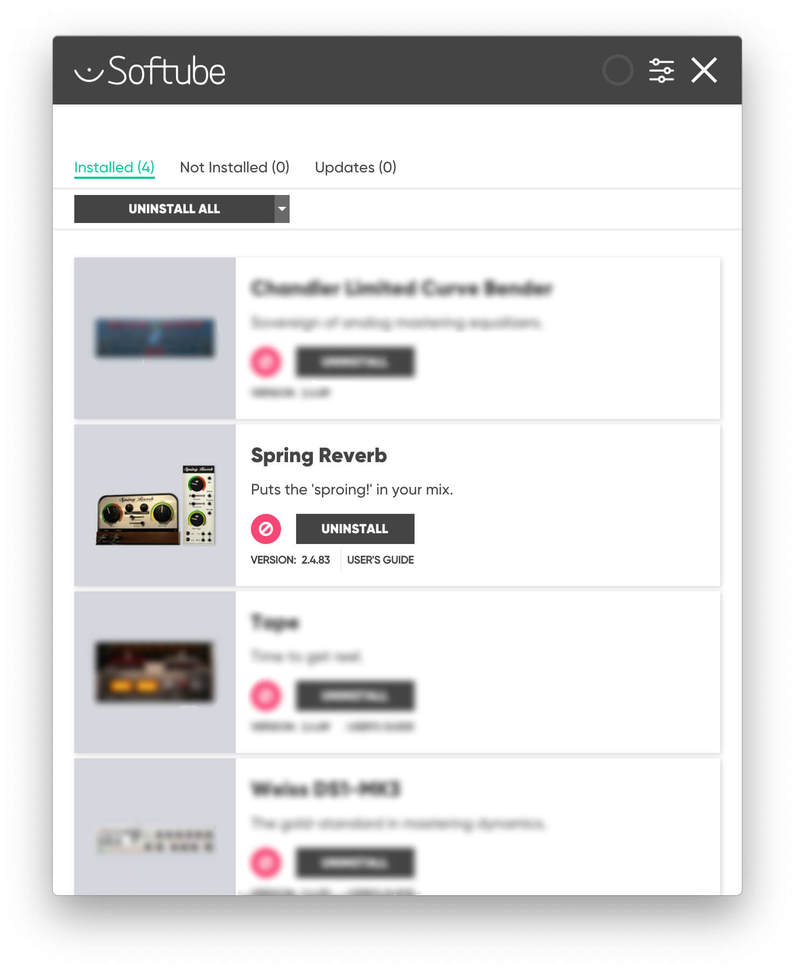
Please note: if it says 'DISCONNECTED' at the top of the window, please go to the settings and click 'RESTART', close Softube Central and then open it again.
Your software is now activated and ready for use within your DAW.

Windows
1. On the My Products page, click 'WINDOWS' > you will be directed to the Windows Installation page.

2. Click 'here' (highlighted in orange) to start downloading Softube Central.

3. Once it has downloaded, open the Softube Central download > click 'Yes'.

4. Read through the Software License Agreement > click 'I Agree'.

5. Softube Central will now open > click 'Install' to download the necessary iLok licensing components.

6. Please wait for the iLok licensing components to download. (This may take up to 5 minutes).

7. Click 'Yes' > the Softube Installer Helper Setup will now run.

8. Click 'Next >'.

9. Read through the License Agreement > click 'I Agree'.

10. Click 'Next >'.

11. Choose the VST file path (we recommend the default location) > click 'Install'.

12. Click 'Finish'.

13. Softube Central has now been successfully installed > click 'START'.

14. Sign in to your Softube account.

15. Click 'INSTALL'.

Your software is now activated and ready for use within your DAW.


