


Buy Sonnox Producer Power Bundle - Oxford Inflator & Oxford Limiter, get a free gift with purchase:
A professional loudness and enhancement bundle combining dynamic-preserving saturation (Oxford Inflator) with transparent peak limiting and loudness maximization (Oxford Limiter) for powerful, polished mixes and masters.
Oxford Inflator
The Secret to Award-Winning Mixes
For years, the Oxford Inflator has been a “secret weapon” for mixing and mastering engineers. Renowned for delivering instant sonic enhancement and elevating tracks to new heights. Inflator guarantees unmatched life and vibrancy in your mix.
The Inflator Difference - Why Pros Keep Coming Back
Every producer faces that moment when EQ and compression just aren’t cutting it. A vocal lacks punch, a mix bus feels too thin, or an entire track is missing that certain spark.
This is where the Oxford Inflator stands apart from imitators and remains a fixture in professional studios worldwide.
Whether you’re adding subtle depth or making a track explode with intensity, the Inflator brings an undeniable presence, warmth, and power to your mix—all without squashing dynamics or adding unwanted distortion. It delivers results other plugins can only hope to imitate.
Features
- Instant Excitement - Need vocals to jump to the front of the mix or guitars to cut through with attitude? Inflator instantly adds warmth, depth, and character to any track. Whether it’s subtle saturation or full-on intensity, you control the excitement.
- Uncompromising Dynamic Range - Inflator’s magic lies in its ability to enhance loudness without flattening your track’s dynamics. No need to sacrifice emotional impact for volume—Inflator lets your music retain its energy while still standing out in today’s loudness-driven market.
- Unmatched Legacy & Compatibility - We’ve maintained cross-compatibility across all platforms and DAWs for years, ensuring your Inflator settings carry over seamlessly from session to session—whether from 10 years ago or today. Investing in the Oxford Inflator means you’re not just getting today’s best exciter plugin—you’re future-proofing your workflow.
- The Real Deal - With imitators flooding the market, it’s easy to get lost in the noise. But when you choose the Oxford Inflator, you’re choosing the plugin that pros have trusted for over a decade. Backed by Sonnox’s renowned customer support and regular updates, you can be confident you’re using the most reliable, authentic tool in your arsenal.
Learn more about Oxford Inflator
Oxford Limiter
The Limiter That Lets You Go Further
Craft stunning masters that deliver maximum loudness, density and presence.
Pushing your mix to the limit can feel risky—you want more loudness, but you don’t want to crush the life out of it. That’s where the Oxford Limiter steps in. Designed to deliver maximum loudness while preserving your mix’s detail and energy, it lets you go further than you ever thought possible.
Where other limiters crumble under pressure, the Oxford Limiter stands strong. It gives you the confidence to push harder, keeping every hit, kick, and snare punchy and defined.
Loudness Without Compromise
You’ve worked hard to perfect the dynamics of your track—the thump of the kick, the snap of the snare, the space and depth in the mix. The last thing you want is to crush the life out of it at the final stage. With the Oxford Limiter, you don’t have to choose between loudness and life.
Make Your Music Stand Out with the Enhance Section
The loudness wars may be over, but everyone’s still fighting for that perfect -4 LUFS. In a world where loudness matters, the Enhance section is your secret weapon. It elevates the perceived loudness of your track, giving your music the punch it needs to stand out—whether it’s streaming, radio, or the club.
The Enhance section pushes your mix beyond conventional limits, adding a final polish without dulling your sound. Your track stays crisp, full of life, and ready to take on any platform.
Why Oxford Limiter is Essential for Your Mixes
Think of the moments when your track hits just right—the energy is palpable, the clarity is there, and every element has its space. Now, imagine being able to push that feeling even further. With the Oxford Limiter, you can boost your music’s impact while keeping what matters most—the punch, dynamics, and emotion.
Features
- Peak limiting with attack, release & variable soft-knee
- Enhance section to increase perceived loudness
- Recon meter shows actual rather than sampled signal
- Auto Comp fixes recon errors without losing overall loudness: conforming to the industry's true peak measurement standard (ITU-R BS.1770-4)
- Audition and apply TPDF dither for 24-bit and 16-bit output word lengths with four types of variable noise shaping
- Four variable-strength noise shaping modes for use with highly dynamic program material
- Full backwards compatibility with previous plugin versions
- Great library of factory presets to get you started
Learn more about Oxford Limiter
macOS
- macOS 10.12 or later (Intel / M1 Apple Silicon supported) (64-bit only)
- Plugin Formats - AAX Native, AU, VST3
- Supported Hosts - Pro Tools 11 or above or any desktop application that supports Audio Unit (AU) or VST3 plugins.
Windows
- Windows 10 or later
- Plugin Formats - AAX Native, VST3
- Supported Hosts - Pro Tools 11 or above or any desktop application that supports VST3 plugins.
Activation
The Toolbox range offers 2 activations for each product licence you buy.
Providing you have an iLok account, each activation will allow you to authorise your plugin on one of these devices:
- Machine
- iLok device, iLok2 / iLok3 required with latest drivers OR
- iLok Cloud (Active internet connection required)
Note: VoxDoubler has been used as an example.
Mac
2. Visit Sonnox to register your product.
3. Read the Sonnox Software Licence Agreement > Click 'I Agree' at the bottom of the page.
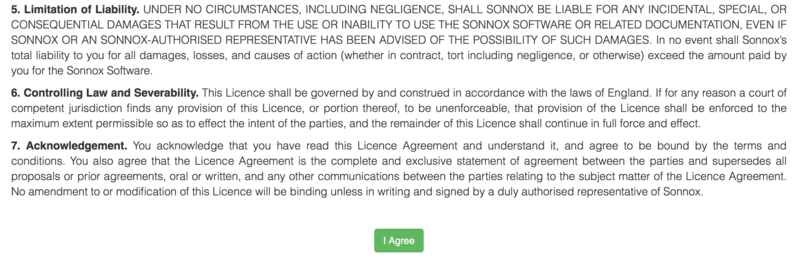
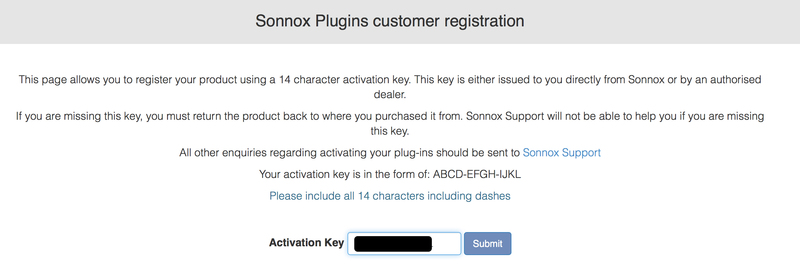
4. Copy and paste/manually type in the 14 character Activation Key (serial number) from your User Account, into the 'Activation Key' box and click 'Submit.'
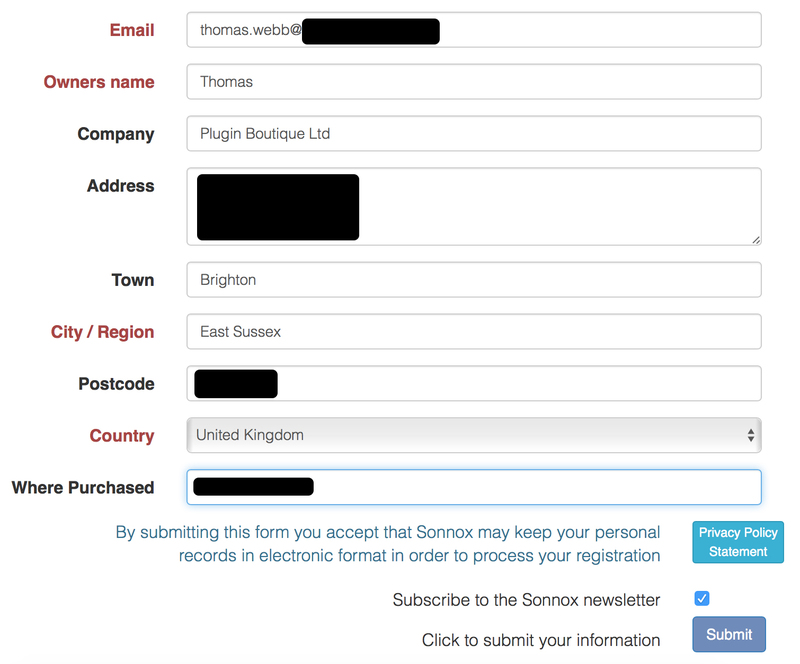
5. Enter your personal details and complete the customer registration page and once inputted, click 'Submit.'
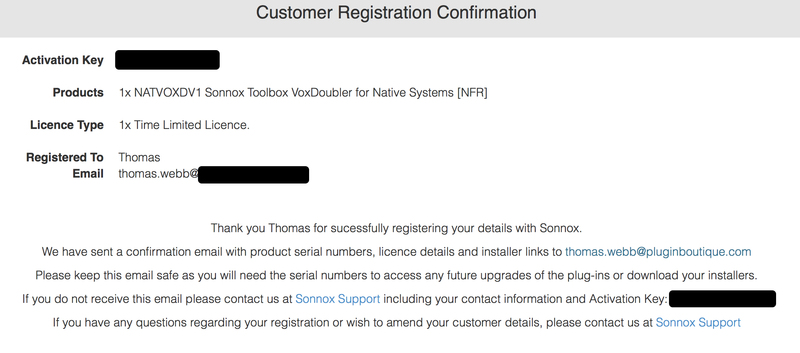
6. Your software product has now been successfully registered.
Please note:
- You will have been sent a confirmation email containing your product serial numbers, licence details and installer links to your registered Sonnox email address.
- Please keep this email safe as you will need the serial numbers to access any future upgrades of the plug-ins or download your installers
7. Log into your email address inbox and click the 'Download' option.
NB: This email may be located in the spam/junk folder of your inbox.
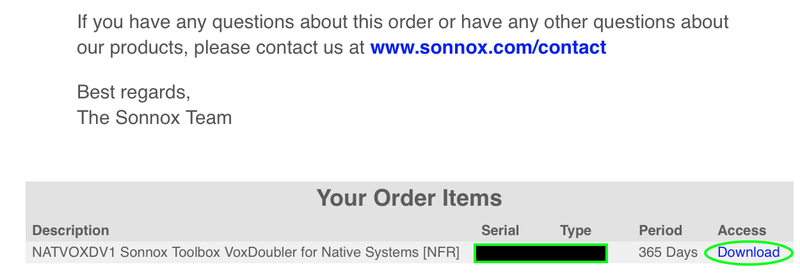
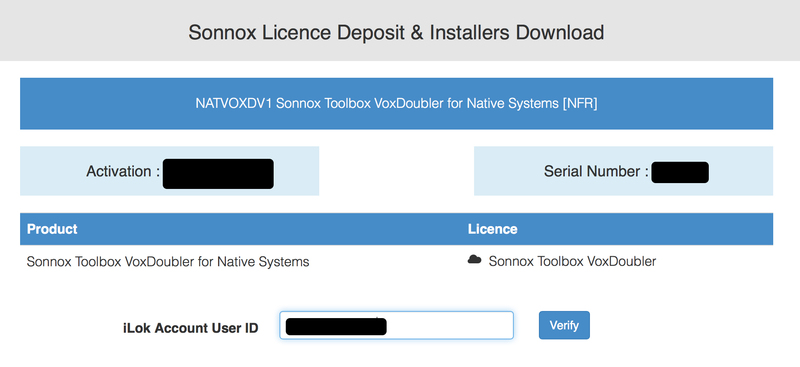
8. Enter your iLok Account User ID and then click 'Verify.'
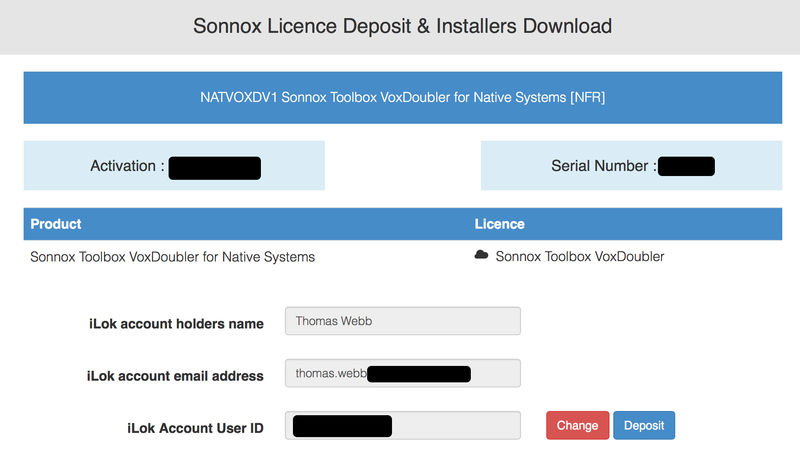
9. Check and verify your details by selecting 'Deposit.'
10. Launch your iLok licence manager application and log into your account > locate the Sonnox VoxDoubler product name and drag and drop this onto the computer/iLok USB location that you wish to activate the software to.
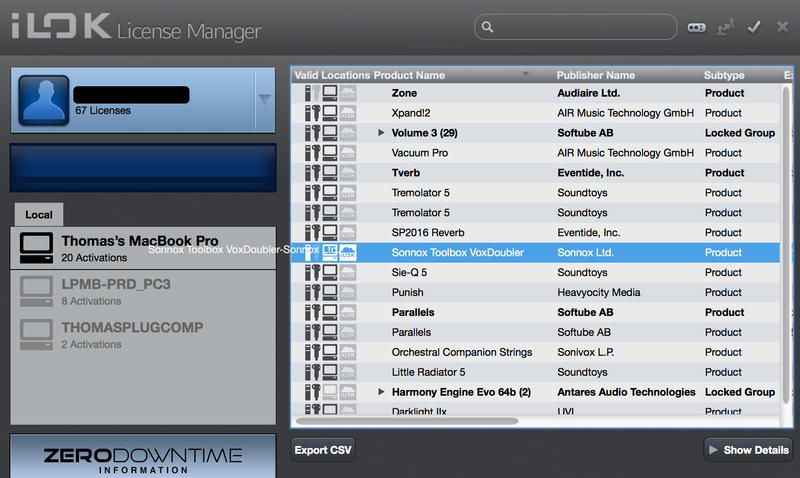
11. Select 'OK' to confirm the activation.
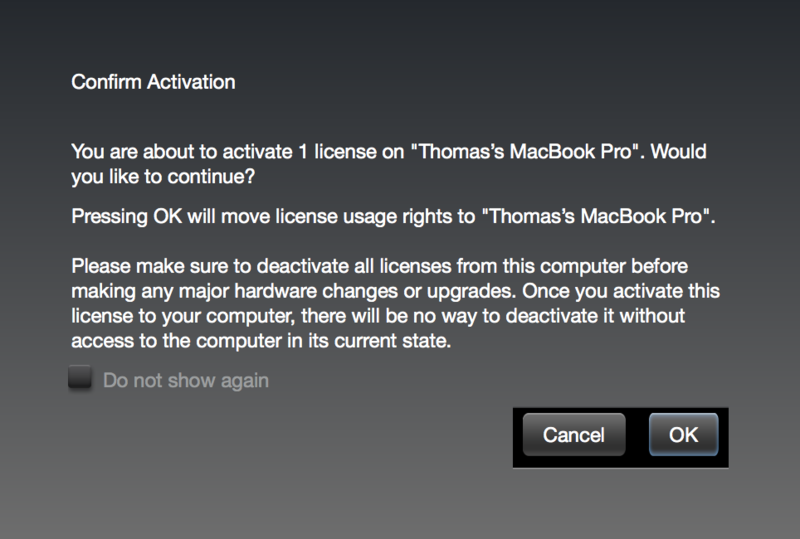
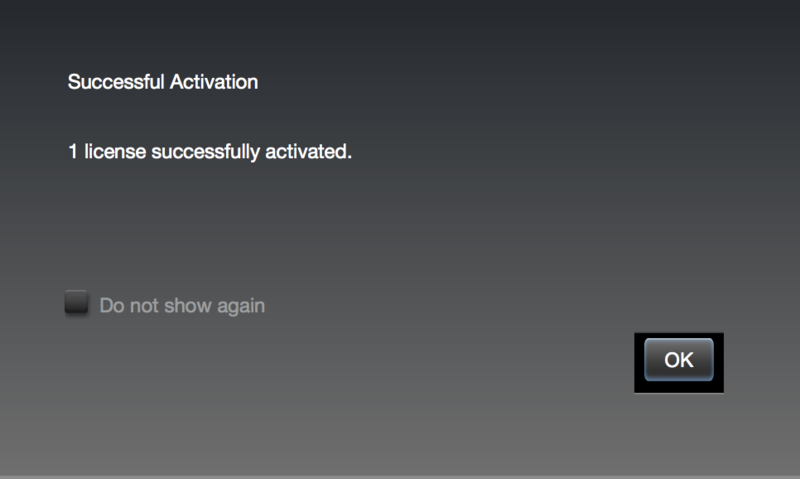
12. The software is now successfully activated to your location of choice > you can now close the iLok licence manager application.
13. Click 'Mac Installers' to navigate to the product download section.
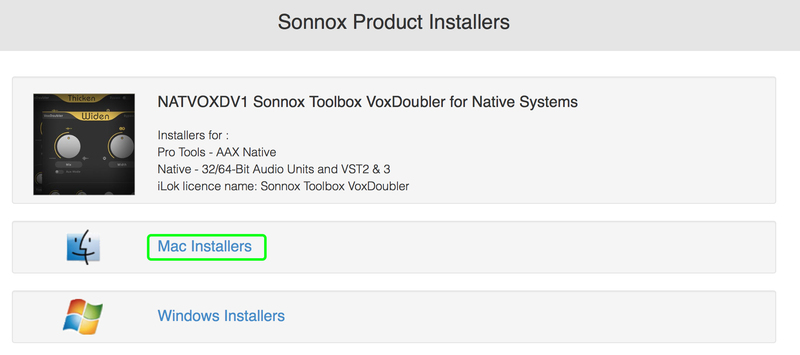
14. Select the 'Sonnox Toolbox VoxDoubler' link to initiate the downloading of the software.

15. Once the .pkg file has successfully downloaded, double-click it to begin the installation process > click 'Continue.'
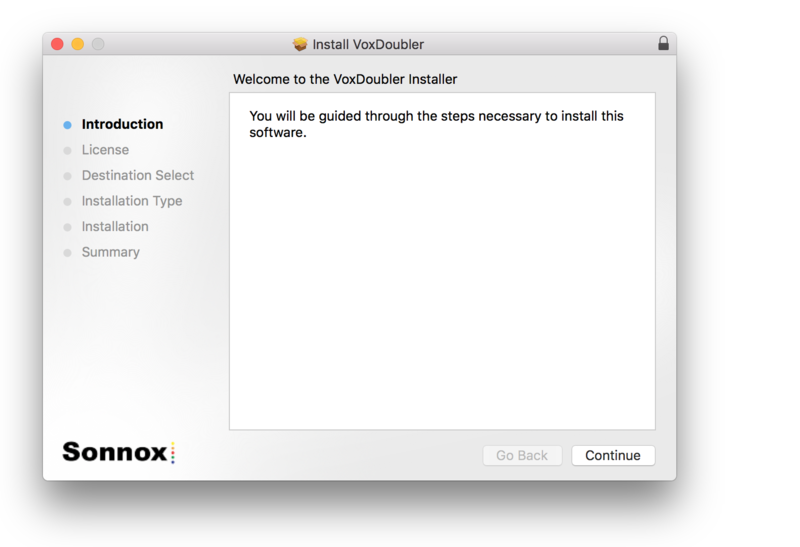
16. Read through the Licence Agreement > click 'Continue' then 'Agree.'
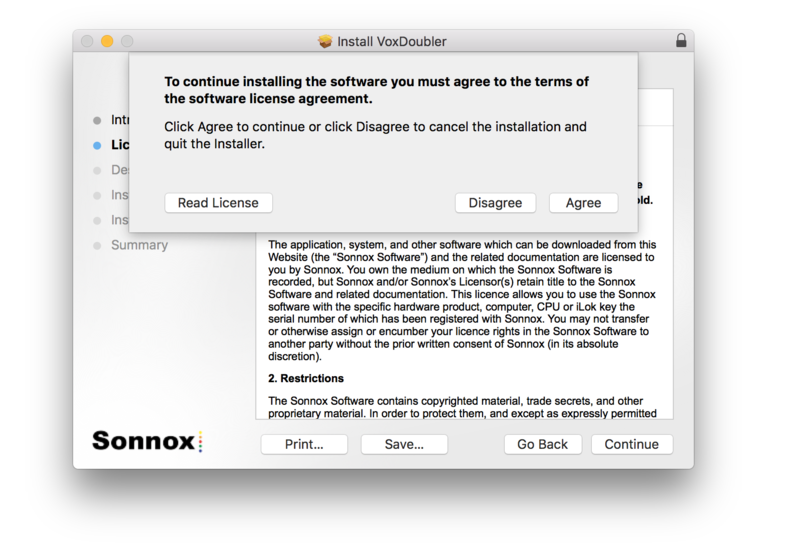
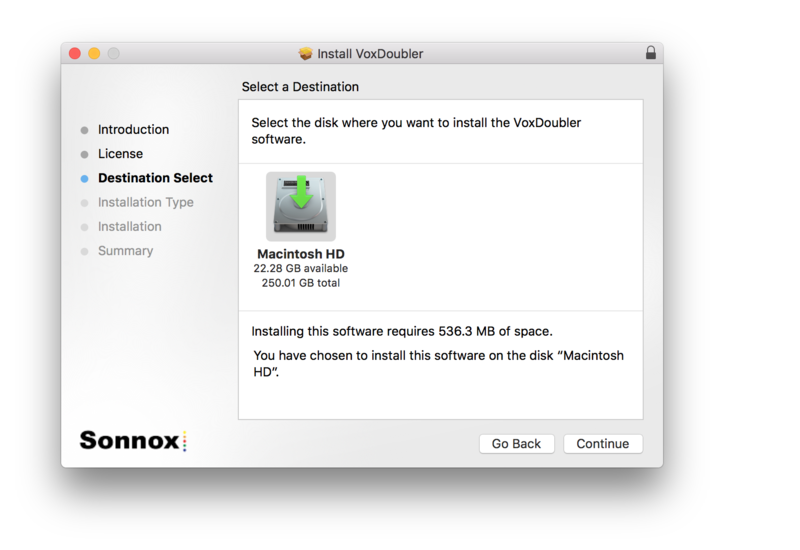
17. Select a computer destination in which to install the software to > click 'Continue.'
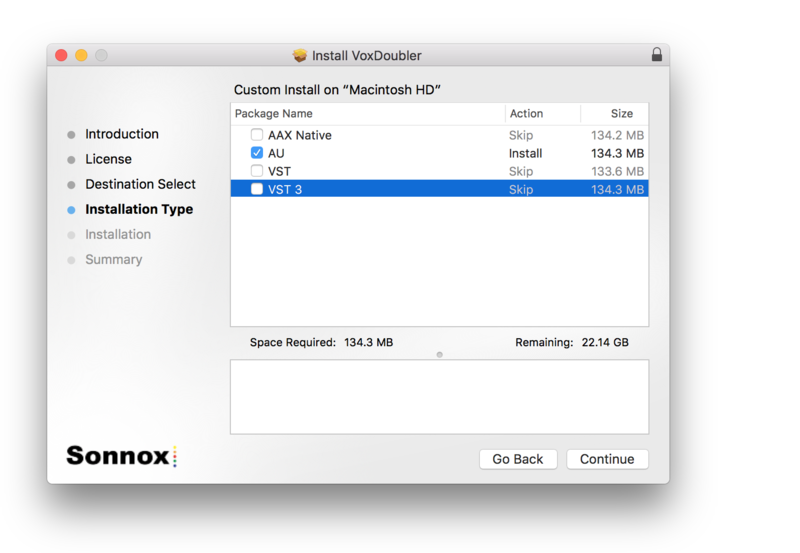
18. Select which software components you wish to install > click 'Continue.'
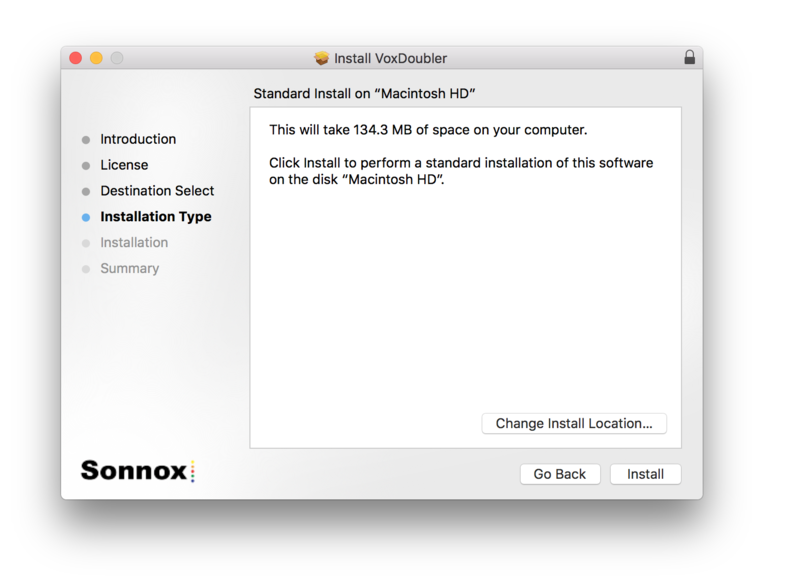
19. Review the installation and click 'Install.'
20. The installation of the software has successfully completed > click 'Close.'
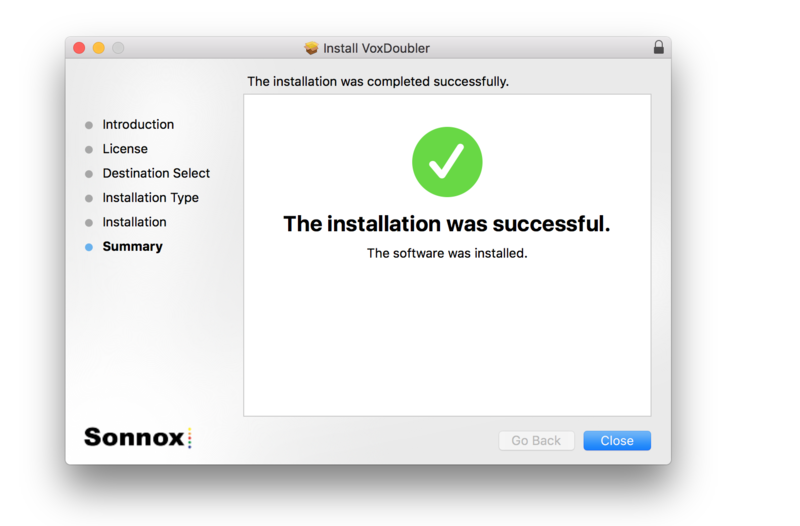
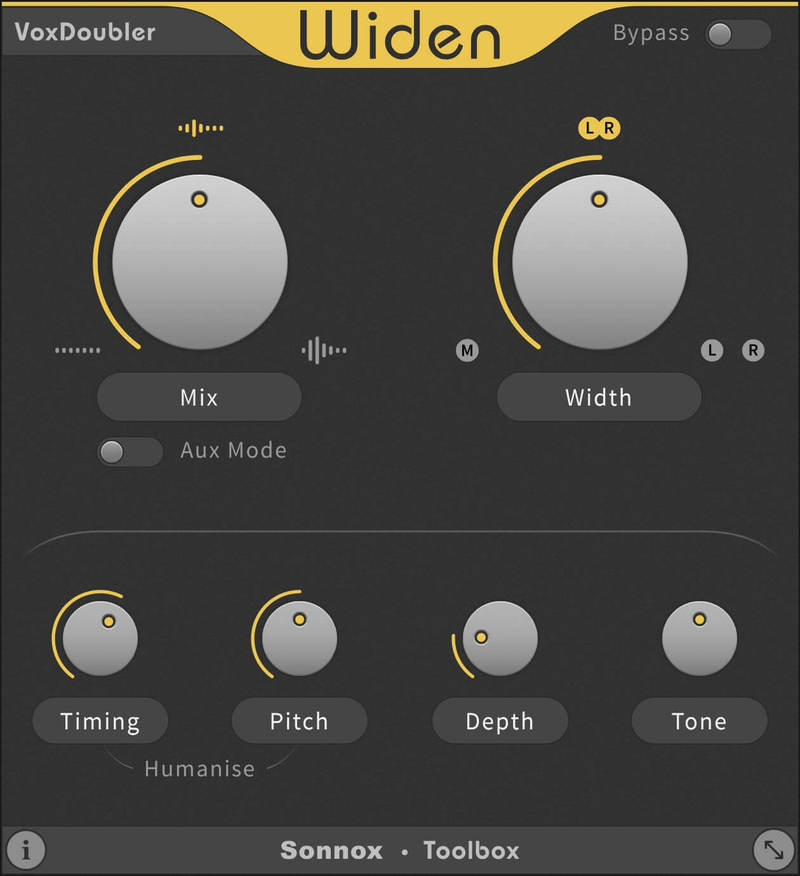
21. Restart/open your DAW, then locate and select Vox Doubler from your Audio FX drop-down selection.
Note: if the software fails to show, restart your DAW and/or rescan your plugin selection to refresh the installation.
The Software is now Ready for Use!
Windows
Note: Either an iLok USB Key and/or FREE soft iLok licence manager account (and application) are required to activate your Sonnox Software. If you do not have an iLok Key, you can purchase one from HERE and your FREE iLok account can be created HERE.
2. Visit Sonnox to register your product.
3. Read the Sonnox Software Licence Agreement > Click 'I Agree' at the bottom of the page.
4. Copy and paste/manually type in the 14 character Activation Key (serial number) from your User Account, into the 'Activation Key' box and click 'Submit.'
5. Enter your personal details and complete the customer registration page and once inputted, click 'Submit.'
6. Your software product has now been successfully registered.
Please note:
- You will have been sent a confirmation email containing your product serial numbers, licence details and installer links to your registered Sonnox email address.
- Please keep this email safe as you will need the serial numbers to access any future upgrades of the plug-ins or download your installers
7. Log into your email address inbox and click the 'Download' option.
NB: This email may be located in the spam/junk folder of your inbox.
8. Enter your iLok Account User ID and then click 'Verify.'
9. Check and verify your details by selecting 'Deposit.'
10. Launch your iLok licence manager application and log into your account > locate the Sonnox VoxDoubler product name and drag and drop this onto the computer/iLok USB location that you wish to activate the software to.
11. Select 'OK' to confirm the activation.
12. The software is now successfully activated to your location of choice > you can now close the iLok licence manager application.
13. Click 'Mac Installers' to navigate to the product download section.
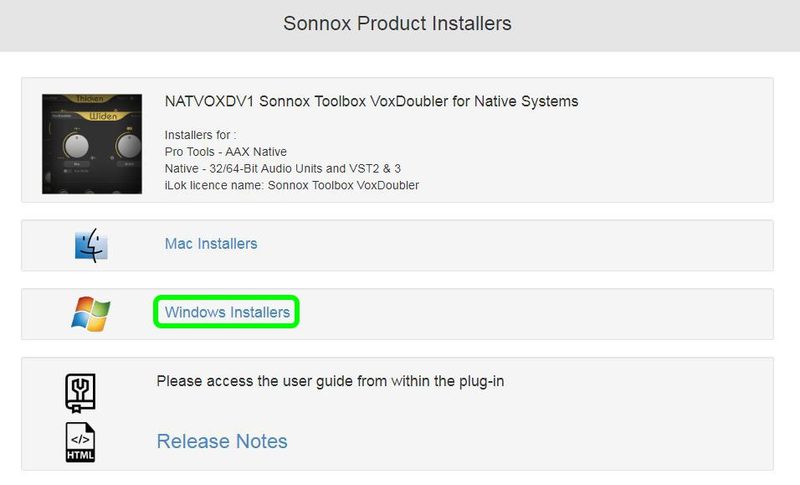
14. Select the 'Sonnox Toolbox VoxDoubler' link to initiate the downloading of the software.

15. Once the .exe file has successfully downloaded, double-click it to begin the installation process > click 'Run.'
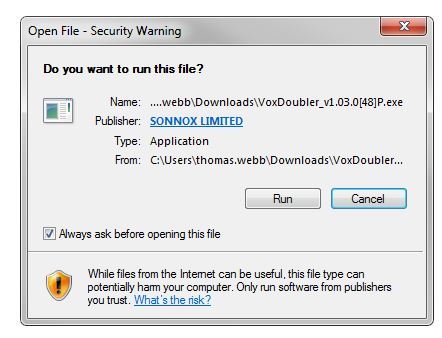
16. click 'Next.'
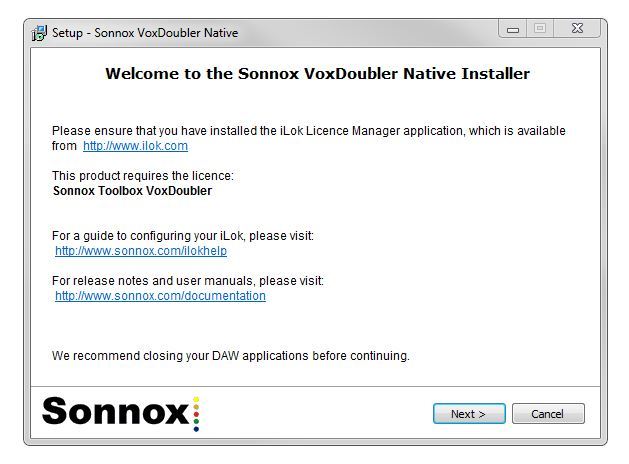
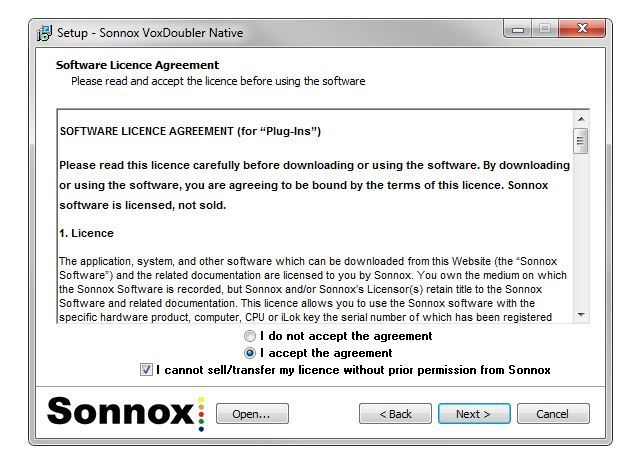
17. Read through the information and select the 'I accept the agreement' as well as 'I cannot sell/transfer my licence without prior permission from Sonivox' boxes > then click 'Next.'
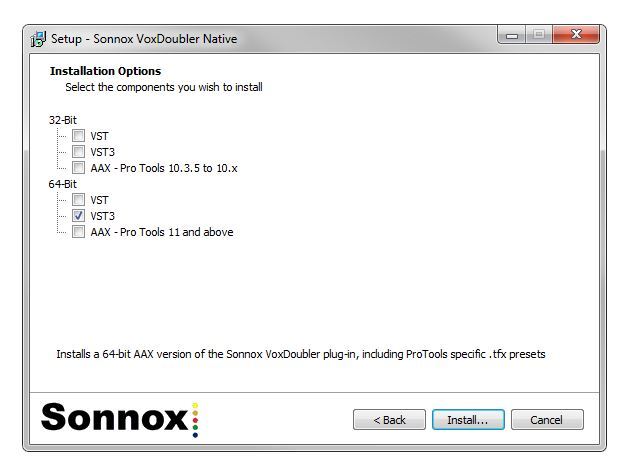
18. Select which software components you wish to install > click 'Install.'
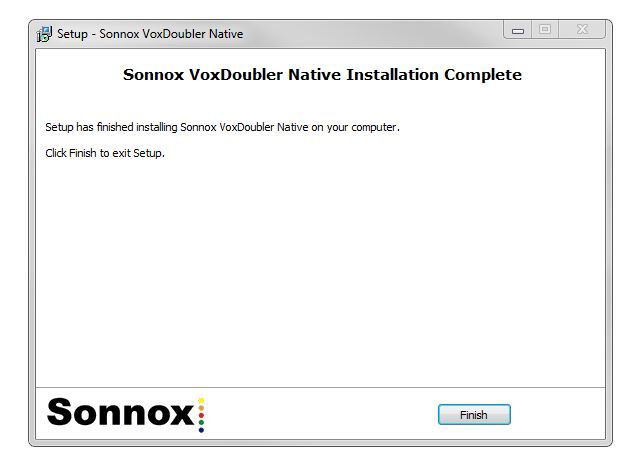
19. The installation of the software has successfully completed > click 'Finish.'
20. Restart/open your DAW, then locate and select Vox Doubler from your Audio FX drop-down selection.
Note: if the software fails to show, restart your DAW and/or rescan your plugin selection to refresh the installation.
The Software is now Ready for Use!


