Log In

UAD plug-in collection featuring UA 610-A and 610-B tube channel strips for UAD Native and Apollo DSP systems.
Timeless warmth and punch for your vocals and instruments. Introduced in 1960, Bill Putnam Sr.’s 610 modular consoles were among the first mixing desks purpose built for audio recording. The channel strips at the heart of the 610 did more than capture audio — they transformed it with rich tube harmonics and saturation that made any source sound better. The UA 610 Tube Preamp & EQ Collection gives you the same warmth and vintage sound heard on generations of classic recordings, perfect for making vocals and instruments stand out in your mix.
Features
- Produce music in your DAW with the same channel strips that inspired generations
- Add presence and warmth to vocal recordings so they stand out in your mix
- Hear guitars, keys, and drum tracks come alive with fat tube saturation
- Make any effect in your signal chain sound instantly more full and three-dimensional
- Enjoy our authentic “end-to-end” emulation of two classics — the 610-A and 610-B — including tube amplifiers, transformers, and EQ circuits
- Use the Apollo DSP version with Unison™ preamp technology to get the most authentic 610 sound and experience
- Use the UAD Native version to get classic 610 tube warmth and character in your DAW, no Apollo required
Add Tube Warmth to Vocals, Guitars, Keys, and Drums
Bill Putnam Sr.’s 610 modular recording consoles were the first of their kind. The UA 610 Tube Preamp & EQ Collection gives you the same rich harmonics and flattering tube saturation of the iconic hardware. Just add it to a track in your session, and hear nearly any element in your mix stand out with added warmth and presence.
A One-Two Punch of Classic 610 Sound
Both plug-ins included in the UA 610 collection give you a range of vintage tones that the hardware was known for. Enjoy colorful saturation with the 610-A, perfect for warming up any source. Or use the slightly cleaner 610-B to add presence to vocals and acoustic instruments.
Vintage Tone for Your Modern Mixes
The channel strips included in UA 610 collection were designed to make your mixes sound better the minute you pull them up. Simply add a 610 preamp first in your signal chain, and hear the same tone heard on recordings by everyone from Ray Charles, Elvis Presley, and Neil Young, to countless modern artists.*
Record Through an Iconic Preamp with Unison Technology
If you own an Apollo audio interface with Unison™ technology, you’ll get the most authentic experience of recording through a 610 channel strip in realtime. With all the unique gain-staging “sweet spots” — it’s like plugging into the front end of a classic analog console right in your DAW.
Enjoy Popular UAD Channel Strips Natively
With the included UAD Native plug-in versions, you can get authentic 610 tube warmth on any system — no Apollo or UA hardware required. This means you’ll have access to the same vintage tools reserved for high-end analog studios, no matter where your music takes you.
*Use of artist names does not constitute official endorsement.
- macOS 11 or above.
- Windows 10 or Windows 11 (64-bit only Editions)
- Intel, AMD, or Apple silicon processor
- Internet connection to download software and authorize UADx plug-ins
- Free iLok account with iLok Cloud or iLok USB (2nd generation or higher)
- A physical iLok dongle is NOT required to activate this product
DAW Compatibility
- Pro Tools 2022 (AAX)
- Logic Pro (Audio Units)
- Ableton Live 11 (VST 3, Audio Units)
- Cubase 12 (VST 3)
- Studio One 5 (VST 3)
- LUNA Recording System
You can activate this software on an online system (using iLok Cloud) or an offline system (using an iLok USB):
-
Online: an active internet connection and a FREE iLok account are required to authorise UAD Plug-ins using iLok Cloud
-
Offline: you will need a physical iLok USB (2nd generation or higher) to authorise this software
Important note: UAD plugins do not work in Apple's Garageband DAW
Registration
1. Click the Download button in your Plugin Boutique account or go to https://www.uaudio.com/my/account/redeem/.
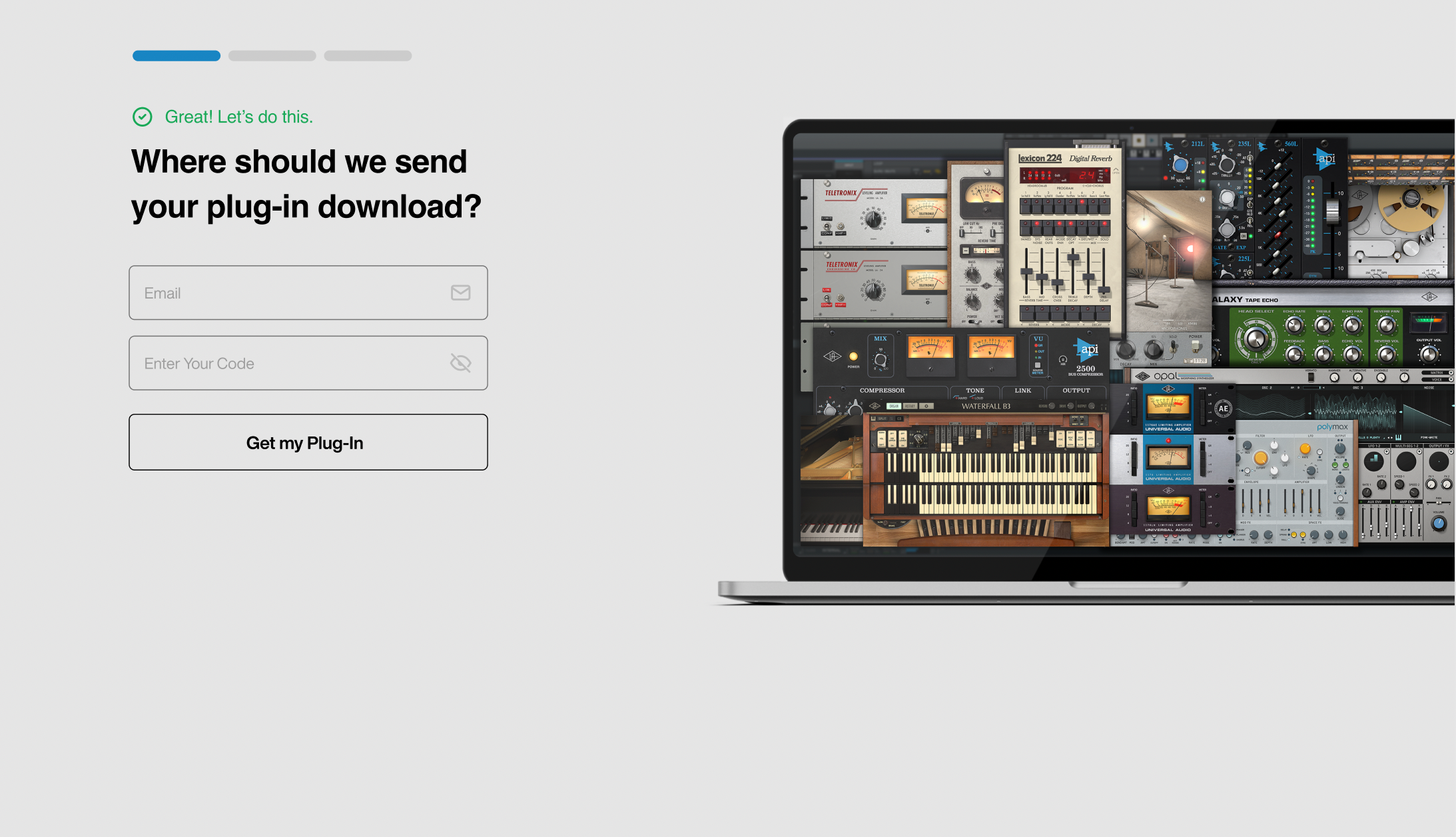
2. Enter your email and the serial code found in your Plugin Boutique User Account > Click 'Get my Plug-in'.
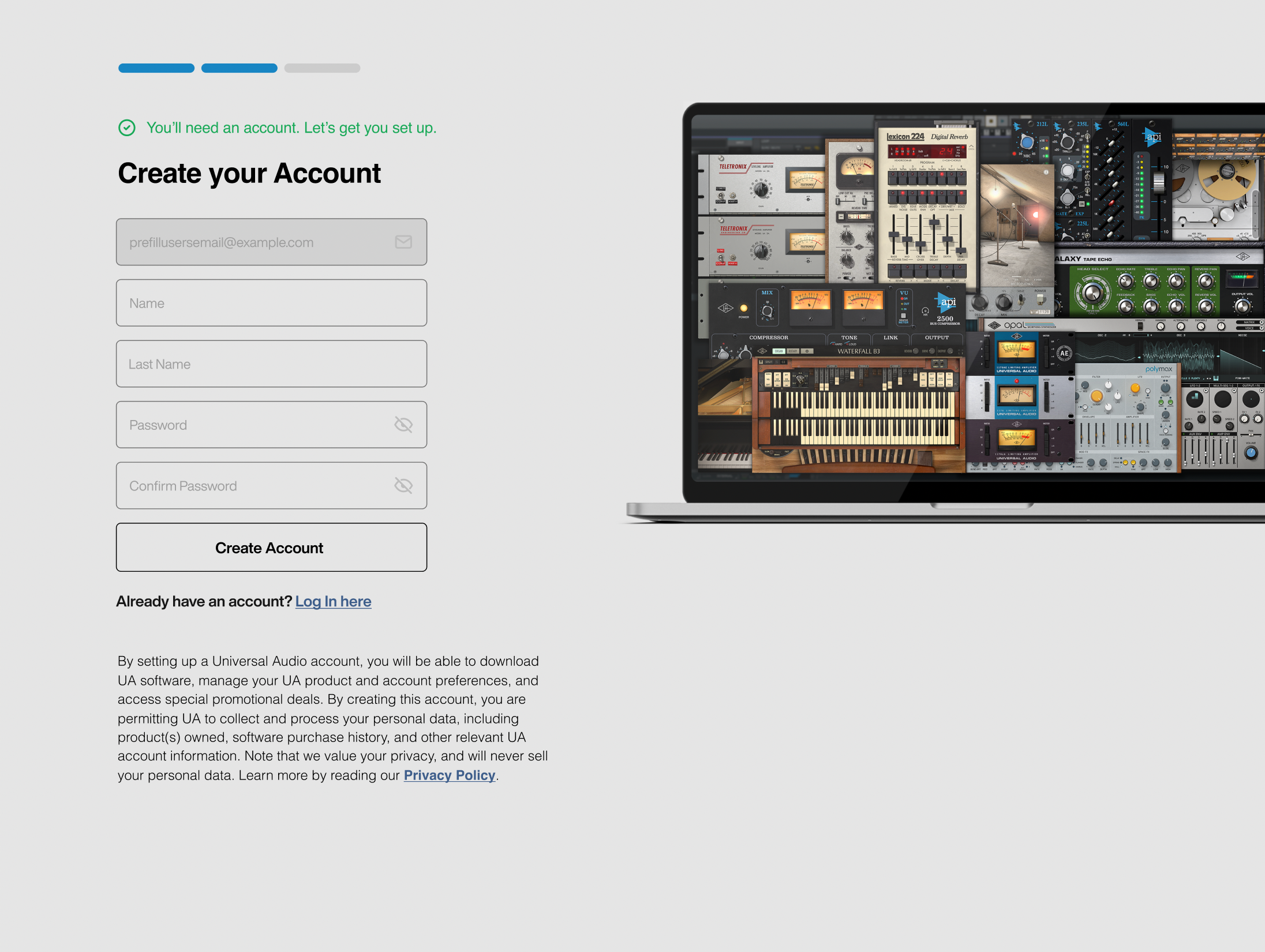
3. Enter the details required to create your Universal Audio account > Click 'Create Account'.
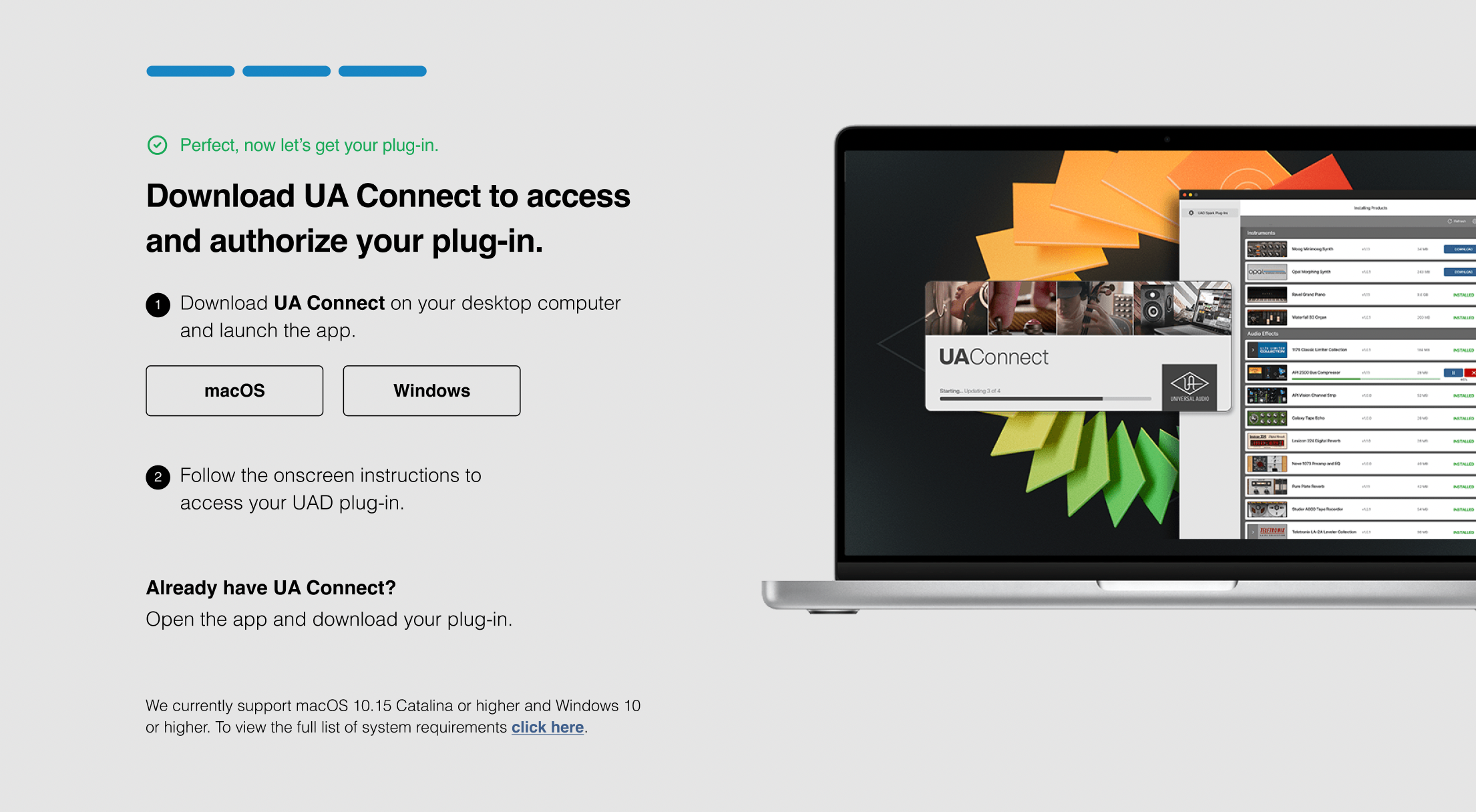
4. Download UA Connect by clicking either 'macOS' or 'Windows' depending on the system you are using.
Windows Installation
1. Once the download is complete, extract and open the ZIP folder you just downloaded > Open the PC folder > Double-click the UA Connect.exe installer file.
2. Read the terms of agreement > Click 'I Agree'.

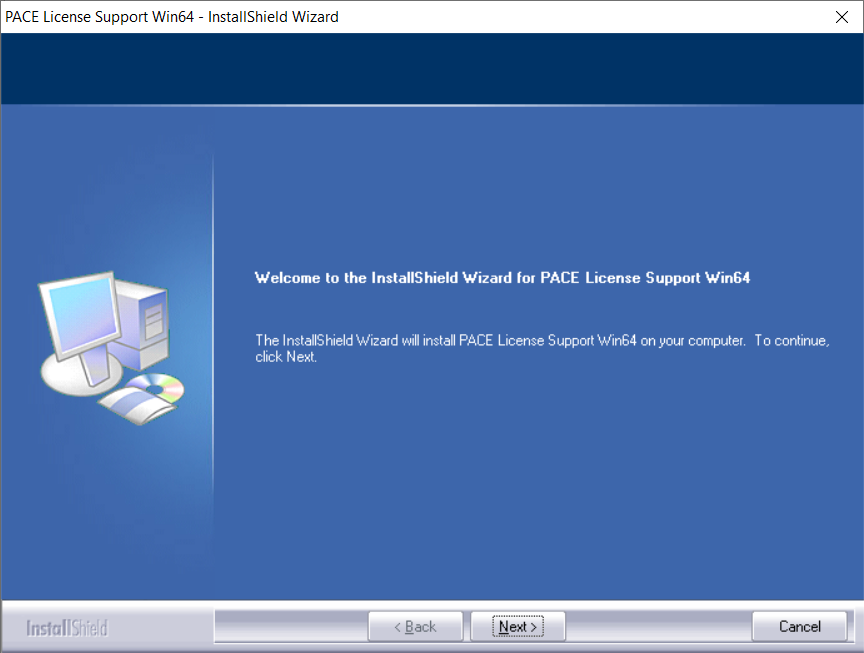
3. The installation of PACE License Support will now begin > Click 'Next >'.
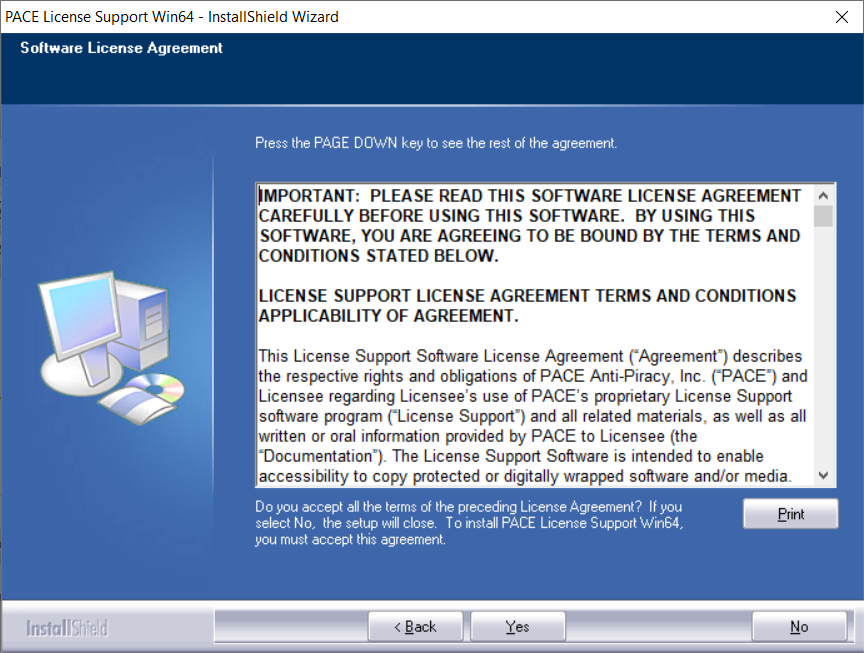
4. Read the license agreement > Click 'Yes'.
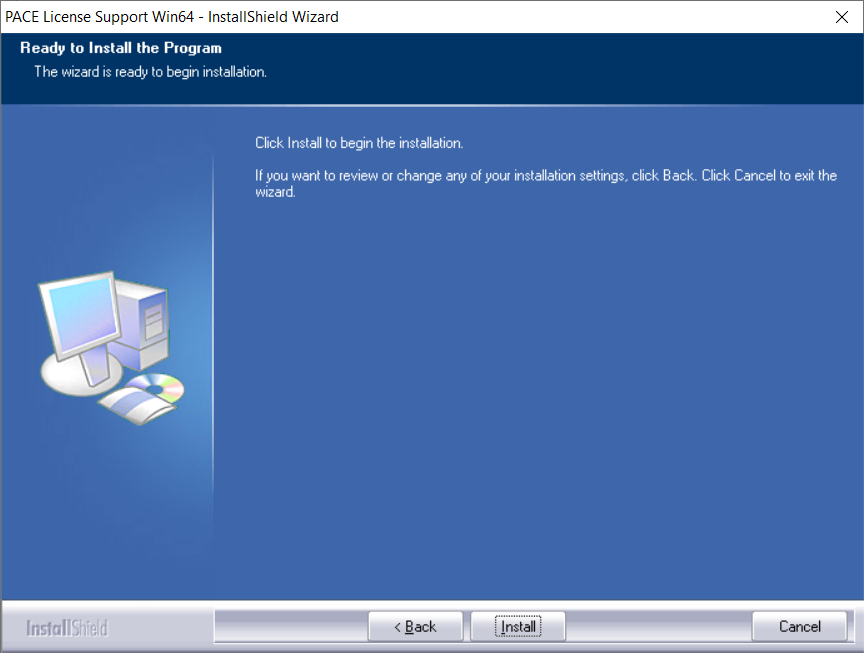
5. Click 'Install'.
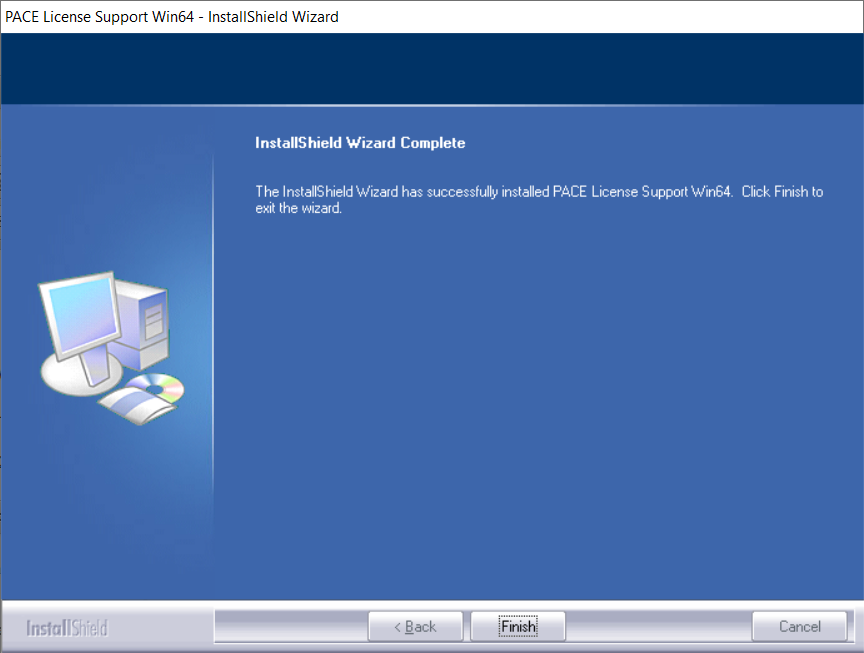
6. Click 'Finish'.
7. Locate and open UA Connect > Enter the email address and password of your Universal Audio account.
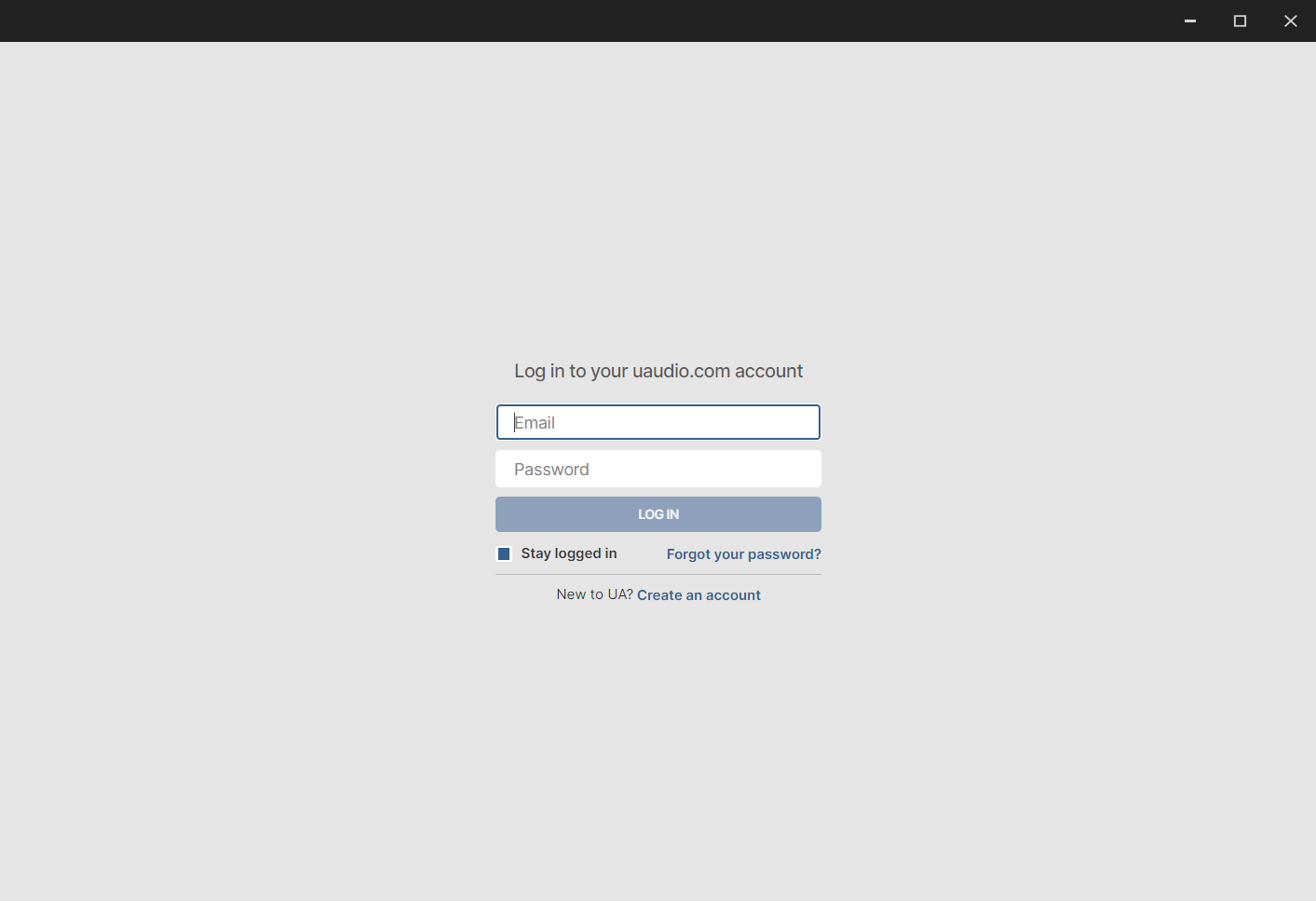
8. Click 'GET STARTED'.
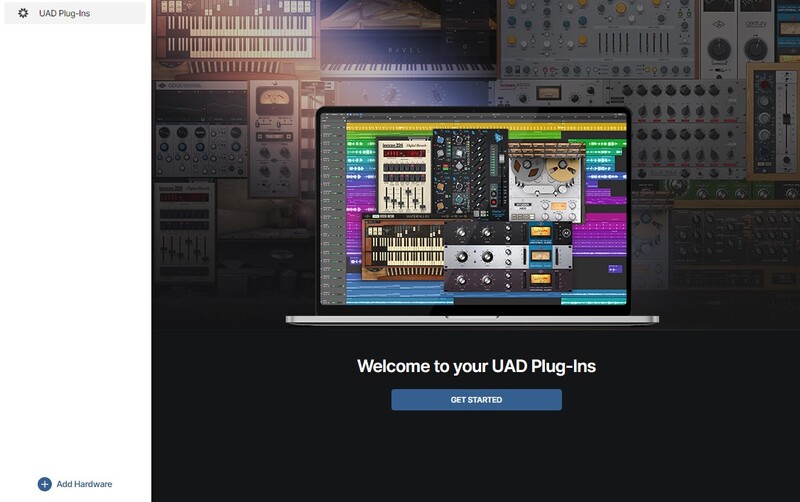
9. Select the option that is relevant to you - either 'I Already Have an iLok Account' or 'Create an iLok Account For Me'.
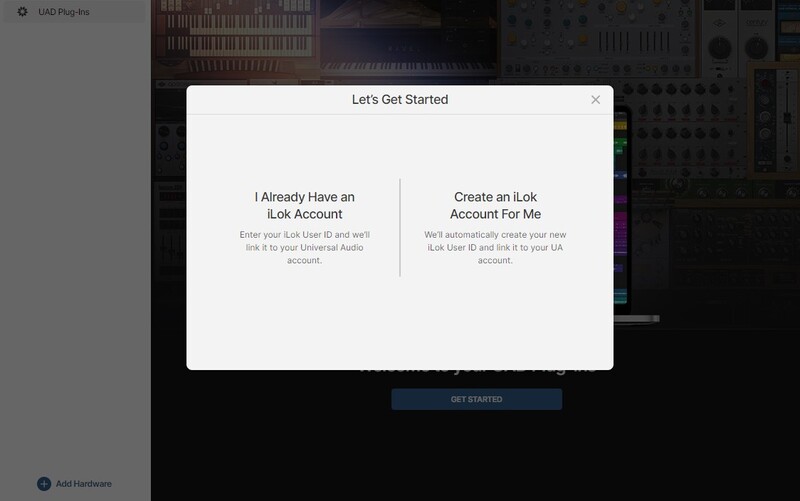
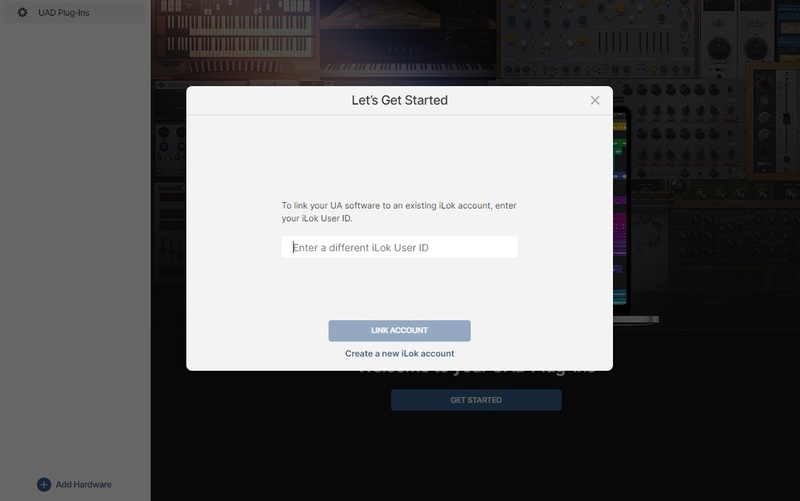
10. Enter your iLok account User ID then click 'LINK ACCOUNT'
 .
.
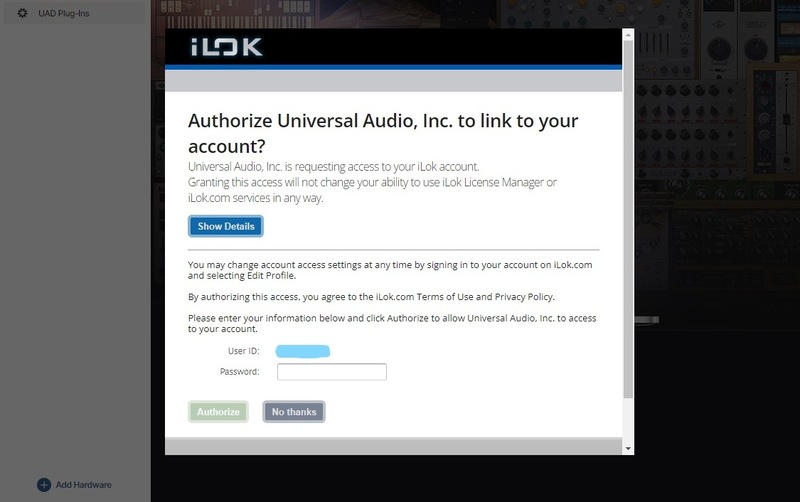
11. Enter the password for you iLok account and click 'Authorize'.
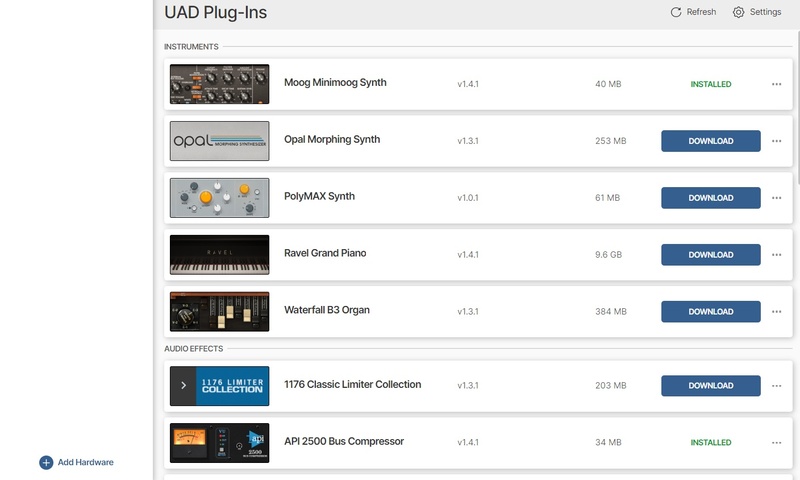
12. Locate the plugin you wish to install > Click 'DOWNLOAD'.
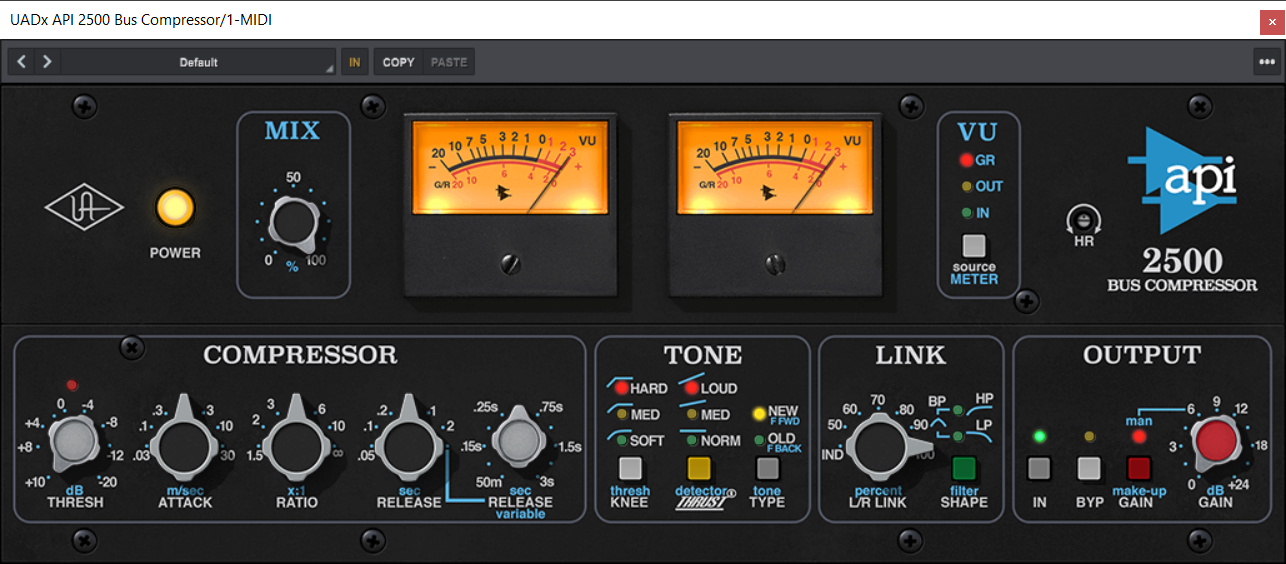
13. Once the plugin has been installed, open your DAW and then the newly installed plugin.
Your software is now activated and ready to use in your DAW!
Mac Installation
1. Once the download is complete, double-click the UA Connect.dmg installer file.
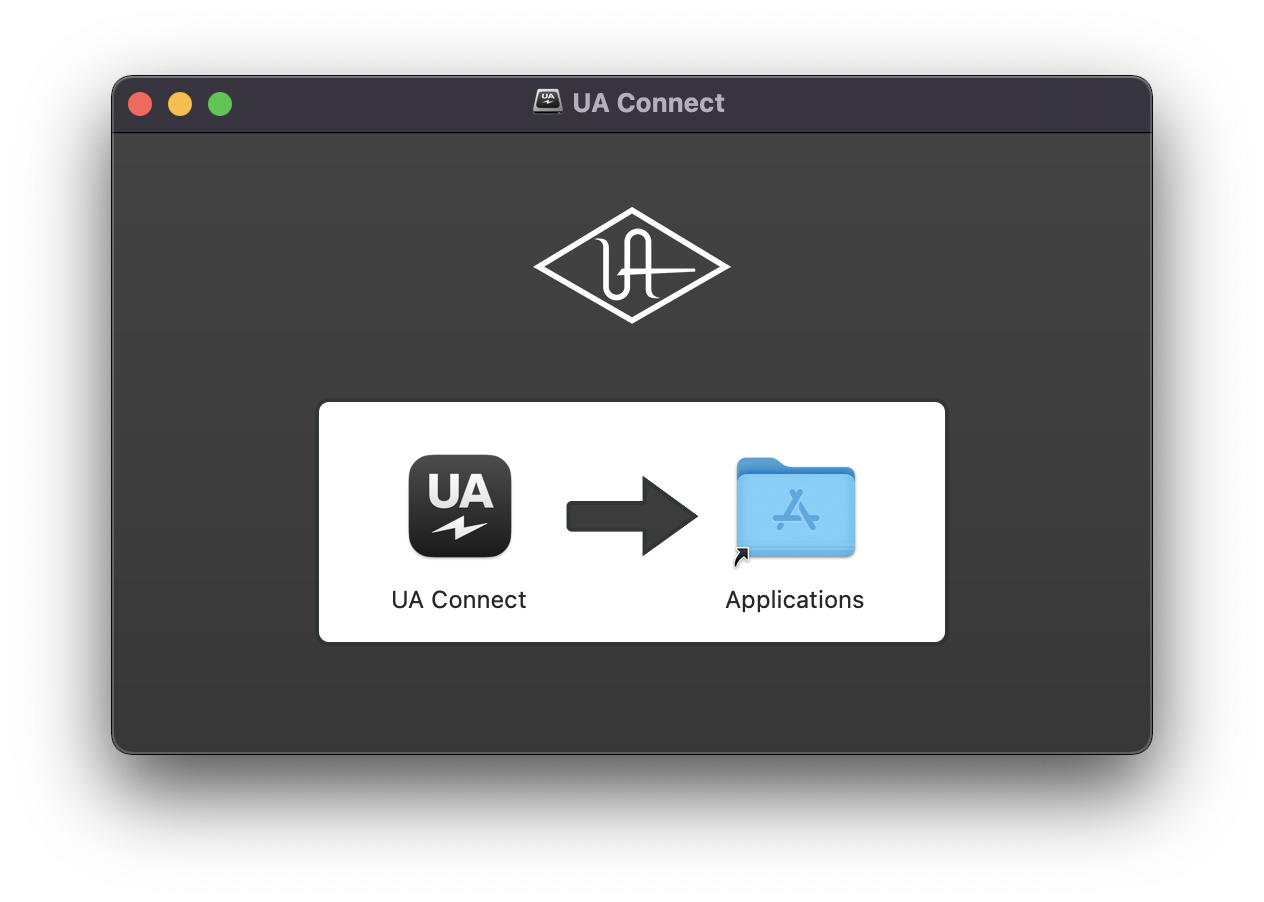
2. Drag UA Connect into your Applications folder.
3. Locate and open UA Connect > Enter the email address and password of your Universal Audio account.
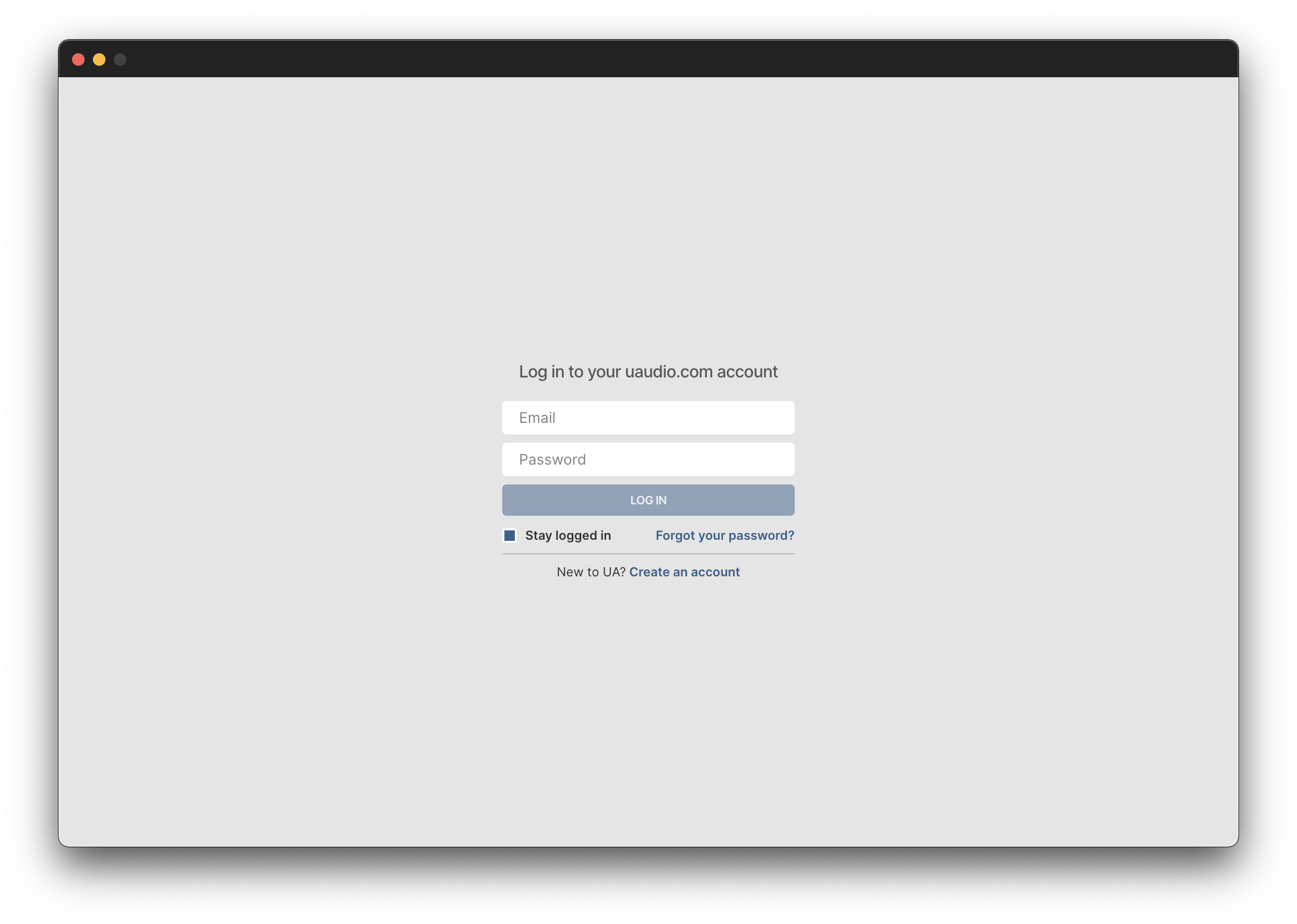
4. Click 'GET STARTED'.
5. Select the option that is relevant to you - either 'I Already Have an iLok Account' or 'Create an iLok Account For Me'.
6. Enter your iLok account User ID then click 'LINK ACCOUNT'
.
7. Enter the password for you iLok account and click 'Authorize'.
8. Locate the plugin you wish to install > Click 'DOWNLOAD'.
9. Once the plugin has been installed, open your DAW and then the newly installed plugin.
Your software is now activated and ready to use in your DAW!