


 Log In
Save $161.00 compared to buying products individually
Free gifts available with your purchase
Mastering The Mix's Customer's Favorite Tools For Creating Better-Sounding Mixes.
FASTER MASTER: Masters that fall flat can kill your track’s impact and consistency. FASTER MASTER analyzes your song and delivers instant, release-ready masters with smart presets and loudness-matched moves.
REFERENCE: It can be frustrating not knowing exactly how to get your music comparable to your favorite mixes. REFERENCE Is packed with powerful tools and insights to help you get closer than ever to the sound of your favorite music.
RESO: Excessive resonances ruin mixes, giving them a harsh and unpleasant sound. RESO helps you identify which specific frequencies are causing problems. It also guides you on how much reduction is needed to dynamically resolve the resonance without making your mix sound thin.
FUSER: When sounds clash, your mix loses clarity. FUSER detects masking issues and uses dynamic EQ and phase tools to separate instruments, giving every element space to shine.

FASTER MASTER, co-created with David Guetta and Nicky Romero, gives you instant, professional-quality masters in just a few clicks. It analyzes your track, generates tailored Smart Presets, and lets you fine-tune EQ, transients, compression, stereo width, and limiting, all with precise loudness matching so every decision you make is honest and reliable.
Rapid Transformation
FASTER MASTER analyzes your song and instantly delivers 10 custom-tailored presets that get you 95% of the way to a finished master. Find the best vibe and tweak to perfection.
Better Decisions
Every adjustment is automatically level-matched, so you hear the real impact of your changes without being fooled by volume differences, leading to more confident, pro-level decisions.
Quickstart
Load FASTER MASTER as the final plugin in your mastering chain.
Play your track’s loudest section and click “Analyze.”

Smart Presets
After analysis, Smart Presets deliver 10 tailored presets for your track’s vibe.
Use the preset arrows to flip through presets for quick inspiration.
Open the preset panel to explore genre-specific options or import reference tracks for custom profiles.

Match Reference Tracks
Import your favourite tracks and match their sonic profile.
If using a reference-based preset, you can compare your mastered track to the reference track. Click the ‘Play’ button in the preset display to preview your reference track auto-looped and level-matched to your mastered song.
Features
- Instant Smart Presets – Analyzes your track and delivers 10 custom-tailored mastering presets that get you 95% of the way to a finished master.
- Level-Matched Adjustments – Every change (EQ, compression, stereo width, etc.) is automatically loudness-matched for honest, reliable comparisons.
- Reference Track Matching – Import favorite tracks to match their sonic profile, with auto-looped, level-matched playback for direct A/B comparison.
- EQ Module – Transparent, phase-accurate EQ with real-time level matching and mix percentage control.
- Transient Module – Simple drag-up/drag-down interface to add punch or soften transients, with loudness-matched results.
- Compression Module – Easy, musical compression with adaptive thresholds, sidechain filtering, and four modes: Off, Light, Dynamic, Tight.
- Stereo Module – Shape width across four frequency bands (low, low-mid, high-mid, high-end) while preserving audio integrity.
- Limiter Module – Song-specific limiter settings with drive, ceiling, and true peak limiting for professional loudness without distortion.
- Lock Function – Freeze individual module settings while switching presets to keep your favorite tweaks intact.
- Quickstart Workflow – Load as the final plugin, analyze your track’s loudest section, and choose your perfect preset in seconds.
Learn more about Faster Master
REFERENCE 3
Designed for producers, mix engineers, and mastering engineers, REFERENCE 3 makes it dramatically easier to compare a work in progress against professional tracks and understand exactly what needs improving.
At the heart of REFERENCE 3 is a new intelligent workflow that removes friction from the referencing process. Users can load their own library of references, and Smart Reference Tracks will automatically suggest the best sonic matches for the song they are working on. Mix Descriptor Tags instantly show the character of each reference, helping users see whether a track is bright, warm, wide, narrow, transient, compressed, balanced, or loud before they even press play.
The plugin’s new Master Scope brings tonal balance, stereo width, phase analysis, overcompression detection, and progress tracking into one unified view. The Level Line shows the EQ boosts and cuts needed to match the reference more closely, while the Width Display reveals where the mix should be wider or tighter across the frequency range. Match Percentage gives a real time score that shows how close the user is getting to the sound of the chosen reference.
REFERENCE 3 also introduces Mix Balance, a powerful new feature that suggests gain adjustments for vocals, drums, music, and bass, helping users improve one of the most important parts of any mix. For users who want even simpler guidance, Mix Instructor converts the visual analysis into clear written instructions across the low, mid, and high bands.
With automatic level matching, Smart Loop for instant comparison of the loudest section, Track Align for syncing alternate versions, and REFSEND for accurate A/B testing of processing chains, REFERENCE 3 gives resellers a compelling upgrade story for existing users and a strong value proposition for new customers looking for practical mix improvement tools.
What’s new in REFERENCE 3
- REFERENCE 3 introduces a completely redesigned referencing workflow built around speed, clarity, and actionable feedback.
- Smart Reference Tracks automatically suggest the best matching references from the user’s personal library.
- Mix Descriptor Tags instantly summarise each reference track’s tonal balance, stereo width, dynamics, and loudness.
- The new Master Scope combines tonal, stereo, phase, and dynamics analysis into one focused workspace.
- Level Line shows the exact boosts and cuts needed to get closer to the tonal balance of a chosen reference.
- Width Display shows where the mix should be wider or tighter across the frequency spectrum.
- Mix Balance suggests gain moves for vocals, drums, music, and bass to help users match the relative balance of a reference.
- Mix Instructor provides written guidance across low, mid, and high frequencies, making the workflow more accessible for all skill levels.
- Phase analysis now highlights mono compatibility issues by frequency range.
- Overcompression Detection reveals where a mix has lost too much dynamic movement compared to the reference.
- Match Percentage gives users a measurable sense of progress as they improve their mix.
- Smart Loop automatically finds the loudest and most impactful section of each reference track.
- Track Align automatically syncs alternate versions for rapid comparison.
- REFSEND allows precise A/B comparison of plugin chains and mastering chains with loudness compensation.
Features
-
Smart Reference Tracks
- Users load their own library once, and REFERENCE 3 automatically suggests the most relevant tracks for the song they are working on.
-
Mix Descriptor Tags
- Each reference is labelled with helpful descriptors that reveal its sonic character at a glance.
-
Master Scope
- A unified analysis view that helps users compare tonal balance, stereo width, phase, and dynamics in one place.
-
Level Line
- Shows the precise EQ direction needed to move closer to the reference’s tonal balance.
-
Width Display
- Gives frequency by frequency stereo guidance so users can match the spatial feel of their reference.
-
Mix Balance
- Suggests gain changes for vocals, drums, music, and bass to improve overall mix balance.
-
Mix Instructor
- Provides simple written instructions so users know what to adjust across the low, mid, and high bands.
-
Phase Analysis
- Highlights problem areas that may lose punch or disappear in mono.
-
Overcompression Detection
- Shows where the mix is too dynamically restricted compared to the chosen reference.
-
Match Percentage
- Turns progress into a measurable target.
-
Smart Loop
- Automatically jumps to the most revealing section of each reference track.
-
Track Align
- Syncs alternate versions for fast and reliable comparisons.
-
Level Match
- Ensures comparisons stay fair by removing loudness bias.
-
REFSEND
- Makes it easy to compare processing chains accurately inside REFERENCE 3.
Learn more about REFERENCE 3
RESO
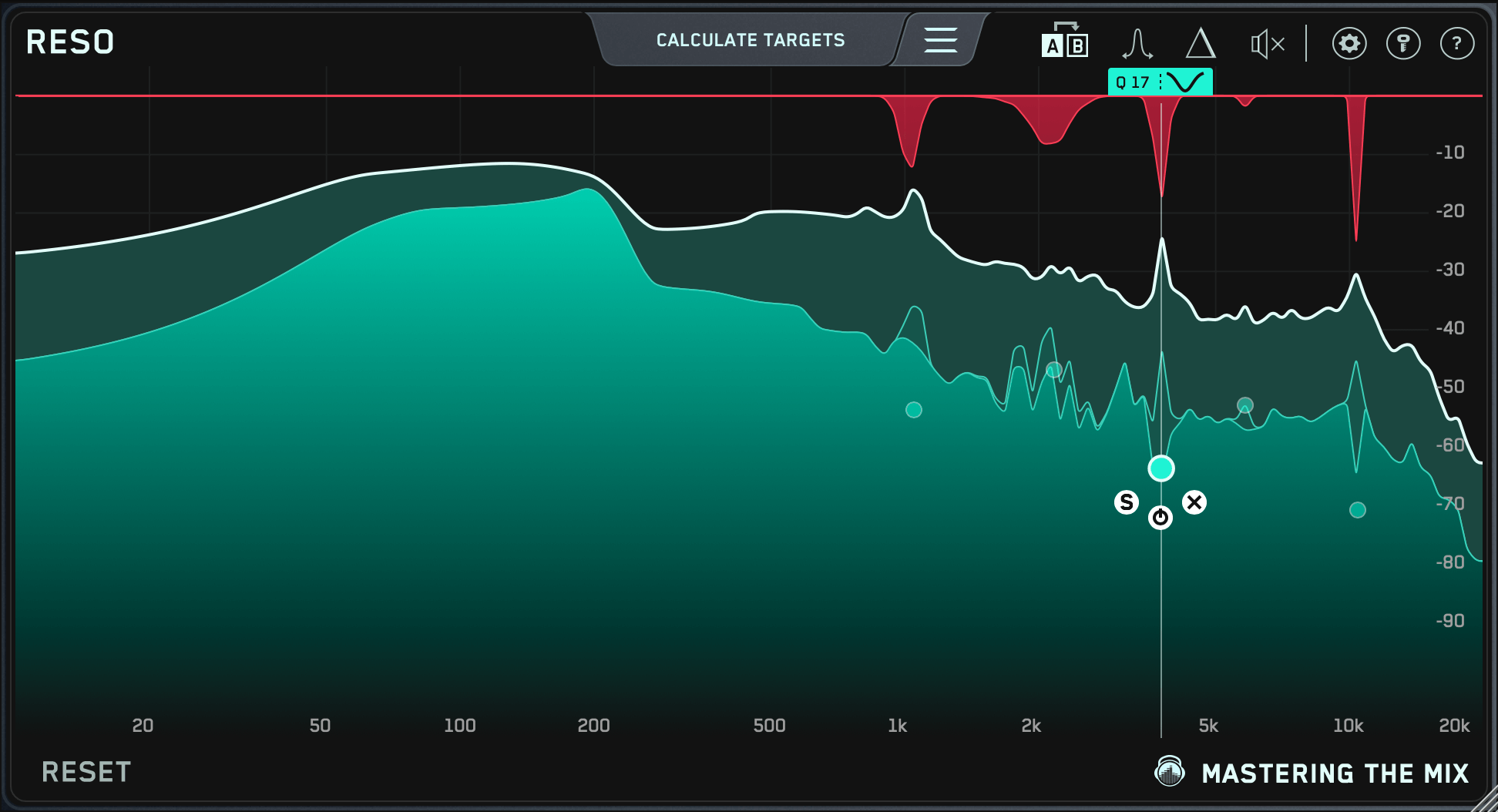
Dynamic Resonance Suppressor
RESO is a dynamic resonance suppressor that helps you quickly identify and resolve resonances in your audio.
When resonances build up to an excessive level, your music can sound harsh and unpleasant, often masking other elements that you actually want to hear. But, applying broad resonant reduction across your whole mix can take away the character of your audio, and if you apply too much reduction you’ll make the mix sound thin and reduce the punch of your transients.
RESO helps you identify which specific frequencies have a build-up of energy relative to your whole mix. It also guides you on how much reduction is needed to dynamically resolve the resonance without overdoing it. The high-quality filters deliver mastering-grade transparency, with automatic Q optimization to give you the most musical results.
There simply isn’t a faster or more effective way to musically resolve resonant issues in your mix.
Cleaner Mixes in Less Time
Use RESO on any Channel
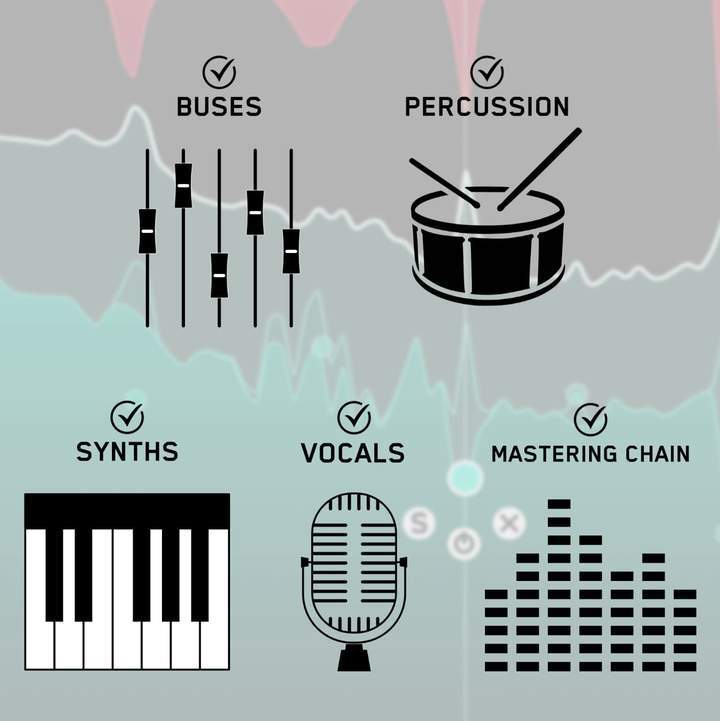
RESO can be used to resolve the resonances of any channel in your mix, whether it’s a vocal, a synth, percussion, busses, or your mastering chain.
Analyze Your Audio
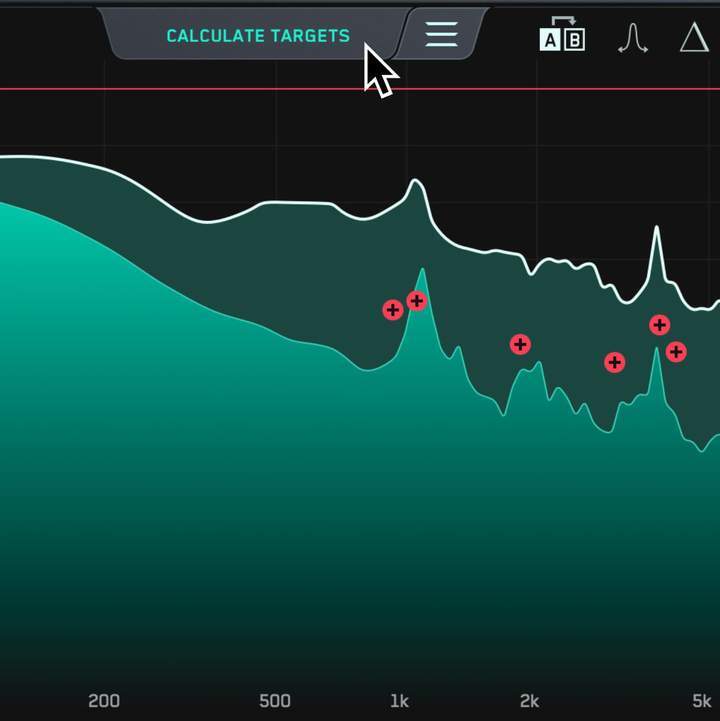
Look for disproportionately high peaks in the visual display.
Use the Frequency Sweep to help you identify resonances that sound unpleasant.
The Calculate Targets feature will locate the most resonant frequencies and give you targets so you can resolve the resonances transparently.
Tweak To Perfection

Creating a node is as easy as clicking anywhere on the interface.
Position the node at the peak level at which you want the resonance suppression to start and scroll to adjust the Q.
Additional Features
- Smart analysis that gives you fast results.
- Mastering grade filters for cleaner sounding mixes.
Learn more about RESO.
FUSER
FUSER is the ultimate solution for creating sonic clarity in messy mixes.
FUSER resolves conflicting channels by assisting you in adjusting volume balance, enhancing phase optimization, and implementing intelligent mid-side sidechain ducking
With FUSER's smart 'Conflict Detection' and groundbreaking 'Resolve Conflicts' feature, you'll effortlessly find a great starting point to fix those audio clashes without overdoing it.
Features
- Clear Sound, Simplified: FUSER swiftly and transparently resolves conflicting audio sources for a defined mix.
- Sonic Clarity Redefined: Conquer mix complexities with FUSER's multi-angle approach – volume balance, phase optimization, and smart side-chain ducking.
- Intelligent Fixing: Experience effortless conflict resolution with FUSER's "Resolve Conflicts" feature – your personal mixing engineer in a plugin.
- Elevate Every Element: From kick and bass balance to guitars and vocals, FUSER crafts space for standout sounds, ensuring your mix's focal point shines.
- Effortless Start: Set up FUSER easily; resolve clashes by adding it as the final plugin in your chain, then sidechain your focal channel.
- Visual Precision: FUSER's intuitive interface offers visual clarity through mid-side conflict hotspots, guiding you to make the best decisions.
- Take Control: Dial in the ideal settings with manual node creation, fine-tuning parameters for a tight and controlled sound.
- Perfect Layering: FUSER's Phase Analyze feature automatically identifies and sets the optimal phase rotation ensuring minimal phase cancellation when layering similar sounds such as kicks and basses.
- Achieve Balance: The input gain level match pointer ensures impeccable relative volume balance, a crucial step for your mix's success.
Learn more about FUSER.
Mac:
- OS X 10.15 or higher.
- 64-bit AU, VST3 or AAX host. Apple Silicon Native (64-bit only)
Windows:
- Windows 10 or higher
- 64-bit VST3 or 64-bit AAX host (64-bit only)
Please note: AAX compatible with Pro Tools 11 and later only.
Important note: When accessing this software via a Rent to Own plan or the Beatport Studio membership, it's installed and run through the Beatport Access portal. An internet connection is required every 30 days to validate your license.


