Log In

Free gifts available with your purchase
This bundle contains the complete collection of our multiple instances analysis plugins. These plugins offer unique multiple tracks audio analysis capabilities thanks to our data sharing technology. This solution is ideal for mixing, tracking defects within an audio processing chain, teaching audio processing or learning sound synthesis.
Blue Cat's FreqAnalyst Multi plugin provide extremely smooth spectrum and frequency content analysis, the Blue Cat's StereoScope Multi analyzer let you visualize the stereo image of your audio content in details, and the Blue Cat's Oscilloscope Multi waveform viewer shows the waveform of audio signals as well as their phase relationship.
All plug-ins integrate specific capabilities to compare audio signals and display their differences.
Simply click the product's user interface for more information and to download a free trial.
Plug-Ins Included:
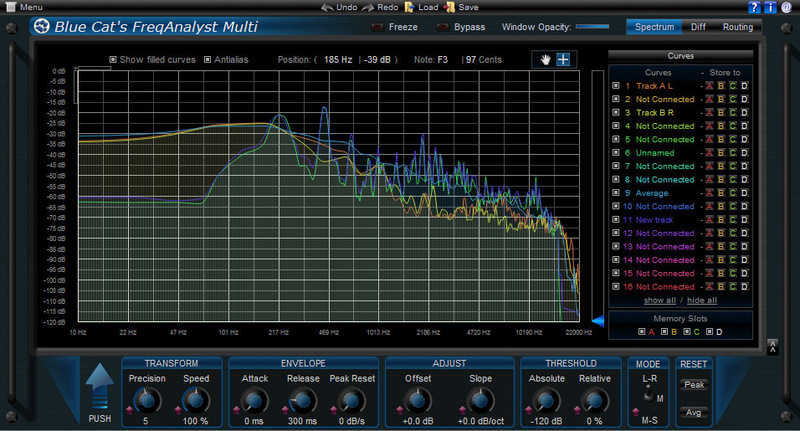
Blue Cat's FreqAnalyst Multi is a unique multiple tracks real time spectrum analyzer: it lets you visualize the spectral content of several audio tracks on the same screen with extreme smoothness and high resolution, for both time and frequency. It is the ideal solution for mixing: you can use it as a frequency overlap detector and actually see which part of the spectrum every single instrument uses. It is now also possible to easily compare the spectrum of several instances (for EQ matching or response curve measurement) thanks to the new 'Diff' view which displays the difference between several curves.
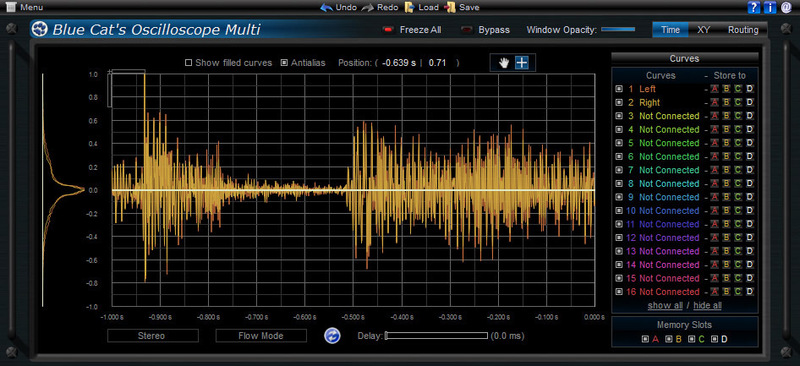
Blue Cat's Oscilloscope Multi is a unique multiple tracks real time waveform renderer and comparator: it lets you visualize the content of several audio tracks on the same screen and compare them thanks to its X-Y view.
The plugin offers stereo or mid-side channels waveform extraction as well as several synchronization modes. The zooming and precise measurement capabilities let you analyze the waveforms in details, and the XY phase scope view will help you track phase issues within an effect chain or while recording with multiple microphones.
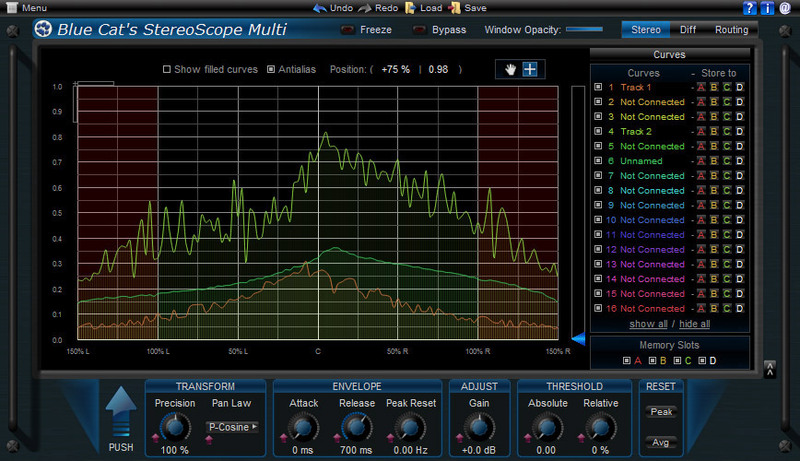
Blue Cat's StereoScope Multi is a unique tool to compare the stereo image of several tracks in real time. It is the ideal solution for mixing: you can actually see which part of the stereo field every single instrument uses. It can also be used to analyze an effect chain and see how audio effects influence the stereo image of your content.
System Requirements
Mac
- AAX
- Audio Unit
- RTAS
- VST
Windows
- AAX
- DX
- RTAS
- VST
- x64-AAX
- x64-DX
- x64-VST
Overall Opinion 8/10 Blue Cat Audio's FreqAnalyst is a very useful plug-in, and when you consider that it's free, it makes it all that much better. It's very easy to use and generally shows you just what you need to see. I have a few other frequency analyzer plug-ins, including RND's Insp...
Read More