


 Log In

Free gifts available with your purchase
Award-winning mix & mastering suite
Expand your production toolkit
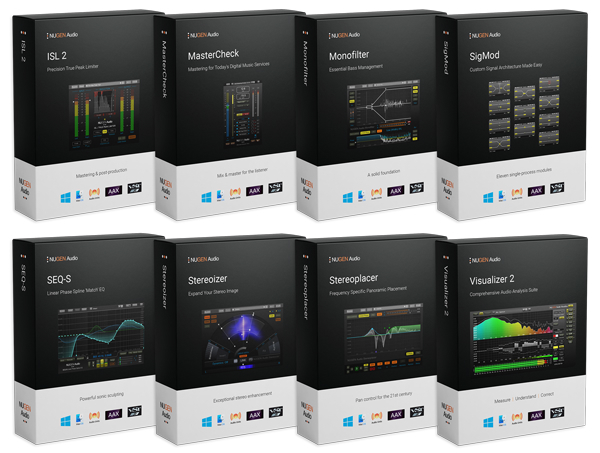
With NUGEN Producer you gain deeper control over your full production workflow. From EQ, stereo panorama and low frequency content to mixing and mastering for today's streamed delivery services. With its comprehensive audio analysis suite you can identify and solve a multitude of audio issues.
Ideally suited to both mix and mastering situations, NUGEN Producer offers an unequalled collection of highly flexible award-winning cross-platform plug-ins to help you increase the quality and efficiency of your audio production.
Essential tools
- Groundbreaking low-frequency control
- Mix & master for today's playout technologies
- Measure & compare dynamics
- Transparent linear phase match EQ
- Market-leading stereo enhancement
- Broadcast quality True Peak limiting
- Stereo Correction
- Convolution reverb
Included in the bundle:
Stereoizer
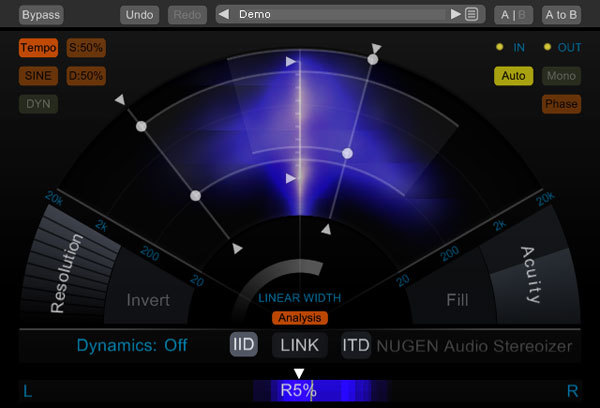
Powerful stereo enhancement
Stereoizer is a stereo widening plug-in with a clear difference - your mix will still sound great in mono. Add natural sounding width and depth to any recording, mono or stereo, leaving the character of the source intact – or go super wide – the choice is yours.
Get a more coherent sound with polish and spatial balance without adding artificial reverb, chorusing or delay. Total mono compatibility with no unwanted artifacts.
Learn more about Stereoizer.
Monofilter
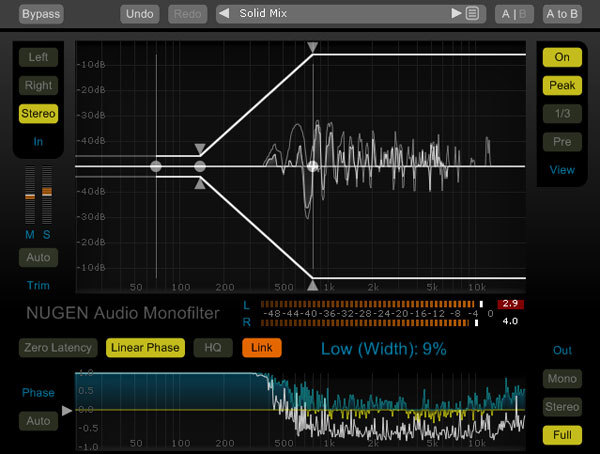
Essential bass management
Use Monofilter to grab hold of the bass and root it solidly within your mix to create a solid foundation. Sending low frequencies wide can muddy the bass, resulting in a weak, unfocused low end. Adding stereo FX or using multiple mic set-ups in the studio can introduce phase inconsistencies leading to ‘weak’, ‘hollow’ or ‘flat’ sounds. Now you can sharpen, define, align and anchor your bass for the tightest mix.
Quickly anchor the power, and retain the essential character and perceived spatial characteristics of the original sound. Align and balance low frequencies with minimum effort, for a louder and better defined mix. Improve performance on systems with separate low-frequency handling, such as club PAs, live rigs, HiFi, and 2.1 gaming systems. Monofilter anchors your bass with ease.
Learn more about Monofilter.
Visualizer
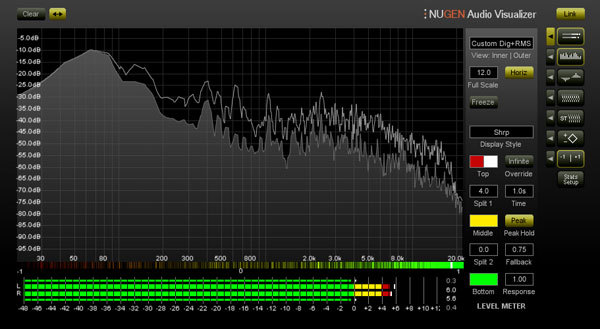
Measure, understand, correct
Visualizer gives you indispensable audio analysis for quality audio production, with a standardised reference set of professional tools which allows you to work faster, avoid mistakes and repeat past success.
Learn more about Visualizer.
ISL 2
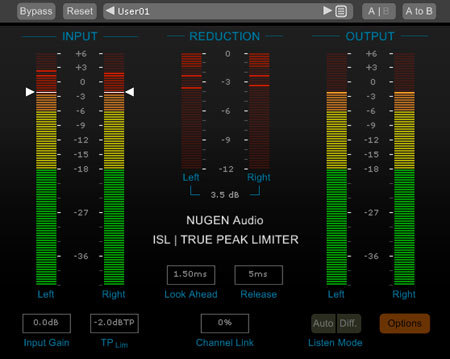
Minimally invasive
Let ISL take care of your mastering for today's music delivery services (Apple Music, Spotify, Tidal etc.) The risk of distortion from down-stream codec conversion (mp3, AAC etc.) is eliminated with ISL on the master bus.
Mix and master with confidence that your audio will be delivered the way you intend, without downstream distortions introduced by inter-sample clip reconstruction errors.
Learn more about ISL 2.
MasterCheck is an optimisation plug-in for cross-platform mastering, designed to ensure that your masters sound consistent across all platforms — physical, digital and streaming. Audition how loudness normalisation will affect your track, and preempt the impact that each codec will have, alongside industry standard loudness and True Peak measurement.
Find the sweet spot between perceived loudness and dynamics, and avoid nasty surprises by compensating for encoding artefacts ahead of time.
How does your music sound when it reaches the listener? You already optimise masters for domestic hi-fi systems, car stereos, headphones and earbuds. In the streaming era, shouldn’t you optimise for each streaming platform too?
Audition and preempt data compression and loudness normalisation for…
- Spotify
- Apple Music
- Tidal
- YouTube
- Soundcloud
- Bandcamp
- Qobuz
- Pandora
…and more, using the Codec mode and Offset to match function.
Learn more about MasterCheck 2.
SEQ-S
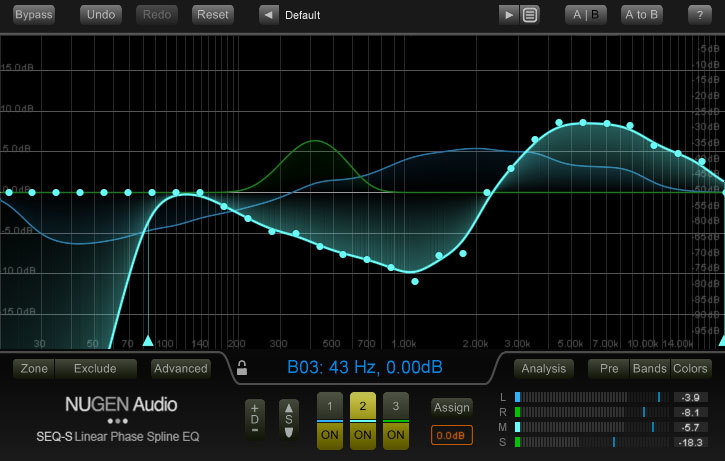
Spline match & morph EQ
With SEQ-S's three independent EQ transition pairs, including dynamic and static pass filter effects, seamless transitions from different environments, creative morphs and tempo-locked effects are easily achieved, with full dynamic visual feedback.
Beyond traditional EQ, you can also use SEQ-S to capture the flavour of a piece of source audio and then transfer it to your current work – great for restoration and harmonisation work. Or use the same technique on individual tracks to unify different takes, microphone positions, and more.
Learn more about SEQ-S.
Stereoplacer
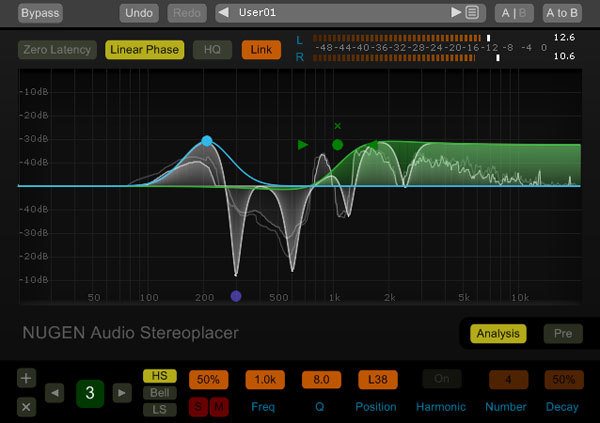
21st century pan control
Stereoplacer is a plug-in with precise stereo-positioning control that takes you beyond the traditional mix setup. Focus in on the frequencies you want to move using the solo controls and then tweak, fix or align them in the stereo panorama without affecting any other regions - all with total mono compatibility. Reposition complex audio, reconstruct a mono image, or correct poor recording - mix with confidence.
Fine-tune and get dynamic visual feedback with advanced parametric balancing controls. Just choose the position you want and let Stereoplacer take care of the rest.
Learn more about Stereoplacer.
SigMod
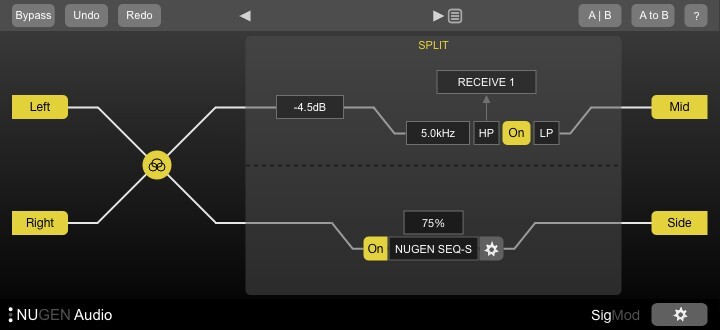
Customise your signal architecture
Instantly enhance the functionality of your plug-ins and DAW with SigMod's eleven signal modification units. Each module can easily be inserted, swapped and moved around making new options to correct, convert or tweak your audio. Access functionality which is either missing from certain DAWs, or at least complicated to access natively.
Combine these single-process modules in any order to design the precise routing you require. Auto-resizing keeps the signal flow and functionality clear at all times.
Learn more about SigMod.
Paragon ST
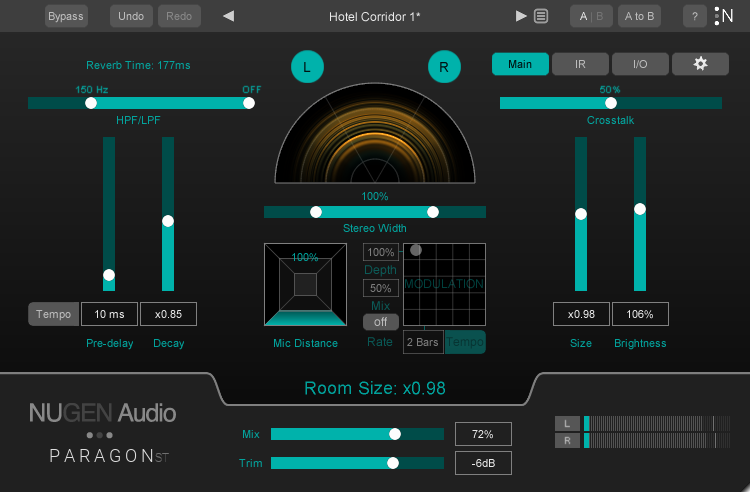
Boundless reverb in stereo
Paragon ST is a true convolution reverb with the flexibility and control of a classic algorithmic reverb. Nugen Audio have used the same reverb technology as the original Paragon and packed it full of new controls for music producers, including modulation, stereo width and more.
Via re-synthesis, Paragon ST offers full control of the decay, room size and brightness of reverbs modelled on recordings of real spaces. There’s no time-stretching, which means no artefacts.
Learn more about Paragon ST.
System Requirements
Available formats
We support AAX, VST, AU and AudioSuite in both 64-bit and 32-bit versions. RTAS is also available as 32-bit only.
Minimum System Requirements
- Mac OSX 10.9+, 512 MB RAM
- Windows 7 or above, 512 MB RAM
Husky Höskulds
Norah Jones, Fantomas, Elvis Costello
"The biggest draw for MasterCheck and Visualizer is their high degree of customizability."
Robbie Bronnimann
Producer / Remixer / Artist / Filmscorer
"The Stereoplacer is becoming a firm favourite for combating wonky signals in eccentric sampled LPs!"
Peter McCabe
Kiss, Puff Daddy, Focus@Will
"One of the things I appreciate the most about Visualizer is its excellent graphical interface."





















