


Buy Surround Suite Bundle, get a free gift with purchase:
Upmix, Downmix & Reshape Multichannel Sound
Fine-tune your surround mix
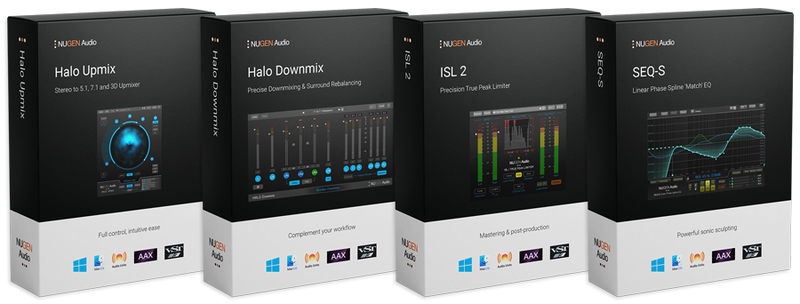
Surround Suite delivers all the control you need to fine-tune your surround mix to perfection. Achieve natural and coherent upmixing from stereo to 5.1 and 7.1 via Halo Upmix, take advantage of ISL's transparent True Peak limiting and SEQ-S's linear phase EQ in surround modes, and complement your surround workflow with Halo Downmix's precise and tweakable downmixing.
Flexible to suit your needs
- Full access to surround balances
- Regulate low frequency content
- No phase warping
- Individual surround channel access
- Fine-tune surround mix
- Clear visual feedback
Included in the bundle:
Halo Upmix
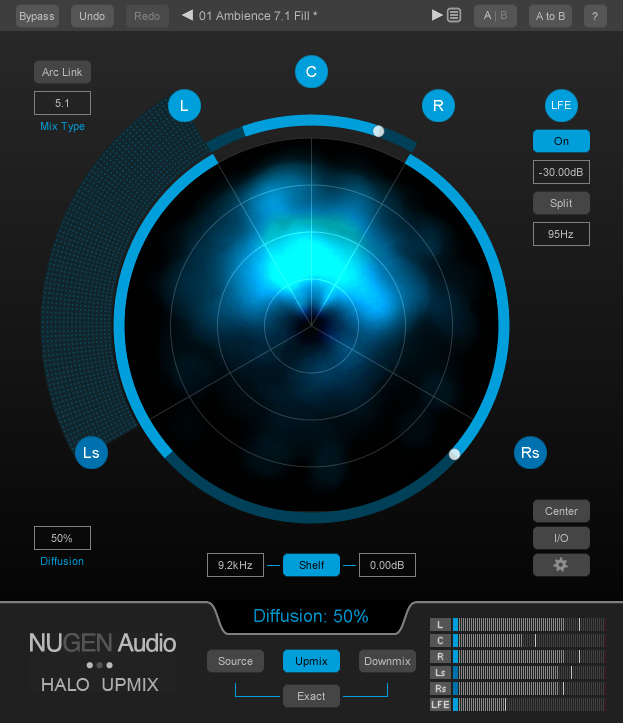
Natural extension
With unique centre channel management, including switchable dialog extraction, Halo Upmix is perfect for all types of production from archive restoration and TV through to the full 7.1 feature film experience.
With surround delivery requirements becoming more and more common, a tool like Halo Upmix can be indispensable. Unlike legacy upmixing practices, Halo Upmix offers full downmix compatibility. For those working in Dolby Atmos, Auro 3D and Ambisonic environments, a 3D immersive audio option is also available.
Halo Downmix
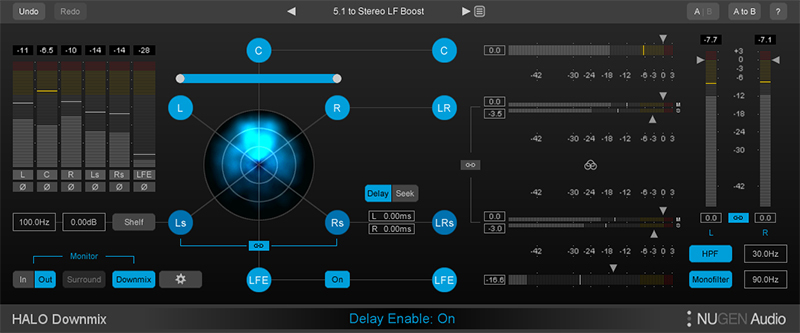
Complement your workflow
Precise surround control, versatile downmix balancing and mix monitoring for accelerating and enhancing your surround productivity. Halo Downmix is the glue that brings your workflow together, allowing you to deliver in surround and stereo with ease and without compromise.
ISL 2
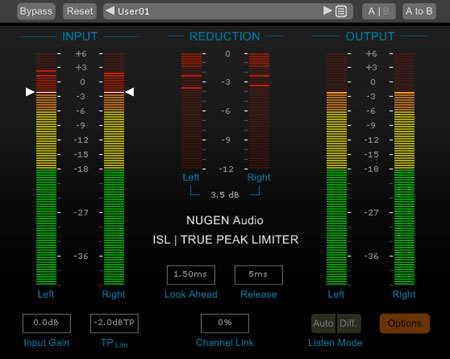
Transparent, reliable
No need to second guess your sample-peak limiter time and again, or deliberately increase headroom to avoid a downstream problem. Just dial in your True Peak limit and let ISL take care of the rest.
Unlike traditional limiters, ISL provides a TPlim control, automatically adjusting transfer curve parameters for minimally invasive brick-wall protection.
SEQ-S
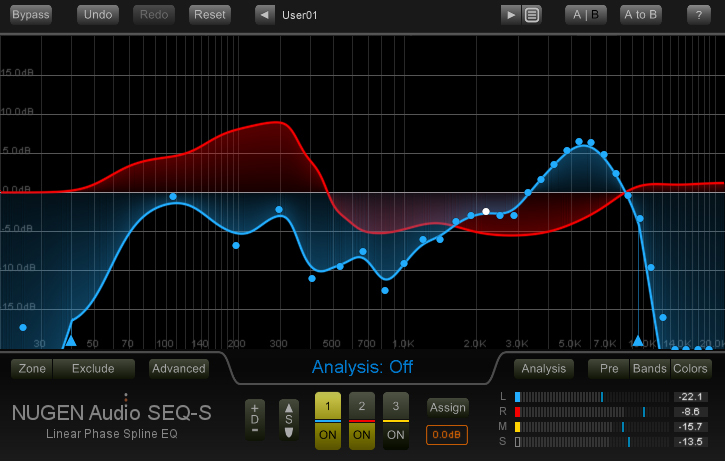
Unparalleled flexibility
SEQ-S gives you EQ matching up to 7.1, with stereo mid/side operation and automated spectrum analysis. Automated EQ morphing allows for controlled scene transitions and creative sound design possibilities.
System Requirements
Available formats
We support AAX, VST, AU and AudioSuite in both 64-bit and 32-bit versions. RTAS is also available as 32-bit only.
Minimum System Requirements
- Mac OSX 10.7.x, 512 MB RAM
- Windows XP or above, 512 MB RAM
Sreejesh Nair
"Halo is an extremely immersive tool. I knew I had found the upmixing tool I was looking for."
Bill Evans
"Halo Upmix was a lifesaver on this project because we were able to create a mix that feels exactly like native 5.1 Surround."
Zach McNees
"Halo Downmix is by far the best sounding downmix plugin I've ever heard."
NUGEN Audio Installation
1. Visit https://www.nugenaudio.com/register.php and create a new account > enter your email address and License Code (found in your Plugin Boutique User Account).

2. Check your email > Click the link that reads ‘Complete license registration’.

3. Read the following information and click ‘My Account’.

4. Create a password > Click ‘Login’.

5. Once you have confirmed your account, fill in the form which greets you.

6. Select your operating system.

7. Your licence can be viewed under the ‘My Licenses’ Tab.
Note: If you wish to activate your Plugin using an iLok, click ‘Convert To iLok’.

8. Click on the MY DOWNLOADS tab and download the full version of your plugin.

9. After the file has downloaded, run the installer.

10. Read the software licence agreement and if happy, click AGREE.

11. Select where you wish to install the plugin and click CONTINUE.

12. Select which component you wish to be installed and click CONTINUE.

13. Check you have enough space on your computer to install and if so, click INSTALL.

14. Once the installation concludes, open the plugin within your DAW.

15. Once the plugin is open within your DAW, click USE LICENCE.

16. Click ON-LINE

17. Enter your licence code and click APPLY LICENCE.

18. Once your licence has been entered, click YES to confirm you wish to licence to your machine.

19. You have now successfully licenced your plugin!

PLEASE NOTE: If you wish to activate your licence onto your iLok dongle and not your machine, please click CONVERT TO ILOK at stage 7.


