


 Log In

Free gifts available with your purchase

The Classic SSL Console Sound for your DAW
The SSL Native Essentials Bundle pairs two of SSL’s most powerful plug-ins for a console-like mixing experience within your DAW. Containing the SSL Native Channel Strip 2 and the legendary SSL Native Bus Compressor 2, it has what you need to build a sturdy foundation for any mix.
Channel Strip 2 emulates the venerable SSL 9000K large-format console - an evolution of the 4000E - with the classic 4-band parametric EQ, filter, compressor, and expander/gate configuration, which has been a mainstay of pro audio for over 40 years. You can switch between the legendary E-series and G-series EQ profiles for added flexibility.
The SSL Native Bus Compressor 2 is a spot-on digital re-creation of the legendary bus compressor featured on countless hit records. Celebrated for its ability to glue together a mix for a radio-ready sound, few bus compressors are as universally revered. SSL are excited to offer this incredible bundle that’s perfect for those starting their journey into the recording arts or seasoned pros who want the sound of an SSL board with the convenience of a plug-in.
SSL Native Channel Strip 2
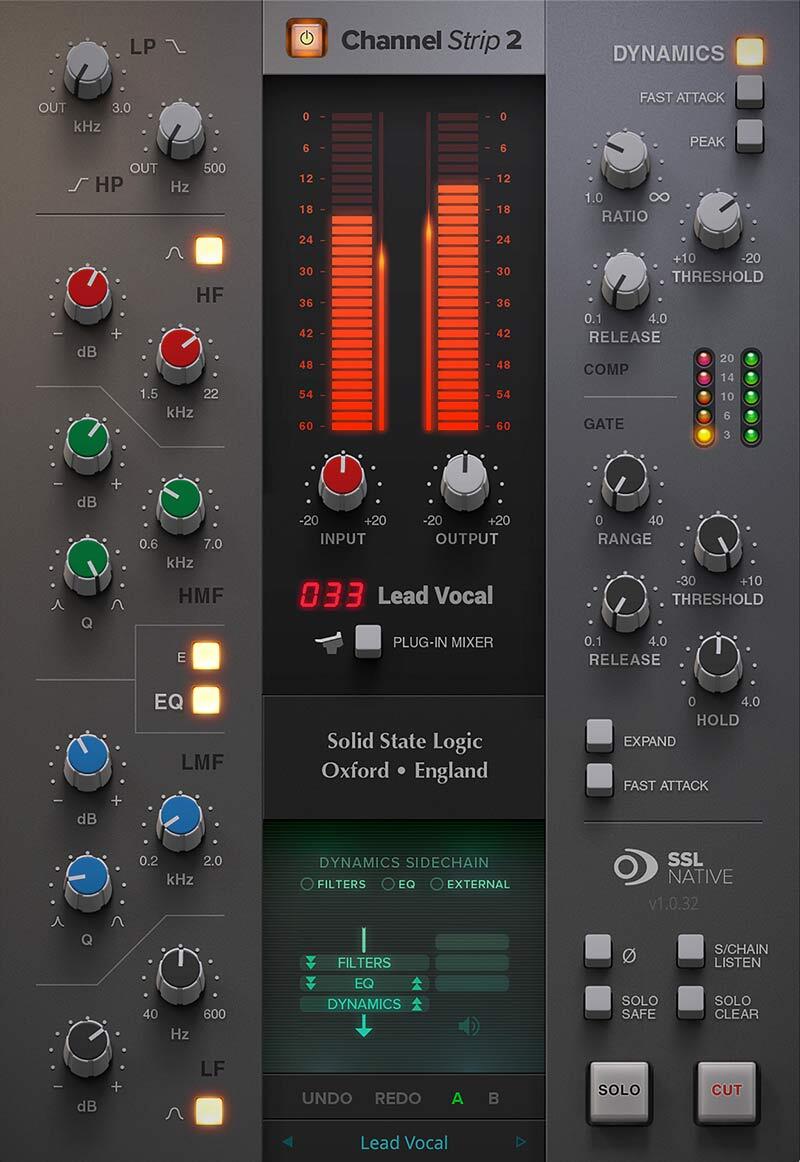
The SSL Native Channel Strip 2 Plug-in delivers the legendary tone, features and workflow of an SSL 9000K console channel strip, now featuring SSL's proprietary 'Anti-Cramping' technology and external Side Chain input.
The EQ section is a classic 4-band design with parametric LMF & HMF and shelving LF & HF sections (LF & HF switch to Bell). The whole EQ can be switched between E & G Series characteristics and can be applied to the dynamics side chain.
The Dynamics section offers separate Compressor and Gate/Expander. The Compressor can be switched between soft and hard knee. Both the Compressor and Gate/Expander sections feature fast/slow attack switches and independent side chains. The plug-in also features High and Low Pass Filters which can also be applied to the side chain. Perfect for smoothing, controlling and adding presence to any source material.
Features
- Based on SSL’s legendary console channel strip designs
- 4-band parametric EQ, switchable between E- and G-Series tonal characteristics
- Variable highpass and lowpass filters
- Customizable signal flow routing lets you choose how to order the processors
- Simple but powerful Ratio, Threshold, Release, and Fast Attack controls
- Soft ratio compression keeps dynamic character intact while evening out peaks
- Sidechain processing for frequency-dependent compression applications
- Natural-sounding gate/expander with smooth release response
- Integrates with SSL 360 and is controllable from UC1 and UF8 hardware
Learn more about SSL Native Channel Strip 2.
SSL Native Bus Compressor 2
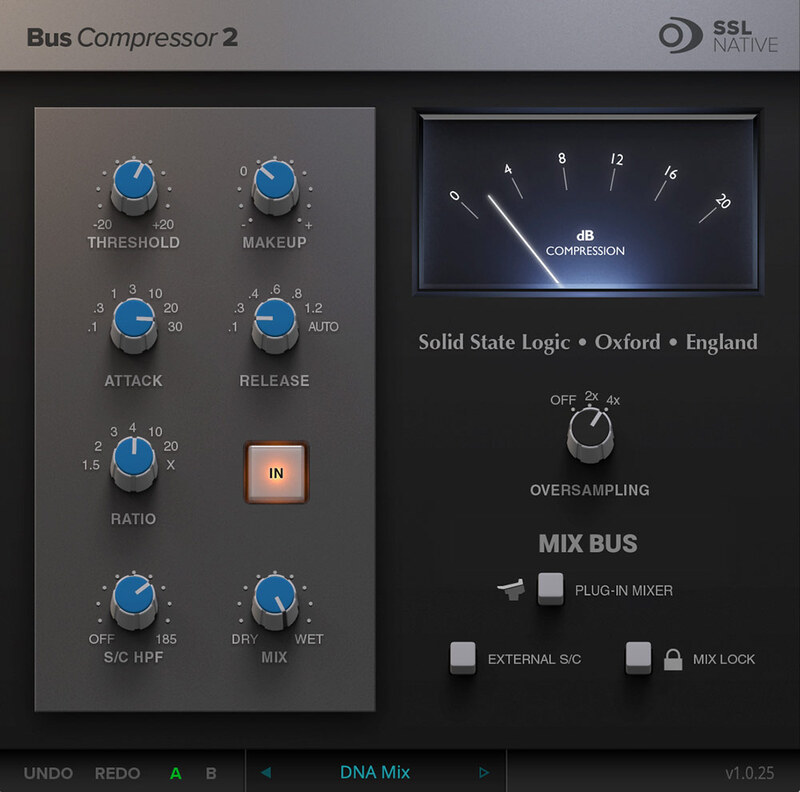
Few pieces of gear are as universally revered as the SSL G-Series center section bus compressor, and now it’s available as an SSL-designed native plug-in. Celebrated for its ability to glue a mix together to make it "sound like a record," the SSL Bus Compressor has a distinctly musical response that retains the dynamic integrity of a mix even at higher compression ratios.
A perennial favourite of engineers, the SSL Bus Compressor’s simple interface belies an incredible amount of flexibility, and the plug-in version boasts unique features not found on the original hardware, including dry/wet signal blending for parallel processing and a sidechain highpass filter to reduce low-end pumping. Put the final shine on your mixes with SSL's legendary Bus Compressor.
Features
- THE legendary glue & punch maker updated for 2021
- Revered for its ability to “glue together” a mix
- Retains dynamic character of a mix even at higher ratios
- NEW Attack, Release and Compression Ratios
- Dry/wet parallel processing control and sidechain highpass filter
- Integrates with SSL 360 and is controllable from 360-enabled hardware surfaces such as the UC1 and UF8
Learn more about SSL Native Bus Compressor 2.
System Requirements
Mac
- macOS 11 Big Sur - macOS 13 Ventura (64-bit only) (M1 Mac supported)
- Intel Dual-Core Mac running at 2.4GHz or higher
- 4 GB of RAM minimum (8 GB of RAM recommended)
- AU, VST2, VST3, AAX Native
Windows
- Windows 10 - Windows 11 (64-bit only)
- Intel Core 2 (or comparable) CPU running at 2.4GHz or higher
- 4 GB of RAM minimum (8 GB of RAM recommended)
- VST 2, VST3, AAX Native
Please Note: A FREE iLok Account is required for the authorisation of this software.
Reviews Summary
While it aims to provide a helpful overview, it may not capture every perspective or detail. We encourage you to read individual reviews to make an informed decision.
Reviewers overwhelmingly praise this SSL bundle for its exceptional fidelity, authentic console sound, and intuitive workflow, frequently rating it above competing plugin versions. The Bus Compressor is widely celebrated for delivering legendary mix glue and punch on master buses, while the Channel Strip is lauded for its clean sound, musical EQ filters, and helpful features like stereo widening. While a few noted that the factory presets are basic and recommend purchasing it on sale, overall customer sentiment is exceptionally positive, declaring it a top-tier, must-have addition to any mixing chain.


