


 Log In

Free gifts available with your purchase
Instruments for the Perfect Performance
Two Sensational Grand Pianos and the Definitive Upright Piano
Sessions Keys features two concert grand pianos and one upright, all with two different characters to choose from: concert and studio. Session Keys Grand S delivers the rich harmonic structure, warm tone, and full resonances of the Steinway D4, while Session Keys Grand Y captures the clear, transparent and dynamic sound of a Yamaha CFIIIS and the upright offers a totally different sonic palette that works well in pop and rock but is equally at home in hip-hop and scoring, cutting through the mix with clear tones and stacks of personality.
Together, these three pianos provide inspirational production and sound design tools far beyond the realms of a straightforward piano reproduction.
Features
- Two iconic grand pianos and one outstanding upright piano
- Each piano with two separate sound banks
- Pentamorph sound control to transform the whole sound with a single knob
- Animator with more than 400 flexible piano phrases
- Smart Chord function to create instant piano chords from single keys or pads
- Native Instruments NKS compatible
- Session Keys Grand S size: 11 GB / 4.91 GB (lossless sample compression)
- Session Keys Grand Y size: 10.2 GB / 4.35 GB (lossless sample compression)
- Session Keys Upright size: Size: 40 GB / 20 GB (lossless sample compression)
- 24 bit, 44.1 kHz

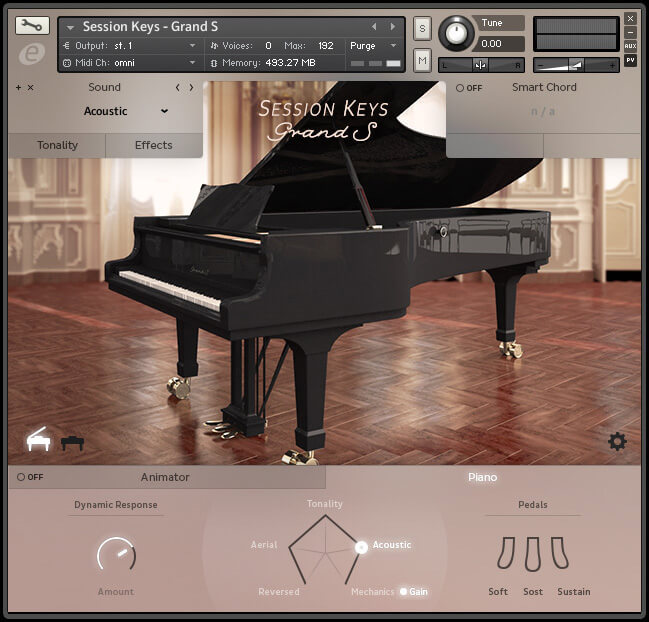
Session Keys Grand S is the iconic and unmistakable sound of the Steinway D Concert Grand Piano - be inspired by its highly playable rich warm tones. Session Keys Grand S delivers the rich harmonic structure, warm tone, and full resonances of the Steinway D Concert Grand Piano, used in concerts and recordings by some of the world’s greatest artists.
Features
- Steinway Concert Grand
- Two separate sound banks: Studio and Concert
- Pentamorph sound control to transform the whole sound with a single knob
- Animator with more than 400 flexible piano phrases
- Smart Chord function to create instant piano chords from single keys or pads
- Native Instruments NKS compatible
- Size: 11 GB / 4.91 GB (lossless sample compression)
- 24 bit, 44.1 kHz
Learn more about Session Keys Grand S.

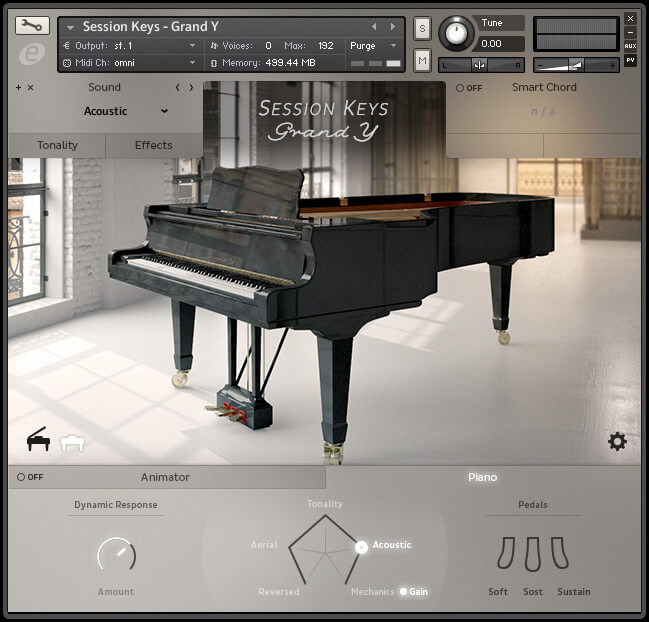
Session Keys Grand Y captures the clear, transparent and dynamic sound of a Yamaha CFIIIS Concert Grand Piano. Rich overtones, sparkling high end, and a powerful bass are the tonal fingerprints of this outstanding Kontakt instrument.
Features
- Yamaha Concert Grand
- Two separate sound banks: Studio and Concert
- Pentamorph sound control to transform the whole sound with a single knob
- Animator with more than 400 flexible piano phrases
- Smart Chord function to create instant piano chords from single keys or pads
- Native Instruments NKS compatible
- Size: 10.2 GB / 4.35 GB (lossless sample compression)
- 24 bit, 44.1 kHz
Learn more about Session Keys Grand Y.

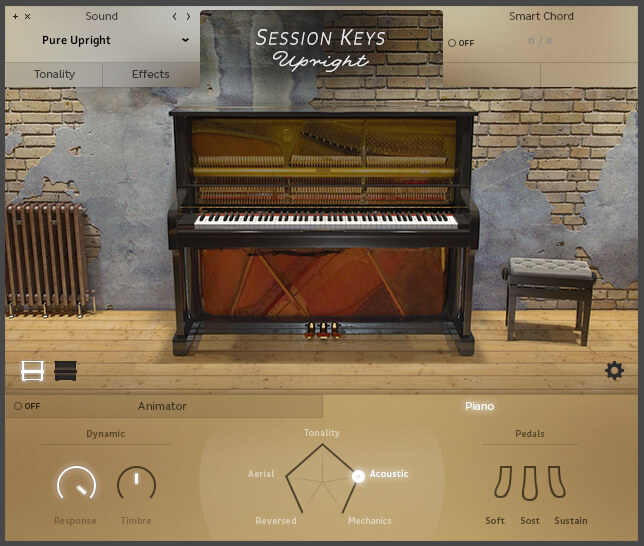
The Upright Piano has the sound you’ve been looking for to give your music the edge, offering intimate clarity, a distinctive timbre and effortless emotive power.
Features
- Modern upright piano
- Two separate sound banks: Open and Closed
- Pentamorph sound control to transform the whole sound with a single knob
- Animator with more than 400 flexible piano phrases
- Smart Chord function to create instant piano chords from single keys or pads
- Native Instruments NKS compatible
- Size: 40 GB / 20 GB (lossless sample compression)
- 24 bit, 44.1 kHz
Learn more about Session Keys Upright.
System Requirements
PC
- Windows 7/8.1/10 (Latest Service Pack, 32/64-bit).
- Intel Core 2 Duo or AMD Athlon 64.
- 4 GB RAM.
- Compatible with the FREE Kontakt 5 Player or Kontakt 5 Version 5.5.1 or higher.
Mac
- OS X 10.9 or later (Latest Update).
- Intel Core 2 Duo.
- 4 GB RAM.
- Compatible with the FREE Kontakt 5 Player or Kontakt 5 Version 5.5.1 or higher.


Stephen Gallagher
Composer | The Hobbit, District 9 & more.
"Session Keys Upright is a thoroughly flexible, fun and fantastic-sounding upright piano."

MusicTech
The world's leading magazine at the intersection of music and technology.
"Session Keys Grand S is a great-sounding and playable piano with excellent sound-shaping controls and innovative generators..."

Production Expert
Expert music production tutorials and advice.
"We absolutely love Upright Piano. It sounds brilliant!"






















