Log In
Save $18.00 compared to buying products individually
Free gifts available with your purchase
Sounds for Scoring
The Karanyi Sounds Scoring Toolkit features a bespoke collection of acoustic-synthetic hybrid instruments for atmospheric scoring and sound design. Expand your toolset today with the complete scoring collection.
Continuo
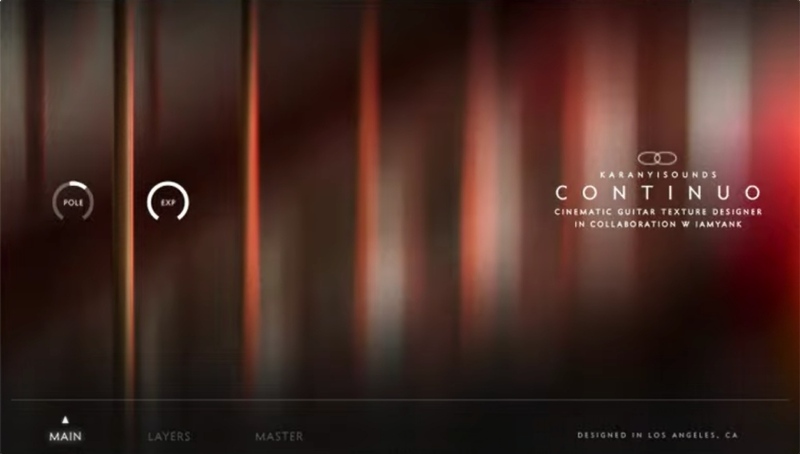
Your Cinematic Guitar Orchestra
Continuo is a complex-sounding cinematic texture designer tool based on electric guitars for creating endless pads, unusual soundscapes, characteristic atmospheres and experimental sublayers especially for film, video game and electronic music. This is the first release of Karanyi Sounds' cinematic series with their brand new, easy to use Layer Designer Engine where you can edit, modulate and mix up to 4 individual Instrument Modules at the same time. Your Continuo journey starts now.
Ideal for...
 ...
... ...
...
18 Instrument Modules
12 Extra-Long Guitar Patches
- 6 Hojave Guitars: Raw, almost cello sounding patches with a lot of fortuitousness and life for creating intimate textures or to enhance realism (as an additional layer).
- 6 Badlands Guitars: Straight, edgy and sometimes organ-like sounding patches for creating sharper or epic soundscapes
- Techniques: Bowed, tremolos, vibratos, beaten (with a wooden stick), driven patches
Learn more about Continuo.
Budapest Abstract Marimba
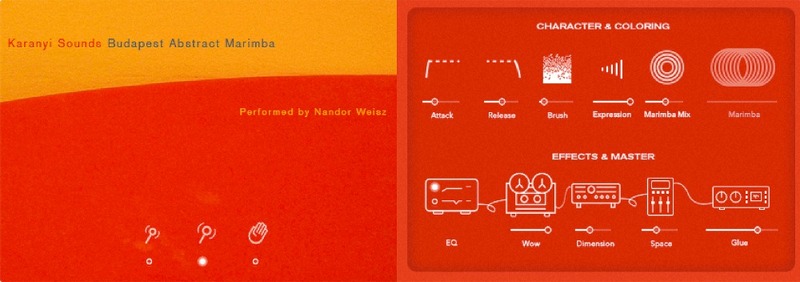
Contemporary sounding Budapest Marimba designed for creating fast sequences and inspiring tremolo beds for contemporary sound production. Unlike traditional marimba libraries, Karanyi focused on transient rich, bright sounds and they also added some synth and ambience sublayers to fit in any genres from electronic, jazz to film score.
Features
- 6+1 Articulations: 6 marimba articulations with soft, medium, hard sticks + an additional brush layer
- 3 Mic Positions: Transient rich sampling with close (1x Shure SM57) + mid mic (2x AT35) positions
- Synths & FX: Add a subtle weight or extra character with analogue synth layers, tape, dimension and space effects
- Pro Sound: Recorded in Budapest, performed by Nandor Weisz, percussionist of the Hungarian National Philharmonic Orchestra
Learn more about Budapest Abstract Marimba.
Synths II Abyss

ABYSS is a designer bass collection focusing on deep and atonal sounds created with classic and modern analogue synthesizers to produce rumbling soundscapes, dystopian pads and characteristic drones with real low-end and depth. With a lot of instrument presets and the updated Synths Engine 2.0 you get great flexibility and sound design possibilities for your next film score, videogame, ambient or any other music production.
Features
4 Analog Synth Sources
Cooking only from the finest ingredients: ABYSS includes high-quality patch samplings from 4 great classic and modern synthesizers from Oberheim and Moog. Bring 4 unique taste of bass for your next track!
190 Instrument Presets...
With ABYSS you get an exciting collection of designer bass presets from pure analogue patches to distorted, glitched, resampled, granularized, stretched, reverbed, atonal presets recorded with a wide range of effect processors and hardware units.
...and 40 Multis
Get even bigger and wider sounds with multi instruments! Blockbuster drones, cinematic soundscapes… Get started with pre-designed multis or start creating your own multi-layered weapon set.
Learn more about Synths II Abyss.
System Requirements
- Windows 7 (latest Service Pack, 32-/64‑bit), Intel Core Duo or AMD Athlon 64 CPU, 2GB RAM.
- Mac OS 10.7 or higher, Intel Core Duo CPU, 2GB RAM.
- 55GB free disk space for complete installation.
- Full version of Kontakt 5.8.1
Important Note: The Full Version of Kontakt 5.8.1 is required in order to run this software.