Log In

Save $29.00 compared to buying products individually
Free gifts available with your purchase

Loopcloud Plugins is proud to present the Loopcloud DRUM & PLAY Bundle, an incredible collection containing both of Loopcloud's much-loved DRUM and PLAY plugins.
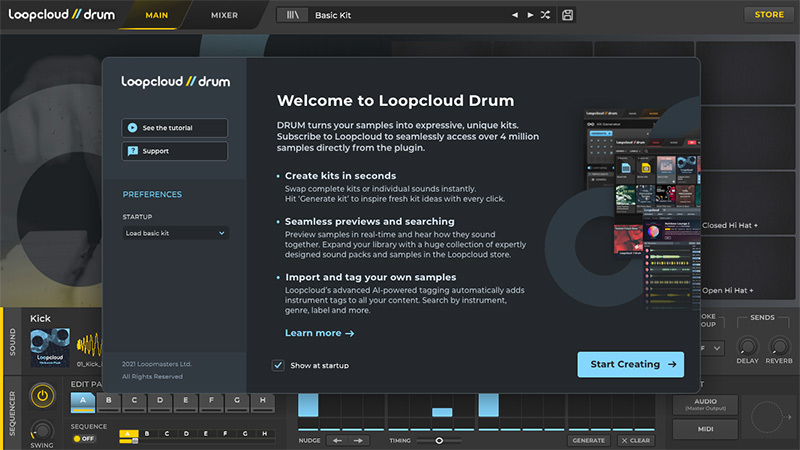
Loopcloud DRUM provides you with unique drums in seconds by turning samples into expressive kits, bringing together pro-quality sounds and unique rhythm combinations to inspire unexplored grooves. Additionally, Loopcloud PLAY places signature sounds in your hands by giving you access to endless top-quality sounds from global genres and industry experts, packaged in a focused and easy-to-use interface with a vast collection of concise, powerful and playable instruments.

Unique Drums in Seconds
When it comes to creating drums, every producer is different. Whether you create kits from scratch or intricately edit loops, Loopcloud DRUM will enhance the way you work with beats. DRUM turns samples into expressive kits, bringing together pro-quality sounds and unique rhythm combinations to inspire unexplored grooves.
Building Beats from Scratch?
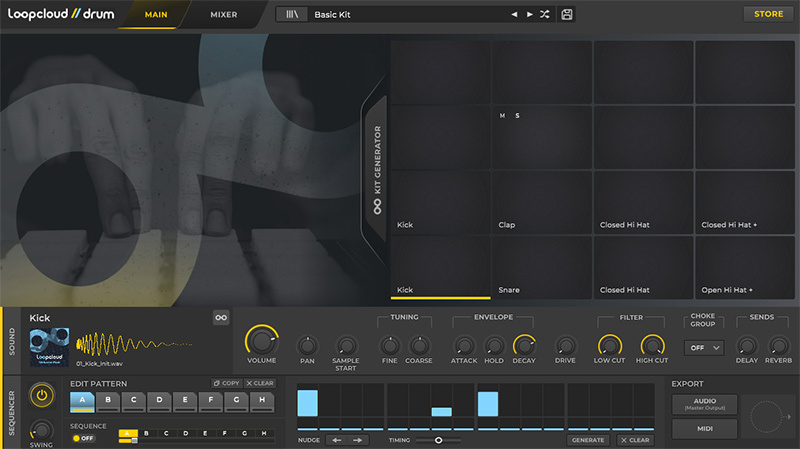
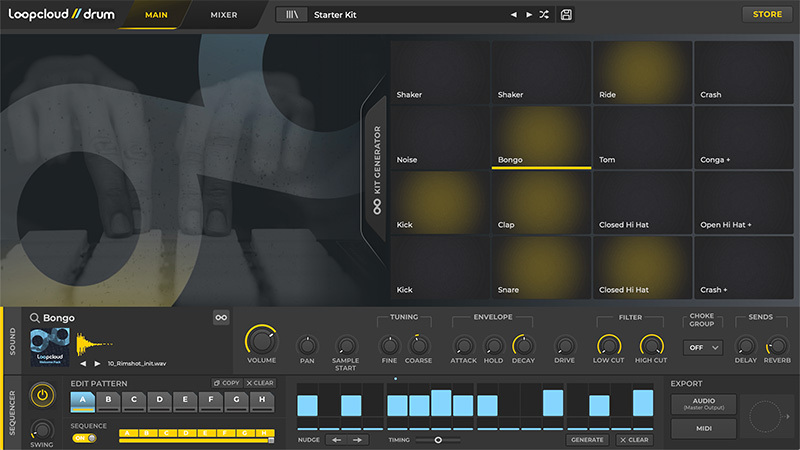
DRUM’s 16 powerful pads have everything you need to create unique loops and kits. You can use DRUM to sequence, trigger, or play in rhythms easily. Patterns can be programmed and edited quickly with nudge, timing, and velocity controls available at every step, mixing each sound on the fly with adjustable parameters on all 16 pads.
If your drum library is a little light, DRUM’s 1000 sounds and 30 kits will instantly inspire. And when you’re ready, Loopcloud’s extensive catalogue is ready to open up a world of sound. Every sample comes with the Loopmasters stamp of approval. If it’s not professional quality, it doesn’t make it into the Loopmasters library.
What's Included?
Loopcloud DRUM comes with over 1000 drum samples and 30 ready-to-go presets to kickstart your beat creations.
Included in this package you will receive a full lifetime license of Loopcloud DRUM alongside a curated selection of drum and percussion sounds and featuring full drum kits from artists such as Maribou State, Breakage, Sebastien Leger and, together with one Loopcloud DRUM EXP collection loaded with extra percussion samples and starter kit templates.
Use the provided full production kits as song inspirations, grab a stripped-back starter kit to get your beat up and rolling fast, or choose to spawn new creations with the amazing Generate Kit button.
- 1300 One Shot Samples
- 20 Full Production Kits
- 11 Starter Kits
Features
Loopcloud connected Kit Generator
- Single button press swaps the samples on 1>16 pads with samples from your library
- Kit Generation history to quickly reload 32 previous Kit Generations
- Pad-lock, keeping loaded sample on any pad-locked from the Generator
- Use any factory sample, or import your samples from your local drive
- Loopcloud AI will auto-tag all samples with the correct drum/instrument type
- Or drag and drop any .wav or .aiff file directly to the pads
16 pad drum sampler with the following controls:
- Volume and pan
- Fine and coarse pitch
- Amp Envelope
- HP and LP Filter
- Delay and Reverb Send
Mixer with FX and multi outputs
- Delay and Reverb send controls
- Master Lo-Fi, Distortion, ‘DJ’ filter, and Limiter
- 16 assignable stereo outputs
16-step, 8 bar chainable sequencer with swing
- Velocity and roll per step
- Micro timing, step nudge, pattern generator per lane
- Triggerable using keys C3-G3 with instant pattern jump
Audio MIDI export
- Drag and drop audio mixdown or MIDI file to your DAW
- All exports are imported and AI tagged in the Loopcloud app
Learn more about Loopcloud DRUM.

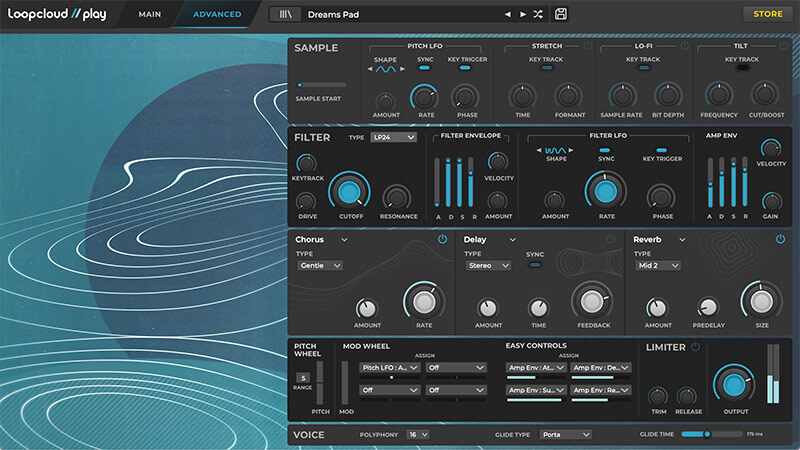
Signature Sounds In Your Hands
Loopcloud PLAY gives you access to an endless gallery of top-quality sounds from global genres and industry experts, packaged in a focused and easy-to-use interface. PLAY takes Loopmasters’ 20+ years of sound design and artist curation experience and channels it into a vast collection of concise, powerful and playable instruments.
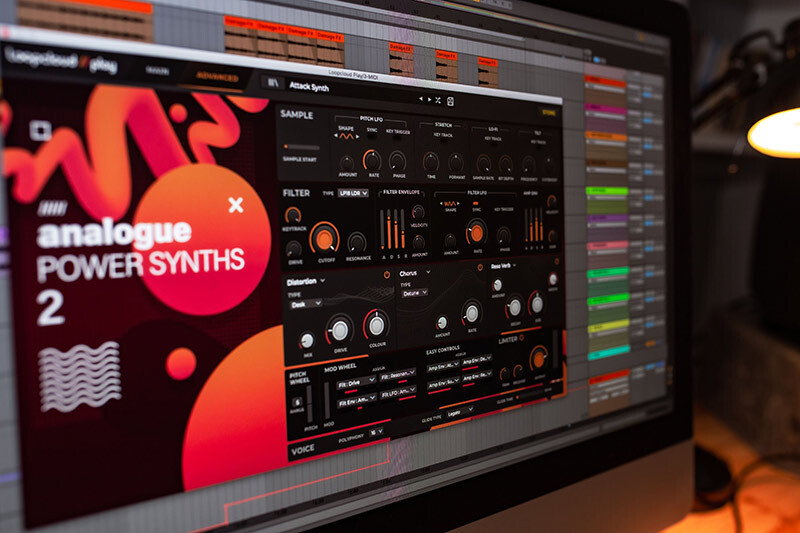
Decades of Discovery
The Loopmasters library is the largest and most diverse sound library available, showcasing over 4 million genre-defining loops and samples. PLAY pulls together fundamental genre-specific sounds from its library to create instantly playable and inspirational instruments. Easily load up sounds from different genres, artists, and styles, and make music right away. Most of the sound design is done for you, giving you time to concentrate on creativity. If the sound needs adjusting, the four performance controls and intelligent synth engine give you deeper control to carve out more distinctive sounds.
What's Included?
Loopcloud PLAY comes with a full lifetime license of Loopcloud PLAY together with over 290 expressive factory preset sounds. The collection features a range of instruments including rich dreamy pads, warm fat basses, blistering synths, delicate keys, sublime strings and cinematic wind and brass. This collection is made for modern electronic music producers, so no matter if you love House, Techno, Ambient, Bass Music, DnB or Hip Hop, all the basic sounds you need are ready to load in an instant. More sounds are available from Loopcloud via PLAY’S dedicated store browser button that will give you access to thousands of genre-specific sounds ready to preview to purchase at the click of a button.
Each sample can be manipulated beyond its original timbre with Loopcloud PLAY’s advanced synth parameters, including time-stretch, modulation, filters, and effects. Transform the ordinary into otherworldly with simple easy-to-map controls.
Use the professionally programmed presets for authentic track starters, lock the samples and load other preset parameters to get instant variations, or go crazy and switch out the samples but maintain the synth parameters for instant happy accidents – it’s all to PLAY for.
- Loopcloud PLAY
- Loopcloud Play Factory Content
- 290 Presets
Features
Sample-based synth engine with:
- Sample start
- Pitch LFO
- Time Stretch
- Lo-fi effect
- Tilt EQ
Fed Into:
- Filter with 14 types
- Filter envelope and LFO
- Amp Env
With a 3-slot FX chain featuring:
- Distortions
- Delays
- Chorus
- Reverb
- Modulation wheel with 4 assignable destinations
- 4 assignable easy controls for simple control and automation
- Audio Limiter
Learn more about Loopcloud PLAY.
System Requirements
Mac
- macOS 10.15 and later (earlier OS should work but are not officially supported) (Apple Silicon is supported)
- 64-bit VST, VST3, AU plugins.
Windows
- Windows 10 and later (earlier OS should work but are not officially supported)
- 64-bit VST, VST3 plugins
Important Notes:
- An internet connection is required for the first-time launch of the plugins.
- The Loopcloud application is installed with Loopcloud DRUM / PLAY (It is required to be running on your computer for Loopcloud DRUM / PLAY to work).
- DRUM and PLAY are not compatible with MOTU Digital Performer.
- VST2 and VST3 not compatible with the DAW 'Waveform PRO'
MusicRadar
A music website that offers information pertaining to artists and their music, with interviews, product news and reviews, and online music lessons.
“DRUM and PLAY will considerably enhance your sampling setup, with dense tonal manipulation and originality encouraged.”